I am having an issue with NetXMS not being able to read Inbound/Outbound traffic on any interface. I am able to connect to the router with SNMP and get status of the interfaces and ARP caches and such. However when I try and create a DCI for bandwidth it does not show up. When I go to Last Values, it displays nothing but the timestamp is "31.12.1969 16:00:01" (PST local). I have tried both Sophos and NetXMS suggested Data Parameters (.1.3.6.1.2.1.31.1.1.1.6.{iface number}). I am unsure where to go from here. Anyone have any ideas or suggestions?
Note: I can get bandwidth to register with Intermapper just fine.
Hello,
I try to access a Node from Condition's Status calculation script using FindNodeObject() method.
The function still returns null, probably because the Condition isn't in the Node's "Trusted Nodes" list.
But I can't add the condition there, because conditions are hidden in the tree when I click Add in "Trusted Nodes".
FindNodeObject() works correctly if CheckTrustedNodes is set to 0 in Server Configuration, but it's only a workaround.
Version of NetXMS used: 2.0-M1.
OK, this looks like a very powerful tool.
Unfortunately I'd want to create a SNMP Table tool which (according to the admin-guide) doesn't support neither macro substitution nor setting a target IP.
And without the target IP setting I can't predefine a SNMP Table tool which is independent on IP of the selected node.
Hi Victor,
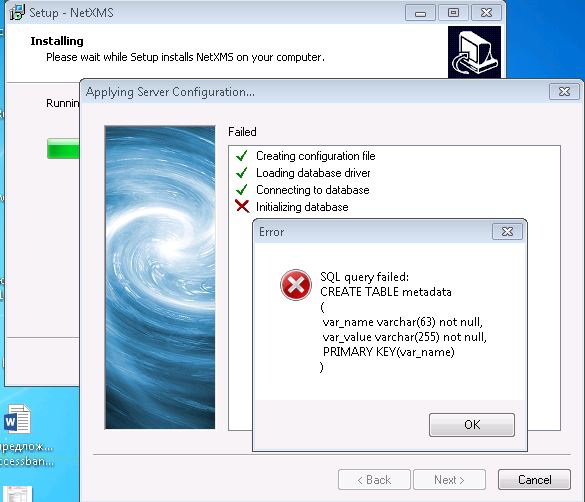
it seems that unfortunally the problem isn´t solved. I tried to install the M2. Before I tried this I had to uninstall the server and the Core Service. The uninstaller wasn´t able to uninstall the core service. So I hat delete the service with the sc delete command. After that I restarted the server. After the restart I run the M2 installer. At the last step the installer wants to start the core - but he wasn´t able to start the service. So I have killed the netxmsd process.
Restarted the server again. Try to start the process manually: Error 1053. Then the same procedure: change the path of the logfile, try to start netxmsd -D9 but there were no file created an no response in the command window.
Any ideas? Thanks.
You can also add check to the filter to ignore file systems with total space less then 800MB and free space 0 - it will work fine unless you really have very small file systems on your servers.
Best regards,
Victor
I think I solved my problem.
I increased Data Collector count in server configuration a few days ago (i have 12000 DCI and am getting value per 10 seconds). But my devices could not answer too much connection at the same time.
So, I decreased it to 50 and now there is no problem.
thank you.
Looks like a bug in libtre, we'll look into it.
In meantime you can use this regexp: "^([0-9]+)\s([0-9./]+)\s([0-9]+)\s([0-9A-F]+)\s(.+)$", or a bit more generic: "^([^\s]+)\s([^\s]+)\s([^\s]+)\s([^\s]+)\s(.+)$"
never mind. I reinstalled linux, netxms and created a new database.
Deleted all dci value tables from old db and import other tables to new one.
Everything is ok.
No OverCPU usage, No high ram usage no queue.
thank you.
Hi Victor,
thanks for the reply.
I've got IE11 as Standard. Tried Firefox (works) and Chrome (works, too).
Strange thing is: After I've tried the two other Browsers, IE works again as usual.
Leaves me puzzled, but happy...
best regards,
Frank