Attached the database list and two binary files created with psql copy, one is just the message value, the other is the entire record.
bad-log.bin
bad-log-message.bin
db-list.txt
Hi Filipp,
We had difficult let the WebUI work during last few day, we did not use tomcat before.
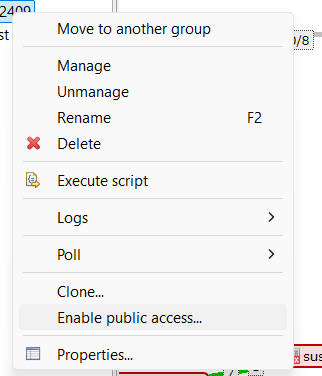
Anyway, from your words, I understand why the map could not share to other user in desktop app - did not grant read permission to the object.
Appreciate your kindly explaination!
Br,
Mika
Hello,
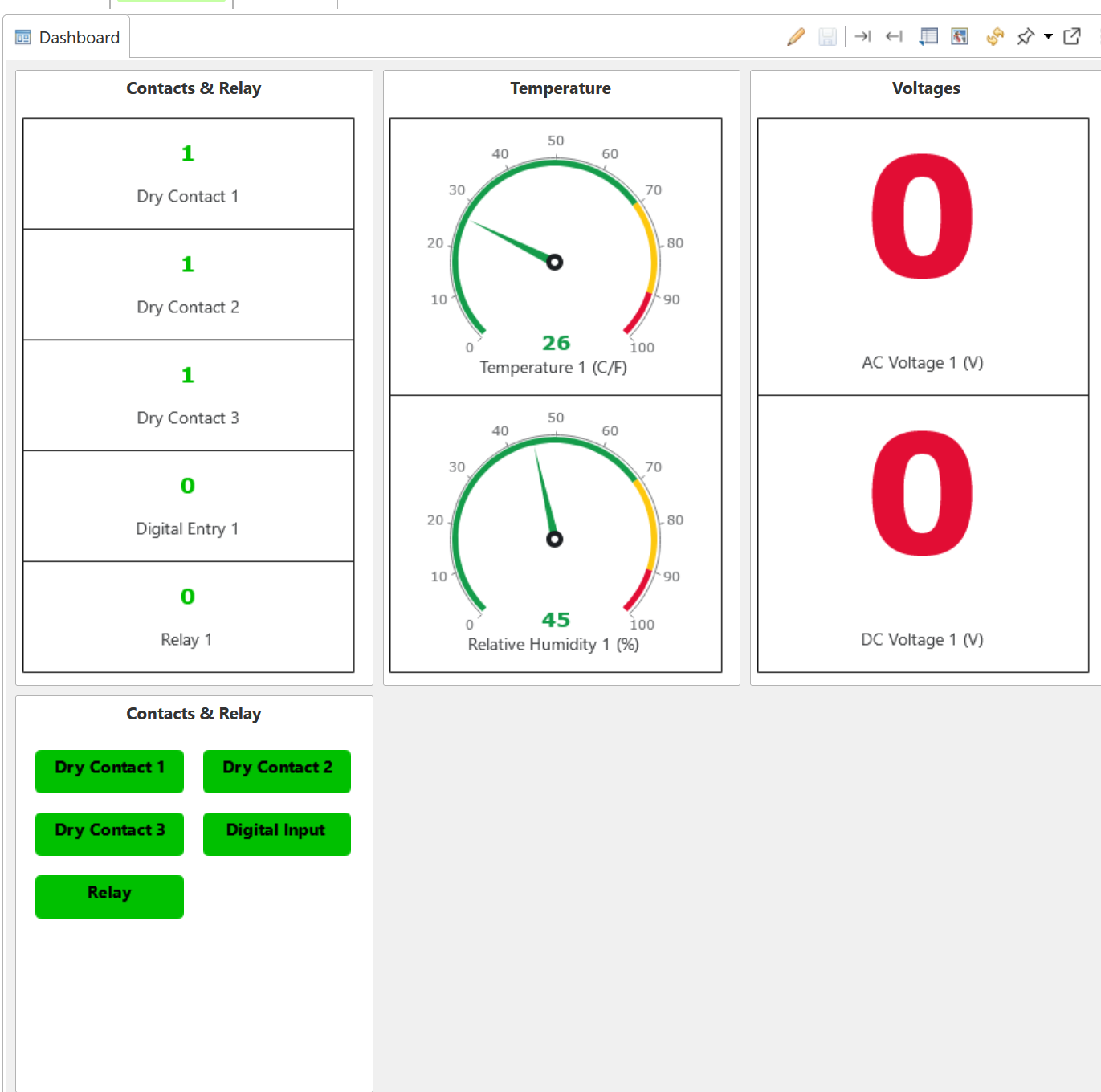
I am trying to create a Status Icon on the Dashboard.
The DCI is reading Dry Contact / Relay status (0 or 1) .
How ever I am missing on how to get the Colors to change based on the DCI value being 0 or 1 ..
Thank you in advance.
[image: Screenshot 2025-01-22 155032.png]
[image: Screenshot 2025-01-22 155408.png]
[image: Screenshot 2025-01-22 155134.png]
[image: Screenshot 2025-01-22 155116.png]
[image: Screenshot 2025-01-22 155057.png]
I have tried Swedish and English keyboard from windows and mac trying to control a windows server set to Swedish and English. No capital letters at login prompt whatever i try. If i use another vnc viewer instead of the built in Netxms console it works.
Im using tightvnc server.
Here is the final solution to Watch Linux ZFS Filesystem in Proxmox Server
It can be used for ZFS mirror and raid systems
Configuration of agent´s config file (/etc/nxagentd.conf):
add these lines
ExternalList=zpoolNAME:zpool list | tail -n +2 | cut -d' ' -f1
ExternalMetric=zpoolStateSTORE(*):zpool status $1 | grep -E "state" | tr -s " " | cut -d" " -f 3
ExternalMetric=zpoolStateRAID(*):zpool status $1 | grep -E "raid|mirror" | tr -s " " | cut -d" " -f 3
Here is the configuration of ZFS RAID status:
Metric
zpoolStateRAID({instance})
Display name
ZFS: RAID Status of Pool {instance}
no Transformation
Instance discovery methode
Agent List
List name
zpoolNAME
Threshold:
Last polled value not like ONLINE
Here is the configuration of ZFS STORE status:
Metric
zpoolStateSTORE({instance})
Display name
ZFS: STORE Status of Pool {instance}
no Transformation
Instance discovery methode
Agent List
List name
zpoolNAME
Threshold:
Last polled value not like ONLINE
Output:
ZFS: RAID Status of Pool datastore01 = ONLINE
ZFS: RAID Status of Pool rpool = ONLINE
ZFS: STORE Status of Pool datastore01 = ONLINE
ZFS: STORE Status of Pool rpool = ONLINE
In my case datastore01 is a raid2-0 system and rpool a mirror-0 system
This works fine for me
Thank you for helping
Rainer
All of the features are enabled on most systems. Some of them are packaged into separate packages (e.g. reporting) or mqtt.
There are some exceptions, you can check them in the version-specific configs: https://github.com/netxms/packages-deb/tree/stable-5.1/config
right after a bit of digging and feeling like a total tit..
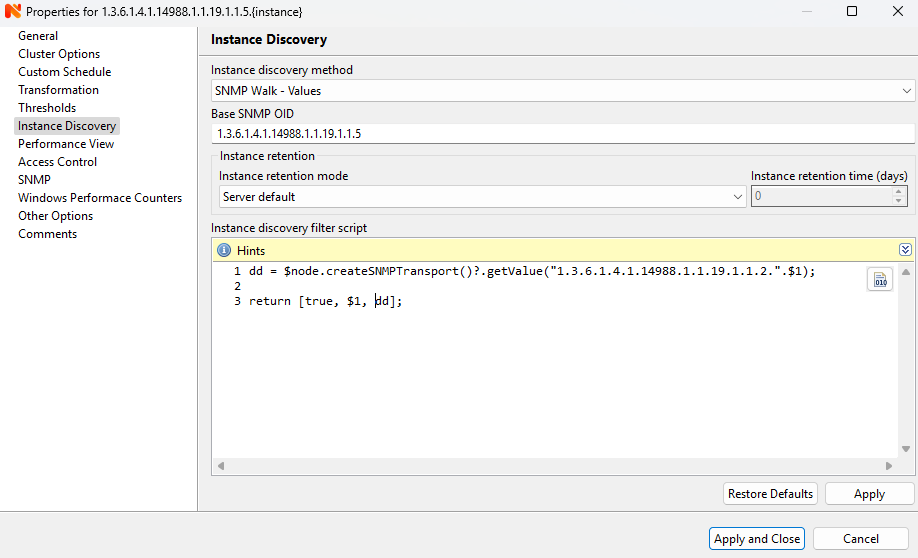
It turns out I was missing a . from the Concatenation operator simple mistake so this now seems to work
getoid = ".1.3.6.1.4.1.14988.1.1.19.1.1.2.";
instance = $1;
walk = $node.createSNMPTransport()?.getValue(getoid .. instance);
if(walk == NULL) {
walk = $1;
}
return [true, instance, walk];
and this now effects the {instance-name} as intended.
hope it helps someone in the future!
Hi,
If you need to specify colors for each item, the hashmap can be used for this:
values.append(%{"name":"Item X", "value":10, "color": "#f5f5f5"});
return values;
Checked with developers, currently this is not supported. Aggregation settings currently only affect data collection on clusters.
However, the code that displays the chart goes through all table rows anyway, so it will be a small change to add this.
There's no exact time frame when it will be done, but you can follow the ticket to get notified: https://track.radensolutions.com/issue/NX-2671
If it’s intel-based, then you can use standard repositories.
If it’s arm - we currently do not provide deb packages for arm, but this will change in the near future
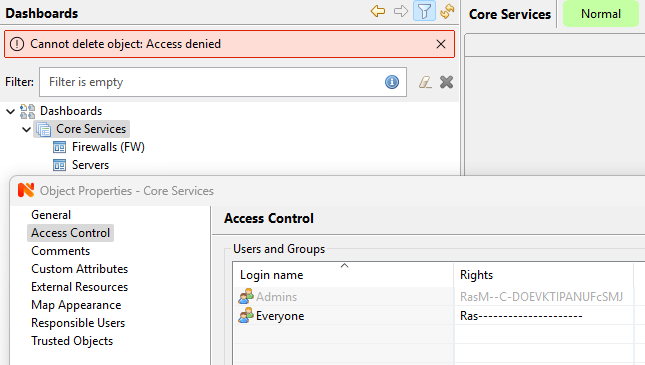
DB issue resolved. Logged in as system and was able to edit permissions and delete the group. So issue seems to be the default admin user is lacking permissions somewhere......
Sorry, I didn't read the guide carefully. In the description, you can use parameters to select all three choices on the first screen like an installation wizard, such as,
/MERGETASKS="fspermissions,sessionagent,useragent"
This problem does not exist