Skip to content

Support

5.1k Topics 22.0k Posts

Questions about installing, configuring and using NetXMS.

  • 100% CPU utilization after inserting leap second

    2
    0 Votes
    2 Posts
    10k Views
    J
    Resolved restart ntpd
  • {instance-name}

    3
    0 Votes
    3 Posts
    11k Views
    S
    It is strange, because I exported a template from 2M5. I tried to use it in 2M2, but the instance-name returned nothing. In 2M5 it worked good.
  • Status polling and alerting

    4
    0 Votes
    4 Posts
    11k Views
    V
    Hi, if interface set to "ignored" state it is ignored (as name implies). However, node still should be marked as down if it cannot be reached by any means (SNMP, ICMP, or agent). Do you have at least one interface set to expected state "up"? Best regards, Victor
  • Network discovery not firing?

    1
    0 Votes
    1 Posts
    9k Views
    X
    I've configured the network discovery (and made sure ActiveNetworkDiscovery in the configuration is set to 1) yet no devices will show up. I tested with nxsnmpwalk and I was able to walk the devices as expected. I have a few of questions regarding this: How does the Network Discovery work? Does it only add a device if it can access it via SNMP? (I ask because all of the devices are available via ICMP) Is there a way to monitor the status of the Network Discovery? (If it's currently running, last time it was run, etc) What time frame does the ActiveDiscoveryInterval setting work on? Does it run depending on the time the process was started? Is there a way to manually start the discovery rather than have to wait for it? (I know this has been asked before but I couldn't find an answer when searching these forums) Thanks!
  • Filtering Script in EventProcessing

    4
    0 Votes
    4 Posts
    15k Views
    S
    I found a solution myself. I'm using following filter script in events to filter the message text with wildcards: if($event->message ~= "(.*)ERP Basis System(.*)") return false; else return true; Greets Marco
  • Web Timeout on Linux server

    5
    0 Votes
    5 Posts
    10k Views
    C
    Thank you very much, that worked for me!!!
  • Active Discovery on 2.0-M4

    8
    0 Votes
    8 Posts
    10k Views
    V
    Could you please share screenshot of your network discovery configuration (hide community strings, etc. as necessary) and piece of log when server founds nodes using ping? Best regards, Victor
  • Server temperature

    2
    0 Votes
    2 Posts
    12k Views
    A
    I think I've seen only one server where this query was working properly. Check this thread for another solution: https://www.netxms.org/forum/general-support/windows-temperature-monitoring-solution/
  • Detect Multiple MacAddress in the interface?

    6
    0 Votes
    6 Posts
    14k Views
    D
    Thanks Victor. Looking forward for the next release
  • Mapping Table

    1
    0 Votes
    1 Posts
    7k Views
    S
    Hi ! If someone can help me. A device error mib tree is the following:   >time, date, port and error code. An other MIB tree contains the error codes with its description like this: alrGenDescription.1 REAL TIME CLOCK BATTERY FAILURE alrGenDescription.2 PS-A FAILURE alrGenDescription.3 PS-A 12V FAILURE alrGenDescription.4 PS-B FAILURE alrGenDescription.5 PS-B 12V FAILURE I would like to make a table, where I can see the error time, date, port and the error description (not error code). I think, I have to make a mapping table with the error codes (1, REAL TIME CLOCK BATTERY FAILURE ..etc). But I cannot figure out, how to use it anyweher. No mention in documentation or example on the net. Have you got any idea ?
  • Login to server

    4
    0 Votes
    4 Posts
    7k Views
    L
    Hi, I updated server to version 2.0-M5 (clean installation with new db) but it didn't help. I setup debug 6 and I tried to login as admin. In the log [DEBUG] [CLSN-6] Received message CMD_GET_SERVER_INFO [DEBUG] [CLSN-6] Server time zone: CET+02CEST [DEBUG] [CLSN-6] Sending message CMD_REQUEST_COMPLETE [DEBUG] [CLSN-6] Received message CMD_REQUEST_ENCRYPT [DEBUG] [CLSN-6] Sending message CMD_REQUEST_SESSION_ [DEBUG] [CLSN-6] Received message CMD_SESSION_KEY [DEBUG] [CLSN-6] Sending message CMD_REQUEST_COMPLETE [DEBUG] [CLSN-6] Received message CMD_LOGIN [DEBUG] [CLSN-6] authentication type 0 . . [DEBUG] [CLSN-5] readThread: message receiving error (MSGRECV_COMM_FAILURE) [DEBUG] [CLSN-6] readThread: message receiving error (MSGRECV_COMM_FAILURE) When I restarted  the server, I could connect without any problem. It means, the problem is persistent. Thanks, Ladislav
  • Custom SNMP port when using network discovery?

    2
    0 Votes
    2 Posts
    6k Views
    V
    Hi, currently NetXMS only probes standard SNMP port during discovery. You can fill feature request in our bug tracker to add list of possible SNMP ports to probe (in a same way we do for SNMP communities). Best regards, Victor
  • Help converting a net-snmp file

    2
    0 Votes
    2 Posts
    8k Views
    V
    Hi! I suppose this is configuration to allow Brekere SIP server to expose internal metrics via snmpd. So you still have to do it on your server, and then setup NetXMS to access SNMP on that server and read SNMP parameters as usual. Do they provide MIB file as well? Best regards, Victor
  • nxagent 2-0-M5 stopping in windows 2012 R2

    2
    0 Votes
    2 Posts
    7k Views
    A
    It's known issue – we fixed that already and pushed updated version of the agent installer on the web (version remains the same). Download agent installer once again and reinstall, it should fix this issue.
  • Template a remote service check?

    2
    0 Votes
    2 Posts
    7k Views
    G
    Set your NetXMS server as "Proxy node" in Properties of that DCI.
  • Linux Memory Monitoring

    5
    0 Votes
    5 Posts
    18k Views
    G
    @pace said in Linux Memory Monitoring: Still having this problem.  Any solutions out there? Add following line to nxagentd.conf and create appropriate DCI for FreeMemPerc: ExternalParameter = FreeMemPerc:awk '$$1=="MemTotal:" {total=$$2} $$1=="MemFree:" {free=$$2} $$1=="Cached:" {cached=$$2} END {printf("%.0f\n",(free+cached)/total*100)}' /proc/meminfo
  • Move container to new server

    3
    0 Votes
    3 Posts
    15k Views
    T
    Hi, I want to post a small example script for importing/exporting. Maybe someone can improve this script - it is kinda usefull if you want to migrate to a new server without copying the old database. EXPORT export_nodes.py: from org.netxms.client.objects import GenericObject, Node, Interface, AbstractObject import sys import pickle import codecs # START CONFIG ############################################################################### printTree = True exportFilename = "exported_nodes.nxe" rootID = objects.GenericObject.SERVICEROOT # Infrastructure Services Node ############################################################################## # END CONFIG rootNode = s.findObjectById(rootID) # the root node object exportHandle = codecs.open(exportFilename, 'w', 'utf-8') print 'Exporting items from node %s' % ( rootNode.getObjectName() ) def getSubItems(parent, depth): for node in parent.getChildsAsArray(): name = node.getObjectName() nodeId = node.getObjectId() nodeClass = node.getObjectClass() #print 'Found object: %s (%d) - class: %d' % (name, nodeId, nodeClass) if nodeClass == AbstractObject.OBJECT_CONTAINER: #print 'Checking subnode...' if printTree == True: print str(nodeClass) * (depth + 2) + ";" + name exportHandle.write(str(nodeClass) * (depth) + ";" + name + "\n") getSubItems(node, depth + 1) else: if printTree == True: print str(nodeClass) * (depth) + ";" + name + ";" + node.getPrimaryIP().getHostAddress() loc = node.getGeolocation() ip = node.getPrimaryIP().getHostAddress() attrs = node.getCustomAttributes() comment = node.getComments() hassnmp = node.hasSnmpAgent() hasnx = node.hasAgent() # generate custom attribute string attrstr = '' for key in attrs: # in python 2.x it is iteritems() if attrstr != '': attrstr = attrstr + ':#:' attrstr = attrstr + key + '=-=' + attrs.get(key) exportHandle.write( str(nodeClass) * (depth) + ";" + name + ";" + ip + ";" + \ loc.getLatitudeAsString() + ";" + loc.getLongitudeAsString() + ";" + attrstr + ";" + \ str(hassnmp) + ";" + str(hasnx) + ";" + comment + "\n" ) #print 'Found device: %s' % (name) # main getSubItems(rootNode, 1) print 'Done! (Exported file: %s)' % ( exportFilename ) Export nodes with this command: java -Dnetxms.server=127.0.0.1 -Dnetxms.login=admin -Dnetxms.password=netxms -jar nxshell-2.0-M4.jar export_nodes.py IMPORT import_nodes.py: from org.netxms.client.objects import GenericObject, Node, Interface, AbstractObject import sys import java import codecs # START CONFIG ############################################################################### printTree = True importFilename = "exported_nodes.nxe" rootID = objects.GenericObject.SERVICEROOT # Infrastructure Services Node ############################################################################## # END CONFIG rootNode = s.findObjectById(rootID) # the root node object print 'Importing items from node %s' % ( importFilename ) parentId = rootID parentTree = [rootID] with codecs.open(importFilename, 'r', 'utf-8') as f: for line in f: arr = line.split(';') # first element specifies type and depth depth = len(arr[0]) nodetype = int(arr[0][0]) print 'found item: type = %d, depth = %d' % (nodetype, depth) # all fields mapped to variable names name = arr[1].strip() if nodetype == AbstractObject.OBJECT_NODE: ip = arr[2] ipaddress = java.net.InetAddress.getByName(ip) ipnetmask = java.net.InetAddress.getByName("255.255.255.0") lat = arr[3] lng = arr[4] attrs = arr[5] hassnmp = bool(arr[6]) hasnx = bool(arr[7]) comment = arr[8].strip() flags = 0 if hasnx == False: flags |= NXCObjectCreationData.CF_DISABLE_NXCP if hassnmp == False: flags |= NXCObjectCreationData.CF_DISABLE_SNMP if nodetype == AbstractObject.OBJECT_CONTAINER: # create a new container and set it as current root print 'Creating Folder: %s in parent: %d' % (name, parentId) cd = NXCObjectCreationData(objects.GenericObject.OBJECT_CONTAINER, name, parentTree[depth-1]); folderId = session.createObject(cd) # createObject return ID of newly created object if (len(parentTree)-1) > depth: parentTree[depth] = folderId else: parentTree.insert(depth, folderId) else: # create a new node in the current container print 'Creating Node: %s - %s' % (name, ip) cd = NXCObjectCreationData(objects.GenericObject.OBJECT_NODE, name, parentTree[depth-1]); cd.setCreationFlags(flags); cd.setComments(comment); #cd.setIpAddress(ipaddress); #cd.setIpNetMask(ipnetmask); cd.setPrimaryName(ip) # Create node with IP address nodeId = session.createObject(cd) #print 'Line: %s' % (line) print 'Done!' Import nodes with this command: java -Dnetxms.server=127.0.0.1 -Dnetxms.login=admin -Dnetxms.password=netxms -jar nxshell-2.0-M4.jar import_nodes.py Especially the import script might need some improvement to allow importing of custom attributes and so on. I hope this is helpful!
  • Could not find or compile MSSQL.DDR

    6
    0 Votes
    6 Posts
    18k Views
    M
    Thank you. It's solved now
  • Using GetDCIValue function

    3
    0 Votes
    3 Posts
    19k Views
    N
    Thank you very much.. it works now
  • Netwok Service Response Time

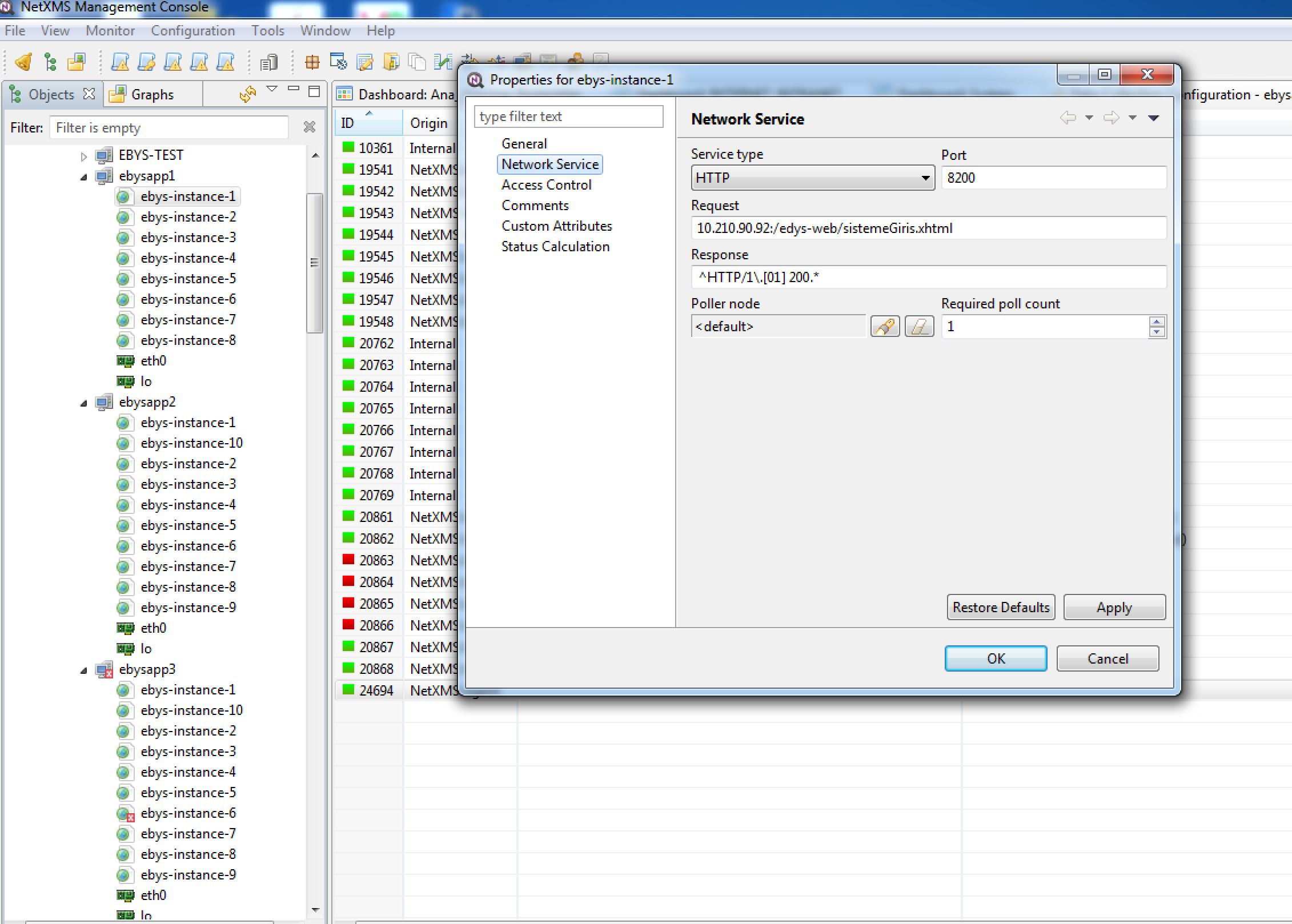
    4
    2
    0 Votes
    4 Posts
    23k Views
    M
    solved. thank you.