Skip to content

Support

5.1k Topics 22.0k Posts

Questions about installing, configuring and using NetXMS.

  • Failed to enable unit: Refusing to operate on alias name or linked unit.

    2
    0 Votes
    2 Posts
    26k Views
    F
    Try using systemctl enable --now netxms-server.service You can see unit names by issuing systemctl | grep netxms
  • How to mass update "interface expected state" in 4.4?

    7
    0 Votes
    7 Posts
    48k Views
    T
    Thanks as always, Victor!
  • ssh to ubiquiti

    2
    0 Votes
    2 Posts
    21k Views
    F
    ssh connections in netxms are performed via agent that is running along with the server. You can try setting debug level 6 for that agent - one way is to stop it via systemctl: systemctl stop nxagentd and start in in foreyground: nxagentd -D 6 Then try running configuration poll for your uniquiti node to see if ssh capability becomes yes. Or try adding a ssh DCI on that node and forcing poll for that DCI. Log of the above agent should have some lines about ssh.
  • Problem with version 4.4.1 on Windows 10

    4
    0 Votes
    4 Posts
    38k Views
    F
    First thing to try would be 127.0.0.1 instead of localhost - may be localhost is resolved into ipv6 address and database does not like it?
  • [SOLVED] NATed device detected as duplicate node

    4
    0 Votes
    4 Posts
    32k Views
    T
    Yes, that worked.
  • NetSVC limitation in size of WebService's Reply

    3
    0 Votes
    3 Posts
    23k Views
    M
    Yes, it was from the same host... ...for my current workaround I just modified the Request-Portion in the Settings of the NetworkService-Object by appending the filename of the aforementioned txt-file: Doens't work: host.domain.tld:/ Workaround: host.domain.tld:/test.txt
  • Aruba AP

    3
    0 Votes
    3 Posts
    22k Views
    D
    Hello, it works perfect!! thank you ;D
  • Upgrade from 3.9 to 4.4

    3
    0 Votes
    3 Posts
    21k Views
    P
    Thanks! in the meantime I went back to version 3.9 using Vmware snapshots, as 4.4 had not seemed very stable (in my installation). I will definitely try again with 4.4.1
  • Icmp-only proxy with zoning

    4
    0 Votes
    4 Posts
    25k Views
    S
    Not a real use-case, reading the doc page i simply thought to scale using dedicated servers for snmp and ping.
  • Object query dashboard component

    5
    1
    0 Votes
    5 Posts
    29k Views
    F
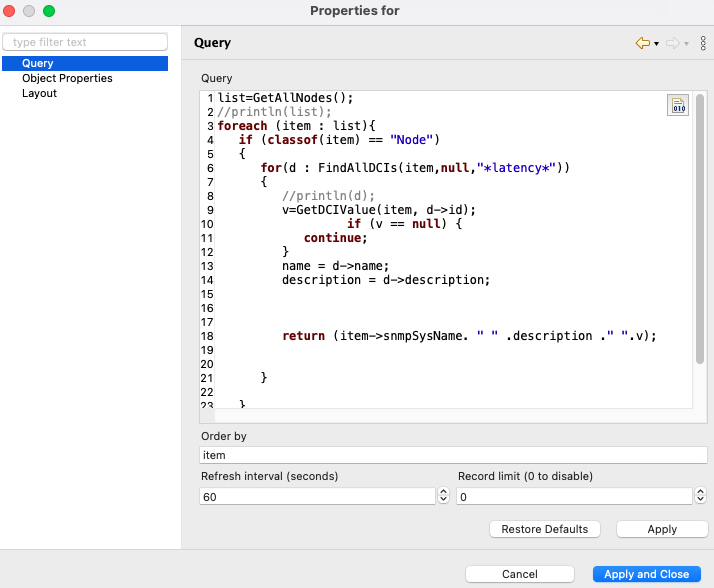
    On a node you need to create "New table", not "New parameter". In properties of that table DCI name of the script from script library is specified. Then you should be able to open "Table last value" - the whole table should be visible there. Then in Dashboard it's Tables->Table value
  • Error using package manager for agent update

    3
    0 Votes
    3 Posts
    19k Views
    F
    Hi! Did you try 4.4.1 which is currently the latest version?
  • Grandstream DP750 with SNMP - no values

    3
    1
    0 Votes
    3 Posts
    17k Views
    R
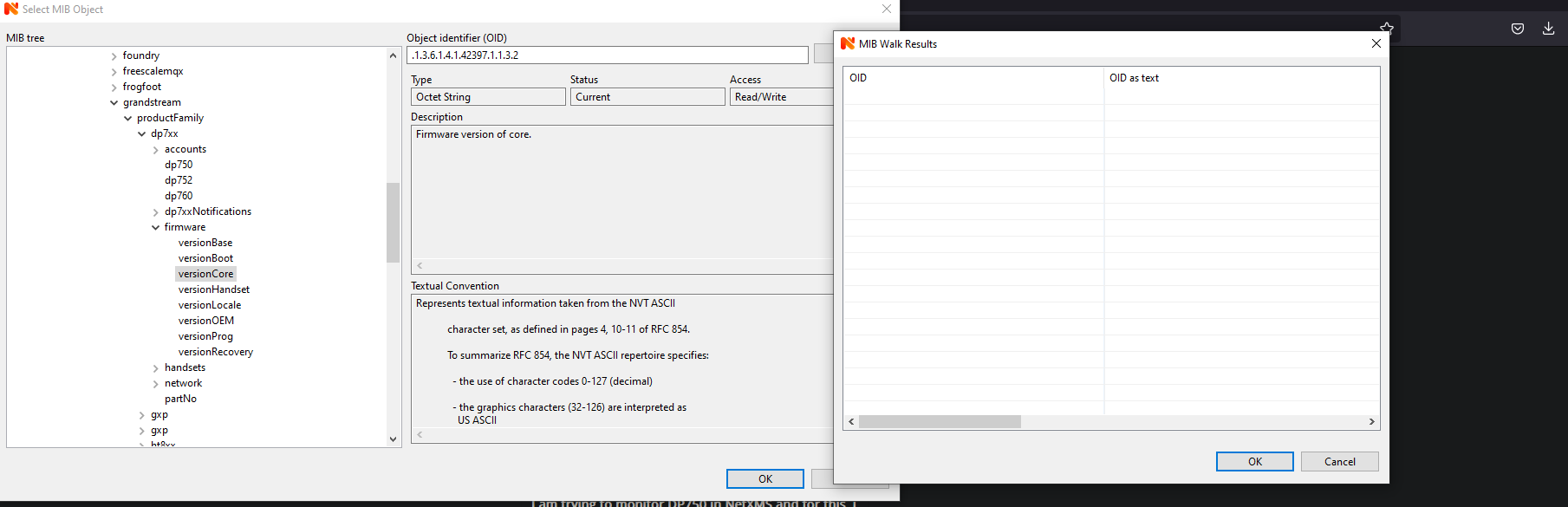
    Hello, i have solved this issue few days ago. The MIB file provided by Grandstream was still bad and weirdly enough, MIB file for HT8xx worked. I dont know why, but thanks for your help! Appreciate it!
  • Alarm showing critical for interfaces going down

    2
    0 Votes
    2 Posts
    19k Views
    F
    Check properties of interfaces - there is expected state which is by default it set according to how interfaces were when device was polled for the first time. If you set expected state to "ignore", alarms should not be created.
  • Exclude Event Log errors based on ID

    2
    3
    0 Votes
    2 Posts
    18k Views
    A
    Hi simplest way it to filter them in the Event processing policy. Match these records with script filter and use action "stop processing" (or invert filter and add it to the notification rule instead)
  • Empty Value in Last Values

    4
    3
    0 Votes
    4 Posts
    21k Views
    T
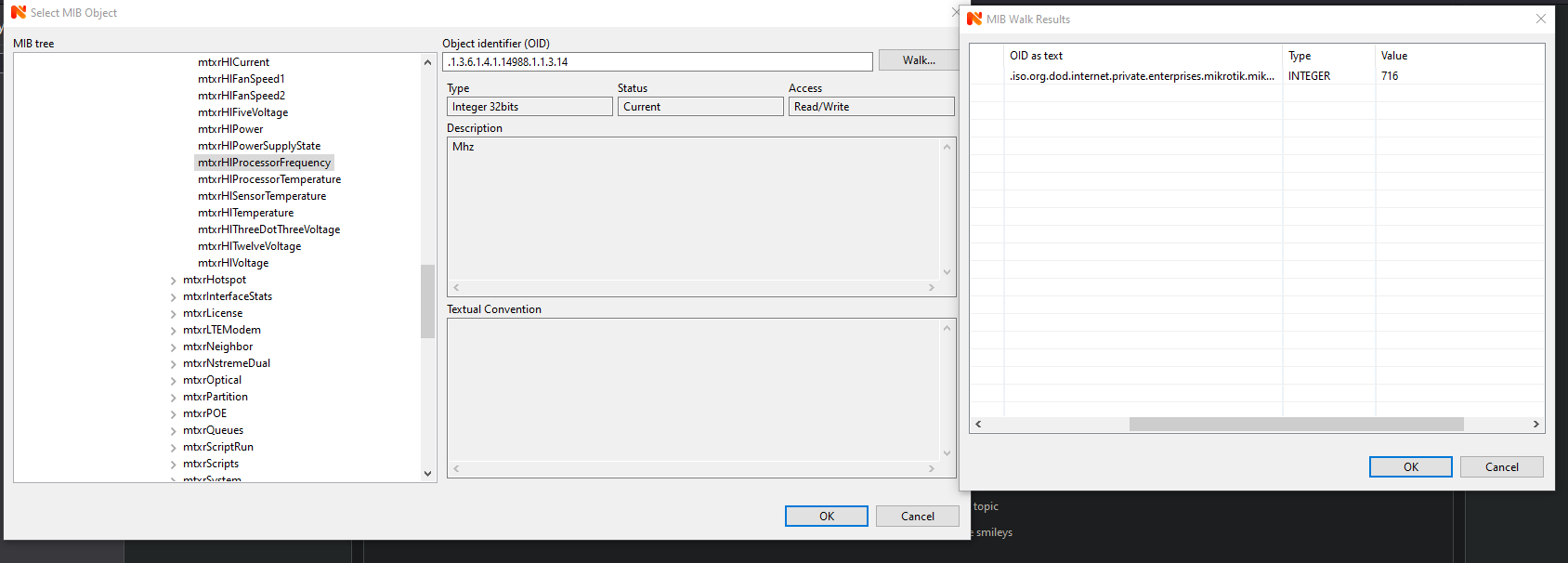
    Ah, the blank result just means that your model doesn't report 'health' values. You should see something like the following (on most models) when checking 'resource' values: [admin@router-01] > /system resource print oid used-memory: .1.3.6.1.2.1.25.2.3.1.6.65536 uptime: .1.3.6.1.2.1.1.3.0 build-time: .1.3.6.1.4.1.14988.1.1.7.6.0 total-memory: .1.3.6.1.2.1.25.2.3.1.5.65536 cpu-frequency: .1.3.6.1.4.1.14988.1.1.3.14.0
  • WebUI V4.4.1 throws mismatch communication protocoll

    2
    0 Votes
    2 Posts
    14k Views
    T
    Seen this thread?: https://www.netxms.org/forum/general-support/webui-v4-4-0-mismatch-communication-protocoll-ubuntu/
  • MQTT SubAgent subscribing to more than one MQTT Publisher

    2
    0 Votes
    2 Posts
    23k Views
    V
    Configuration is correct, so it looks like a bug in agent (or libmosquitto). I will try to reproduce it in the lab. Best regards, Victor
  • How to discover all peer nodes completely?

    23
    0 Votes
    23 Posts
    580k Views
    J
    @victor said in How to discover all peer nodes completely?: I have made some changes in reading LLDP information in upcoming release 4.4.1. FIrst of all there were few bugs left in reading LLDP-V2 MIB. Also, now server will use both LLDP-MIB and LLDP-V2-MIB if supported by device, and LLDP-MIB takes precedence. This should solve discovery issues. Best regards, Victor We've updated to version 4.4.1 and it looks like H3C's Neighborhood Discovery feature should be working fine, fantastic, thanks so much!
  • WebUI V4.4.0 mismatch communication protocoll /Ubuntu/

    Locked
    5
    0 Votes
    5 Posts
    43k Views
    M
    Hi, it works with Java 17. Thanks. Also thanks to troffasky for his post in https://www.netxms.org/forum/announcements/netxms-4-4-released/ Thread is closed. M.
  • Monitoring Mikrotik Temperatures

    2
    2
    0 Votes
    2 Posts
    30k Views
    T
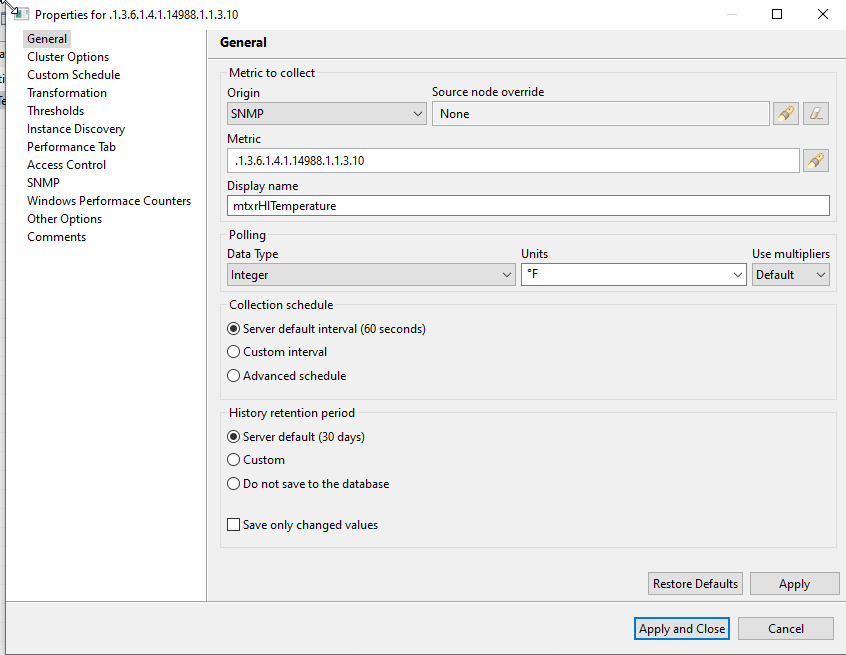
    Here are the DCI settings that work for me. I also include 'return format($1/10, 1, 1);' in the Transformation section, to convert the 1/10ths integer value. Of course, you'll only get a result if the MikroTik model reports a 'temperature' value under '/system/health'. Cheers. [image: RouterOS - System Amb Temp - General.png] [image: RouterOS - System Amb Temp - Instance Discovery.png]