Skip to content

Support

5.1k Topics 22.0k Posts

Questions about installing, configuring and using NetXMS.

  • Nxagentd binding problem

    9
    0 Votes
    9 Posts
    65k Views
    I
    Problem solved. Solution and background: Agent has local lan IP address, and was behind a mikrotik router. I dst-nat-ed the TCP port 4700. In agent config file i set only the public IP address of server for "masterservers". When i run the agent with -D9 (debug mode), i saw the incoming connection rejected from "mikrotik's lan IP address"! It is correct, because the agent saw the incoming connection come from his gateway (Mikrotik router) not from the public IP address of the server. So, i added the Mikrotik's lan address to Masterservers (in the agent's config file), and restarted the agent. And woila! Works perfectly! So guys, i would like to big-big thank you for your help!!! 
  • Install Agent 2.2.1 fails

    12
    4
    0 Votes
    12 Posts
    61k Views
    S
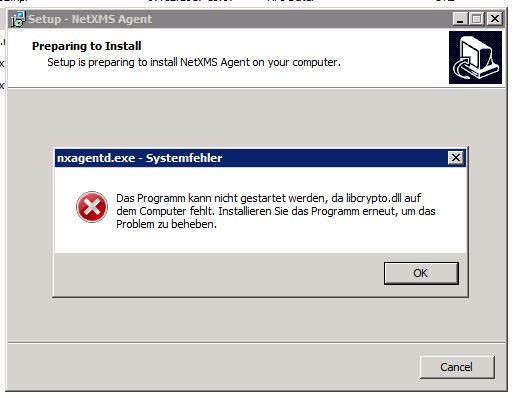
    Hello Victor, thanks for fixing the vmware tools thing... Greetings Marco
  • Import list of servers

    19
    0 Votes
    19 Posts
    36k Views
    G
    tomas, is it possible to add a feature that allows setting of proxy address on import currently its is Node Name  |Address  |Container to bind to but it would be nice if it could be as follows Node Name | Address  | Agent Proxy  |  ICMP Proxy |  SNMP Proxy | SSH Proxy |  Container to bind to Thanks, Gary
  • Recommended image size for components in racks.

    3
    0 Votes
    3 Posts
    21k Views
    W
    Thank You Victor ... works fine now ...
  • Can NetXMS build a L2 map with the MAC tables?

    3
    0 Votes
    3 Posts
    24k Views
    M
    @victor said in Can NetXMS build a L2 map with the MAC tables?: But connection between switch object and node object will only appear on layer 2 map if node's MAC address is the only MAC on switch port - otherwise server will assume that there are some unknown device in between Is it possible for you to add an option to override this? I need a way to draw L2 maps between switches and they are always going to have multiple MAC's on the ports between them, even if directly connected with a cable. And even if it was an empty switch a lot of them are connected with point-to-point wireless so will show at least 3 MAC addresses. I can think of 2 ways to do this A) An extra 2 options in map 'Draw every MAC address on port' 'Hide unknown/unmanaged nodes' so then I will only see the switches I have added to NetXMS, and it won't show computers It would still have to do some filtering because if you have switches A->B->C Then it would look like A and B are connected to C. But if it goes through the MAC table on B it would see that A and C are on different ports. So A must be connected to B instead B) A new topology option: Select multiple nodes in NetXMS, right click and choose Topology->Build links by MAC And it would simply do Tool->Find MAC address for each of those nodes, take the result i.e. "SwitchA is connected to SwitchB on port 47", "Switch B is connected to Switch C on port 15" and show a map with nodes and links drawn based on the result
  • optical Rx power monitoring issue

    5
    0 Votes
    5 Posts
    25k Views
    S
    Hi Tursiops, Its working fine....thanks for the support ;D ;D
  • Incorrect Physical Memory Value

    4
    0 Votes
    4 Posts
    29k Views
    V
    Just notice that you probably want to get available RAM, not free RAM. Are you using System.Memory.Physical.Available or System.Memory.Physical.Free? Available memory includes for example cache pages that can be freed. Best regards, Victor
  • [Solved] Script / modifyObject mapgroup / NullPointerException

    3
    0 Votes
    3 Posts
    19k Views
    F
    Thanks Victor, Its working. Regards
  • Set size when using objects as floor plan on network map

    3
    0 Votes
    3 Posts
    15k Views
    W
    Tursiops,     Had everyting except the bottom right corner. That was it...Thanks ...
  • [Solved] No mail is sent when "Deactivation event" occurs

    3
    0 Votes
    3 Posts
    14k Views
    M
    Hello together, sometimes it' s better to wait a few days and then try again  After checking the EPP again, i could solve the problem: there was a wrong "server action" entry - my fault... br, Markus
  • NetXMS 2.2.6 DB Upgrade Fails

    8
    0 Votes
    8 Posts
    27k Views
    S
    We're using MariaDB, ALTER TABLE eventually failed, we just cleared the table in the end. It would be useful if nxdbmgr check [check.cpp CheckDatabase() ?] would do a schema sanity check to see if the database matches the version is claims to be, I don't think it does this?
  • Grafana problem

    2
    0 Votes
    2 Posts
    19k Views
    S
    Hi! Are you sure that the DCI has collected enough data to be plotted? I can only achieve your described behaviour when I've just started the server, agent and grafana. Regards, Eriks
  • Connection with NETXMS server is lost: Close the application

    3
    0 Votes
    3 Posts
    18k Views
    T
    Hi, The Console does not like losing network connectivity and it does not auto-reconnect. If you have a bad connection or packetloss, you're like to encounter this quite a bit. A workaround might be to install Tomcat on the NetXMS server and use the Web Console instead (as the Web Console itself wouldn't be losing connection to the local server)? Note that I have not tested this, it's just an assumption. Cheers
  • OID UNSUPPORTED

    5
    1
    0 Votes
    5 Posts
    26k Views
    R
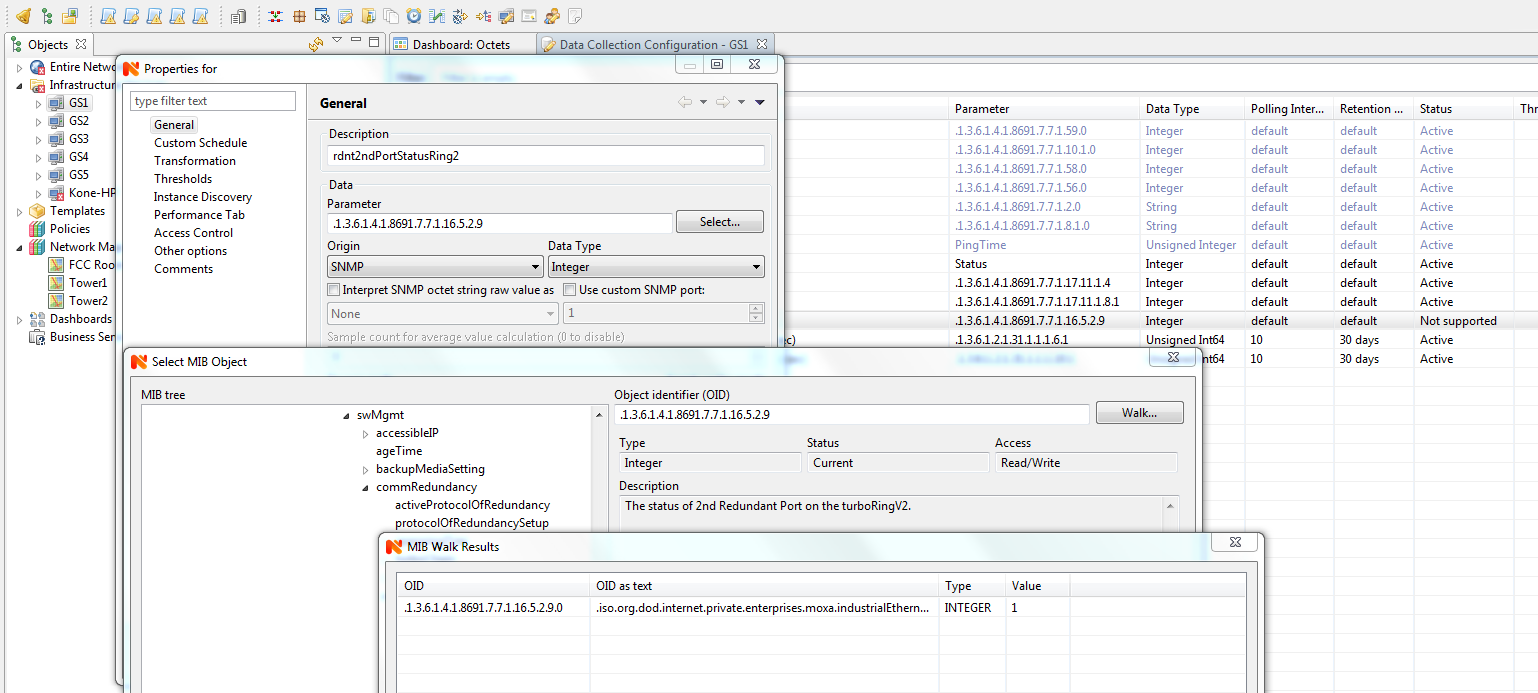
    in the walk result window im unable to right click
  • Dashboard

    2
    0 Votes
    2 Posts
    18k Views
    V
    Hi, currently it's not possible. Best regards, Victor
  • WebAPI Struggles

    3
    3
    0 Votes
    3 Posts
    21k Views
    Y
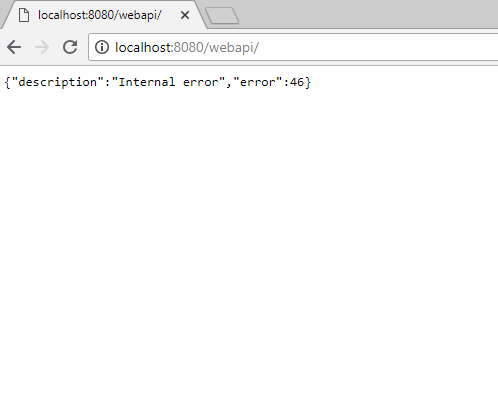
    Silly me! Thanks a lot, Victor.
  • Unable to add a second node (same IP)

    2
    0 Votes
    2 Posts
    15k Views
    T
    Hi, NetXMS requires unique IPs per zone. As you are using the same IP twice (the public IP), you are seeing that error. You probably want to either: use a proxy node in the network (e.g. only your DC or RDS) and configure other hosts in the network to talk to the proxy/allow the proxy to talk to them. If you search the forum you should be able to find some help on how to set this up. Documentation can be found here use Agent Tunnels to have each node talk back to the server instead. This is a bit more involved to set up, but means you are not depending on a single proxy node for all agents behind some NAT device. Documentation can be found here. There is also an older forum post here back from when I first struggled with setting this up.  ;D Some not so great (read: "terrible, don't do this") options for the sake of completeness: If you have plenty of public IPs, you can create each port forward with a separate public IP You can create a separate zone for each server. IPs only have to be unique across zones. Cheers
  • Ubiquity Edge Router Pro / Edge Router Lite Agent

    8
    0 Votes
    8 Posts
    38k Views
    S
    Sorry to revive an old thread, but the Edgemax agent could be very useful to me as I have many Ubiquiti Edgerouters installed across multiple sites.  @gmonk63 have you indeed continued to keep the package up to date?  Is there a repository where I may download the latest version?
  • Node Type

    4
    0 Votes
    4 Posts
    23k Views
    A
    Hi Victor, Please consider implement VM detection on Windows. It can be done via WMI, see this post https://blogs.technet.microsoft.com/heyscriptingguy/2015/03/30/use-powershell-to-detect-if-hypervisor-is-present/ WMI Query Win32_ComputerSystem , parameter "HypervisorPresent" It will work in most cases. Please implement, it will help a lot.
  • Network discovery fails with only ICMP

    5
    0 Votes
    5 Posts
    23k Views
    T
    Hi again, As I said, it's been a while. You can actually define the Active Discovery Targets under Configuration --> Network Discovery -> Active Discovery Targets. So as long as your server can reach the networks that you add there, active discovery should work. Cheers