
New operation less or greater/greater or less
-
Dear Forum,
first of all I want to pay the developers a huge compliment. This environment is really fantastic and very modular.
I think, we can replace NetXMS with our commercial nagios.
But maybe for one of the next versions it would be nice if there will be a new operation like <> less or greater / greater or less or using more operations like "<: less then" and ">: greater then".
Let me tell you how our commercial nagios is configured relating alarms. We have thresholds WARNING and CRITICAL, e.g. 10% HDD space is WARNING and 5% is CRITICAL and RECOVER > 10%. If the threshold WARNING is reached, we get a WARNING message and if on the same HDD the CRITICAL threshold is reached, we get a CRITICAL message.
So, if the HDD space now leaves the CRITICAL threshold and goes into WARNING threshold, we get a WARNING message and not a RECOVER message. And this is what I actually can't configure in NetXMS. And if it goes from CRITICAL (< 5%) to RECOVER (HDD space > 10%), we get directly a RECOVER message without getting a WARNING message like I configured it in NetXMS.
Please have a look at the attachements.
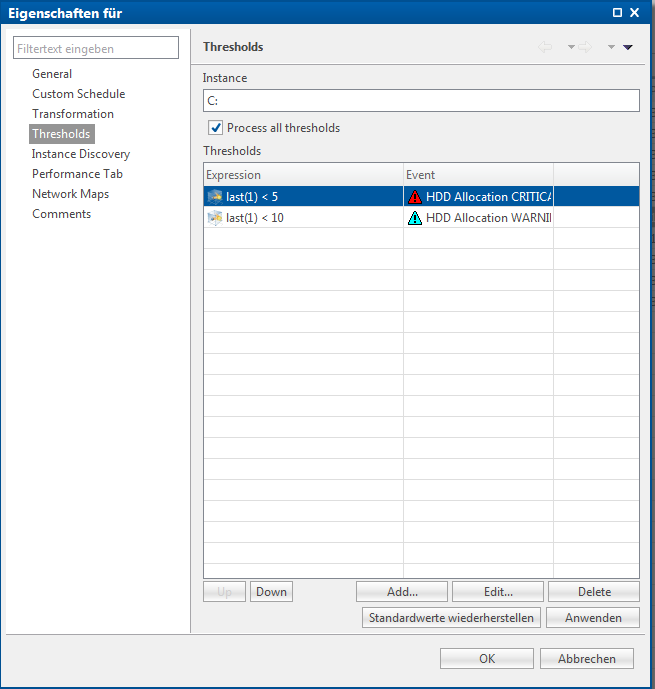
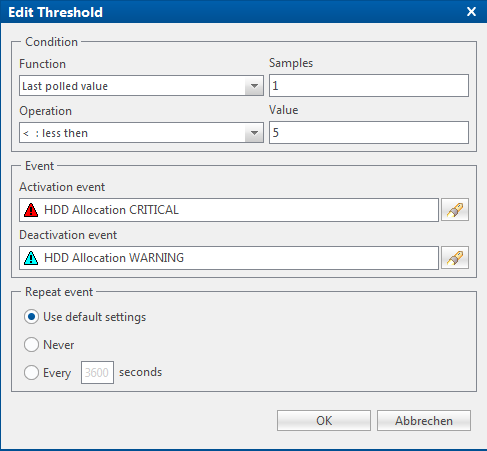
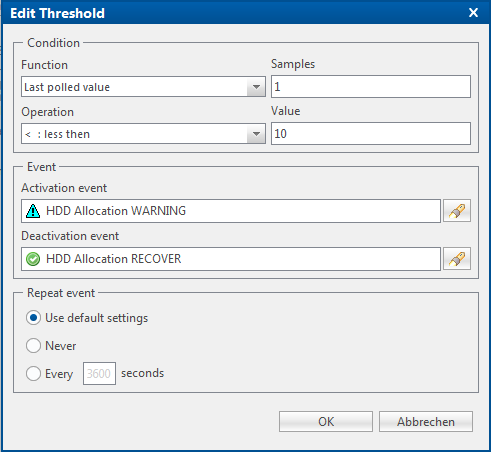
-
Hi,
so you didn't get WARNING message when disk space increased let's say from 4% to 7%? That's strange because your setup looks correct and you should get WARNING event when threshold "< 5" deactivates. How did you check that you got messages?
Best regards,
Victor -
Strange...it works now if the CRITICAL threshold goes into WARNING threshold I get an WARNING message.
But something's strange now. If the threshold goes directly to CRITICAL, I get a CRITICAL and a WARNING message. The message body is fine so far.Same back, if it goes from CRITICAL to RECOVER (more than 10% free space), I get a WARNING and a RECOVER message. The message body is strange
The RECOVER message shows the following:
WSUS: Filesystem has now 10.863908% remaining
The WARNING message shows the following:
WSUS: Filesystem 10.863908 is low on free space (only C:% remaining)The variables were switched, but I don't know why.
Please see attached the event processing policy for the HDD allocation
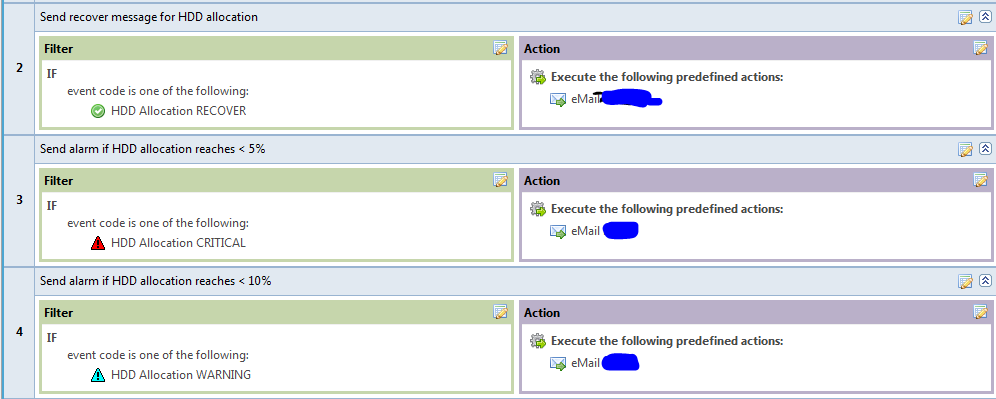
-
That's the historical problem - event parameters for recovery event goes in different order than for activation event. If you want to use single policy you should access them by names instead of positions, like %<dciDescription> instead of %2. You can use the following names: dciId, dciName, dciDescription, thresholdValue, currentValue, instance, isRepeatedEvent.
Best regards,
Victor -

Hello! It looks like you're interested in this conversation, but you don't have an account yet.
Getting fed up of having to scroll through the same posts each visit? When you register for an account, you'll always come back to exactly where you were before, and choose to be notified of new replies (either via email, or push notification). You'll also be able to save bookmarks and upvote posts to show your appreciation to other community members.
With your input, this post could be even better 💗
Register Login