
Populate Layer-2 Discovery Map with CDP
-
I've been using the development console (I guess it is now Console 1.1.0). Under Layer-2 discovery I got the error that my device doesn't support it. Checked it with Info LLDP poll, no output, but CDP does work. (Some of my Cisco gear is EoL).
It would be great to have the layer 2 topology work from CDP as well as LLDP.
-
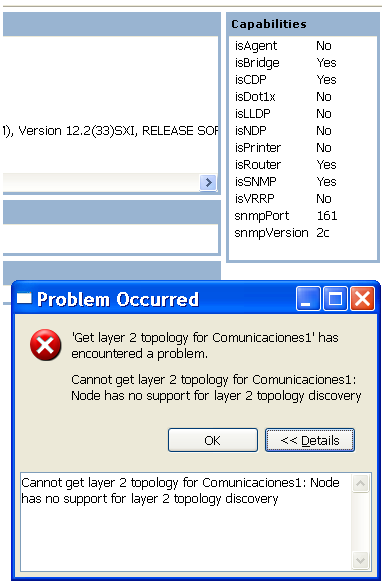
NetXMS supports topology discovery via CDP. The message "device does not support layer 2 discovery" is sometimes misleading, because it can be shown in case of other errors too. Check "Capabilities" box on overview page - there should be "Yes" in from of isCDP attribute.
Also, what version of server you are using?
Best regards,
Victor -
Check "Capabilities" box on overview page - there should be "Yes" in from of isCDP attribute.
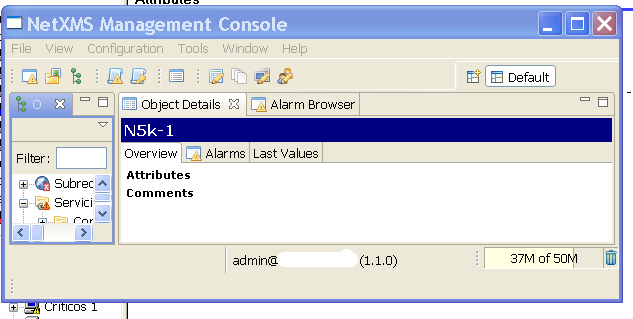
Apologies for my intrusion. But, please where is "Capabilities" box on overview page ?
My Attributes section is empty.Best regards.
-
Please download management console again - it's still named 1.1.0, but it was improved. After unpacking new console, run it with -clean command line option for first time. There were some "hidden" updates to console before actual 1.1.0 release. Now when 1.1.x branch is released, I will change version number when new versions will be published on web site.
Best regards,
Victor -
I'm still using the 1.0.10 server, but using the Development console (well, trying the dev console is more accurate, I still have 1.0.10 console installed). And I did grab the latest one before I posted earlier. I can manually poll for CDP in NetXMS and see the results. Are you saying there may be a server error and I should troubleshoot that? (because l2 discovery does use CDP?)
-
To further elaborate:
When I right click a node and select Layer 2 Topology, the error message is: "Cannot get layer 2 topology for <node name>: Node has no support for layer 2 topology discovery."
If I right click the same node select Tools -> Info -> CDP, I get the correct CDP listing. This is for a node that has no LLDP support.
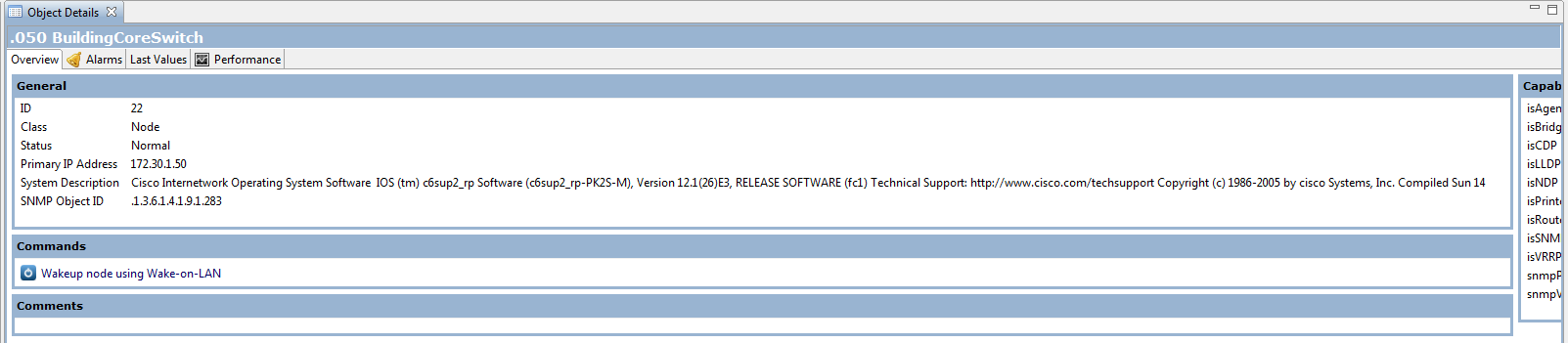
Also, I do have the capabilities pane on the switch which brings me to another (albeit, slight) issue. Some of Cisco's system descriptions are long and I have to get creative to get to the capabilities pane. Maybe a scroll bar or description max width with text wrap would be nice. See attached. (Despite the cutoff on capabilities, that is the end of the window)
-
-
Hi!
Can you please switch server to debug level 5, do topology poll, and send me debug log? In version 1.1.1, you can do this without stopping server:
- In management console, connect to server's system console - select Tools->Server Console
- Enter "debug 5" command
- Do forced topology poll on the switch in question
- Turn off debug by typing "debug off" in server's system console
You can either post log here or send it to [email protected].
Best regards,
Victor -
Hello! It looks like you're interested in this conversation, but you don't have an account yet.
Getting fed up of having to scroll through the same posts each visit? When you register for an account, you'll always come back to exactly where you were before, and choose to be notified of new replies (either via email, or push notification). You'll also be able to save bookmarks and upvote posts to show your appreciation to other community members.
With your input, this post could be even better 💗
Register Login