
Ping3 Driver
-
Здравствуйте!
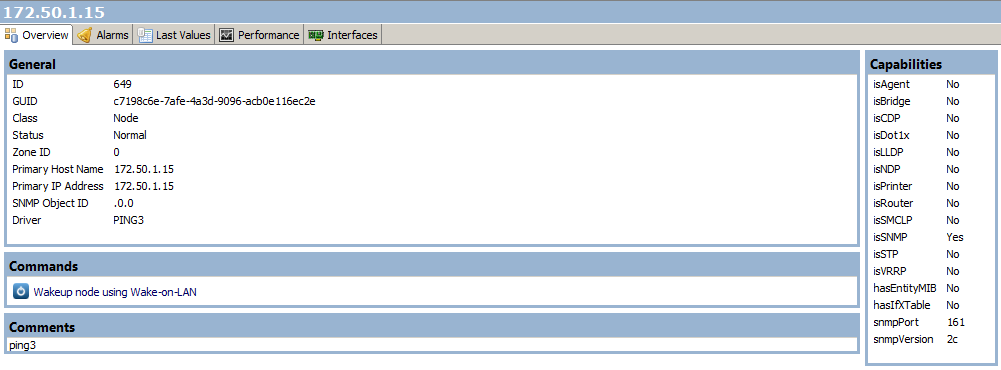
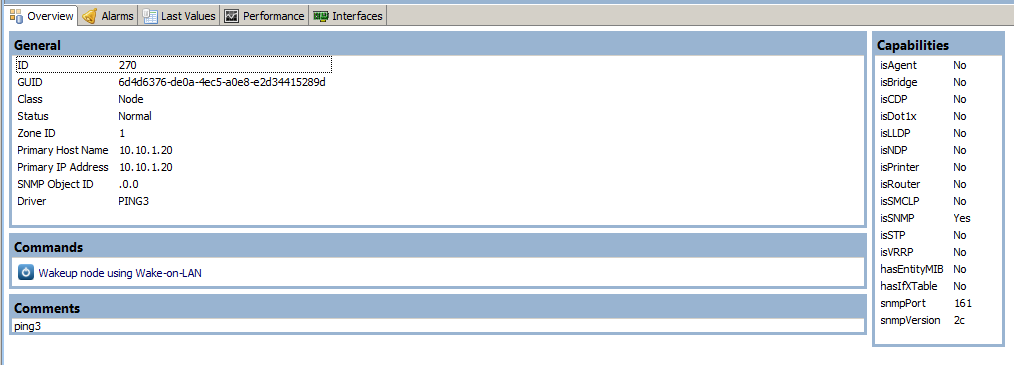
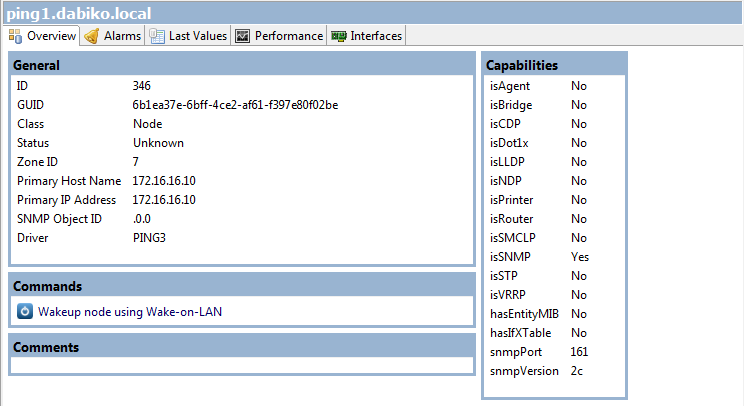
Большое спасибо, что добавили Ping3 в новую версию!В 1.2.10 я добавил драйвер для Ping3 - должен показывать интерфейс нормально, и находить SNMP без установки testoid. Кто-нибудь может подтвердить, что это работает?
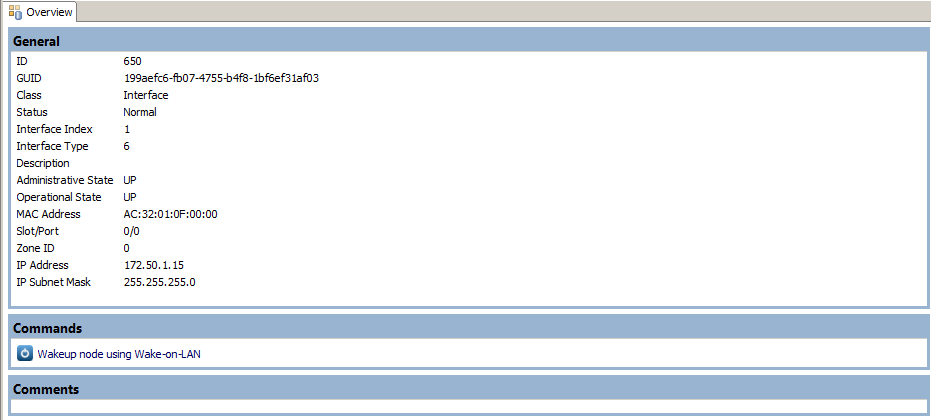
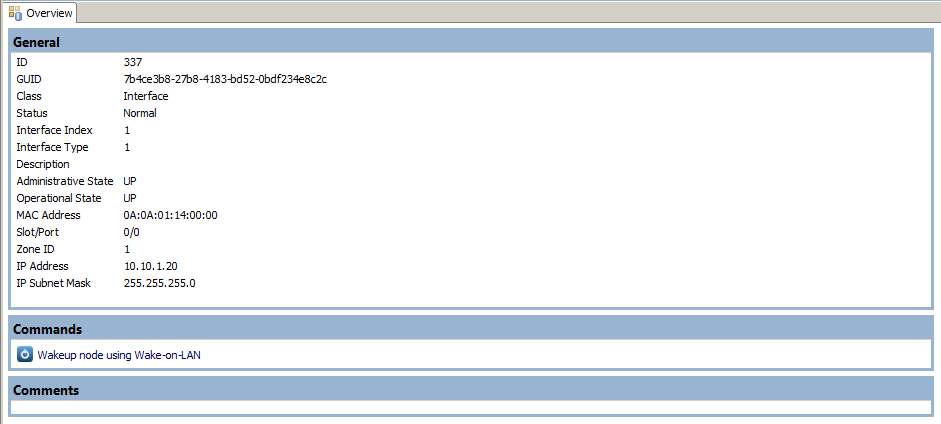
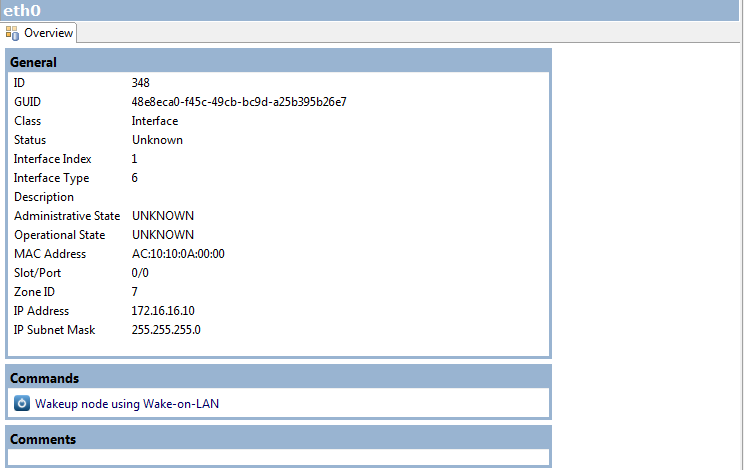
С большой радостью протестил работу Ping3 в системе: без установки testoid, система обнаружила Ping3, написала драйвер PING3 и обнаружила интерфейс (правильный MAC-адрес).
Но после этого устройство стало unknown. Причиной этого стал все тот же сетевой интерфейс - статусы интерфейса отображаются как unknown (Administrative State=UNKNOWN, Operational State=UNKNOWN).При выполнении Configuration Poll вроде все нормально:
[08.01.2014 19:15:27] **** Poll request sent to server ****
[08.01.2014 19:15:27] Poll request accepted
[08.01.2014 19:15:28] Starting configuration poll for node ping1.dabiko.local
[08.01.2014 19:15:28] Checking node's capabilities...
[08.01.2014 19:15:28]    Checking SNMP...
[08.01.2014 19:15:28]    SNMP agent is active (version 2c)
[08.01.2014 19:15:28]    New network device driver selected: PING3
[08.01.2014 19:15:36] Capability check finished
[08.01.2014 19:15:36] Checking interface configuration...
[08.01.2014 19:15:36]    Found new interface "eth0"
[08.01.2014 19:15:36] Checking node name
[08.01.2014 19:15:36] Interface configuration check finished
[08.01.2014 19:15:36] Node name is OK
[08.01.2014 19:15:36] Finished configuration poll for node ping1.dabiko.local
[08.01.2014 19:15:36] Node configuration was changed after poll
[08.01.2014 19:15:36] **** Poll completed successfully ****

[08.01.2014 19:17:42] **** Poll request sent to server ****
[08.01.2014 19:17:42] Poll request accepted
[08.01.2014 19:17:42] Starting configuration poll for node ping1.dabiko.local
[08.01.2014 19:17:42] Checking node's capabilities...
[08.01.2014 19:17:42]    Checking SNMP...
[08.01.2014 19:17:42]    SNMP agent is active (version 2c)
[08.01.2014 19:17:50] Capability check finished
[08.01.2014 19:17:50] Checking interface configuration...
[08.01.2014 19:17:51] Interface configuration check finished
[08.01.2014 19:17:51] Checking node name
[08.01.2014 19:17:51] Node name is OK
[08.01.2014 19:17:51] Finished configuration poll for node ping1.dabiko.local
[08.01.2014 19:17:51] Node configuration was changed after poll
[08.01.2014 19:17:51] **** Poll completed successfully ****
А при Status Poll вот что:
[08.01.2014 19:19:44] **** Poll request sent to server ****
[08.01.2014 19:19:44] Poll request accepted
[08.01.2014 19:19:44] Starting status poll for node ping1.dabiko.local
[08.01.2014 19:19:44] Checking SNMP agent connectivity
[08.01.2014 19:19:44]    Starting status poll on interface eth0
[08.01.2014 19:19:44]       Current interface status is UNKNOWN
[08.01.2014 19:19:44]       Retrieving interface status from SNMP agent
[08.01.2014 19:19:44]       Unable to retrieve interface status from SNMP agent
[08.01.2014 19:19:44]       Starting ICMP ping via proxy
[08.01.2014 19:19:44]       Interface is UNKNOWN for 6 polls (1 poll required for status change)
[08.01.2014 19:19:44]       Interface status after poll is UNKNOWN
[08.01.2014 19:19:44]    Finished status poll on interface eth0
[08.01.2014 19:19:44] Node is connected
[08.01.2014 19:19:44] Node status after poll is UNKNOWN
[08.01.2014 19:19:44] Finished status poll for node ping1.dabiko.local
[08.01.2014 19:19:44] **** Poll completed successfully ****
Это все делается через Proxy. Информация про linux сервера через прокси отображается нормально.
-
-
-
-
Поскольку Ping3 не дает информацию о статусе интерфейса через SNMP, NetXMS использует ICMP ping. По логам видно, что используется прокси - проверьте, что там загружен субагент ping.nsm.
-
Вот огрызок конфига моих проксей:
EnableSNMPProxy = yes EnableProxy = yes SubAgent = /usr/lib/libnsm_linux.so SubAgent = /usr/lib/libnsm_lmsensors.so SubAgent = /usr/lib/libnsm_logwatch.so SubAgent = /usr/lib/libnsm_odbcquery.so SubAgent = /usr/lib/libnsm_ping.so SubAgent = /usr/lib/libnsm_portcheck.so SubAgent = /usr/lib/libnsm_sms.so SubAgent = /usr/lib/libnsm_ups.so -
Hello! It looks like you're interested in this conversation, but you don't have an account yet.
Getting fed up of having to scroll through the same posts each visit? When you register for an account, you'll always come back to exactly where you were before, and choose to be notified of new replies (either via email, or push notification). You'll also be able to save bookmarks and upvote posts to show your appreciation to other community members.
With your input, this post could be even better 💗
Register Login