
show (graph) on performance tab checkmark
-
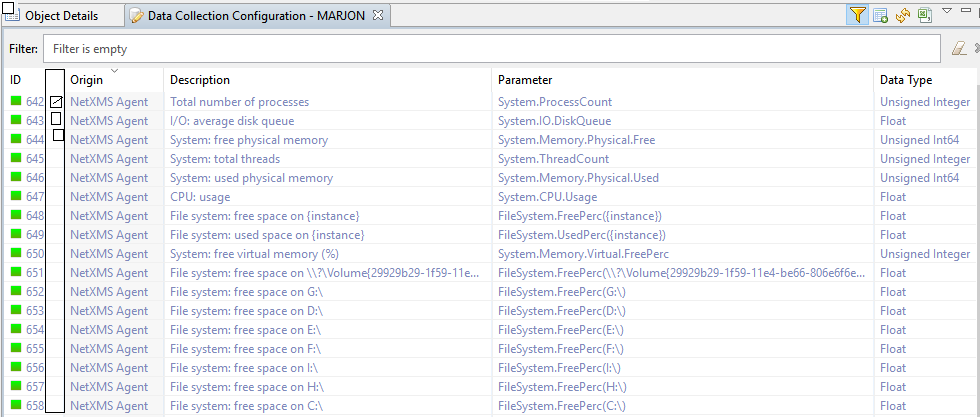
Currently to show and enable graphing for any DCI is accessible and visible from DCI config tab and clicking(double click) on any of the available DCI listing and selecting Performance Tab and clicking "show on performance tab".
Navigation to this function/Feature can become cumbersome, particularly if there are multiple graphs.
In addition, once you view the performance graphs again there may be multiple DCI graphs on display and having to find/interpret
the appropriate DCI parameter Listing for editing/reviewing/updating can be time consuming. A simple implementation of this function and feature can be improved by adding a performance column with checkmarks to enable/show performance graphs directly from the
the perfoamce tab of recspective nodes.
Hello! It looks like you're interested in this conversation, but you don't have an account yet.
Getting fed up of having to scroll through the same posts each visit? When you register for an account, you'll always come back to exactly where you were before, and choose to be notified of new replies (either via email, or push notification). You'll also be able to save bookmarks and upvote posts to show your appreciation to other community members.
With your input, this post could be even better 💗
Register Login