Skip to content

Support

5.1k Topics 22.0k Posts

Questions about installing, configuring and using NetXMS.

  • Undocumented operators?

    4
    0 Votes
    4 Posts
    23k Views
    V
    Hi, we somehow missed isSTP flag. Just added it to node class, will be available in 2.2.3 release. Best regards, Victor
  • Script to activate unsupported DCIs

    2
    0 Votes
    2 Posts
    17k Views
    Z
    I think it will be easyer for you to use NXShell script for this purposes. Examles cn be found there: https://wiki.netxms.org/wiki/Using_nxshell_to_automate_bulk_operations
  • DCI Collection Error = Transformation Script does not apply?

    2
    1
    0 Votes
    2 Posts
    30k Views
    Z
    You can create dummy DCI or script DCI, that will take last value of the DCI and transform it to 0 in case of error.
  • NetXMS Debian 9 MsSQL

    5
    0 Votes
    5 Posts
    20k Views
    F
    Thanks, it works. I added this in my ODBC.ini: [sql-server] Driver = /usr/lib/x86_64-linux-gnu/odbc/libtdsodbc.so Setup = /usr/lib/x86_64-linux-gnu/odbc/libtdsS.so Server = <servername> Port = 1433 Database = <DBname> Username = <username> Password = <password> and it connected but with a lot of errors so I added this to my netxmsd.conf: DBDrvParams = unicode=false I still had some error when the process started but not after. so I deleted all the tables from my database and recreate it using nxdbmgr and no more errors Thanks
  • Can't get management consoles to work

    6
    2
    0 Votes
    6 Posts
    28k Views
    A
    @karlmcs said in Can't get management consoles to work: Okay, I got it working, but it seems a bit strange.  What I did was I switched to openjdk-8-jre (from jessie-backports) and tomcat8. Hello. Yes, Java8 is a requirement for some time now. We'll mention it on the site.
  • web interface map display

    5
    1
    0 Votes
    5 Posts
    32k Views
    L
    Thank you for the info, will be checking it in a new release. B.R. L
  • MQTT

    2
    0 Votes
    2 Posts
    29k Views
    S
    Hi! You can find documentation on how to use the MQTT subagent in our admin guide: https://www.netxms.org/documentation/adminguide/hardware-monitoring.html#mqtt Regards, Eriks
  • Is there such thing as Alarm history

    2
    0 Votes
    2 Posts
    28k Views
    S
    Hi! Yes, there is! You can find it in the management console under View --> Alarm log, there you can set custom filters to show the alarm history of specific devices. The size of the alarm history can by configured using this server configuration parameter "AlarmHistoryRetentionTime" which will set the number of days to keep the alarm history. Regards, Eriks
  • Agent lost contact

    4
    0 Votes
    4 Posts
    37k Views
    G
    I was able to resolve my issue (which, according to the logs, is the same as yours) and perhaps this will help. I'm going to start at the beginning even though you already have of the steps completed (since you get the tunnel to come up initially) I'm on Windows 2008R2 I port forwarded TCP 4703 to my NetXMS server on my firewall NetXMS server program is already added to Windows firewall (but check on this) I have a Linux Mint Virtualbox that i used for the openssl commands. Windows openssl I imagine would work, but I had the Linux box and it was faster than formatting the provided openssl.conf files to a Windows install. Follow creating the root pair as shown here: https://jamielinux.com/docs/openssl-certificate-authority/create-the-root-pair.html Make sure you copy the config file from the Appendix as it is says in the directions Follow creating the intermediate pair as shown here: https://jamielinux.com/docs/openssl-certificate-authority/create-the-intermediate-pair.html Make sure you copy the config file from the Appendix as it is says in the directions When it says chmod 400, I did 444, so I could edit the files (later step) You do not need to create the certificate chain file, as it will not be used (I tried, it doesn't work) Edit the intermediate.cert.pem file and add the text from the intermediate.key.pem at the bottom so you have -----BEGIN CERTIFICATE----- stuff -----END CERTIFICATE----- -----BEGIN RSA PRIVATE KEY----- stuff -----END RSA PRIVATE KEY----- I think you need a blank line at the end of the pem files. So make sure can put the cursor down under the -----END RSA PRIVATE KEY----- indicating there is a blank line there Copy ca.cert.pem and intermediate.cert.pem to your NetXMS server. I put them in D:\NetXMS\etc\cert Add the following to netxmsd.conf ServerCACertificate = D:\NetXMS\etc\cert\ca.cert.pem ServerCertificate = D:\NetXMS\etc\cert\intermediate.cert.pem ServerCertificatePassword = secretpassword Restart the NetXMS Core service On the node/agent add the following to the nxagentd.conf where the x's are your public IP (or whatever the nodes will be tunneling to) MasterServers = xxx.xxx.xxx.xxx ServerConnection = xxx.xxx.xxx.xxx Restart the NetXMS Agent service In NetXMS Management Console go to Configuration/Agent Tunnel Manager. You should see the Unbound tunnel. Right click and create node and bind. I left the Primary host name blank. Although I have seen posts where you set it to 0.0.0.0 or the IP of the agent (not sure if that is the public or the local IP). When I set it to 0.0.0.0 it changes the name to not what I want. I left it blank, it has been working and I get the name I set. Most of what I have here isn't new. I just consolidated it into one place. This post was a big help https://www.netxms.org/forum/configuration/agent-to-server-connections/msg22308/#msg22308
  • RabbitMQ Monitoring

    7
    0 Votes
    7 Posts
    58k Views
    G
    Install the RabbitMQ Management Plugin https://www.rabbitmq.com/management.html In the nxagentd.conf of the node I want to monitor RabbitMQ I put: ExternalParametersProvider = "C:\Windows\system32\WindowsPowerShell\v1.0\powershell.exe" "C:\NetXMS\var\rabbit.ps1":60 Restart the agent This gives you a Rabbit parameter. You need to poll the node for the config first to see the parameter. Right click the node and see attached screen shots on how to poll and verify parameter is available I used the attached powershell script. Make changes to $username, $password, $rabbithost, $vhost (if not using default of / (%2F)), $queue $workingfile gives back a table of all the statistics for the queue The issue was that the default vhost in rabbit is a '/' which needs coded as %2F. It runs fine in the powershell ISE and was even writing out a debug text file with the correct value. However, when run from the command line, it fails with a "not found" error because the '/' is not interpreted correctly. The function at the top (which is not my own) cleans up the URI correctly and now I get the value back in NetXMS. rabbit.ps1 [image: agent_poll_configuration.PNG] [image: agent_supported_parameters.PNG]
  • Data export

    3
    0 Votes
    3 Posts
    35k Views
    D
    Thanks! I'll give it a try then!
  • Netxms Agent 2.2.2 and 64bit Windows 10/Windows Server 2016

    4
    0 Votes
    4 Posts
    40k Views
    V
    I have added it to our tracker (https://track.radensolutions.com/issue/NX-1397). Will take a look at it as time permits. Best regards, Victor
  • Business Service

    1
    0 Votes
    1 Posts
    26k Views
    Z
    I am using Windows 7 and i just upgraded netxms from v 1.2.17 to v2.2.1. I have configured several business services but whenever i close the application the service doesn't longer exist, how can i save the business service to always keep it in the application?
  • NetXMS client refusing to start (macOS High Sierra)

    3
    0 Votes
    3 Posts
    45k Views
    A
    Hi i Can't input nothing when the APP started, i have updated my java but i can't use the app yet. Could some one have an idea what is going on? [image: APP Netxms.jpeg]
  • Unable to get Bandwidth details on Map

    5
    4
    0 Votes
    5 Posts
    63k Views
    C
    Hi, victor Will this be added in the future releases? Regards Clifford Dsouza
  • NetXMS loading time

    4
    0 Votes
    4 Posts
    55k Views
    V
    Hi, I suggest to either truncate alarms table completely (but you will lose all alarm history) or delete alarms older than certain time before starting netxmsd. You can do this by running query DELETE FROM alarms WHERE last_change_time < ?; Replace placeholder with actual time stamp. It is in UNIX time format, you can use this calculator to get value: https://www.epochconverter.com/. Best regards, Victor
  • Agent Shared Secret Max Length

    3
    0 Votes
    3 Posts
    47k Views
    V
    Actually it is supposed to be 63 characters, so looks like a bug. We will take a look at it. Best regards, Victor
  • Interface Oddity

    4
    4
    0 Votes
    4 Posts
    61k Views
    T
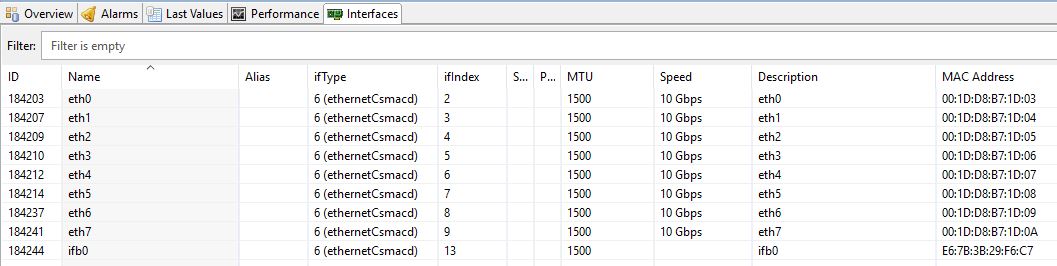
    Hi, Just as a follow up in case anyone else runs into this: It is an issue with WatchGuard firewalls from firmware 12.0.1 onwards and due to a change by WatchGuard. The ifIndex OID no longer returns a matching value, which leads to NetXMS' confusion. A ticket has been opened with WatchGuard. Cheers
  • unresolved symbol compiling UBNT-UniFi-MIB.txt

    6
    0 Votes
    6 Posts
    85k Views
    N
    Don't worry Dani, PEBKAC. I was not putting the compiled netxms.mib file in the right debian directory under /var/lib/netxms.  Left it in the /usr/share/netxms. It's all working fine with the latest MIB you had edited. Thanks again.
  • Netxms Agent Debian Stretch Undefined Symbol

    6
    0 Votes
    6 Posts
    64k Views
    V
    Hi, most of libraries have prefix nx (like libnxagent), so searching only for "ne" may not be enough. I suggest to check with ldd that agent didn't pickup any "nx" prefixed library from /usr/local/lib. Best regards, Victor