Skip to content

Support

5.1k Topics 22.0k Posts

Questions about installing, configuring and using NetXMS.

  • New object class "Collector"

    3
    0 Votes
    3 Posts
    40k Views
    F
    Thank you.
  • Should Agent IDs be unique?

    2
    0 Votes
    2 Posts
    32k Views
    A
    It's mostly important when you have tunnels (connection from agnet to the server instead of the default).  You can reset it by running "nxagentd -T"
  • Node Down/Up Alerts not sending

    11
    0 Votes
    11 Posts
    86k Views
    R
    Ok adding those helped. The log now shows this: 2024.09.09 08:49:19.368 *I* [auth              ] New ephemeral authentication token issued for user admin [1] 2024.09.09 08:49:45.416 *I* [logger            ] Debug level for tag "ncd.*" set to 7 2024.09.09 08:49:52.473 *I* [logger            ] Debug level for tag "ncd" set to 7 2024.09.09 08:49:57.138 *I* [logger            ] Debug level for tag "nc.*" set to 7 2024.09.09 08:50:02.590 *I* [logger            ] Debug level for tag "nc" set to 7 2024.09.09 08:50:53.104 *D* [nc                ] SendNotification: sending message to "" via channel "Slack" 2024.09.09 08:50:53.104 *D* [nc                ] Driver for channel Slack requires recipient, but message has no recipient (message dropped) 2024.09.09 08:51:26.293 *I* [auth              ] New ephemeral authentication token issued for user admin [1] 2024.09.09 08:52:19.404 *I* [auth              ] New ephemeral authentication token issued for user admin [1] 2024.09.09 08:54:04.207 *D* [nc                ] SendNotification: sending message to "" via channel "Slack" 2024.09.09 08:54:04.207 *D* [nc                ] Driver for channel Slack requires recipient, but message has no recipient (message dropped) 2024.09.09 08:54:09.219 *D* [nc                ] SendNotification: sending message to "" via channel "Slack" 2024.09.09 08:54:09.219 *D* [nc                ] Driver for channel Slack requires recipient, but message has no recipient (message dropped) 2024.09.09 08:54:26.392 *I* [auth              ] New ephemeral authentication token issued for user admin [1] Added "admin" for the recipient and I am finally getting notifications in slack!!!  Thank you to all for your help!
  • ExternalMetricProvider with agent version 5

    10
    0 Votes
    10 Posts
    107k Views
    F
    Just upgraded to 5.0.8 and everything looks fine again, thank you!
  • How does the DBTable notification channel work?

    2
    0 Votes
    2 Posts
    43k Views
    F
    QueryTemplate is the actual sql query, where ? sign works as macro, it's first occurrence is replaced by recipient and second by message body. E.g.: QueryTemplate=insert into notifications values (?, ?);
  • Docker Compose Issue

    1
    0 Votes
    1 Posts
    28k Views
    I
    I had to give up running netxms on my Windows lab server as it has some "issues"? Anyway, I decided to install it as a Docker image as I am using it to monitor my lab and there are not a lot of devices in it and it isn't critical that netxms stays running 24x7. I did some searching and found the following docker-compose.yaml file for netxms: services:   server:     image: lomo/netxms-server     ports:     - "4700:4700"   webui:     image: lomo/netxms-webui     ports:     - "8080:8080"     environment:     - "NETXMS_SERVER=server"   console:     image: lomo/netxms-nxmc     environment:     - "DISPLAY=$DISPLAY"     volumes:     - "/tmp/.X11-unix:/tmp/.X11-unix" I ran it on my UnRAID server and the server and webui are running fine. However, the console refuses to load. The log file for that container says: "An error has occurred. See the log file /root/.nxmc/data/.metadata/.log". The problem with that is that since the console image won't load, how do I look at the ".log" file to fix this?
  • 0 Votes
    2 Posts
    39k Views
    F
    If you can close this error message and it does not occur again when using the console, you can disregard this error message. The version that you are using (2.0.1) is very old and not supported any more. But, as I remember, there was a checkbox "slow connection" on login screen of the console. Checking it skipped downloading mib file to client, so you can check if that is unchecked.
  • java.util.ConcurrentModificationException nxmc-light.app

    7
    0 Votes
    7 Posts
    110k Views
    E
    @victor said in java.util.ConcurrentModificationException nxmc-light.app: Just fixed it, fix will be included into next patch release. Best regards, Victor Working like a charme! Thank you verry mucht Victor. Greets Lars
  • Interface description update frequency

    3
    0 Votes
    3 Posts
    47k Views
    M
    these devices are network devices, routers, switches, etc, the communication is with snmp
  • Database is locked for report server

    10
    0 Votes
    10 Posts
    79k Views
    F
    You can create nxreportd.properties file in C:\NetXMS\etc\nxreportd folder. In this file you can specify bind address: nxreportd.bindAddress=1.2.3.4 setting it to * or 0.0.0.0 will bind to all available interfaces.
  • Report Server not Starting

    2
    0 Votes
    2 Posts
    45k Views
    F
    Java 11 or later should be installed on the system
  • Port Monitoring No Agent

    7
    0 Votes
    7 Posts
    70k Views
    F
    To have answer to original question in this thread, current way to check is ports are open is  NetworkService.Status(tcp://netxms.org:80) agent metric, agent should have netsvc subagent enabled.  https://netxms.org/documentation/adminguide/service-monitoring.html#network-service-monitoring-using-dci
  • Do not report an event by email unless it is "No toner"

    8
    0 Votes
    8 Posts
    82k Views
    C
    $dciValue->value  it's worked too!
  • Dark mode not working

    2
    0 Votes
    2 Posts
    27k Views
    Z
    Hi, Confirmed as a bug for web: https://track.radensolutions.com/issue/NX-2569 Tatjana
  • Maintenance Journal access denied

    3
    0 Votes
    3 Posts
    29k Views
    R
    Hi yep sorted, for some reason I have a few xms instances running, but this one did not allow me to edit the maint. I didn't realise you can change the access control on the container root and overrides the user options. Thanks
  • nxmc commandline switch does not work

    3
    0 Votes
    3 Posts
    27k Views
    S
    Parameters don't work in the URL for the web console either.
  • 0 Votes
    3 Posts
    21k Views
    J
    [color=#1f1f1f][size=5][font=Verdana, Arial, Helvetica, sans-serif]OK。。 thank you very much![/font][/size][/color]
  • Installer does not create user and database

    3
    0 Votes
    3 Posts
    23k Views
    S
    If I manually create a database and a user, everything works, but automatic does not. This is an installer error. I tried automatic user and database creation with MS SQL Server as well and the error was repeated.
  • Link "Based on interface utilization" still shows gray.

    2
    2
    0 Votes
    2 Posts
    15k Views
    F
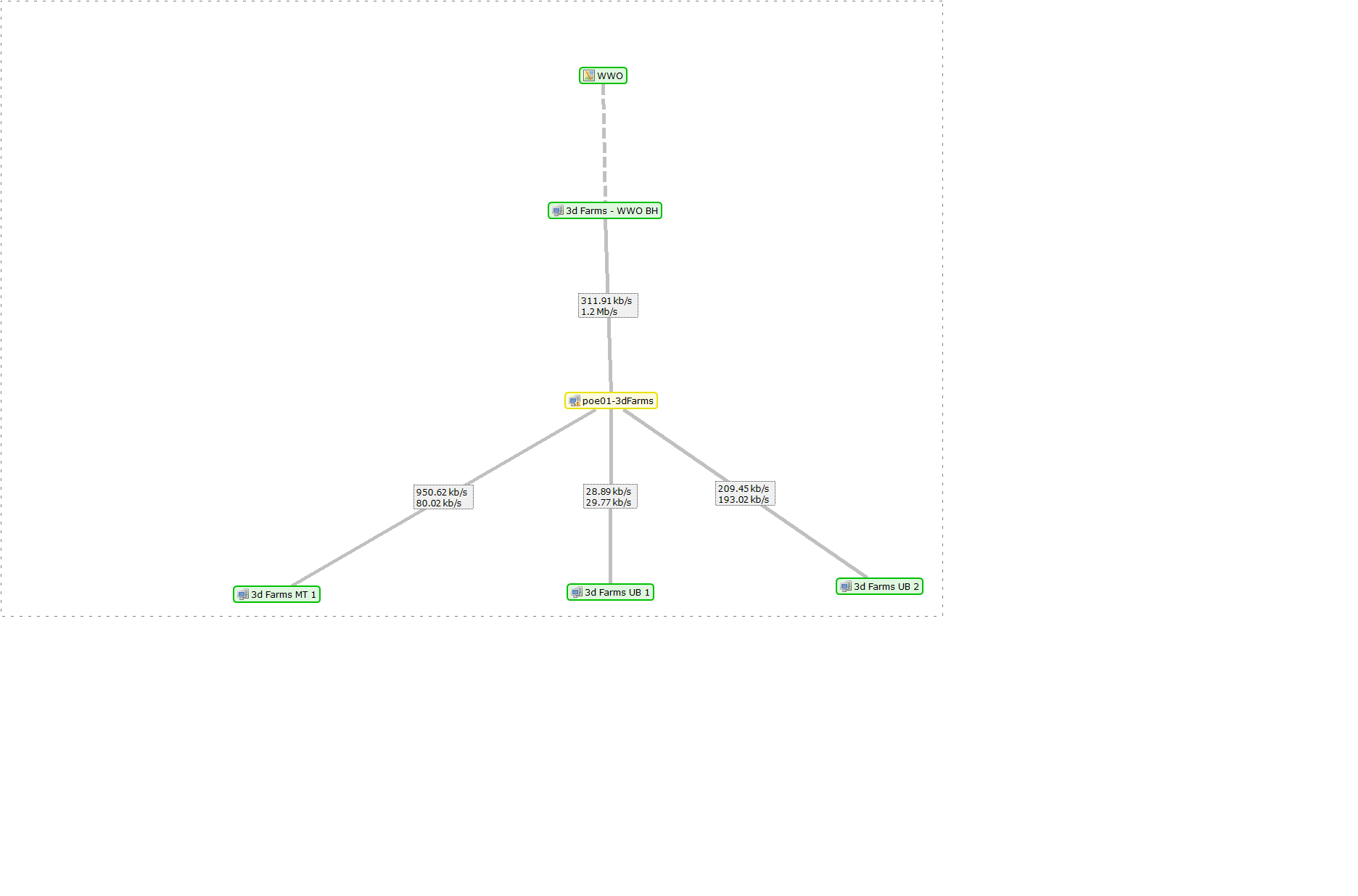
    The way this is implemented is that you need to have DCIs that do actual traffic information collection. In other options of these DCIs related interface object should be specified and interpretation, e.g. "Interface traffic - Outbound - bytes/sec" should be set. When adding DCIs from context menu of interface(s), these parameters are set automatically. You can check, if these are set correctly by checking Overview tab of the interface - it should now have "Inbound utilization" and "Outbound utilization" lines. Currently only Outbound utilization is taken, so a list should have these DCIs on both ends. Color schema is such, that link with 0% traffic is gray, but it should change it's color with traffic. This is a new feature, so some improvements might be made to make it simpler/more understandable.
  • 0 Votes
    4 Posts
    16k Views
    F
    Right, this is always good practice to have DB backup prior to upgrade.  In addition, you can also run  nxdbmgr check ideally two times - one prior to NetXMS upgrade and the other one after. First run fixed issues, if any, so upgrade runs in a clean way. Second time happens with newer version of nxdbmgr that may have new checks added.