Skip to content

Support

5.1k Topics 22.0k Posts

Questions about installing, configuring and using NetXMS.

  • NetXMS web console Single Sign On With Azure Active Directoy

    1
    0 Votes
    1 Posts
    18k Views
    H
    Hello, we are using latest NetXMS on Debian, and using only Web console. Is it possible to have Single Sign On enabled, and configured to work with Azure Active Directory (Microsoft Entra ID / Office 365) users? If so, can somebody share configuration steps? This is not LDAP authentication nor RADIUS. As I understand it should be under > Central Authentication Service (CAS) single sign-on is supported in web interface only. User management — NetXMS Administrator Guide (4.2.433)  but i do not see way to enter URLs, application id, secret etc., for newly created Azure AD Application Registration Thank you for your support and great product.
  • WebUI Version 4.4.0

    1
    1
    0 Votes
    1 Posts
    18k Views
    T
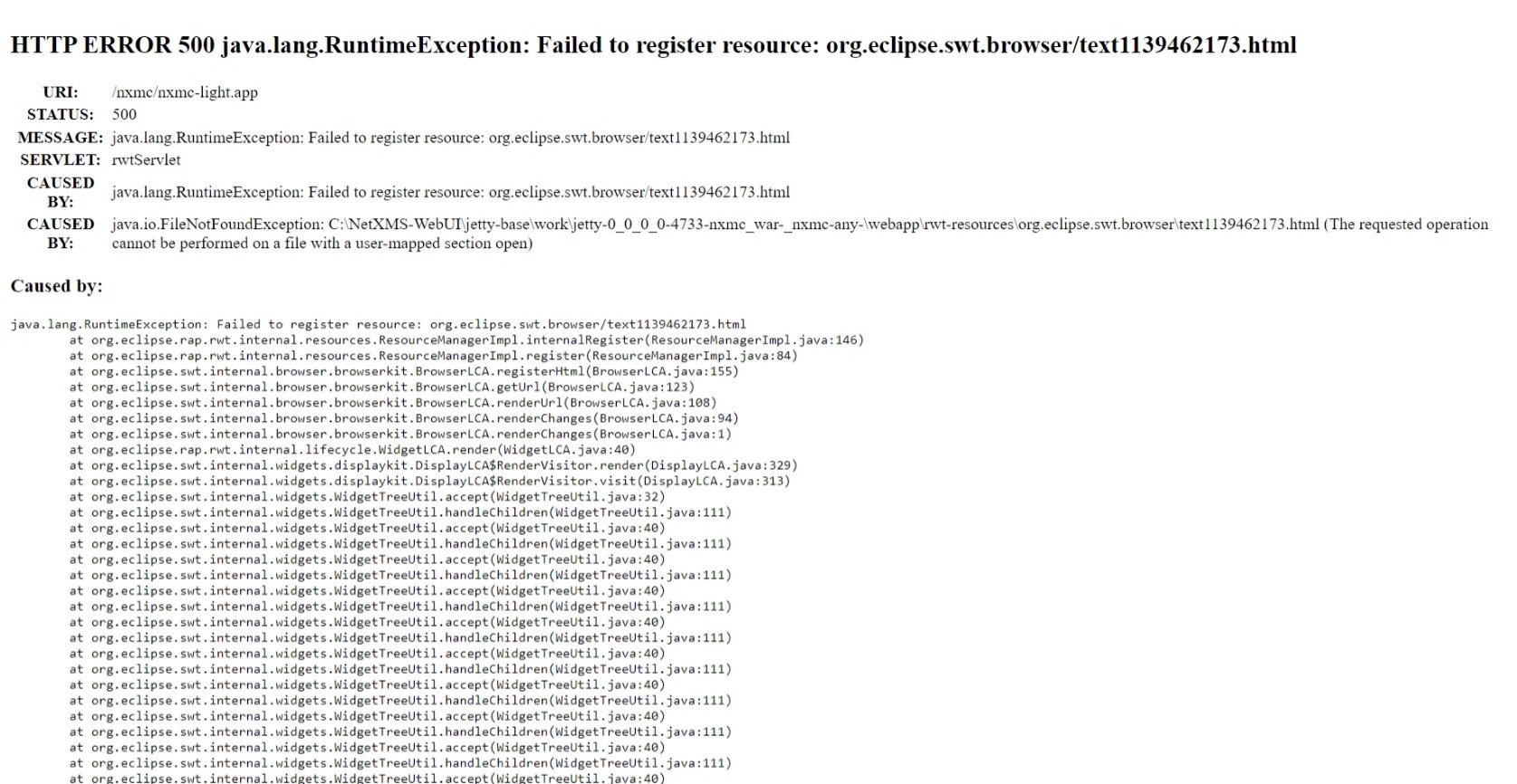
    I am receiving an HTTP 500 error when logging into the webUi. The exact message is: HTTP ERROR 500 java.lang.RuntimeException: Failed to register resource: org.eclipse.swt.browser/text1139462173.html NETXMS is running on a Server 2019 VM. There are no issues encountered when using the legacy version. Does anyone have any suggestions on how to fix this? Thank you. [image: Web capture_11-7-2023_105551_10.20.1.105.jpeg]
  • Telegram Notification

    2
    0 Votes
    2 Posts
    19k Views
    V
    First you have to setup notification channels - see this part of documentation: https://netxms.org/documentation/adminguide/event-processing.html#notification-channels When notification channels are set, you can create actions for sending notifications. Then you can add one or more rules to event processing policy that will trigger those notification actions. Best regards, Victor
  • Autologin nxmc

    2
    0 Votes
    2 Posts
    23k Views
    V
    New UI client accepts the following command line options: -auto do auto-login -server=<address> set server host name or address -login=<login_name> set login name -password=<password> set password -ignore-protocol-version ignore communication protocol version mismatch -dashboard=<name> open full-screen dashboard with given name after login -kiosk-mode start in kiosk mode (only valid if -dashboard is provided, will not open main window) Example: java -jar nxmc-4.4.0-standalone.jar -auto -server=127.0.0.1 -login=admin -password=admin1 Best regards, Victor
  • WebUI V4.4.0 throws mismatch communication protocoll

    3
    0 Votes
    3 Posts
    8k Views
    R
    Good evening. To solve this problem, simply install server version 4.4.0 on your host machine. By itself it should have already automatically installed version 4.4.0 for the web interface. I tested it now and it worked. If you use the windows client you have to do the same of course https://netxms.org/download/releases/4.4/netxms-server-4.4.0-x64.exe https://netxms.org/download/releases/4.4/netxms-webui-4.4.0-x64.exe https://netxms.org/download/releases/4.4/netxms-client-4.4.0-x64.exe
  • 0 Votes
    4 Posts
    23k Views
    F
    Just in case - how many alarms do you have on your system? (can be checked by issuing sh st in Tools -> Server Console
  • Cisco Switch port bandwidth

    2
    0 Votes
    2 Posts
    15k Views
    F
    Hi! Most convenient way to achieve this is if you have your interfaces set as Related Object ("Other options" tab in DCI's properties). Related object is automatically set, if you create your DCIs from context menu of interface(s). Or you can set it manually. Or if you use instance discovery to create your DCIs, Related Object can be set from instance discovery filter script. Then, in Transformation script of your DCI you can use return $1 * 8 / $dci->relatedObject->speed; and your threshold should be "last polled value > 90", samples: 5. There is currently one drawback of this approach - to work with traffic counters, DCI type should be Counter32 or Counter64, and the resulting percentage will be integer (it will be seen as float in last values, but will be integer in history and graphs). You can have another float DCI with push source and push values from transformation script of the first DCI. Or just wait for this issue to get resolved: https://track.radensolutions.com/issue/NX-2371 - you can watch it in the bug tracker to get notifications. Feel free to ask any additional questions.
  • Node down vs Node is unreachable by ICMP

    13
    0 Votes
    13 Posts
    71k Views
    D
    Hi Victor, Thanks for the reply, I'm unsure on network issues, it's small, around 50 switches. Will increases the poll count to 3 and see. Thanks Nick
  • snmp tables

    9
    0 Votes
    9 Posts
    65k Views
    Z
    It was implemented "Query..." for SNMP Table in "Table Columns" property page in 4.4 version. So starting from NetXMS 4.4 it will be possible to query all possible SNMP coluns if metric OID is configured correctly. I also created another issue to create SNMP table directly from the MIB Browser ( https://track.radensolutions.com/issue/NX-2429 ).
  • EPP Timer not working

    8
    0 Votes
    8 Posts
    42k Views
    V
    I suppose that you have option "process all thresholds" turned on. If this is the case then for all values in first four thresholds last threshold will also be activated. Then you will have two active thresholds, and when UPS goes back online, both will be deactivated, generating two UPS_ONLINE events. There are few possible fixes: Do not use "process all thresholds" - it should work as expected without that option. Use more complex condition for last threshold - exclude all explicitly checked values. Use different deactivation event for last threshold. Best regards, Victor
  • Cisco switch doesent show all peers under interface

    8
    0 Votes
    8 Posts
    35k Views
    E
    Problem is present on all Cisco switches yes, snmp version is v3. I tested the context snmp command on one switch and now it shows other peer nodes aswell. il have to test other switches toobut i think the solution is found. Thank you for the helpfull tip!   Egert
  • openssl

    3
    0 Votes
    3 Posts
    20k Views
    B
    Thanks, and yes I was asking about the windows version.
  • Debian 12 (Bookworm) Repository

    2
    0 Votes
    2 Posts
    15k Views
    V
    Hi, definitely, should be available soon. Best regards, Victor
  • Possible Bug with HOOK:AlarmStateChange on Alarm Creation

    6
    0 Votes
    6 Posts
    32k Views
    V
    One possibility that I see is out of order execution of hook scripts which is theoretically possible. Server schedules execution of hook script in background thread pool, passing copy of alarm in its current state to the script. It is possible that due to database problems thread pool was full with tasks waiting on database, so earlier script execution task was waiting on free thread, next task was scheduled in the meantime, and then both were started in parallel, possibly in wrong order. I will think about it, but probably we have to serialize executions of alarm state change hooks. Best regards, Victor
  • Read parameter value within script

    4
    0 Votes
    4 Posts
    31k Views
    V
    You should be able to do that with object tools. Create tool that will call a script, define necessary input fields, and when user will run the tool he will be asked for additional input. This input will be available in a script. You can even create context dashboard and add those tools as action buttons. Best regards, Victor
  • Windows Event Viewer warning - H_PdhObjectItems: PDH Error

    7
    1
    0 Votes
    7 Posts
    37k Views
    V
    This is normal behavior - for some reasons PDH reports temporary objects that cannot actually be accessed. You can safely ignore those errors. Best regards, Victor
  • Ubiquity Topology

    4
    0 Votes
    4 Posts
    29k Views
    V
    Yes, we have that "sponsor" button on github Best regards, Victor
  • NetXMS Version 4.3.7 installation step requested

    2
    0 Votes
    2 Posts
    12k Views
    F
    I assume you are installing on Windows. Check NetXMS configuration file C:\NetXMS\etc\netxmsd.conf - it should contain database credentials for your database. Change these credentials is needed to match your database.
  • "Dashboard" Tab for Node

    6
    0 Votes
    6 Posts
    19k Views
    F
    Right, I forgot about that checkbox. Actually, it's not strictly necessary, without it you can still open the dashboard from "Dashboard" menu on a node (we will rename this checkbox somehow to demonstrate that it just opens dashboard in a tab by default).
  • Cannot read measurement unit information: Illegal repetition

    4
    0 Votes
    4 Posts
    14k Views
    F
    Yes, {} characters are interpreted as part of regular expression. These fields will be renamed, e.g. "DCI name regular expression" to give more understanding.