
reg: netXMS installation
-
i strucked at the installation process, using MSSQL 2005 statderd edition with windowsXP SP2..... i given " * " at DBA login name and left empty at password, db login name with netxms left password empty... MSSQL was at local system and with windows authentication ... at final when db creation it shows at error message as follows: "" sql query failled: CREATE DATABASE Table netxms_db failed "".... when i saw in database it was created and there...... connection to DBA is okay but when it comes to create database it failed.....
please tell me how to resolve this problem
-
Hello!
Could you please send screenshots with your database configuration, service configuration, and error message screens?
Best regards,
Victor -
@victor said in reg: netXMS installation:
Hello!
Could you please send screenshots with your database configuration, service configuration, and error message screens?
Best regards,
Victorthanks for your response Mr.Victor Kirhenshtein, i am sending screenshots for my installation please check the attachment
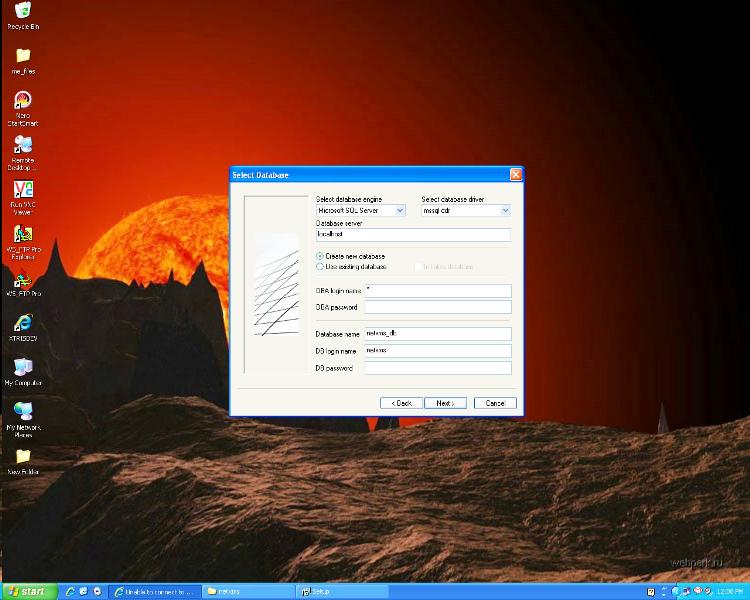
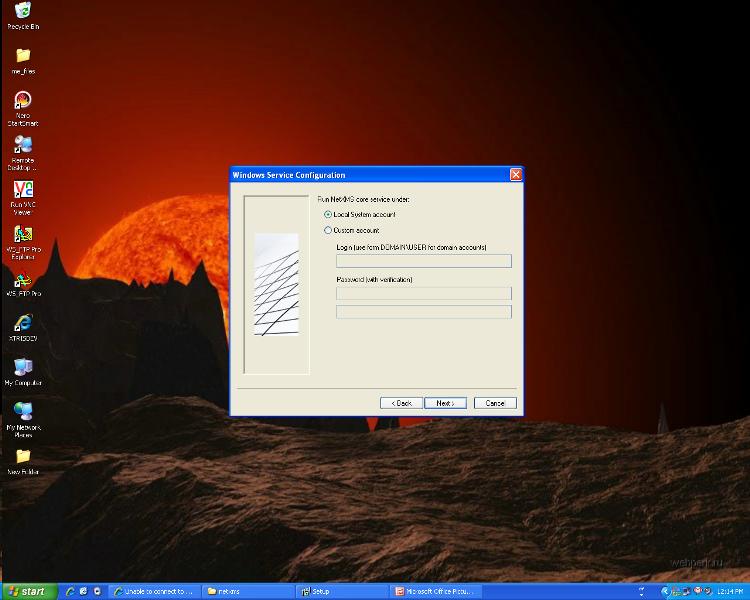
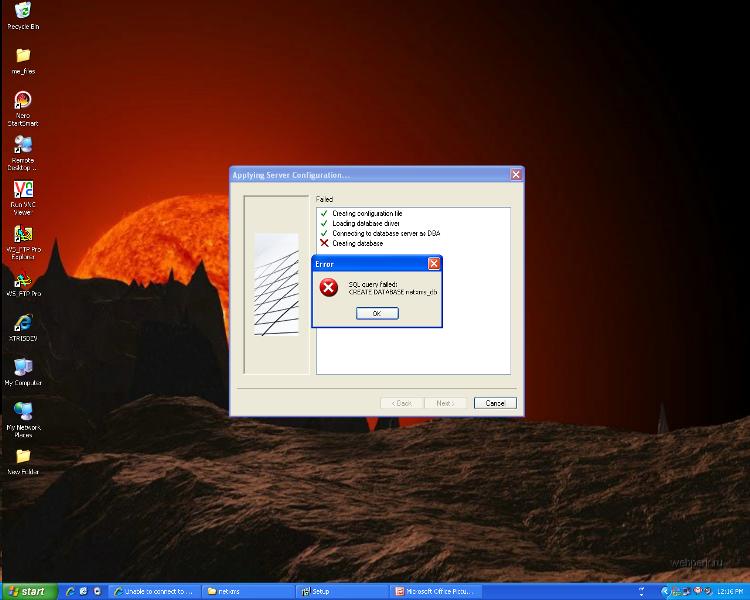
-
Hello!
Now, recovery procedure can be following:
- Delete database netxms_db.
- Delete SQL user netxms if it's exist (under Security -> Logins).
- Ensure that you have mixed mode authentication: in SQL Server Management Studio right click on server object, select Properties, select "Security", and ensure that under "Server authentication" selected "SQL Server and Windows Authentication mode".
- Reinstall NetXMS, and when on database configuration tab, enter any random password for database user "netxms".
Best regards,
Victor
Hello! It looks like you're interested in this conversation, but you don't have an account yet.
Getting fed up of having to scroll through the same posts each visit? When you register for an account, you'll always come back to exactly where you were before, and choose to be notified of new replies (either via email, or push notification). You'll also be able to save bookmarks and upvote posts to show your appreciation to other community members.
With your input, this post could be even better 💗
Register Login