Skip to content
  • Categories
  • Recent
  • Tags
  • Popular
  • Users
  • Groups
Skins
  • Light
  • Brite
  • Cerulean
  • Cosmo
  • Flatly
  • Journal
  • Litera
  • Lumen
  • Lux
  • Materia
  • Minty
  • Morph
  • Pulse
  • Sandstone
  • Simplex
  • Sketchy
  • Spacelab
  • United
  • Yeti
  • Zephyr
  • Dark
  • Cyborg
  • Darkly
  • Quartz
  • Slate
  • Solar
  • Superhero
  • Vapor

  • Default (Flatly)
  • No Skin
Collapse
Brand Logo

NetXMS Forum

  1. Home
  2. Support
  3. Use logwatch parameter in data collection

Use logwatch parameter in data collection

Scheduled Pinned Locked Moved Support
8 Posts 2 Posters 47.6k Views
  • Oldest to Newest
  • Newest to Oldest
  • Most Votes
Reply
  • Reply as topic
Log in to reply
This topic has been deleted. Only users with topic management privileges can see it.
  • J
    J
    JMC Software
    wrote on last edited by
    #1

    Hello,

    I have configured logwatch to parse the content of my windows server application event log.
    I can now collect over DCI Number of records processed and Number of records matched.
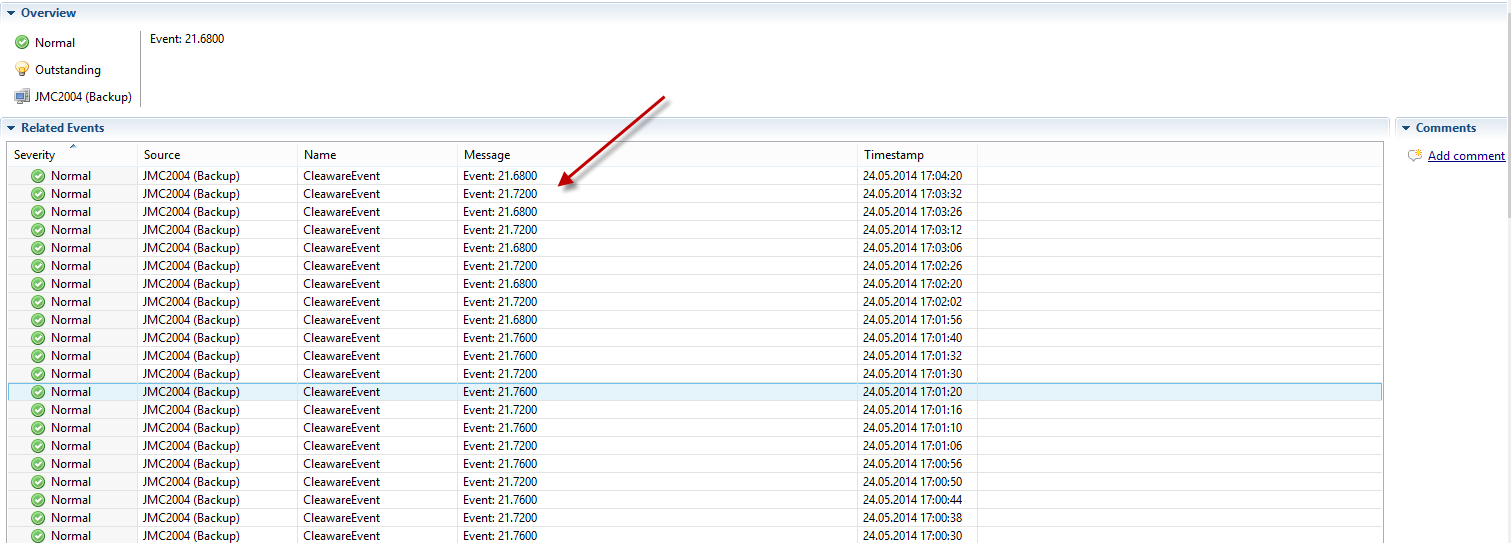
    And i can fire an alarm over my event policy rule where i can see the parsed parameter content (it is a float value).
    Is it possible to configure a DCI that will collect this value?

    Thanks for any help.

    Regards


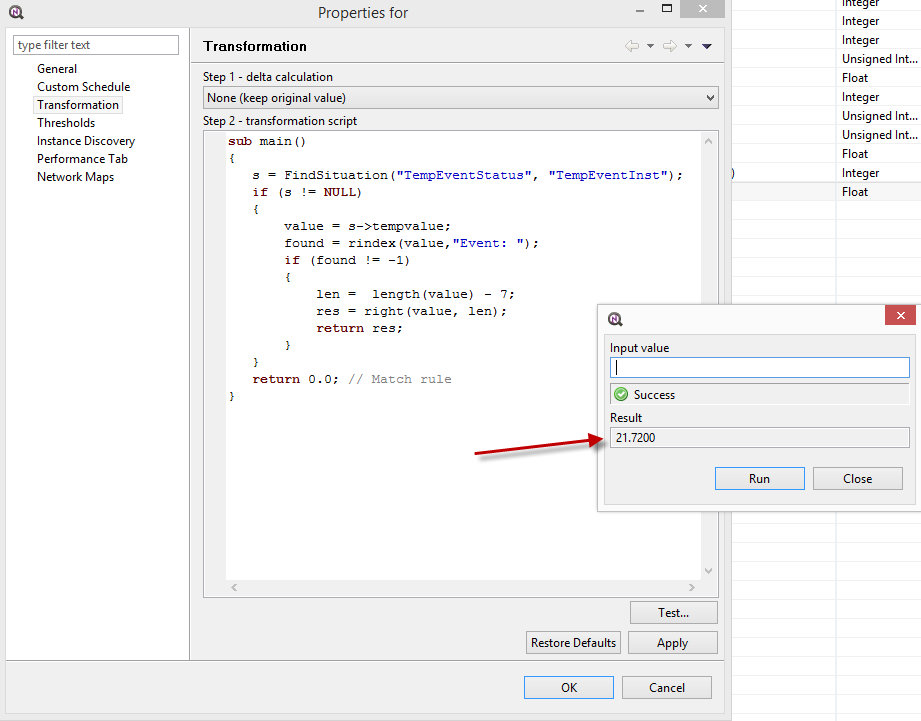
    Transform.png

    Situation.png

    EventProcessing.png

    EventLog.png

    1 Reply Last reply
    0
    • V
      V
      Victor Kirhenshtein
      wrote on last edited by
      #2

      Hi!

      Yes, it's possible. You can create "situation" object and in event processing policy set situation's attribute. Then you can create DCI with source "Internal" and parameter "Dummy" and in transformation script read value from situation's attribute. Sample script to access situation can be found here: https://www.netxms.org/documentation/adminguide/event-processing.html#situations.

      Best regards,
      Victor

      1 Reply Last reply
      0
      • J
        J
        JMC Software
        wrote on last edited by
        #3

        Create Victor

        Thanks it works.

        1 Reply Last reply
        0
        • J
          J
          JMC Software
          wrote on last edited by
          #4

          Hello Victor,

          It seems i have still something going wrong.
          My DCI History is still 0.0.

          I have the Event that works well an reads the Application Event Log.
          To check it i have an action that writes the value as an Event in Netxms and the values are correct.
          I have also the action that updates the situation, an the value is also updated correctly.
          If i test my transformation in the DCI it shows also the right value, so it can access the situation correctly.
          But the DCI itselfs stores all the time 0.0.

          Is this a Bug or are i missing something?

          Thanks for your feedback.

          Regards

          José

          1 Reply Last reply
          0
          • V
            V
            Victor Kirhenshtein
            wrote on last edited by
            #5

            Hi!

            Try to change DCI data type to string - will it show correct history then?

            Best regards,
            Victor

            1 Reply Last reply
            0
            • J
              J
              JMC Software
              wrote on last edited by
              #6

              Yesss it shows....
              I was thinking it recognize the datatype itself.
              Can i make a strong type convert in transformation script?

              Thanks again.

              Regards

              José

              1 Reply Last reply
              0
              • V
                V
                Victor Kirhenshtein
                wrote on last edited by
                #7

                Hi!

                Actually that means that server did not recognize string value as floating point number. You can try to set data type to float and use explicit cast with real(), like

                return real(res)
                

                It is also possible that your locale expects floating point numbers to have , instead of .

                Best regards,
                Victor

                1 Reply Last reply
                0
                • J
                  J
                  JMC Software
                  wrote on last edited by
                  #8

                  Hello Victor,

                  return real(res)

                  Doesn't work also.

                  Have you any other suggestions.

                  Thanks and Regards

                  José

                  1 Reply Last reply
                  0

                  Hello! It looks like you're interested in this conversation, but you don't have an account yet.

                  Getting fed up of having to scroll through the same posts each visit? When you register for an account, you'll always come back to exactly where you were before, and choose to be notified of new replies (either via email, or push notification). You'll also be able to save bookmarks and upvote posts to show your appreciation to other community members.

                  With your input, this post could be even better 💗

                  Register Login
                  Reply
                  • Reply as topic
                  Log in to reply
                  • Oldest to Newest
                  • Newest to Oldest
                  • Most Votes


                  • Login

                  • Don't have an account? Register

                  • Login or register to search.
                  Powered by NodeBB Contributors
                  • First post
                    Last post
                  0
                  • Categories
                  • Recent
                  • Tags
                  • Popular
                  • Users
                  • Groups