Skip to content
  • Categories
  • Recent
  • Tags
  • Popular
  • Users
  • Groups
Skins
  • Light
  • Brite
  • Cerulean
  • Cosmo
  • Flatly
  • Journal
  • Litera
  • Lumen
  • Lux
  • Materia
  • Minty
  • Morph
  • Pulse
  • Sandstone
  • Simplex
  • Sketchy
  • Spacelab
  • United
  • Yeti
  • Zephyr
  • Dark
  • Cyborg
  • Darkly
  • Quartz
  • Slate
  • Solar
  • Superhero
  • Vapor

  • Default (Flatly)
  • No Skin
Collapse
Brand Logo

NetXMS Forum

  1. Home
  2. Support
  3. Mute MAC Address changed on VENET interface

Mute MAC Address changed on VENET interface
Scheduled Pinned Locked Moved Support
5 Posts 2 Posters 26.1k Views
  • Oldest to Newest
  • Newest to Oldest
  • Most Votes
Reply
  • Reply as topic
Log in to reply
This topic has been deleted. Only users with topic management privileges can see it.
  • N
    N
    name29
    wrote on last edited by
    #1

    Dear All,

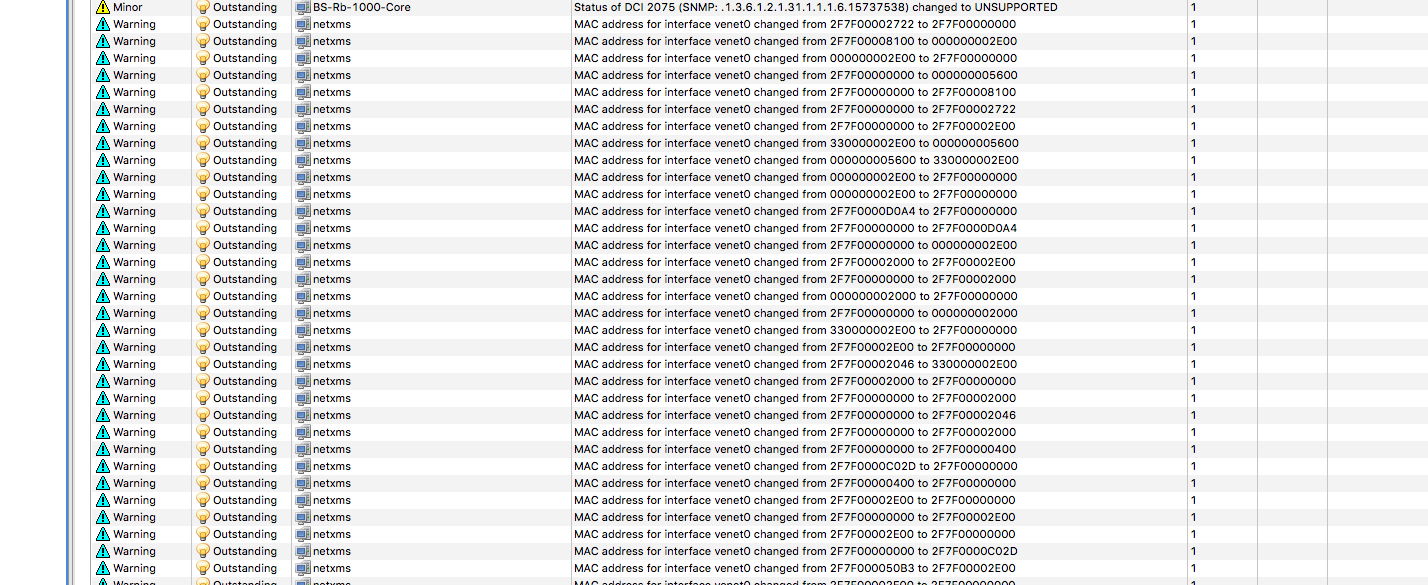
    It's possibile to mute the mac address changed event over venet interface?


    Screenshot 2015-12-13 14.43.20.png

    1 Reply Last reply
    0
    • T
      T
      tomaskir
      wrote on last edited by
      #2

      You can create an EPP (Event processing policy) rule to do this.

      Simply create a new EPP all the way at the top.
      Set "Source Objects" to appropriate node, and set "Event" to "SYS_MAC_ADDR_CHANGED".

      You can then specify the interface with the following script:

      if ($event->parameters[3] ~= "interface_name_reg_ex")
        return true;
      
      return false;
      

      In action, do "Stop event processing".

      And done, these events will not generate alarms from now on.

      1 Reply Last reply
      0
      • N
        N
        name29
        wrote on last edited by
        #3

        Thank you.

        I have selected event INVALID_NETMASK and not SYS_MAC_ADDR_CHANGED.... i don't know why lol

        1 Reply Last reply
        0
        • N
          N
          name29
          wrote on last edited by
          #4

          Also with correct configuration problem is showed in alarm log and try tooltip =(

          1 Reply Last reply
          0
          • T
            T
            tomaskir
            wrote on last edited by
            #5

            Sorry, error in script.

            I edited the original script, please try with the updated one 🙂

            1 Reply Last reply
            0

            Hello! It looks like you're interested in this conversation, but you don't have an account yet.

            Getting fed up of having to scroll through the same posts each visit? When you register for an account, you'll always come back to exactly where you were before, and choose to be notified of new replies (either via email, or push notification). You'll also be able to save bookmarks and upvote posts to show your appreciation to other community members.

            With your input, this post could be even better 💗

            Register Login
            Reply
            • Reply as topic
            Log in to reply
            • Oldest to Newest
            • Newest to Oldest
            • Most Votes


            • Login

            • Don't have an account? Register

            • Login or register to search.
            Powered by NodeBB Contributors
            • First post
              Last post
            0
            • Categories
            • Recent
            • Tags
            • Popular
            • Users
            • Groups