
How to monitor a host with TCP without agent?
-
-
Set the "Source Node" in your third screenshot to be your NetXMS server.
This will tell NetXMS to run your check on the NetXMS server, but the results will display on the DCI on your netxms.org node.You will not see any available parameters on your netxms.org node, as it does not have an agent running on it.
However, you can right-click on your NetXMS server node and go to Tools -> Info -> Agent -> Supported parameters.
This will give you a list of what's available. You will have to manually enter/type the one you want to use into the DCI on your netxms.org node. -
I'm really sorry. I must be slow...
I have tried everything you describe and what was described above too.
Unsupported DCI, error with timestamp 1970-01-01 etc etc comes up.So, I shouldn't use poller node?
Is it source node on the DCI that should be used for this purpose?I created a template, netxms agent origin, selected "ServiceCheck.HTTP(*)".
Set source node as netxms1 (my netxms server).
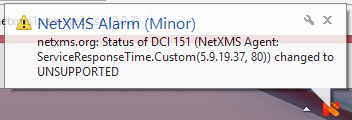
Applied it to the netxms.org-node.The status of the DCI under netxms.org is "Not supported".
- All I want to do is monitor www.netxms.org port 80 and get an alert if it doesn't respond to TCP on port 80.
This must be the worlds simplest task and I am unable to understand how I should do it.
I'm really sorry for my newbie questions. I thought 22 years of experience would be enough, obviously it's not.
- All I want to do is monitor www.netxms.org port 80 and get an alert if it doesn't respond to TCP on port 80.
-
It a bit more complicated for "netxms.org", because it doesnt respond to ping.
I created a step-by-step tutorial for you:
https://wiki.netxms.org/wiki/Step_by_step_service_monitoringPlease note, that for a website that responds to ping, it would be much simpler

-
Thank you very much for your wiki!!
Very serious!I have a few comments:
- "Special note: in NetXMS 2.0.4 and older, there was a bug that would create a node down alarm.
Please terminate this alarm on this node before proceeding further in the tutorial if running a version older than 2.0.5 (or 2.1)."
That really confused at first but now when I got it confirmed that it's a bug I'm satisfied:-) Thanks for the confirmation.
- "We create a new DCI. Make sure Origin is set to NetXMS Agent, press Select, and find ServiceResponseTime.Custom(*)."
Why not use "ServiceResponseTime.HTTP(*)"?
- "We will create another DCI, this one will be used to check just if the website is up or down."
Is this a redundant post?
I mean, we don't need to create two DCIs, do we?Thanks again for your serious respons!
I didn't expect that:-) - "Special note: in NetXMS 2.0.4 and older, there was a bug that would create a node down alarm.
-
-
To make the tutorial shorter and more generic-oriented, I chose just custom port check.
Feel free to use actual HTTP service checking (and setup the DCI accordingly). -
Its not redundant. We need this 2nd DCI for node status calculation.
The DCI used for node status calc must return values consistent with object status codes.
This is why it has the transform script, and has the "Use for status calculation" checked.
We cant use the ServiceResponseTime DCI, because we want to have actual historic values of the response time.
So this one we dont want to / cant use for status calc.As mentioned, this would not be needed if the node responded to ICMP, and status poll would just use ICMP for status calculation.
-
-
-
-
-
Hello! It looks like you're interested in this conversation, but you don't have an account yet.
Getting fed up of having to scroll through the same posts each visit? When you register for an account, you'll always come back to exactly where you were before, and choose to be notified of new replies (either via email, or push notification). You'll also be able to save bookmarks and upvote posts to show your appreciation to other community members.
With your input, this post could be even better 💗
Register Login