
Y-axis on line chart (dahboard)
-
Hi!
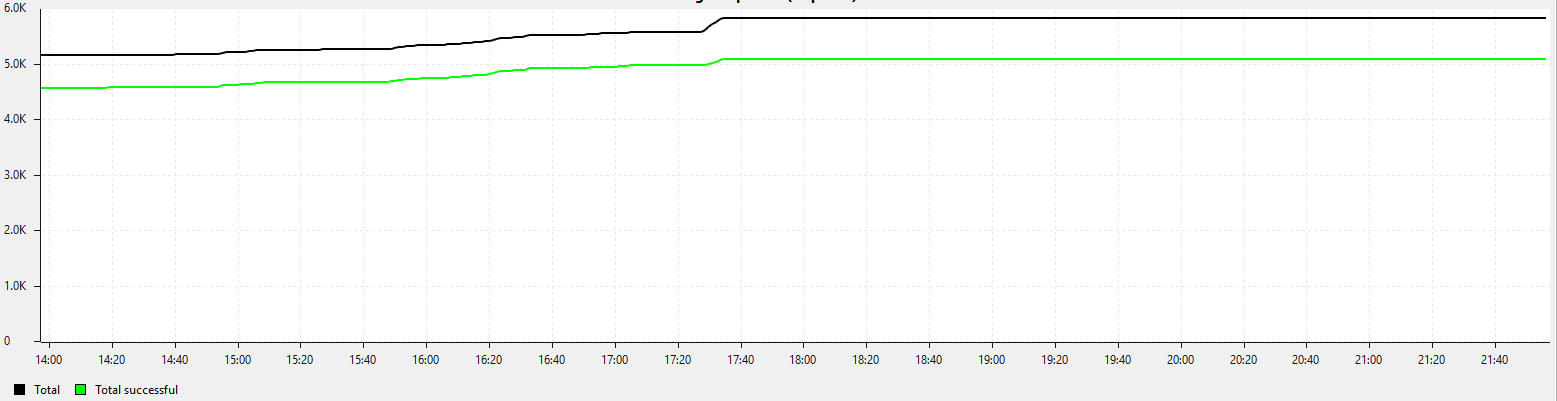
is the Y axis always starting from 0 (with positive values)? In auto scale mode seems to start always from zero, if you have small variation in the data plotted, it is difficult to evaluate the differences, line seems almost flat.
Is there a way to avoid this?
Regards,
Marco
-
Hi Marco,
You can right click on the graph, select Properties, then change the Y Axis Range.
However, I believe this is limited to 2^31 as the highest value it will accept, if you enter something higher, the results will not be as expected. Not sure if that's only if you're using 32bit Java and Console. Haven't checked with the web interface.Alternatively you can simply zoom in on the part you want to see in detail (I think that only works in the console, not the web interface).
Hope that helps
-
@tursiops said in Y-axis on line chart (dahboard):
Hi Marco,
You can right click on the graph, select Properties, then change the Y Axis Range.
However, I believe this is limited to 2^31 as the highest value it will accept, if you enter something higher, the results will not be as expected. Not sure if that's only if you're using 32bit Java and Console. Haven't checked with the web interface.Alternatively you can simply zoom in on the part you want to see in detail (I think that only works in the console, not the web interface).
Hope that helps
Hello Tursiops,
it is a dashboard with data counting continuously (always increasing in this case), I cannot set the Y axis to a specific range. With automatic set I was expecting a kind of window "adjusted" to the vertical extent of the current data fitted into the window.
Regards,
Marco -
Hi,
it cannot be solved without change in code. Please register issue in bug tracker to make Y axis always started at 0 configurable option for line charts.
Best regards,
Victor -
@victor said in Y-axis on line chart (dahboard):
Hi,
it cannot be solved without change in code. Please register issue in bug tracker to make Y axis always started at 0 configurable option for line charts.
Best regards,
VictorHi Victor,
registered as new feature request:
https://dev.raden.solutions/issues/1402
Thank you very much for your support.
Regards,
Marco
Hello! It looks like you're interested in this conversation, but you don't have an account yet.
Getting fed up of having to scroll through the same posts each visit? When you register for an account, you'll always come back to exactly where you were before, and choose to be notified of new replies (either via email, or push notification). You'll also be able to save bookmarks and upvote posts to show your appreciation to other community members.
With your input, this post could be even better 💗
Register Login