Skip to content
  • Categories
  • Recent
  • Tags
  • Popular
  • Users
  • Groups
Skins
  • Light
  • Brite
  • Cerulean
  • Cosmo
  • Flatly
  • Journal
  • Litera
  • Lumen
  • Lux
  • Materia
  • Minty
  • Morph
  • Pulse
  • Sandstone
  • Simplex
  • Sketchy
  • Spacelab
  • United
  • Yeti
  • Zephyr
  • Dark
  • Cyborg
  • Darkly
  • Quartz
  • Slate
  • Solar
  • Superhero
  • Vapor

  • Default (Flatly)
  • No Skin
Collapse
Brand Logo

NetXMS Forum

  1. Home
  2. Support
  3. NetXMS agent config for UPS via USB cable

NetXMS agent config for UPS via USB cable

Scheduled Pinned Locked Moved Support
4 Posts 2 Posters 49.2k Views
  • Oldest to Newest
  • Newest to Oldest
  • Most Votes
Reply
  • Reply as topic
Log in to reply
This topic has been deleted. Only users with topic management privileges can see it.
  • W
    W
    wdavids
    wrote on last edited by
    #1

    Hi,

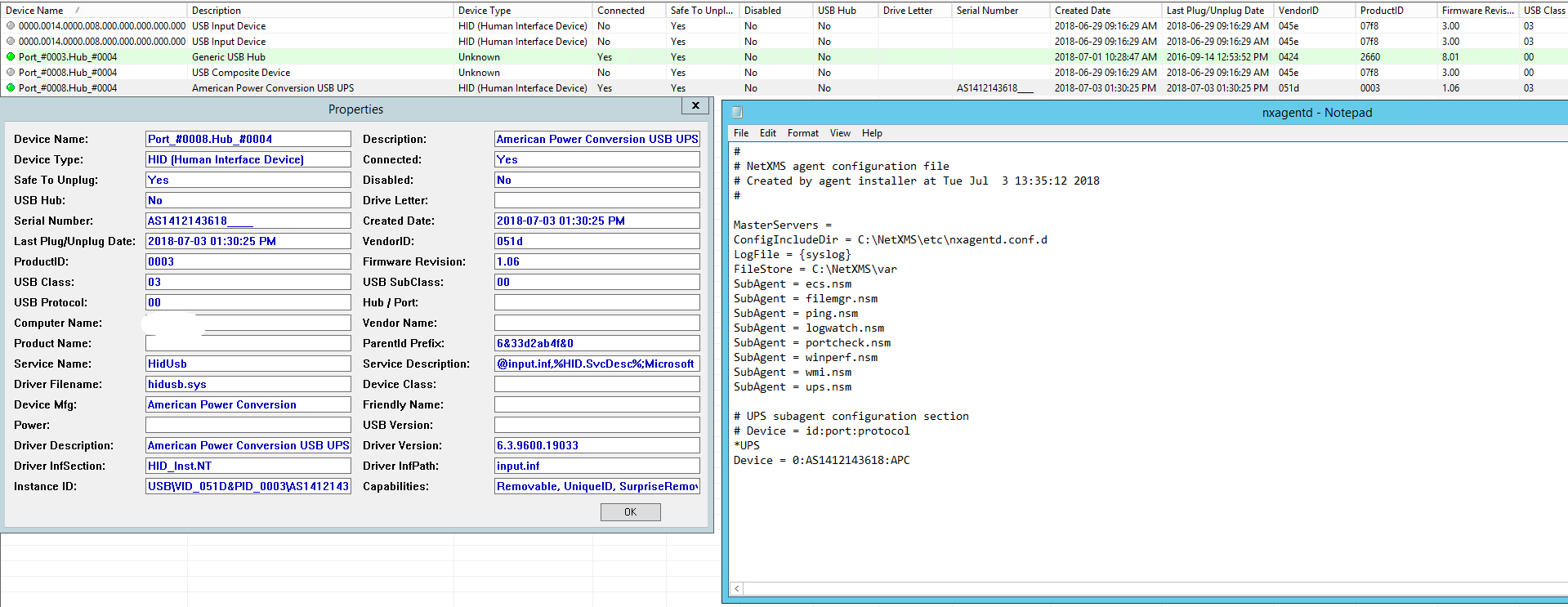
    We have a APC ups that we want to monitor via NetXMS so that we can see if there is a power outage or if UPS is using batteries. We are using a USB cable to connect UPS and a computer, netxms agent is installed on the computer but I want to know what to type in the netxms agent config file to connect to ups so that i can pull the data.

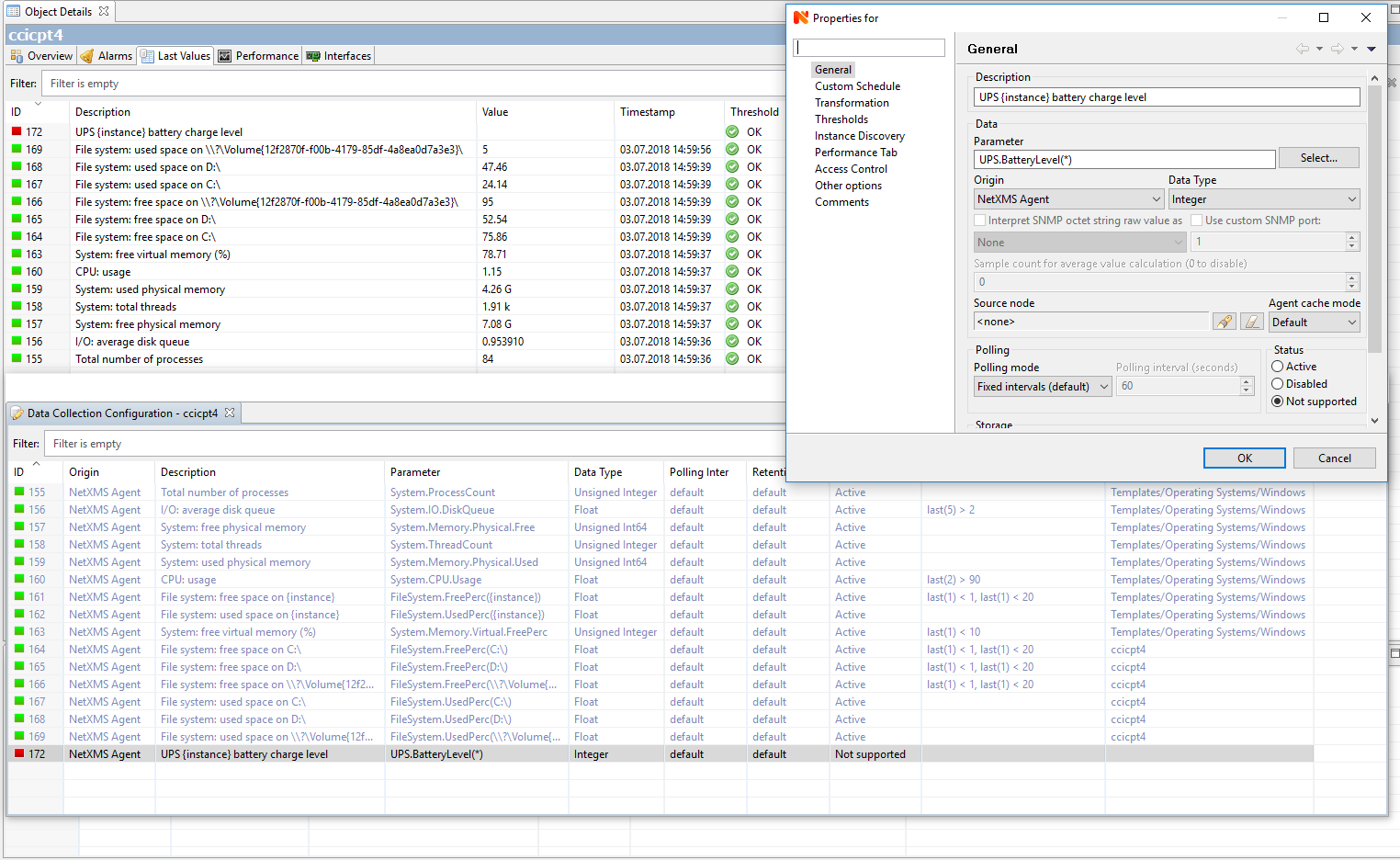
    I also added the DCI value for the ups but it shows not supported, what does that mean?
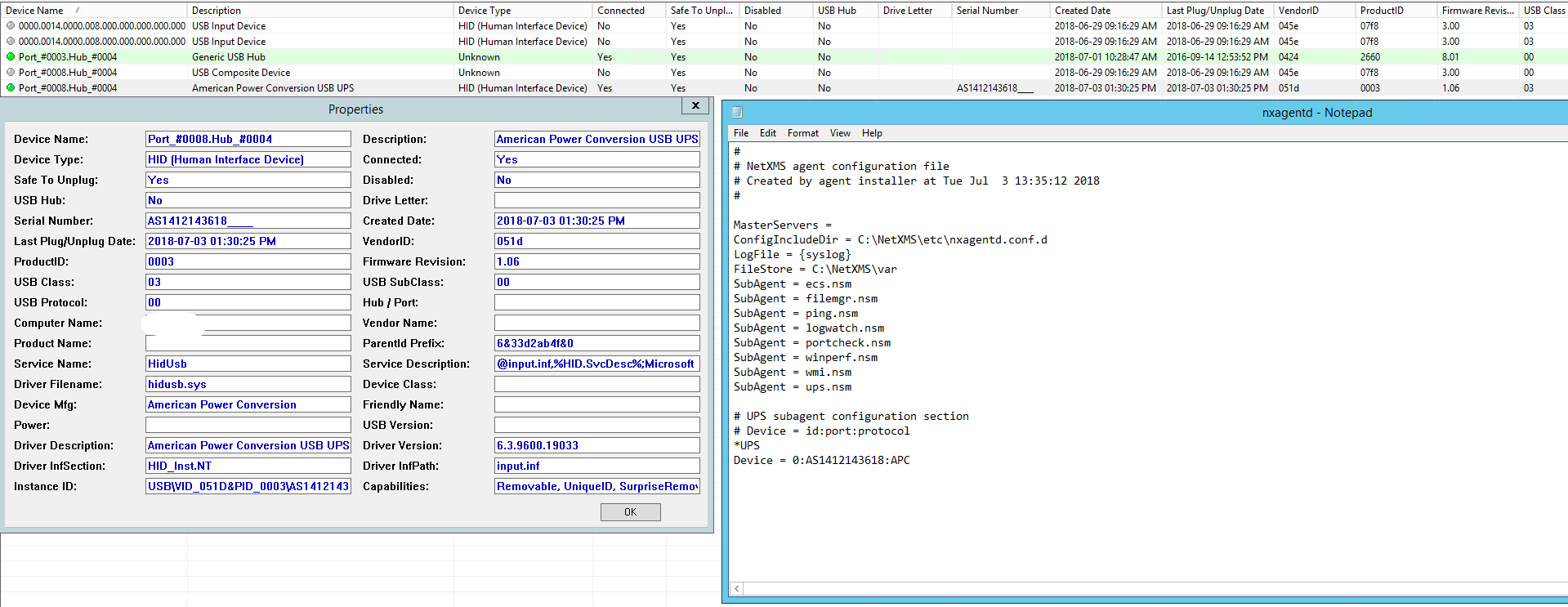

    tempsnip.png

    tempsnip.png

    UPS DCI.PNG

    1 Reply Last reply
    0
    • T
      T
      Tursiops
      wrote on last edited by
      #2

      We're using SNMP to monitor UPS' at our end (no matter if connected via network or USB), but I recall using the inbuilt sub-agent once before and I did something similar to what's mentioned in this post:
      https://www.netxms.org/forum/configuration/more-detailed-information-to-configure-an-usb-ups/
      That is, I didn't use the serial number of the UPS in the configuration file, as there was only one UPS connected.

      Other than that, you may need to replace (*) with (0), as that's the number of your UPS in the configuration. Not sure if that's really needed if you only have one UPS.
      Or use actual Instance Discovery using the "UPS.DeviceList" list?

      1 Reply Last reply
      0
      • W
        W
        wdavids
        wrote on last edited by
        #3

        Thanks for the help it is working now, only weird thing when I choose to monitor the UPS online status and says unsupported, does that have something to do with the model of UPS?

        1 Reply Last reply
        0
        • T
          T
          Tursiops
          wrote on last edited by
          #4

          Sorry, I don't know the answer to that question, as we're not using the sub-agent.
          I do know that different models of APC UPS do not all report everything back (via SNMP that is), but usually the unsupported things are more like Part Numbers or Output Current, not the overall UPS status.

          1 Reply Last reply
          0

          Hello! It looks like you're interested in this conversation, but you don't have an account yet.

          Getting fed up of having to scroll through the same posts each visit? When you register for an account, you'll always come back to exactly where you were before, and choose to be notified of new replies (either via email, or push notification). You'll also be able to save bookmarks and upvote posts to show your appreciation to other community members.

          With your input, this post could be even better 💗

          Register Login
          Reply
          • Reply as topic
          Log in to reply
          • Oldest to Newest
          • Newest to Oldest
          • Most Votes


          • Login

          • Don't have an account? Register

          • Login or register to search.
          Powered by NodeBB Contributors
          • First post
            Last post
          0
          • Categories
          • Recent
          • Tags
          • Popular
          • Users
          • Groups