
WebAPI Problem (Setup for Grafana with NetXMS 2.2.7)
-
Hi Guys.
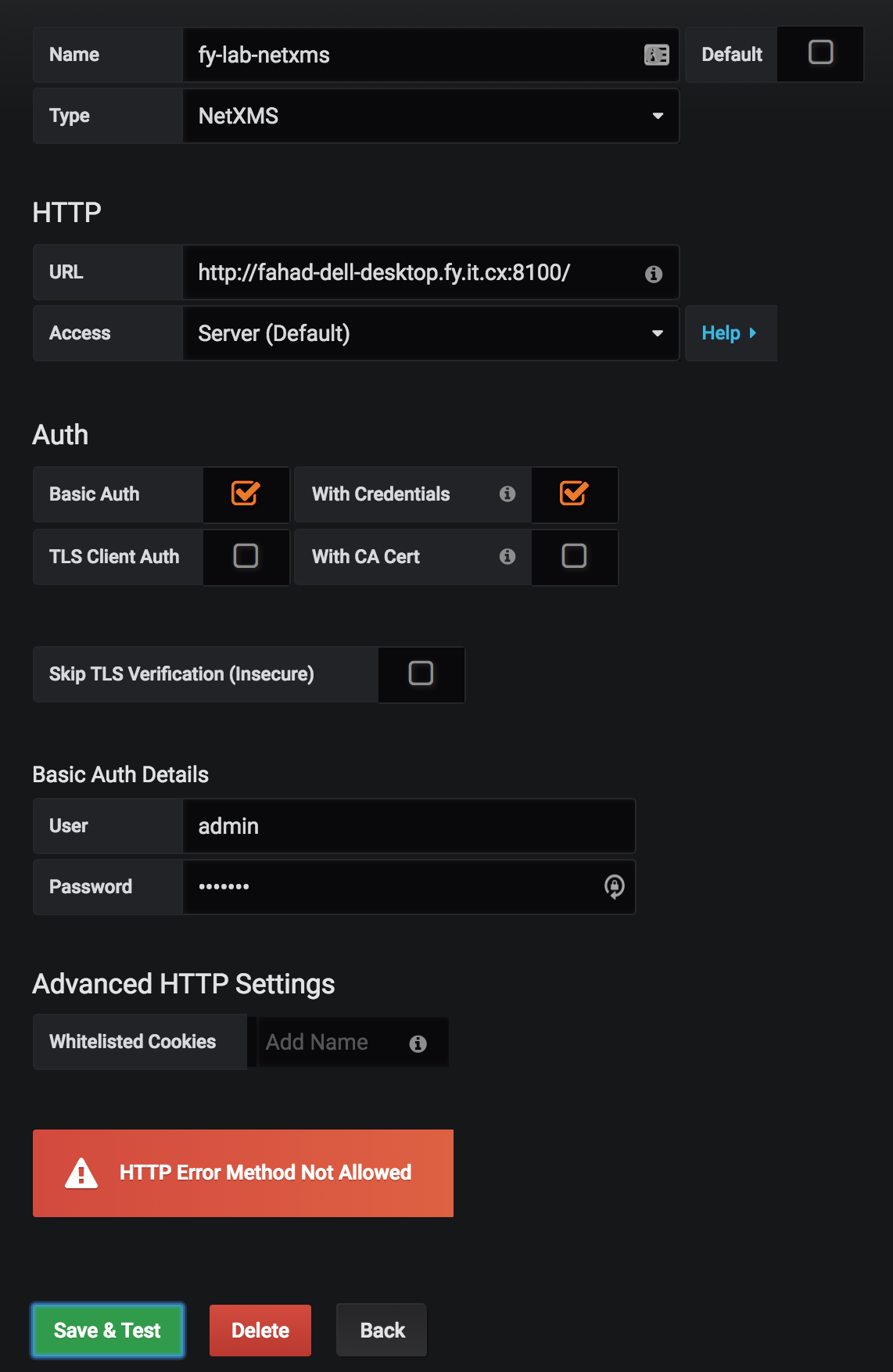
I'm having trouble setting up the WebAPI for use with Grafana (v5.2.2). When I try to setup the Data Source with the below parameters (screenshot attached):
URL: http://fahad-dell-desktop.fy.it.cx:8100/ (I have set it to use 8100 during setup. )
Access: Server (default)
Basic Auth (checked)
With Credentials (checked)
(all SSL/TLS related options unchecked)
User: admin
Password: <entered correctly>I ran a packet capture on my Grafana server to capture the request and response and they are posted below:
Request:
POST /sessions HTTP/1.1
Host: fahad-dell-desktop.fy.it.cx:8100
User-Agent: Mozilla/5.0 (Macintosh; Intel Mac OS X 10_13_6) AppleWebKit/537.36 (KHTML, like Gecko) Chrome/69.0.3497.42 Safari/537.36
Content-Length: 0
Accept: application/json, text/plain, */*
Accept-Encoding: gzip, deflate
Accept-Language: en-US,en;q=0.9,fr;q=0.8
Authorization: Basic <Hash Removed form Post>
Content-Type: application/json;charset=utf-8
Origin: http://ubuntu-server.fy.it.cx:3100
Referer: http://ubuntu-server.fy.it.cx:3100/datasources/edit/1
X-Forwarded-For: 192.168.100.202, 192.168.100.202
X-Grafana-Nocache: true
X-Grafana-Org-Id: 1
Response
HTTP/1.1 405 HTTP method POST is not supported by this URL
Date: Tue, 21 Aug 2018 12:07:27 GMT
Content-Type: text/html; charset=ISO-8859-1
Cache-Control: must-revalidate,no-cache,no-store
Content-Length: 364
Server: Jetty(9.2.19.v20160908)

<html>
<head>
<meta http-equiv="Content-Type" content="text/html; charset=UTF-8"/>
<title>Error 405 HTTP method POST is not supported by this URL</title>
</head>
<body><h2>HTTP ERROR 405</h2>
<p>Problem accessing /sessions. Reason:
<pre>    HTTP method POST is not supported by this URL</pre></p><hr><i><small>Powered by Jetty://</small></i><hr/>

</body>
</html>
It's evident that Grafana is correctly trying to Post to the /sessions URL (as mentioned in the wiki https://wiki.netxms.org/wiki/Web_service_API) but the WebAPI is saying POST is not an allowed method for /sessions.
UPDATE
OK so it turns out my Web API war file wasn't set up correctnly (typo in jetty-web.xml). Fixing that resolved the issue.
Hello! It looks like you're interested in this conversation, but you don't have an account yet.
Getting fed up of having to scroll through the same posts each visit? When you register for an account, you'll always come back to exactly where you were before, and choose to be notified of new replies (either via email, or push notification). You'll also be able to save bookmarks and upvote posts to show your appreciation to other community members.
With your input, this post could be even better 💗
Register Login