
Problem with network discovery; and a little issue with MS SQL
-
Hi !
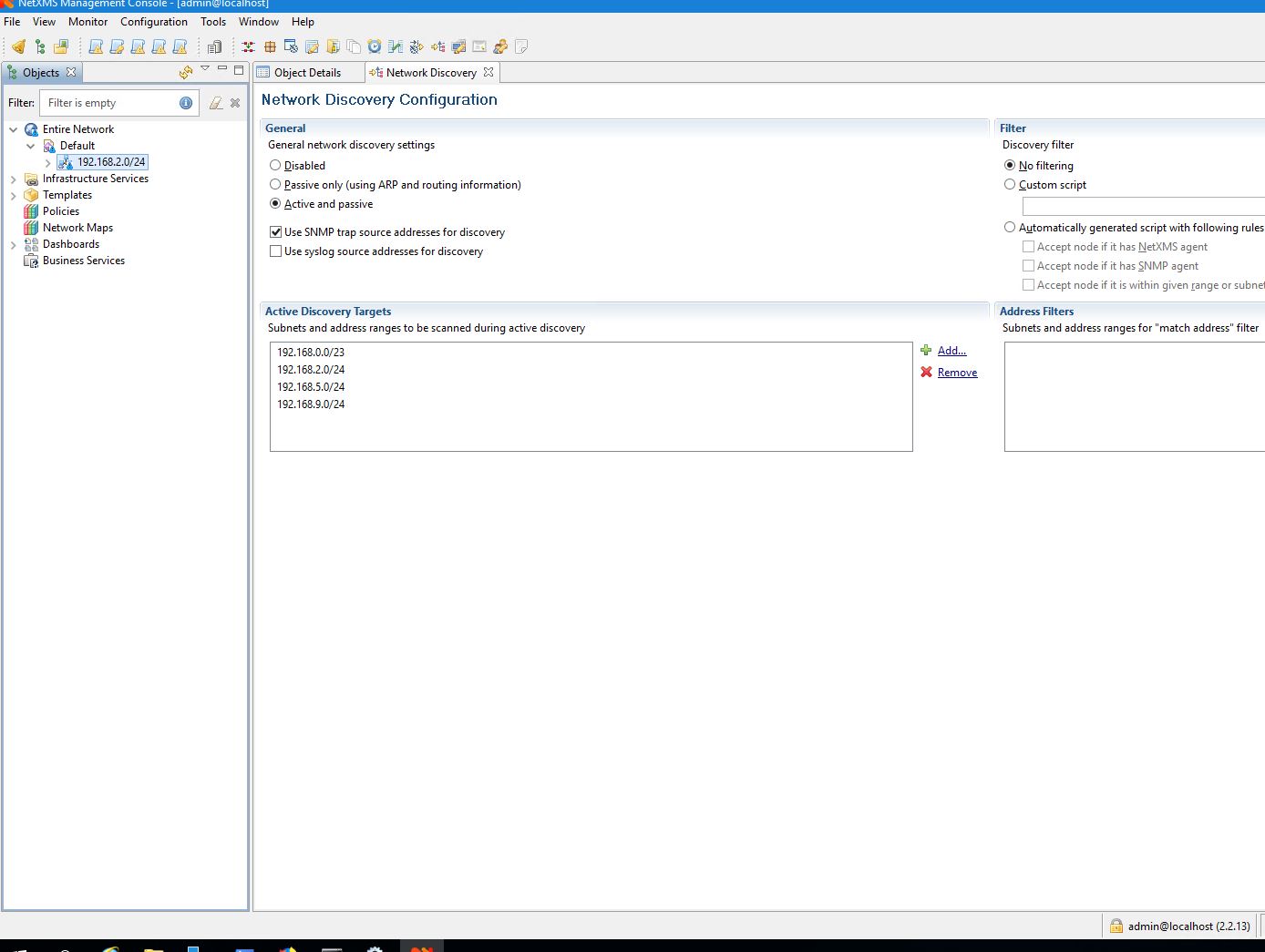
I'm having several subnets to monitor, entered them all in the Network discovery (see attached screenshot 1) - but no other one then the subnet my XMS Server is in, becomes discovered after Hours and days

The other subnets all are reachable via VPN Connections (I can ping them, open remote Desktop Connections, …), but XMS does not find them.
Also installed the agent on a server in an other subnet, but it also isn't discovered till now.
So maybe you can give me an advice what the problem can be !Other small problem:
When using the Server configuration wizard (set to create a new database !), I was not able to connect to the pre-installed MS SQL 2017 with the entered credentials, there the configurtation always stopped with an error. In the Server log I found the entry, that the wizard could not connect, showing that there is no database Name (null) in the login data given to MS SQL - see screenshot 2.
I found a Topic in the Forum explaning the basic manual DB creation, when changing the wizard to use the pre-defined DB, it worked in the moment !
So it seems we have a little bug here
Thank you in advance, Klaus

-
Hi!
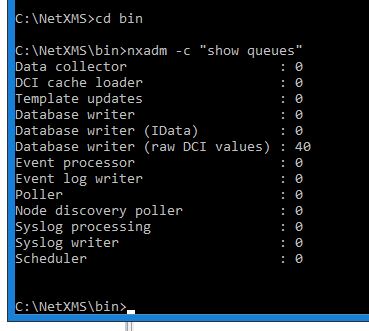
Please check server queues. You can do that from shell by running command
nxadm -c "show queues"
For MS SQL initialization - it definitely looks like a bug, we will check that.
Best regards,
Victor -
Hello !
Thank you for you reply, find the attached screenshot with the queues.
Best regards, Klaus
-
Hello again !
Strange thing, I meanwhile took a look on the firewall which connects my server with the other networks via VPN - and saw that the SNMP-Port 161 still was blocked - which I assumed does not matter when using ARP or Ping.
So I opened Ports 4700 and 4701 (for communication with NetXMS clients and server) - and magically the first devices on the other subnets started to appear …
I also opened Port 161 and 162 and also details of the SNMP devices became visible.Only one subnet is still undiscovered although both firewalls (of both LANs) do not show blocked data packets (but I did not check hours of logs), and are configured the same way - any idea is still welcome on this part of the problem !
Thank you, Klaus
-
Some more news:
I captured some packets to the subnet which is not shown in NetXMS, and found that the Server IS sending pings to the subnet (192.168.5.0/24), and answers on them are returned to the server (192.168.2.34) - see attached text file. But still no info in NetXMS.
Any idea ?
Thank you, Klaus
-
A new update:
After about 5 weeks the last missing subnet yesterday suddenly appeared - no changes have been made from me …
But I also realized that some devices are still missing, eg. the firewall device of one of the subnets is still not shown, although it can be pinged.
If anyone has an idea what NetXMS is doing so that this problems happen, you are welcome to give me an update what I can do to get correct results in the device discovery.
Thank you, Klaus
Hello! It looks like you're interested in this conversation, but you don't have an account yet.
Getting fed up of having to scroll through the same posts each visit? When you register for an account, you'll always come back to exactly where you were before, and choose to be notified of new replies (either via email, or push notification). You'll also be able to save bookmarks and upvote posts to show your appreciation to other community members.
With your input, this post could be even better 💗
Register Login