
Agent ExternalTable not correctly shown in NetXMS-Console
-
Hello,
I dunno what I'm doing wrong, but I've come across a (at least to me) mysterious problem...
I've configured an ExternalTable Parameter for all nxagents on our Windows-Hosts
ExternalTable=file.TableSubFolders(*):instanceColumns=Folder;description=SubFolders with Size and FilesCount;separator=|:powershell "echo 'Folder|Size|Count'; Get-ChildItem -Force -LiteralPath '"$1"' | foreach { $$subFolderItems = Get-ChildItem $$_.FullName -recurse -force | Where-Object {$$_.PSIsContainer -eq $$false} | Measure-Object -property Length -sum; $$Status = $$_.Name + '|' + $$subFolderItems.Sum + '|' + $$subFolderItems.Count; echo $$Status }"That ExternalParameter will take (as an argument) a Folder-Path and return a table of all subfolders with the Size and the Count of all Files inside them...
...I'm using that to monitor the Size of our Users RoamingProfiles and HomeDirectories.I created three DCIs using that ExternalParameter:
- RoamingProfiles Win7
- RoamingProfiles Win10 (yes, we let our Users start over with empty Profiles for Win10, hence the seperate Directory for those...)
- HomeDirectories
First I'd like to mention that the DCIs for the RoamingProfiles are working fine, while the DCI for the HomeDirectories seemingly does not work correct.
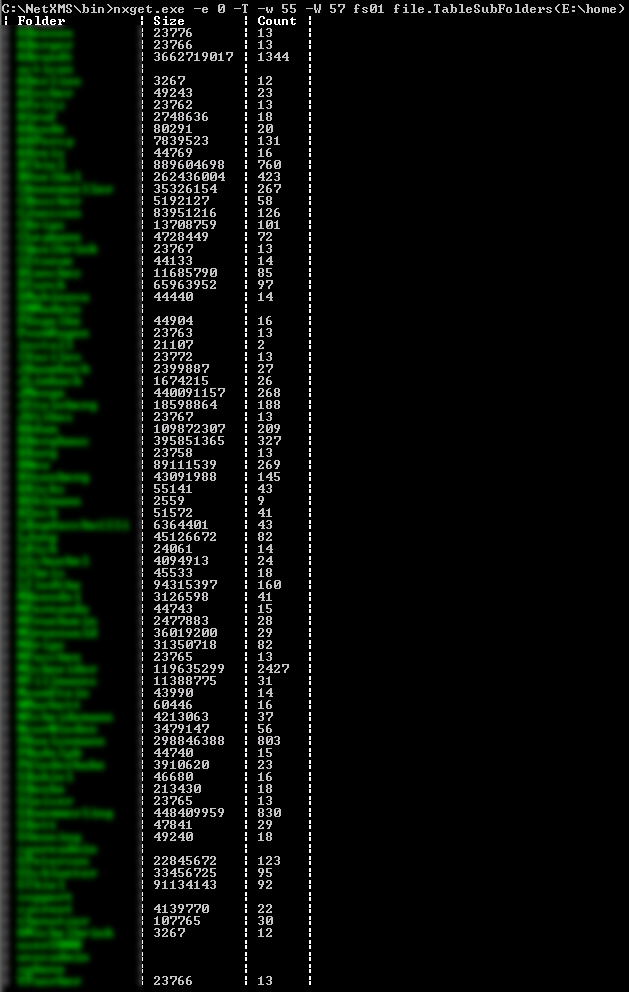
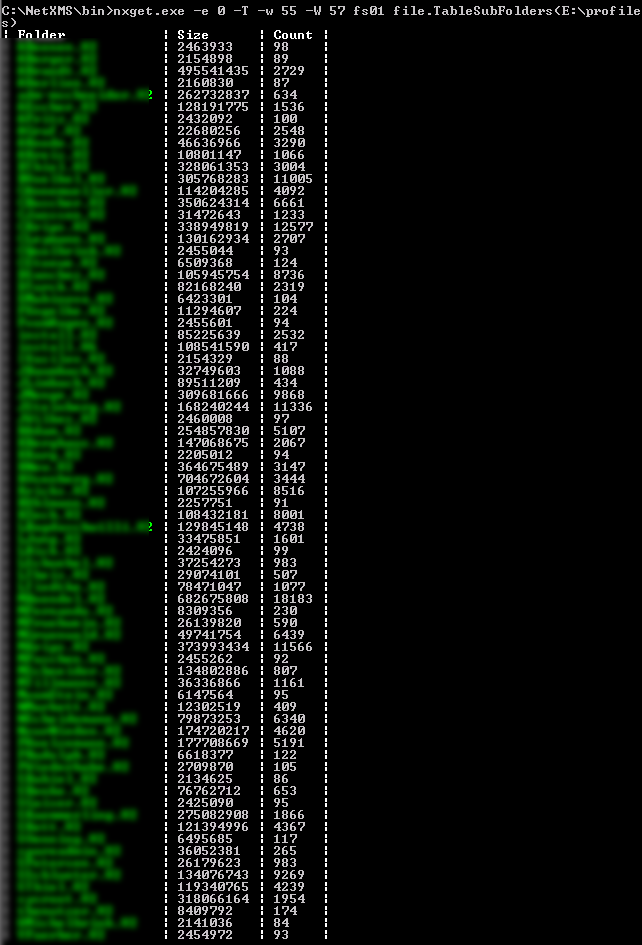
If I query those three ExternalParameter directly with NXGET-CommandlineTool I get correct output.
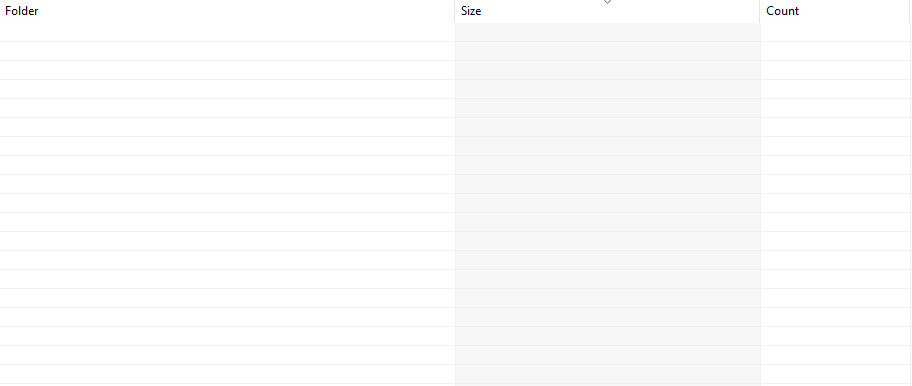
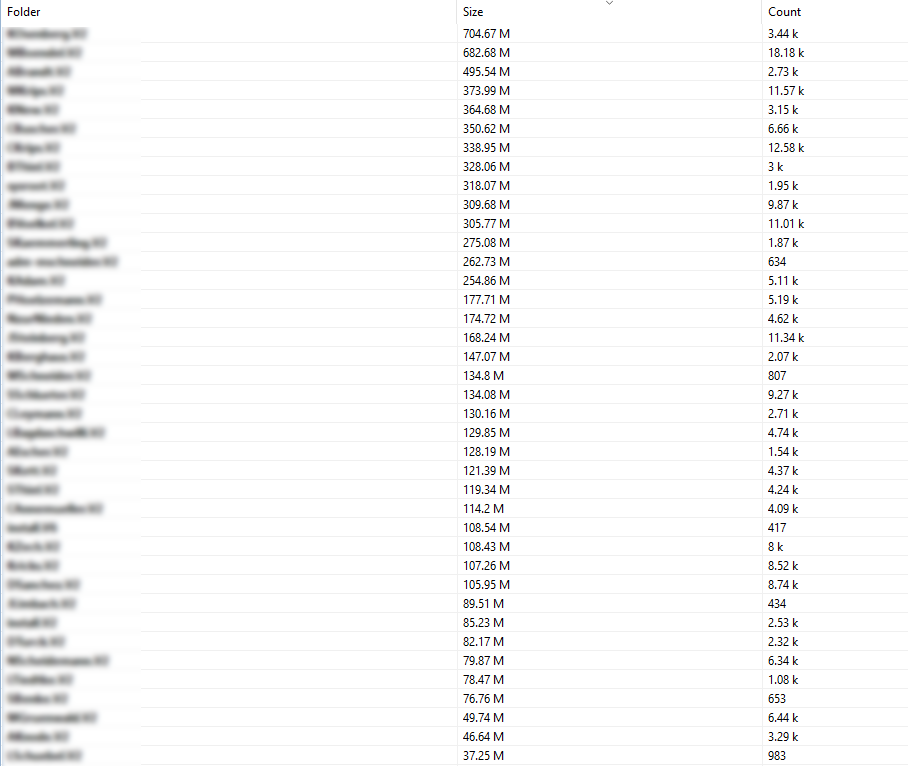
But if I view the "Table Last Value" in NetXMS-Console, I'll see correct Data for the RoamingProfiles-Directories, but I do not see any Data for the HomeDirectories at all...
...I attached some screenshots for illustration...Any ideas what I might have configured wrong for the malfunctioning DCI?
Best regards,
ManuelPS.: I've already set the ServerConfiguration-Variable AgentCommandTimeout to 59000 and the AgentConfiguration-Parameter ExecTimeout to 55000, because of that and because of the ExternalList for the RoamingProfiles taking more time (on FS01 to calculate Directory-Sizes) with NXGET I don't think it's a timeout-related problem...but feel free to correct me if I'm wrong!

-
Hi,
how big are those tables? Also, could you check values stored in tdata table for those two table DCIs - is value for empty table really small?
Best regards,
Victor -
Hi Victor,
the Screenshots "HomeDirectories-CLI.png" and "RoamingProfiles-CLI.png" both show the whole tables, but I don't know if you would call them big...
I've checked the tdata_value for both DCIs:
- Value for HomeDirectories is about 1740 to 1744 characters long
- Value for RoamingProfiles is about 1940 to 1944 characters long
Best regards,
Manuel -
Hi,
from value sizes it seems that value is there but cannot be displayed for some reason (possibly UI bug). Is it possible to provide raw value from database for testing?
Best regards,
Victor -
-
-
Hi,
please check if there is any errors logged in UI log (usually it is in $HOME/.nxmc/data/.metadata/.log).
Best regards,
Victor -
Hi Victor,
please find the NXMC UI-Log attached to this post.
I extracted the last Section (last Execution of NXMC) of the LOG and replaced the Usernames with "User" followed by a consecutive number.
I've noted the exact Replacements, so that I'm able to reverse them.Best regards,
Manuel
Hello! It looks like you're interested in this conversation, but you don't have an account yet.
Getting fed up of having to scroll through the same posts each visit? When you register for an account, you'll always come back to exactly where you were before, and choose to be notified of new replies (either via email, or push notification). You'll also be able to save bookmarks and upvote posts to show your appreciation to other community members.
With your input, this post could be even better 💗
Register Login