Skip to content
  • Categories
  • Recent
  • Tags
  • Popular
  • Users
  • Groups
Skins
  • Light
  • Brite
  • Cerulean
  • Cosmo
  • Flatly
  • Journal
  • Litera
  • Lumen
  • Lux
  • Materia
  • Minty
  • Morph
  • Pulse
  • Sandstone
  • Simplex
  • Sketchy
  • Spacelab
  • United
  • Yeti
  • Zephyr
  • Dark
  • Cyborg
  • Darkly
  • Quartz
  • Slate
  • Solar
  • Superhero
  • Vapor

  • Default (Flatly)
  • No Skin
Collapse
Brand Logo

NetXMS Forum

  1. Home
  2. Support
  3. DCI last values don't store history data

DCI last values don't store history data


Scheduled Pinned Locked Moved Support
31 Posts 4 Posters 88.7k Views
  • Oldest to Newest
  • Newest to Oldest
  • Most Votes
Reply
  • Reply as topic
Log in to reply
This topic has been deleted. Only users with topic management privileges can see it.
  • X
    X
    xelander
    wrote on last edited by
    #15

    I tried the Windows client (nxmc-3.4.284-win32-x64.zip) both on Windows 7 and on Windows 10, but I also tried the web interface (nxmc-3.4.284.war), everything downloaded from the netxms website, so it seems the issue doesn't depend on the client OS.
    I still have to try on Linux...

    1 Reply Last reply
    0
    • X
      X
      xelander
      wrote on last edited by
      #16

      Today I also tried on Linux CentOS 8, (nxmc-3.4.284-linux-gtk-x64.tar.gz) but nothing changed: no historical data.This is so strange that now I wonder if I'm doing something wrong...

      1 Reply Last reply
      0
      • F
        F
        Filipp Sudanov
        wrote on last edited by
        #17

        Does it happen that there are no historical data for all DCIs in system, or just for some DCIs?

        1 Reply Last reply
        0
        • X
          X
          xelander
          wrote on last edited by
          #18

          I've not configured many DCIs yet, but it seems no DCI shows historical data.
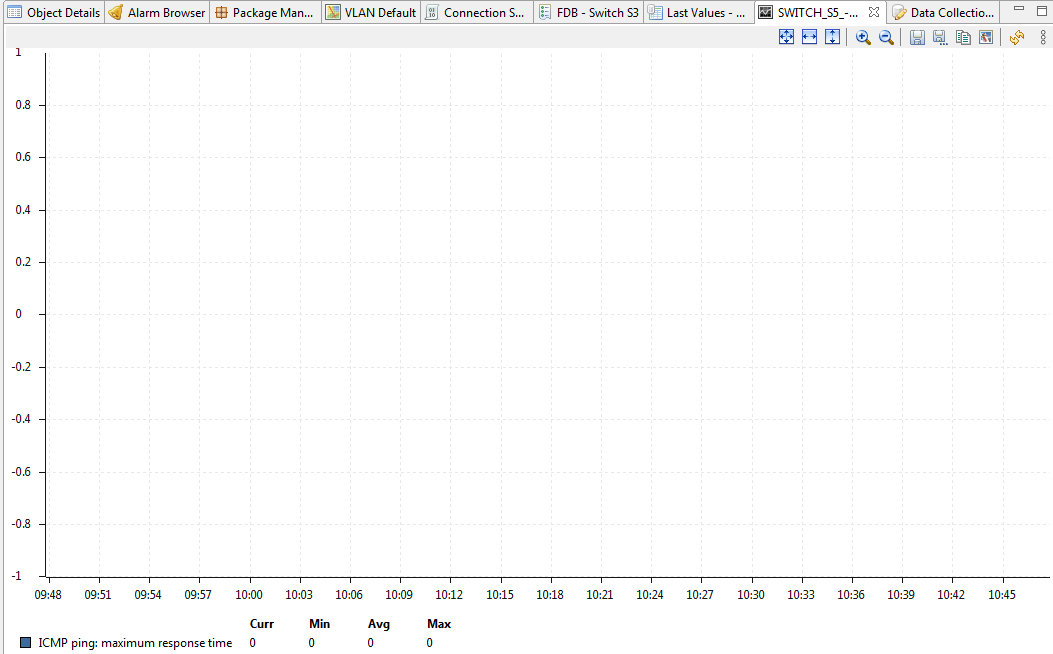
          I've added a couple of other DCI on a different switch (3Com vs CISCO), but still no historical data in the GUI.

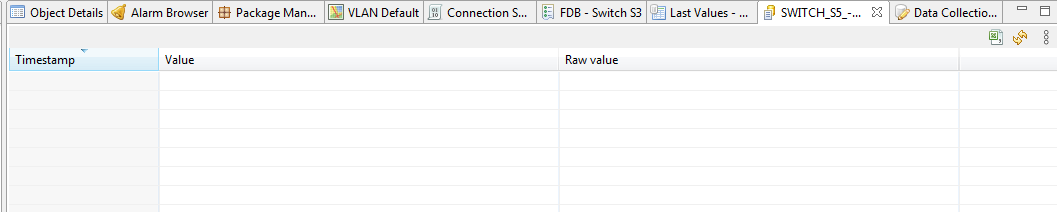
          Even default DCIs for the NetXMS server itself show no historical data (see attachments).
          The only strange thing I'm noticing now, is the <<ERROR>> value for the only DCI coming from the NetXMS agent on the server.


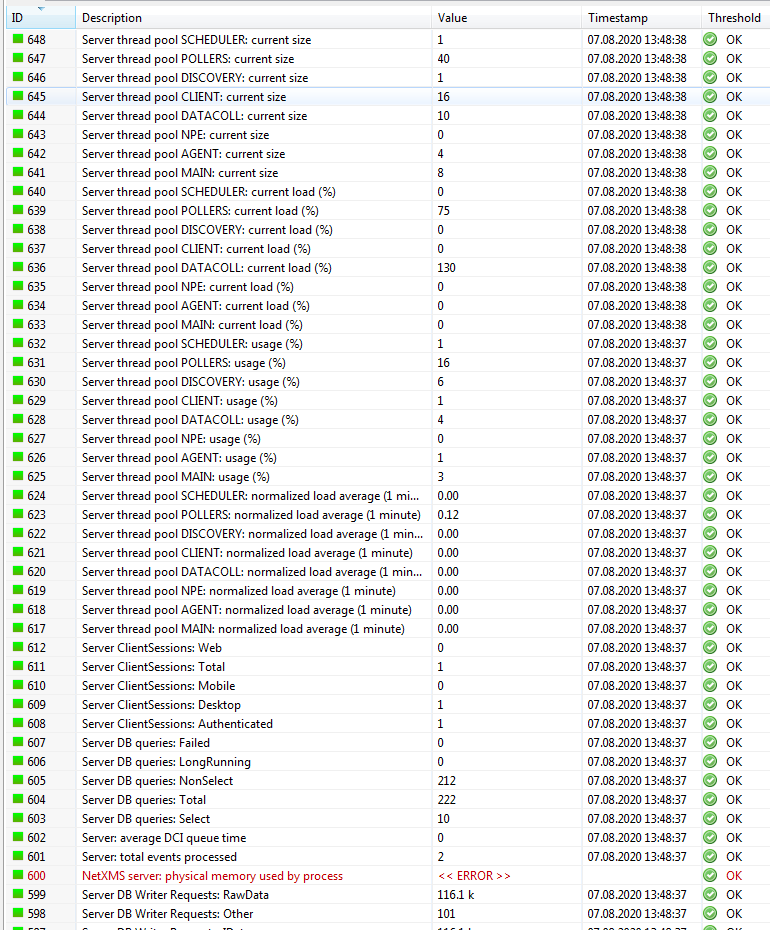
          3com-dci.PNG

          3com-dci-values.PNG

          netxms-dci-values.PNG

          1 Reply Last reply
          0
          • F
            F
            Filipp Sudanov
            wrote on last edited by
            #19

            One more thing to have a look at - console writes it's own log file in user's home folder in \.nxmc\data\.metadata
            Can you share what you have there?

            1 Reply Last reply
            0
            • X
              X
              xelander
              wrote on last edited by
              #20

              Here they are.


              nxmc-metadata-windows7.zip

              nxmc-metadata-centos8.tgz

              1 Reply Last reply
              0
              • F
                F
                Filipp Sudanov
                wrote on last edited by
                #21

                Did you try to open the dci graph / history during the duration of that log?

                1 Reply Last reply
                0
                • X
                  X
                  xelander
                  wrote on last edited by
                  #22

                  Yes, of course.

                  1 Reply Last reply
                  0
                  • F
                    F
                    Filipp Sudanov
                    wrote on last edited by
                    #23

                    Let's try to get historical data from java API using nxshell - this way we could see if the issue is with the server or the GUI.

                    You will need to recompile to get nxshell, for that please run

                    export JAVA_HOME=/usr/lib/jvm/java-11-openjdk-amd64
                    

                    add then run your ./configure command with the following keys added:

                    --with-jdk=/usr/lib/jvm/java-11-openjdk-amd64 --with-client
                    

                    make & make install should produce nxshell executable in your bin folder.

                    Then make a file, say collected_data.py

                    from java.util import Date
                    data = s.getCollectedData(200, 2000, Date(Date().time - 60 * 60 * 1000), Date(), 100, HistoricalDataType.valueOf('PROCESSED'))
                    print data
                    for v in data.values:
                        print v.timestamp.toString() + " = " + str(v.value)
                    

                    replace 200 with a node ID and 2000 with a DCI ID.

                    Then run the following (-u username, same as in management console and -P is the password):

                    nxshell -H 127.0.0.1 -u admin -P ""  collected_data.py
                    

                    and share the output. This script script should return datapoints for a give DCI for last hour.

                    1 Reply Last reply
                    0
                    • X
                      X
                      xelander
                      wrote on last edited by
                      #24

                      Hi, here they are.
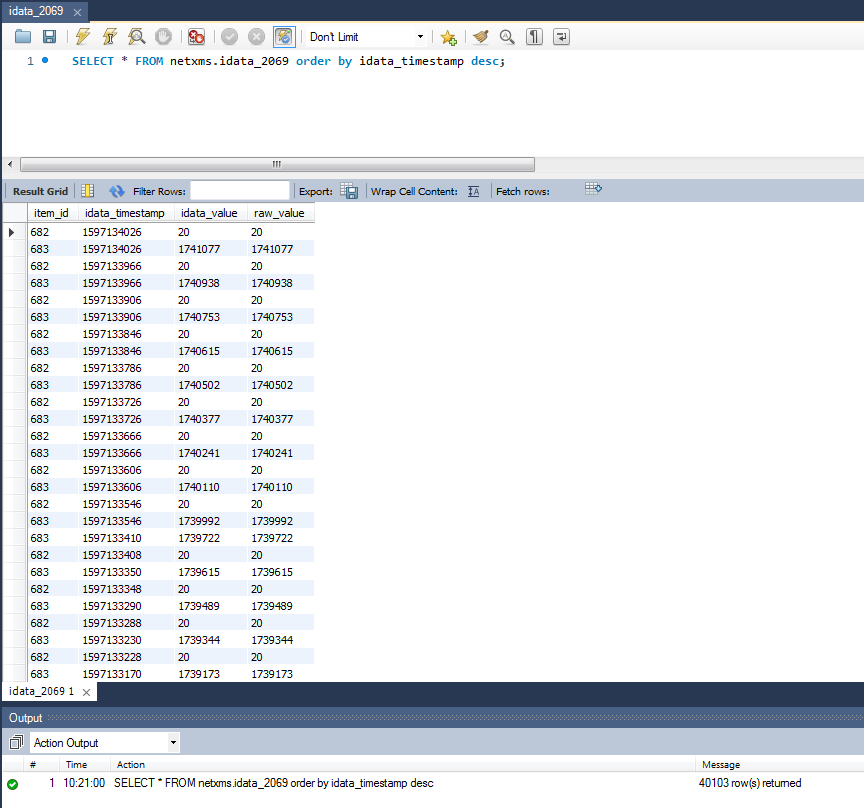
                      Node 2069, DCI 682

                      nxshell -H 127.0.0.1 -u admin -P XXXX collected_data.py
                      WARNING: An illegal reflective access operation has occurred
                      WARNING: Illegal reflective access by org.python.core.PySystemState (file:/usr/local/lib/netxms/nxshell.jar) to method java.io.Console.encoding()
                      WARNING: Please consider reporting this to the maintainers of org.python.core.PySystemState
                      WARNING: Use --illegal-access=warn to enable warnings of further illegal reflective access operations
                      WARNING: All illegal access operations will be denied in a future release
                      DciData [nodeId=2069, dciId=682, dataType=INT32, valuesSize=0]
                      

                      Node 2069, DCI 683

                      nxshell -H 127.0.0.1 -u admin -P XXXX collected_data.py
                      WARNING: An illegal reflective access operation has occurred
                      WARNING: Illegal reflective access by org.python.core.PySystemState (file:/usr/local/lib/netxms/nxshell.jar) to method java.io.Console.encoding()
                      WARNING: Please consider reporting this to the maintainers of org.python.core.PySystemState
                      WARNING: Use --illegal-access=warn to enable warnings of further illegal reflective access operations
                      WARNING: All illegal access operations will be denied in a future release
                      DciData [nodeId=2069, dciId=683, dataType=INT32, valuesSize=0]
                      

                      It seems nxshell doesn't get any data too  😞


                      collected_data.py

                      idata_2069.png

                      1 Reply Last reply
                      0
                      • F
                        F
                        Filipp Sudanov
                        wrote on last edited by
                        #25

                        Can we possible get remote access to your netxms server? If yes, please send a message to [email protected]

                        If no, please collect server log at debuglevel = 8. Start console during the log and open the graph and history of a DCI.
                        You can change debut level on the fly:
                        nxadm -c "debug 8"
                        will change it

                        nxadm -c "debug"
                        will print current debug level

                        1 Reply Last reply
                        0
                        • X
                          X
                          xelander
                          wrote on last edited by
                          #26

                          Yes, I can set up a remote access for you, thank you very much.
                          I have to setup some port forwarding on our firewall: do you only need SSH or also port 4701 for the console?
                          Can you tell me the public IP address you will be using to connect?

                          In the meanwhile, I changed the debug level and opened the history and graph of DCI 682 and 683 of node 2069, see attached log.I think they are at line 5744, timestamp 2020.08.11 11:21:55.828


                          netxmsd.zip

                          1 Reply Last reply
                          0
                          • F
                            F
                            Filipp Sudanov
                            wrote on last edited by
                            #27

                            Sent you a PM.

                            Meanwhile - it's recommended to check netxms log for *E* and *W* messages - there is one SQL query error, which is not related to issue discussed here, we will have a look. And there's also a warning about autobind script.

                            1 Reply Last reply
                            0
                            • X
                              X
                              xelander
                              wrote on last edited by
                              #28

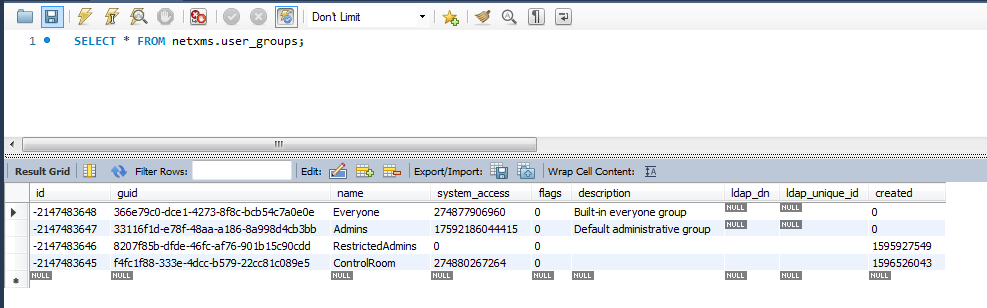
                              The SQL errors are related to two new groups I was creating (see screenshot), perhaps I made something wrong.
                              About the autobind script, I don't know, I'm new to NetXMS and I'm still exploring all its features.
                              I remember opening the script library, perhaps I unvoluntarily tampered with the scripts.

                              user_goups.png

                              1 Reply Last reply
                              0
                              • F
                                F
                                Filipp Sudanov
                                wrote on last edited by
                                #29

                                There was one thing we missed - after recompiling --with-mariadb --with-mariadb-compat-headers, database driver in netxmsd.conf should have been updated, but mysql.ddr was left there.
                                The correct configuration is:

                                DBDriver = mariadb.ddr

                                P.S. pls disable system user in netxms - it's currently enabled.

                                1 Reply Last reply
                                0
                                • X
                                  X
                                  xelander
                                  wrote on last edited by
                                  #30

                                  Oh! I'm really sorry, I completely missed this stepΒ  :-[ .
                                  Thank you very, very much for your support and for your time.
                                  P.S. I disabled the system user, thank you.

                                  1 Reply Last reply
                                  0
                                  • L
                                    L
                                    logic_sam
                                    wrote on last edited by
                                    #31

                                    Β πŸ™‚ πŸ™‚ πŸ™‚

                                    BIG HUG FOR Filipp Sudanov

                                    • NetXMS on CentOS 8
                                    • MariaDB

                                    Data was not written in the history.
                                    I was able to see "last values" but no history, no graphs.
                                    netxms data collection was not working (i add this for google searches)

                                    Thanks to Filipp :

                                    • i learned to look for datas in "idata_xxx" tables
                                    • i recompiled with mariadb options
                                    • i changed netxmsd.conf to "DBDriver = mariadb.ddr"

                                    God bless you Filipp !

                                    for the records :

                                    ./configure --with-server --with-mariadb --with-mariadb-compat-headers --with-agent
                                    /usr/local/etc/netxmsd.conf
                                    DBDriver = mariadb.ddr

                                    1 Reply Last reply
                                    0

                                    Hello! It looks like you're interested in this conversation, but you don't have an account yet.

                                    Getting fed up of having to scroll through the same posts each visit? When you register for an account, you'll always come back to exactly where you were before, and choose to be notified of new replies (either via email, or push notification). You'll also be able to save bookmarks and upvote posts to show your appreciation to other community members.

                                    With your input, this post could be even better πŸ’—

                                    Register Login
                                    Reply
                                    • Reply as topic
                                    Log in to reply
                                    • Oldest to Newest
                                    • Newest to Oldest
                                    • Most Votes


                                    • Login

                                    • Don't have an account? Register

                                    • Login or register to search.
                                    Powered by NodeBB Contributors
                                    • First post
                                      Last post
                                    0
                                    • Categories
                                    • Recent
                                    • Tags
                                    • Popular
                                    • Users
                                    • Groups