Skip to content
  • Categories
  • Recent
  • Tags
  • Popular
  • Users
  • Groups
Skins
  • Light
  • Brite
  • Cerulean
  • Cosmo
  • Flatly
  • Journal
  • Litera
  • Lumen
  • Lux
  • Materia
  • Minty
  • Morph
  • Pulse
  • Sandstone
  • Simplex
  • Sketchy
  • Spacelab
  • United
  • Yeti
  • Zephyr
  • Dark
  • Cyborg
  • Darkly
  • Quartz
  • Slate
  • Solar
  • Superhero
  • Vapor

  • Default (Flatly)
  • No Skin
Collapse
Brand Logo

NetXMS Forum

  1. Home
  2. Support
  3. Web console installation

Web console installation

Scheduled Pinned Locked Moved Support
19 Posts 3 Posters 65.5k Views
  • Oldest to Newest
  • Newest to Oldest
  • Most Votes
Reply
  • Reply as topic
Log in to reply
This topic has been deleted. Only users with topic management privileges can see it.
  • S
    S
    squeezypiano
    wrote on last edited by
    #4

    OK, so now I can get the page to load but it will not log in.  System is Ubuntu 20.04 (also tried on 18.04) and tried with native JDK, openjdk-8-jdk on both jetty9 and tomcat9 but all combinations it fails with 'connect timed out'.  Server is running and can connect from desktop console and WebUI is installed on the same machine as the server with firewall disabled.  What am I missing?

    1 Reply Last reply
    0
    • V
      V
      Victor Kirhenshtein
      wrote on last edited by
      #5

      Can you login with desktop client? If yes, please send Jetty/Tomcat log.

      Best regards,
      Victor

      1 Reply Last reply
      0
      • S
        S
        squeezypiano
        wrote on last edited by
        #6

        Hi Victor.
        Log files attached following a clean install.
        Many thanks.


        catalina.2020-09-21.log

        localhost_access_log.2020-09-21.txt

        1 Reply Last reply
        0
        • F
          F
          Filipp Sudanov
          wrote on last edited by
          #7

          Hi!

          Did you try to connect from desktop client, not the web one? Did you suceed?

          1 Reply Last reply
          0
          • S
            S
            squeezypiano
            wrote on last edited by
            #8

            Yes, desktop client is working just fine.

            1 Reply Last reply
            0
            • S
              S
              squeezypiano
              wrote on last edited by
              #9

              Is anyone able to help, please?  Still cannot get it working.  Here is what I did on Ubuntu 20.04 to install...

              wget http://packages.netxms.org/netxms-release-latest.deb
              dpkg -i netxms-release-latest.deb
              
              apt-get update
              
              apt-get dist-upgrade -y
              
              apt-get install postgresql postgresql-contrib tomcat9 -y
              
              sudo -u postgres psql
              
              CREATE DATABASE netxms;
              CREATE ROLE netxms WITH LOGIN;
              \password netxms
              GRANT ALL PRIVILEGES ON DATABASE netxms TO netxms;
              \q
              
              apt-get install netxms-server netxms-dbdrv-pgsql netxms-agent -y
              
              nano /etc/netxmsd.conf <-- uncomment psql and add password
              
              nxdbmgr init
              
              systemctl enable netxmsd
              systemctl restart netxmsd
              
              cd /tmp
              wget https://www.netxms.org/download/releases/3.5/nxmc-3.5.90.war
              mv nxmc-3.5.90.war /var/lib/tomcat9/webapps/nxmc.war
              
              1 Reply Last reply
              0
              • F
                F
                Filipp Sudanov
                wrote on last edited by
                #10

                Hi!

                Just tried your installation sequence on fresh ubuntu 20.04, nxmc correctly opens on port 8080

                1 Reply Last reply
                0
                • S
                  S
                  squeezypiano
                  wrote on last edited by
                  #11

                  Thanks, but I don't think I have SSL enabled and the page loads fine just will not connect to the service.  When I try to log in I get 'Connection error, connected timed out'.  Does it need SSL enabling?
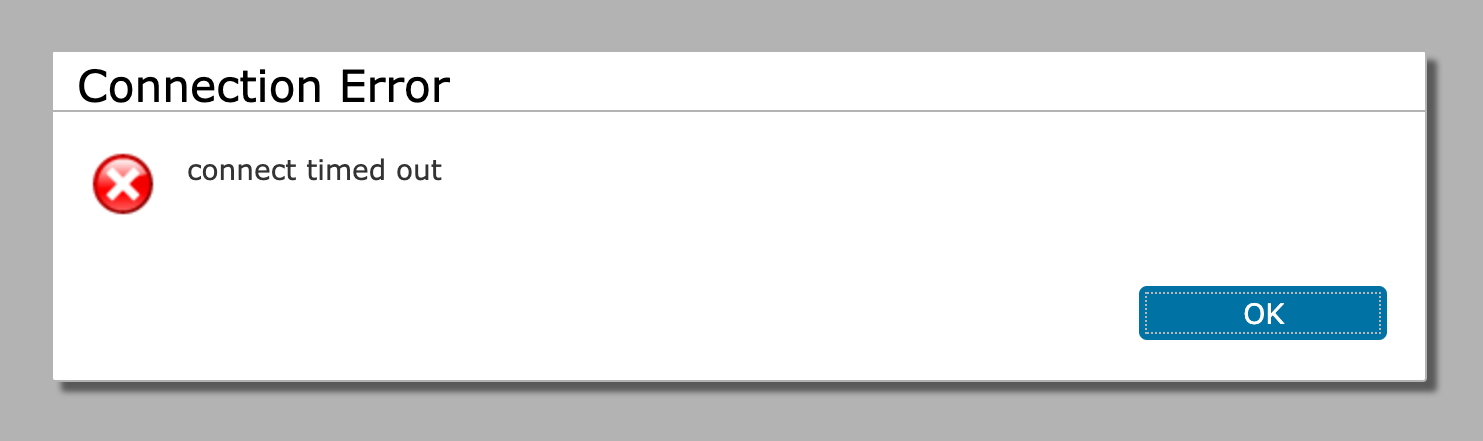

                  Screenshot.png

                  1 Reply Last reply
                  0
                  • F
                    F
                    Filipp Sudanov
                    wrote on last edited by
                    #12

                    I had error when tried to connect to 8080 via https. Should just use http.

                    1 Reply Last reply
                    0
                    • S
                      S
                      squeezypiano
                      wrote on last edited by
                      #13

                      Ah, yes, OK.  So HTTP loads but gives the connect error when I try to log in.  The server is running and I can connect from the desktop console just not the WebUI.

                      1 Reply Last reply
                      0
                      • F
                        F
                        Filipp Sudanov
                        wrote on last edited by
                        #14

                        Just in case, show nxmc log file:
                         /var/lib/tomcat9/work/Catalina/localhost/nxmc/eclipse/workspace/.metadata

                        Try deleting tomcat workspace:
                        stop tomcat process
                        delete /var/lib/tomcat9/work folder
                        start tomcat again

                        1 Reply Last reply
                        0
                        • S
                          S
                          squeezypiano
                          wrote on last edited by
                          #15

                          Oh now that's interesting.  Hadn't found that log file but in there it has:

                          !MESSAGE Server address resolved from NETXMS_SERVER: x.x.x.x
                          

                          The address being returned is not the address of itself but for the @ record for the machine's domain, which in this case is a public address.  What is it trying to resolve to get that?  As far as I can tell /etc/hosts and DNS are set up correctly.

                          1 Reply Last reply
                          0
                          • F
                            F
                            Filipp Sudanov
                            wrote on last edited by
                            #16

                            Seems that you do have a DNS records NETXMS_SERVER or it's in your hosts file. Web console uses it as one of the options for situations when web console in installed on another machine. See here:
                            https://www.netxms.org/documentation/adminguide/installation.html?highlight=netxms_server#installing-web-interface-on-remote-system

                            1 Reply Last reply
                            0
                            • S
                              S
                              squeezypiano
                              wrote on last edited by
                              #17

                              I definitely do not have an entry anywhere but by adding it I can now log in to the WebUI.  So does it not attempt local before checking for NETXMS_SERVER or should there always be an entry for NETXMS_SERVER?

                              1 Reply Last reply
                              0
                              • F
                                F
                                Filipp Sudanov
                                wrote on last edited by
                                #18

                                It tries several ways, as per documentation, to get server address and takes localhost as last resort. Normally none of these is set. Could be that something changed after you launched the web api on that server.

                                1 Reply Last reply
                                0
                                • S
                                  S
                                  squeezypiano
                                  wrote on last edited by
                                  #19

                                  Thanks so much for the help and guidance, it's much appreciated.  All working happily now and my frustration is over 🙂

                                  1 Reply Last reply
                                  0

                                  Hello! It looks like you're interested in this conversation, but you don't have an account yet.

                                  Getting fed up of having to scroll through the same posts each visit? When you register for an account, you'll always come back to exactly where you were before, and choose to be notified of new replies (either via email, or push notification). You'll also be able to save bookmarks and upvote posts to show your appreciation to other community members.

                                  With your input, this post could be even better 💗

                                  Register Login
                                  Reply
                                  • Reply as topic
                                  Log in to reply
                                  • Oldest to Newest
                                  • Newest to Oldest
                                  • Most Votes


                                  • Login

                                  • Don't have an account? Register

                                  • Login or register to search.
                                  Powered by NodeBB Contributors
                                  • First post
                                    Last post
                                  0
                                  • Categories
                                  • Recent
                                  • Tags
                                  • Popular
                                  • Users
                                  • Groups