
Instance Discovery using Agent Table method
-
I am trying to write a discovery filter script for Windows services that start with a common name and are set to auto startup. I have experimented with different things all day with no luck.
Here is what I thought would work, but it does not
name = $1->get(0);
startup =  $1->get(4);
if (name like "3CX*" && startup == "Auto")
{
	return true;
}
return false;
I was hoping $1 would return a row but seems it does not.
In the manual it says values are returned with ~~~ between them, but I am not sure how to read those in the script.
Any assistance would be appreciated.
Gary
-
Hi,
when using agent table for instance discovery instance names are taken from instance column in the table, in case of System.Services it will be service name. So $1 in filter script is always instance, you have no access to actual table row. I suggest to use script as instance discovery method instead of agent table, and process table i that script instead. It could looks like following:
services = $node->readAgentTable("System.Services");
if (services == null)
   return null;

instances = %();
for(r : services->rows)
{
   name = r->get(0);
   startup = r->get(4);
   if (name like "3CX*" and startup == "Auto")
      instances->append(name);
}

return instances;
Best regards,
Victor -
-
-
-
Wait, what? I just tested it again and it works... :-[
You shouldn't change too much in a script at the same time. I tried to return an array of arrays in the script to work with the individual array in the filter script, but it seems you only can return an array of strings.
-
-
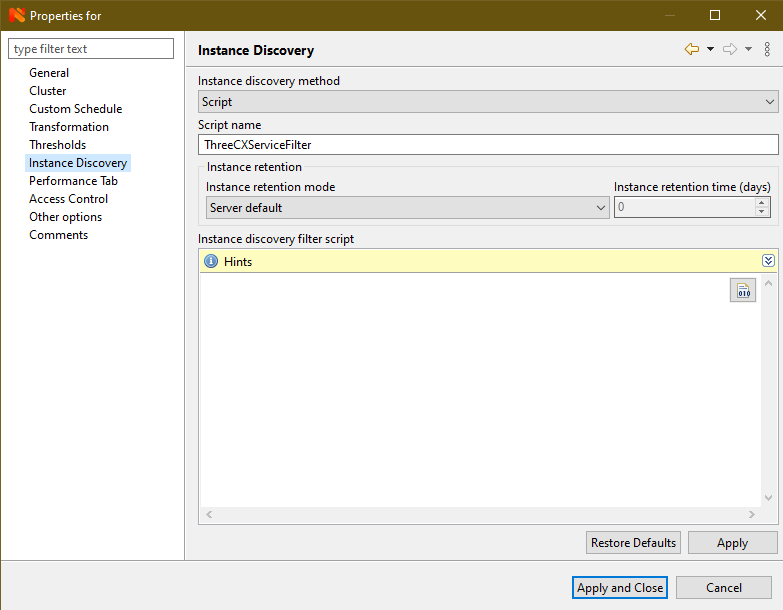
I created a script in the Script Library names ThreeCXServiceFilter (I changed from == "Auto" to like "Auto*" because some are "Auto (Delayed)")
services = $node->readAgentTable("System.Services");
if (services == null)
   return null;

instances = %();
for(r : services->rows)
{
   name = r->get(0);
   startup = r->get(4);
   if (name like "3CX*" and startup like "Auto*")
      instances->append(name);
}

return instances;
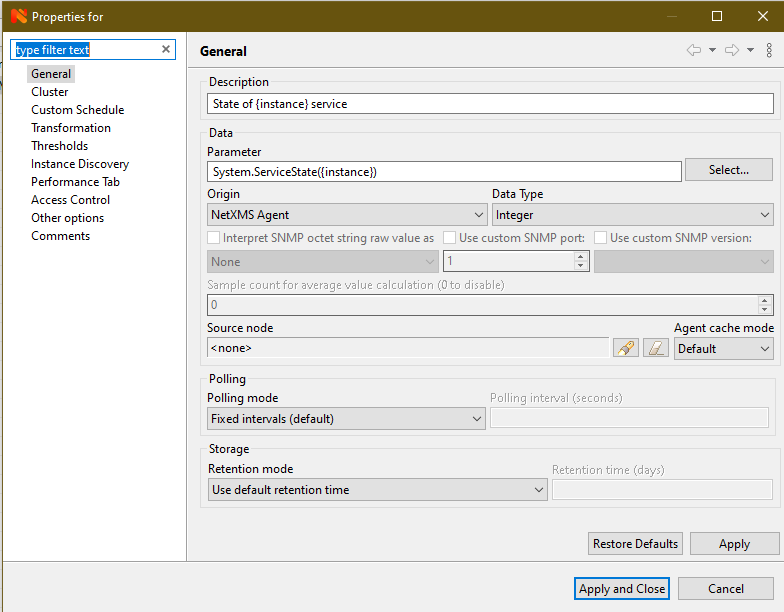
In my template I added a Data Collection Configuration. See the screenshots for that configuration.
Let me know if you need anything else.
-
-
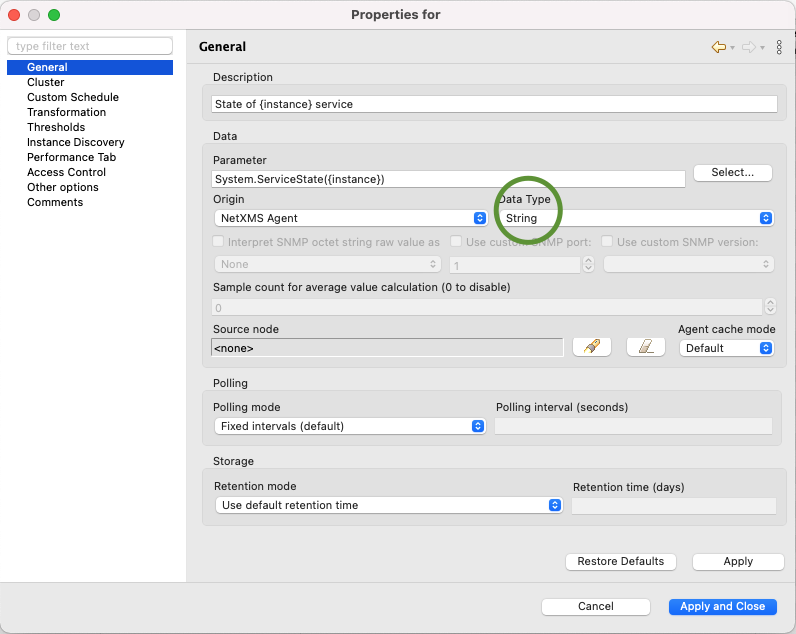
Ill add some more info to this. If someone wants a more readable status of the service poll you should under General change Data type to "String"
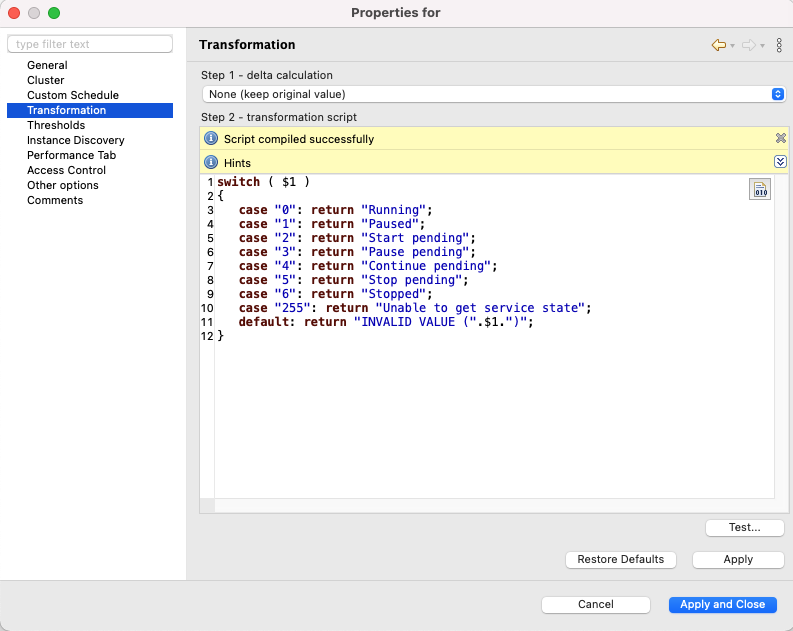
Then you go to Transformation and paste this code:
switch ( $1 )
{
	case "0": return "Running";
	case "1": return "Paused";
	case "2": return "Start pending";
	case "3": return "Pause pending";
	case "4": return "Continue pending";
	case "5": return "Stop pending";
	case "6": return "Stopped";
	case "255": return "Unable to get service state";
	default: return "INVALID VALUE (".$1.")";
}
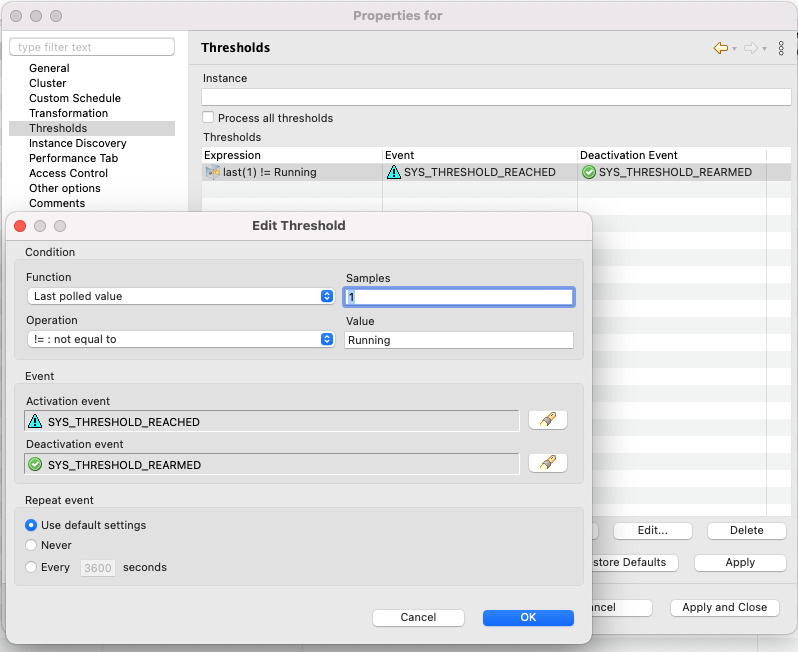
If you want to get notified via lets say e-mail when a service stops you will need to look at Thresholds, Event processing policy and also Actions configuration.

Hello! It looks like you're interested in this conversation, but you don't have an account yet.
Getting fed up of having to scroll through the same posts each visit? When you register for an account, you'll always come back to exactly where you were before, and choose to be notified of new replies (either via email, or push notification). You'll also be able to save bookmarks and upvote posts to show your appreciation to other community members.
With your input, this post could be even better 💗
Register Login