
SQL query problem
-
-
Hello
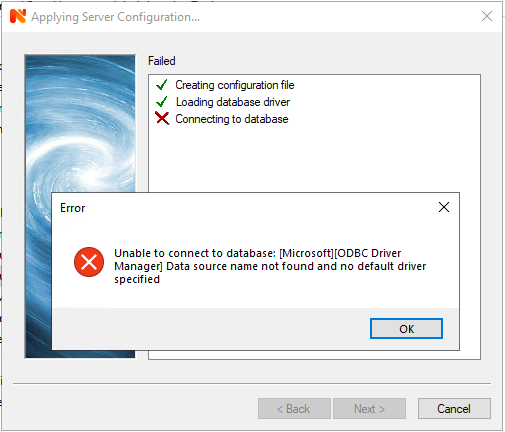
It means that ODBC driver is missing, need to install it seperately. Some info: https://stackoverflow.com/questions/17115632/microsoftodbc-driver-manager-data-source-name-not-found-and-no-default-drive
-
-
Hi,
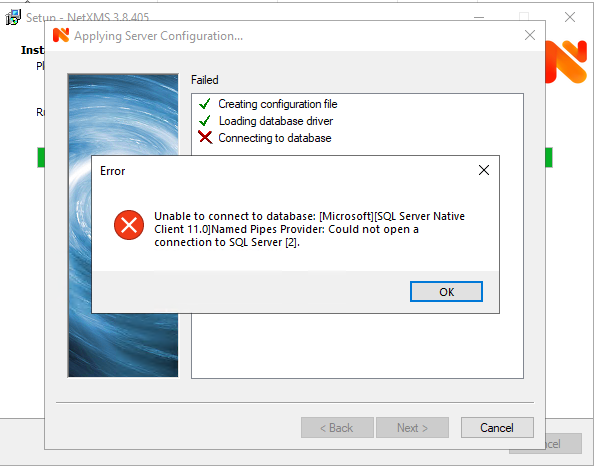
error message is like this because MS SQL driver uses ODBC API internally. Do you have MS SQL native client installed on the server?
Best regards,
Victor -
this is the copy of SQL that i am using:
Microsoft SQL Server 2017 (RTM) - 14.0.1000.169 (X64) Aug 22 2017 17:04:49 Copyright (C) 2017 Microsoft Corporation Standard Edition (64-bit) on Windows Server 2019 Standard 10.0 <X64> (Build 17763: ) (Hypervisor)Should i try to install SQL Server Native Client on the same server ?
Best regards
-
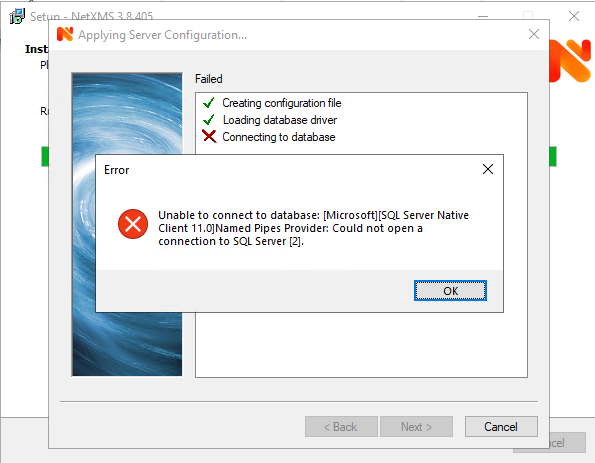
You have to install SQL Server Native Client on machine where you are installing NetXMS server.
Best regards,
Victor -
-
Hi,
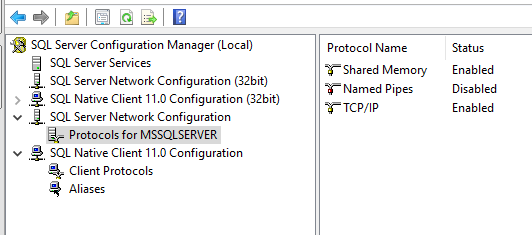
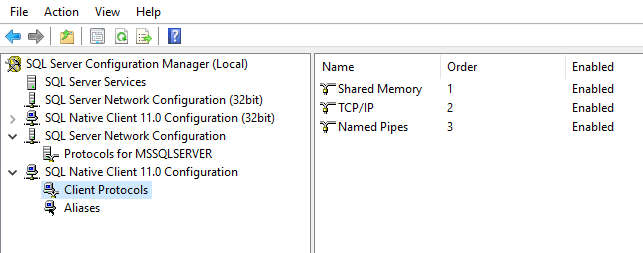
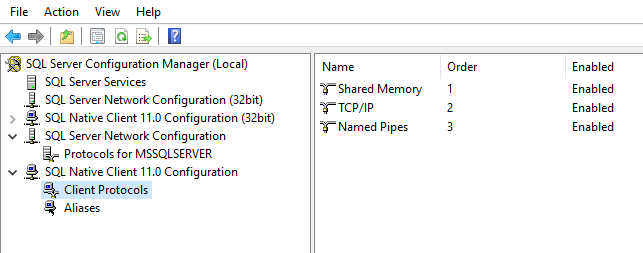
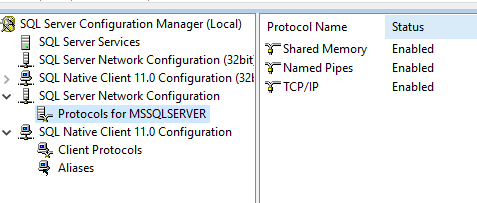
you have to enable TCP/IP for both client and server. Those are relevant documentation pages: https://docs.microsoft.com/en-us/sql/database-engine/configure-windows/enable-or-disable-a-server-network-protocol?view=sql-server-ver15 and https://docs.microsoft.com/en-us/sql/database-engine/configure-windows/configure-client-protocols?view=sql-server-ver15.
Best regards,
Victor -
-
-
-
How did you specify server address? Try to use local IP address (127.0.0.1) instead of server name (I assume SQL server is on same machine).
Best regards,
Victor -

Hello! It looks like you're interested in this conversation, but you don't have an account yet.
Getting fed up of having to scroll through the same posts each visit? When you register for an account, you'll always come back to exactly where you were before, and choose to be notified of new replies (either via email, or push notification). You'll also be able to save bookmarks and upvote posts to show your appreciation to other community members.
With your input, this post could be even better 💗
Register Login