
Move Netxms
-
That worked well, thanks
I also found this which is basically the same as you stated: https://wiki.netxms.org/wiki/How_to_migrate_to_another_database which worked well, thanks
-
-
Hi, I have just carried out the migration again from scratch, on the new server I ran the command
nxdbmgr migrate netxmsd004.conf -s -Z alarm -Z audit -Z event -Z snmptrap -Z syslog -Z winevent
It then connected to my old netxms server and imported everything into the new db - great.
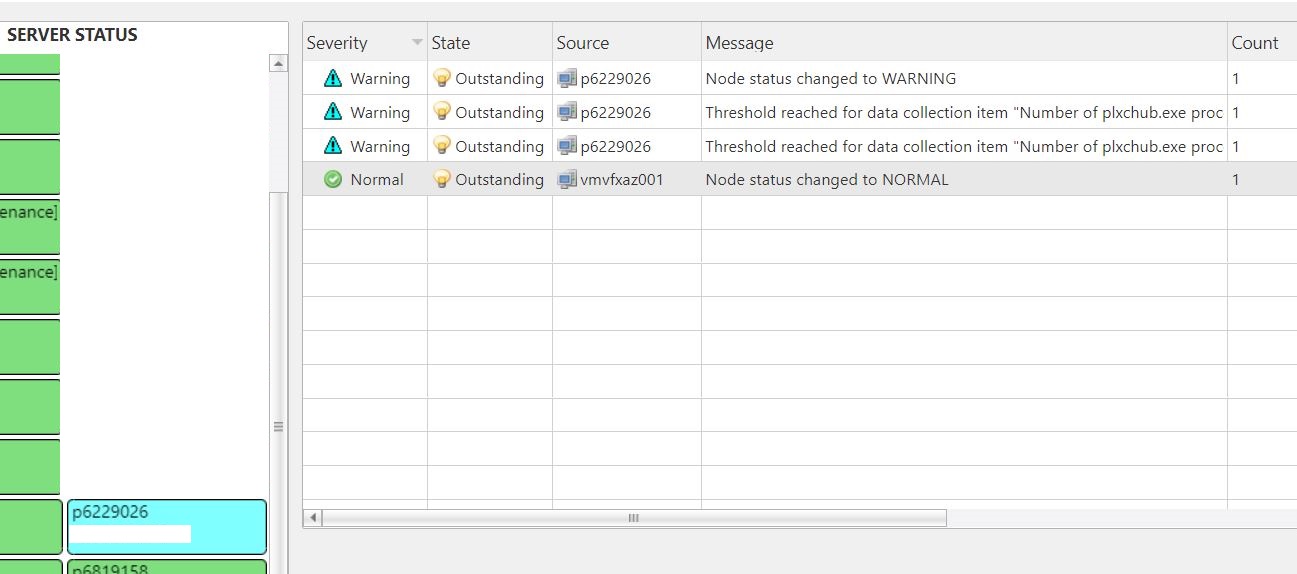
however, I still have the same issues where alarms are not automatically clearing on the new server, for example within the attached image netxms detected that a dci was in an alarm state, but when the situation was resolved the alert did not automatically clear - on the old server alarms clear just fine.
Is this due to the db migration - is there an additional step I need to carry out?
Thanks.
-
Hi,
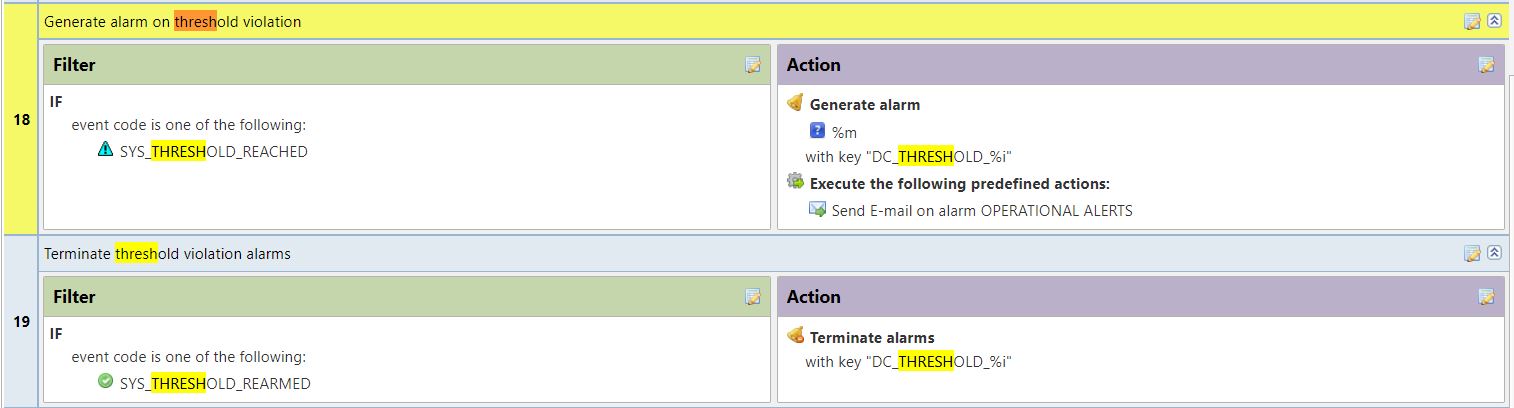
automatic alarm termination is defined by event processing policy. It should have been migrated along with other configuration. Try to check event processing policy rules related to both activation and termination events, and also check event log that termination event was generated.
What version you are using? Is it same version as before migration or you did both upgrade and migration?Best regards,
Victor -
Thanks for your help with this.
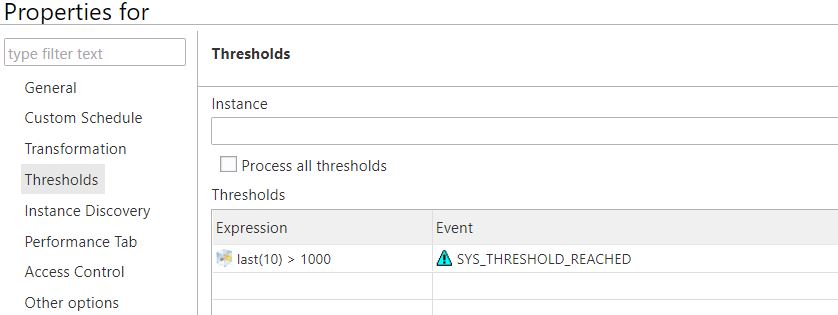
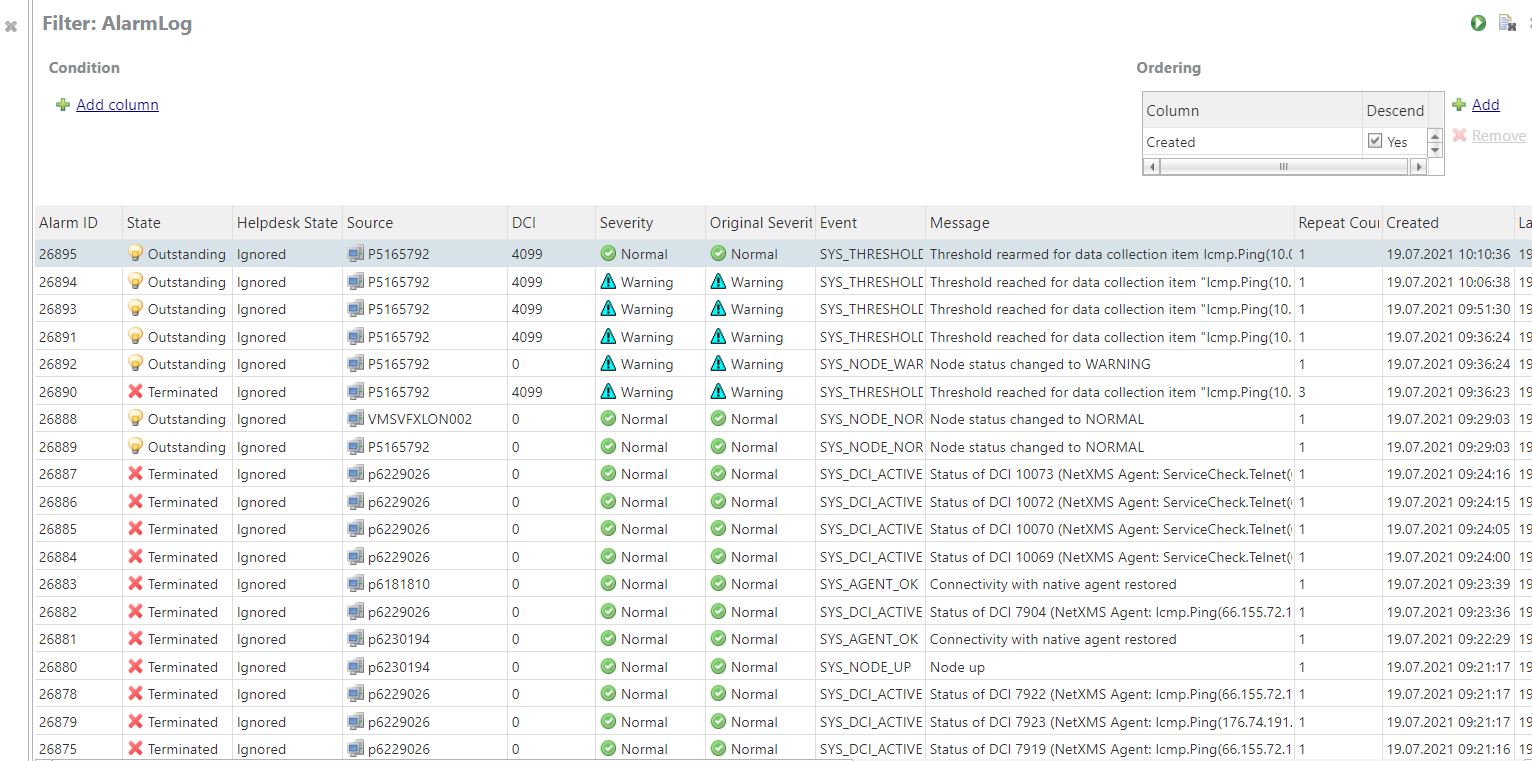
The event processing policy is in place and looks correct but the alerts are not clearing from the alarm browser - I attach a number of screenshots to this ticket which may assist you further.
Funnily enough the 'original' netxms after a nxdbmr check and fix now has the exact same issue in regards to clearing alarms as what the 'new' netxms does.
netxms for both 'original' and 'new' is running 3.7.95 - I tried upgrading the original before migration but it wouldn't upgrade for some reason.
Following the migration I upgraded the 'new' netxms from 3.7.95 to 3.8.405 in an attempt to solve the alarms not clearing issue, the upgrade worked ok but the alarms still were not clearing.
I found this article: https://wiki.netxms.org/wiki/Reseting_state_of_all_alarms_and_node_statuses would this be useful? If so do I run these commands from nxdbmgr?
Thanks


-
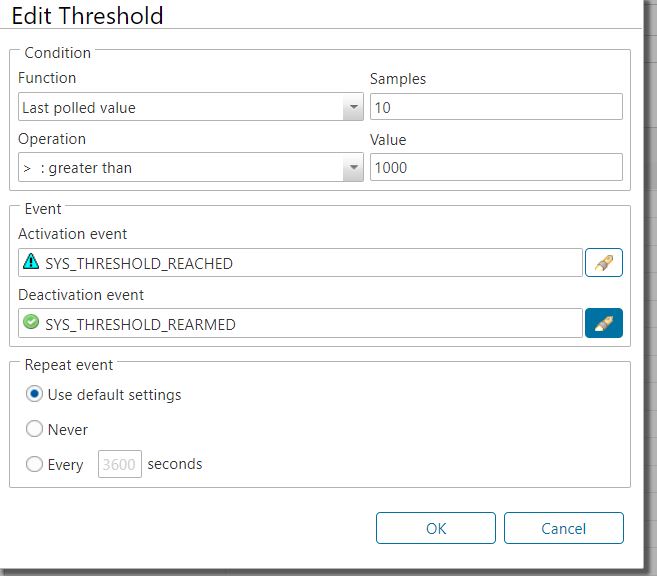
If you select that threshold last(10)>1000 and click "Edit...", is SYS_THRESHOLD_REARMED event present in "Deactivation event" field?
Check Event Log for that node. Does SYS_THRESHOLD_REARMED event happen?
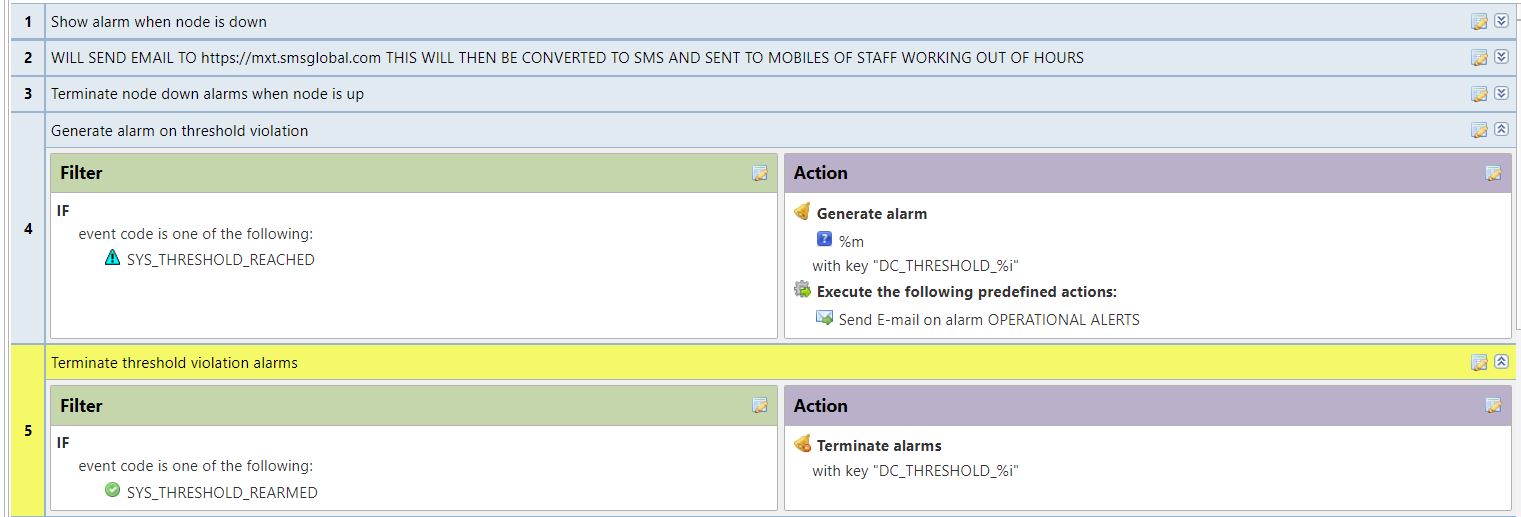
Could it be that somewhere in rules 1..17 there is a rule that would also react to SYS_THRESHOLD_REARMED?
-
Hi,
Yes, there is a deactivation event enabled, 'SYS_THRESHOLD_REARMED', see attached.
I have checked the event processing policy and I cannot see any other entry using 'SYS_THRESHOLD_REARMED', I have now moved the rules for 'SYS_THRESHOLD_REACHED' & 'SYS_THRESHOLD_REARMED' up the EPP to rules 4 and 5 - no impact so far.
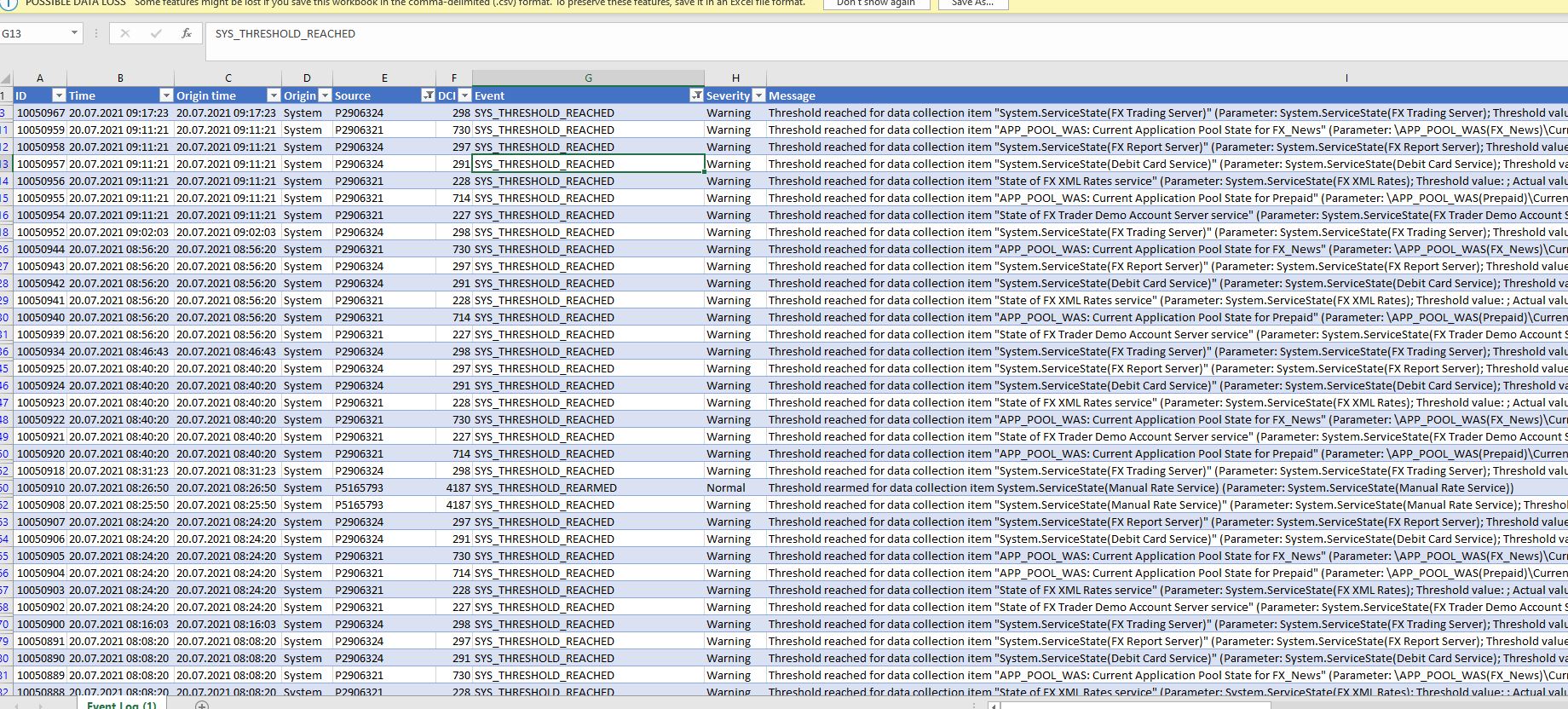
Alarm browser does show 'SYS_THRESHOLD_REARMED' events, for example if you look at the attached for our server p5165790, you can see the icmp ping alert occurs at 15:49:23 and the threshold rearm event at 15:49:31 but the alarm is not cleared at all and on my dashboard the server remains in an error state until I manually terminate the alarm. In the event log there are not many 'SYS_THRESHOLD_REARMED' events at all. I exported the event log to Excel, you can see a lot of 'SYS_THRESHOLD_REACHED' events but not the corresponding 'SYS_THRESHOLD_REARMED' which there should be I guess?
Thanks
-
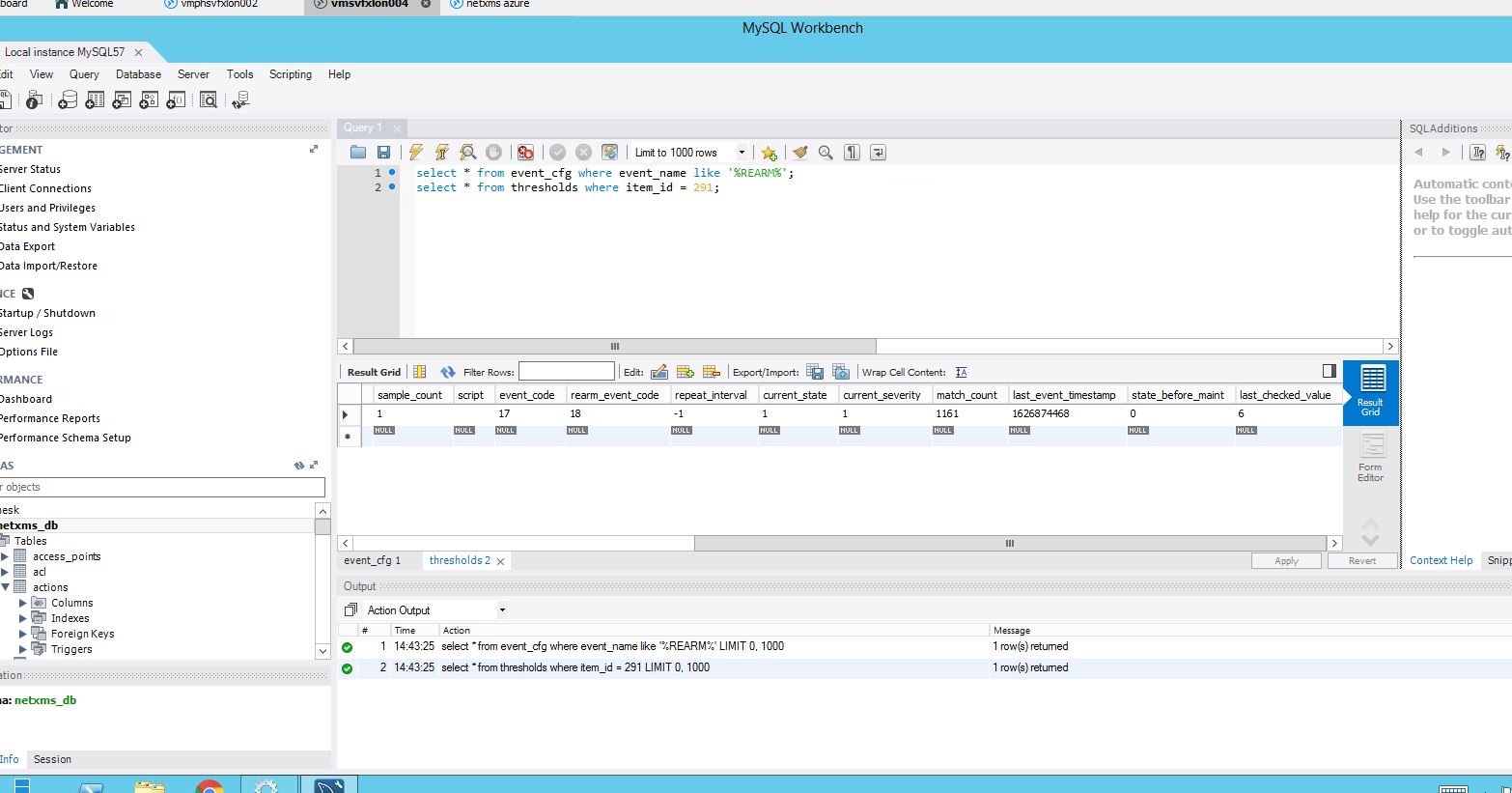
Yes, e.g. for DCI with ID 291 there are consecutive SYS_THRESHOLD_REACHED events without SYS_THRESHOLD_REARMED in between.
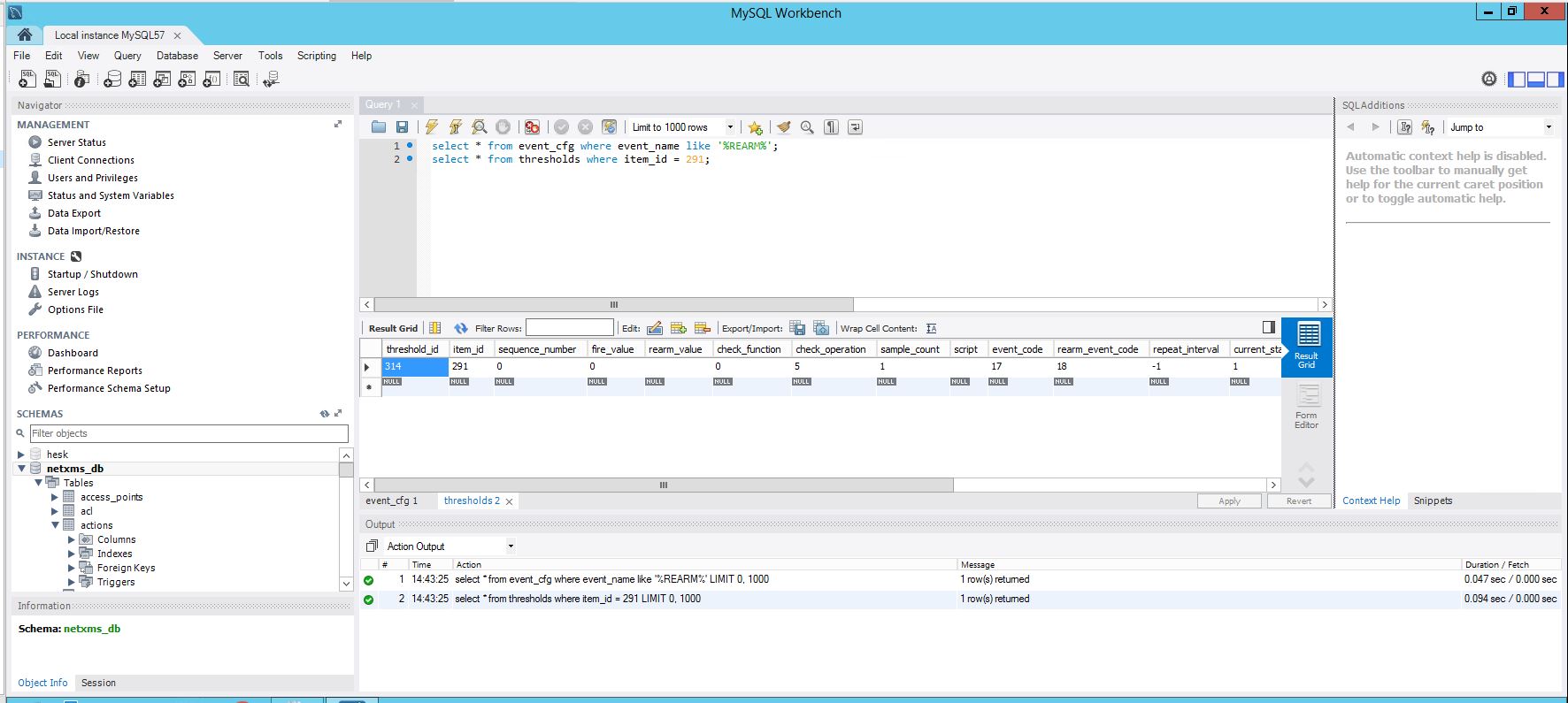
Can you show output of the following on your database:
select * from event_cfg where event_name like '%REARM%';
select * from thresholds where item_id = 291; -
Hi, please see attached. I'm not super clear what i'm looking at - do you need anything else from me?
As its my intention to use a new server, i'm wondering if opposed to the nxdbmgr migrate option I manually create the nodes on a vanilla netxms (approx 40 nodes) and I then import the DCI's - is this an option rather than trying to fix this problem? I'm not fussed with keeping the history of the DCI's but to recreate each DCI will be a pain if I cannot export the existing in some way.
btw, I managed to update the source netxms to 3.8.405 but alarms are still not terminating as they should. as part of the upgrade I had to manually run an nxdbmgr unlock and upgrade option.
Thanks for your help.
-
Yes, export-import of configuration could be a simpler way. You can not export DCI configuration of a single node, so you have to move DCIs from a node to a template. "Copy to other node(s)" in DCI context menu does the movement to a template. You need to create an empty template first.
Then in Tools->Export configuration you can export your templates.
On the new system you can keep the DCIs in templates and just apply the templates to the nodes you need (it's usually more practical way to have all DCIs in templates). Or you can move the DCIs from template to node(s).
Hello! It looks like you're interested in this conversation, but you don't have an account yet.
Getting fed up of having to scroll through the same posts each visit? When you register for an account, you'll always come back to exactly where you were before, and choose to be notified of new replies (either via email, or push notification). You'll also be able to save bookmarks and upvote posts to show your appreciation to other community members.
With your input, this post could be even better 💗
Register Login