
How to Remove Map Whitespace?
-
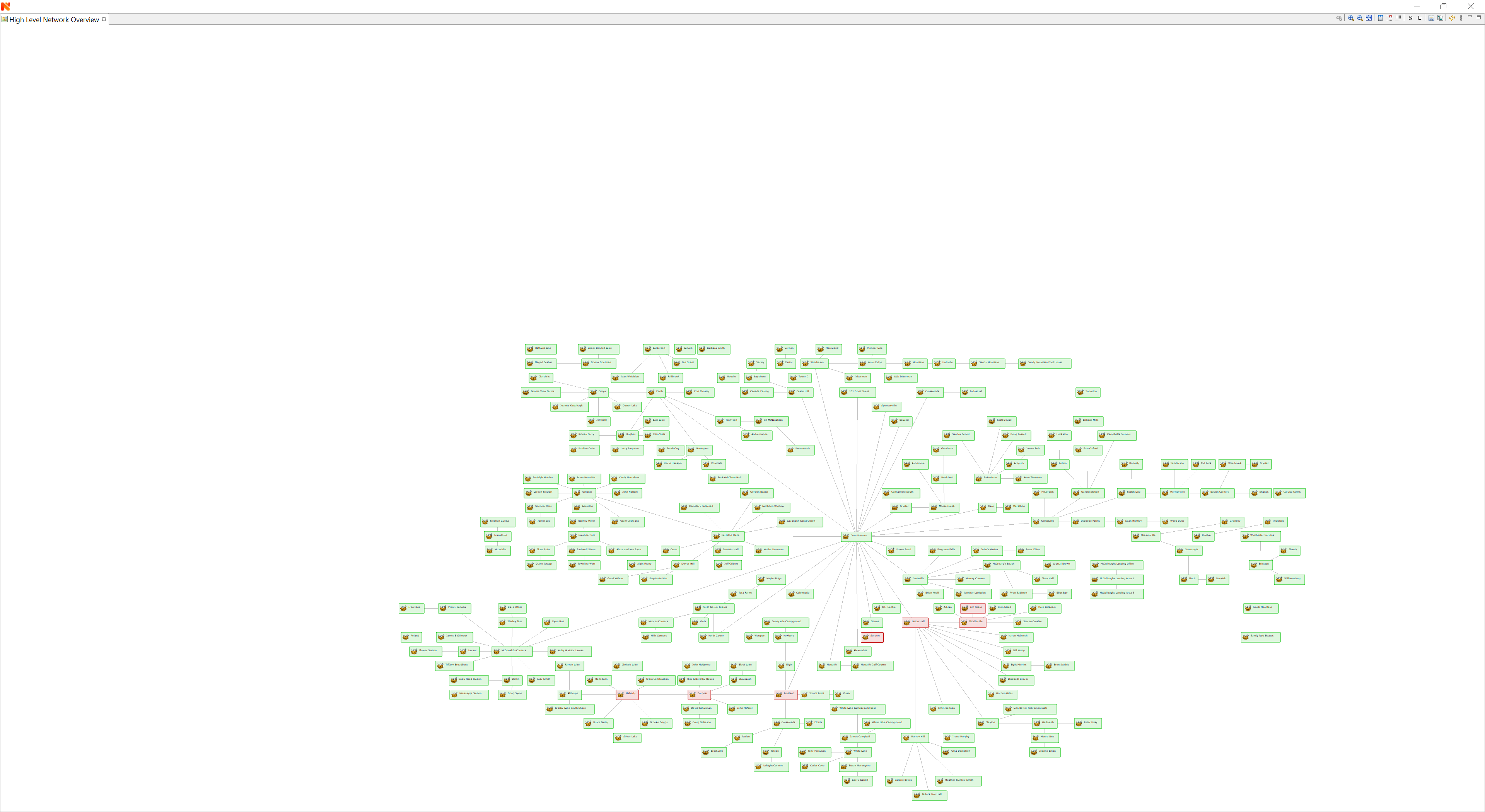
I've spent the last 8 hours creating a map and lining everything up nicely. Then I click on "Zoom to Fit" and I get massive amounts of whitespace above and to the sides of my items. How do I get rid of this whitespace? I've attached a screenshot of the map after clicking Zoom to Fit. Please help!!
-
So there's no way to remove that whitespace?
-
Normally it should zoom to fit without blank spaces. On what OS do you run nxmc? What is font scaling in display properties / some hidpi mode there?
-
I'm on Windows 10, it's doing the same thing on two different machines. One system is 4K with 150% scaling, the other is 1080p with 100% scaling. The zoom to fit follows both systems, so it seems to me more like it's something in the map configuration than anything else.
-
Created a ticket for this - https://track.radensolutions.com/issue/NX-2147
Desktop client is currently being reworked, so it could be that the fix will be done in the new version only, which should be out in a couple of months.
Hello! It looks like you're interested in this conversation, but you don't have an account yet.
Getting fed up of having to scroll through the same posts each visit? When you register for an account, you'll always come back to exactly where you were before, and choose to be notified of new replies (either via email, or push notification). You'll also be able to save bookmarks and upvote posts to show your appreciation to other community members.
With your input, this post could be even better 💗
Register Login