
5.2.0 dashboard rack diagram not scaled to fit element size
-
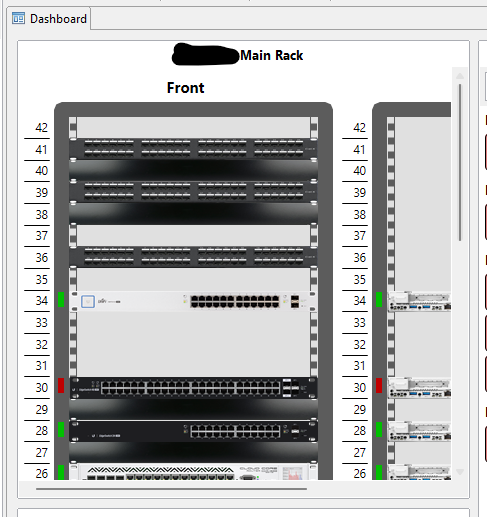
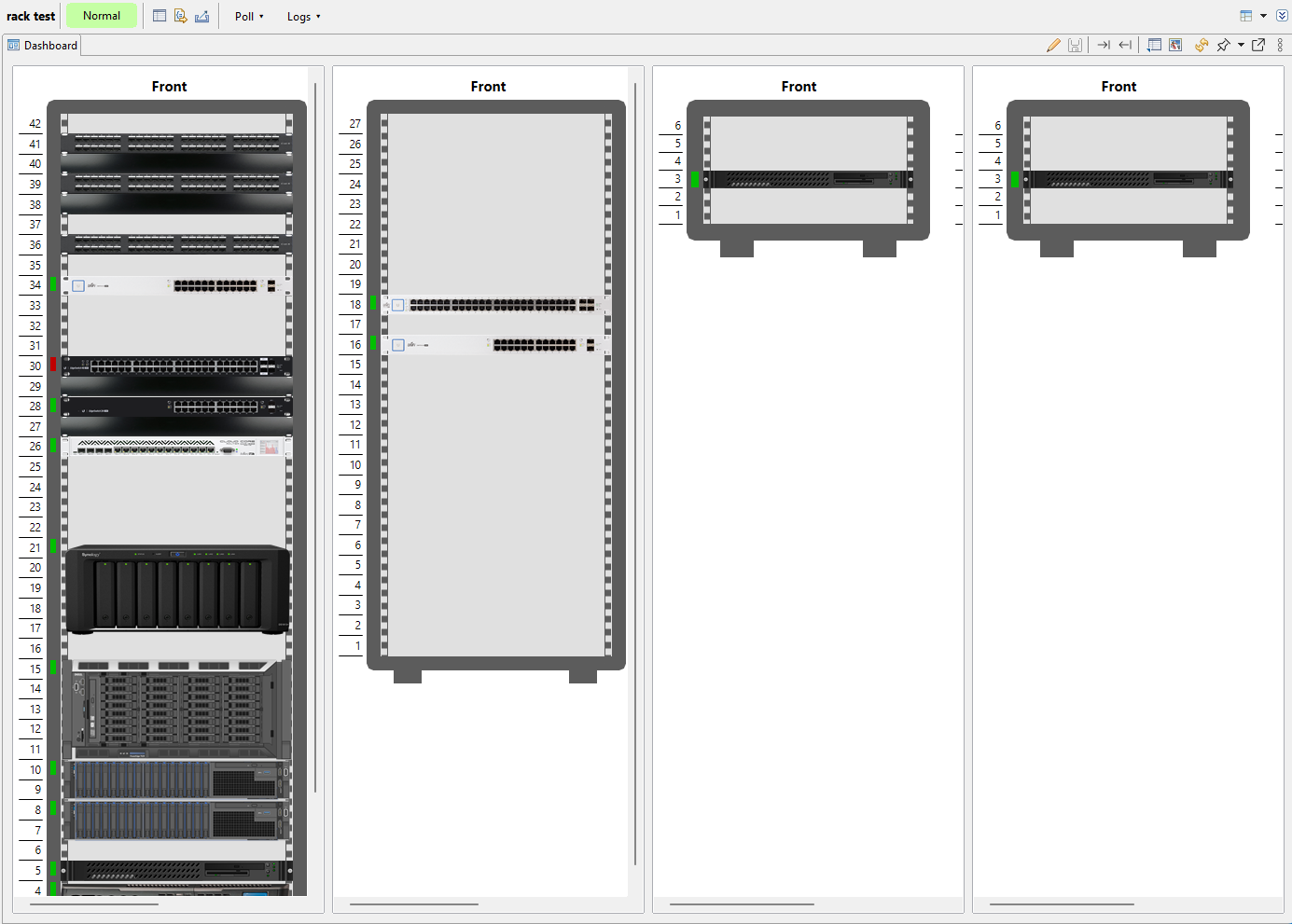
Upgraded to 5.2.0 on Friday and have just noticed that on a dashboard with a rack diagram element it now seems zoomed to 100% always instead of vertically scaling the rack image into the allocated space of the dashboard element. So you can never see the full contents of the diagram without using the internal scroll bars.
Is there a way to zoom to fit the rack element, or can the change to that element be reverted?
-
I'm just going to pull a backup to check 5.1.5 but I'm pretty sure it worked then.
I can see three recent commits relating to rack diagrams
- https://github.com/netxms/netxms/commit/e988b7e3df8395d297ab775175c452e8b454109c
- https://github.com/netxms/netxms/commit/00a158c3a84d2f33d3a6046a64adc9fc123a1dc4
- https://github.com/netxms/netxms/commit/5708df2ee701060670e63ce1bcaefc8befc616fa
It seems that the third commit is trying to do a zoom to fit feature for racks NX-2695. I've got a 42RU rack defined and its definitely not zooming to fit in either the desktop client or web UI (linux server).
-
Is the new 'zoom to fit' scaling only taking into account the front view and prioritising width over height for fitting?
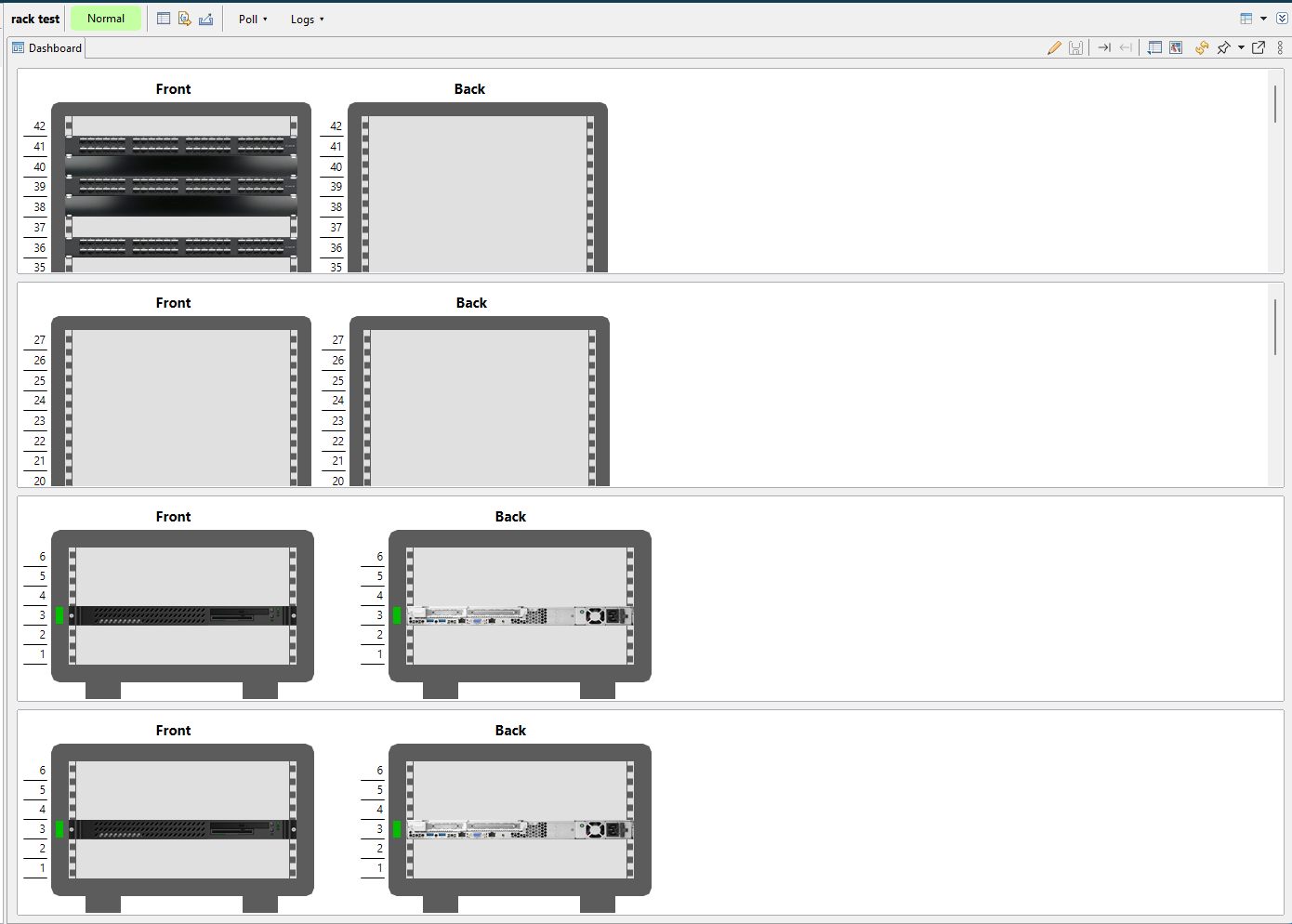
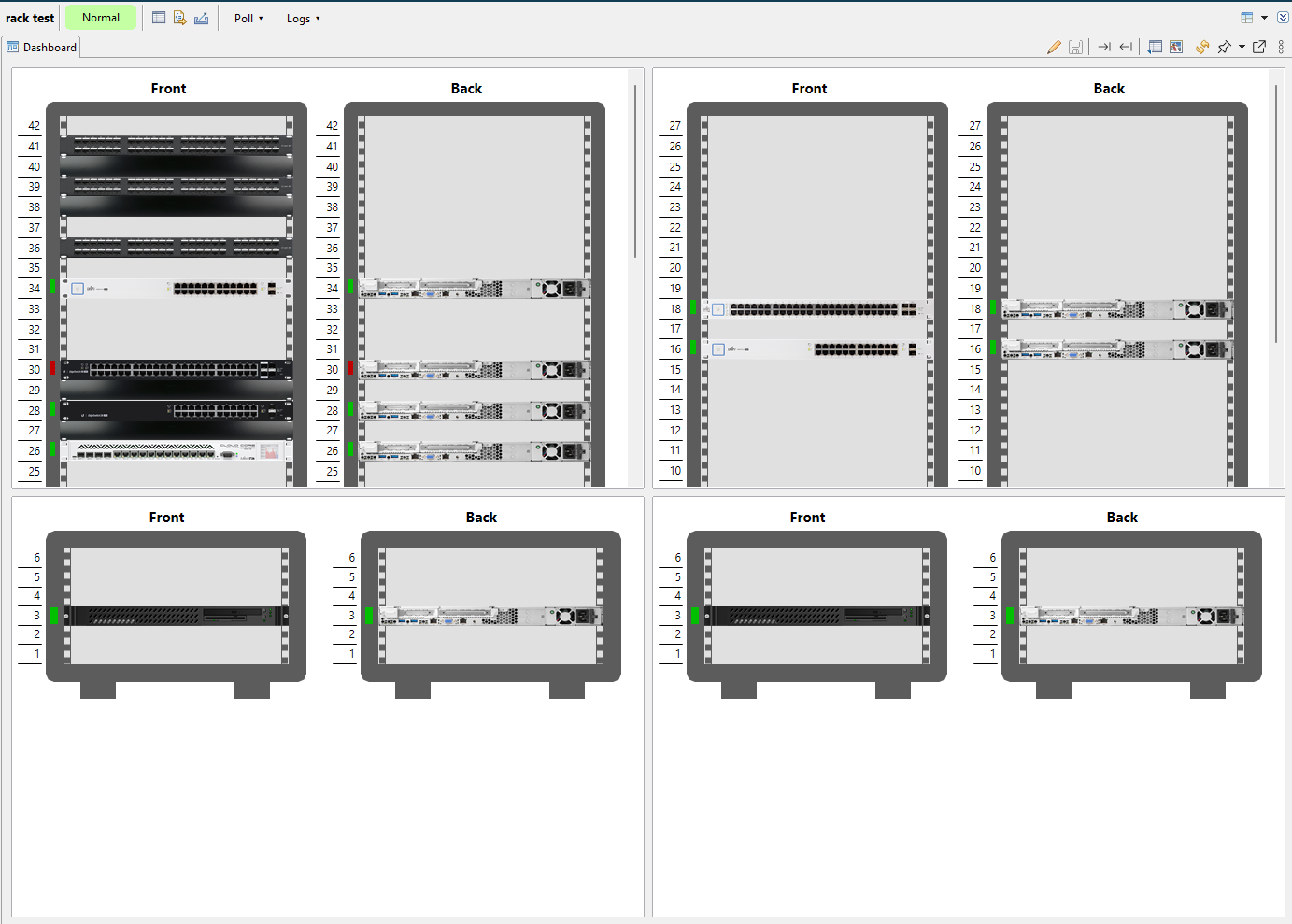
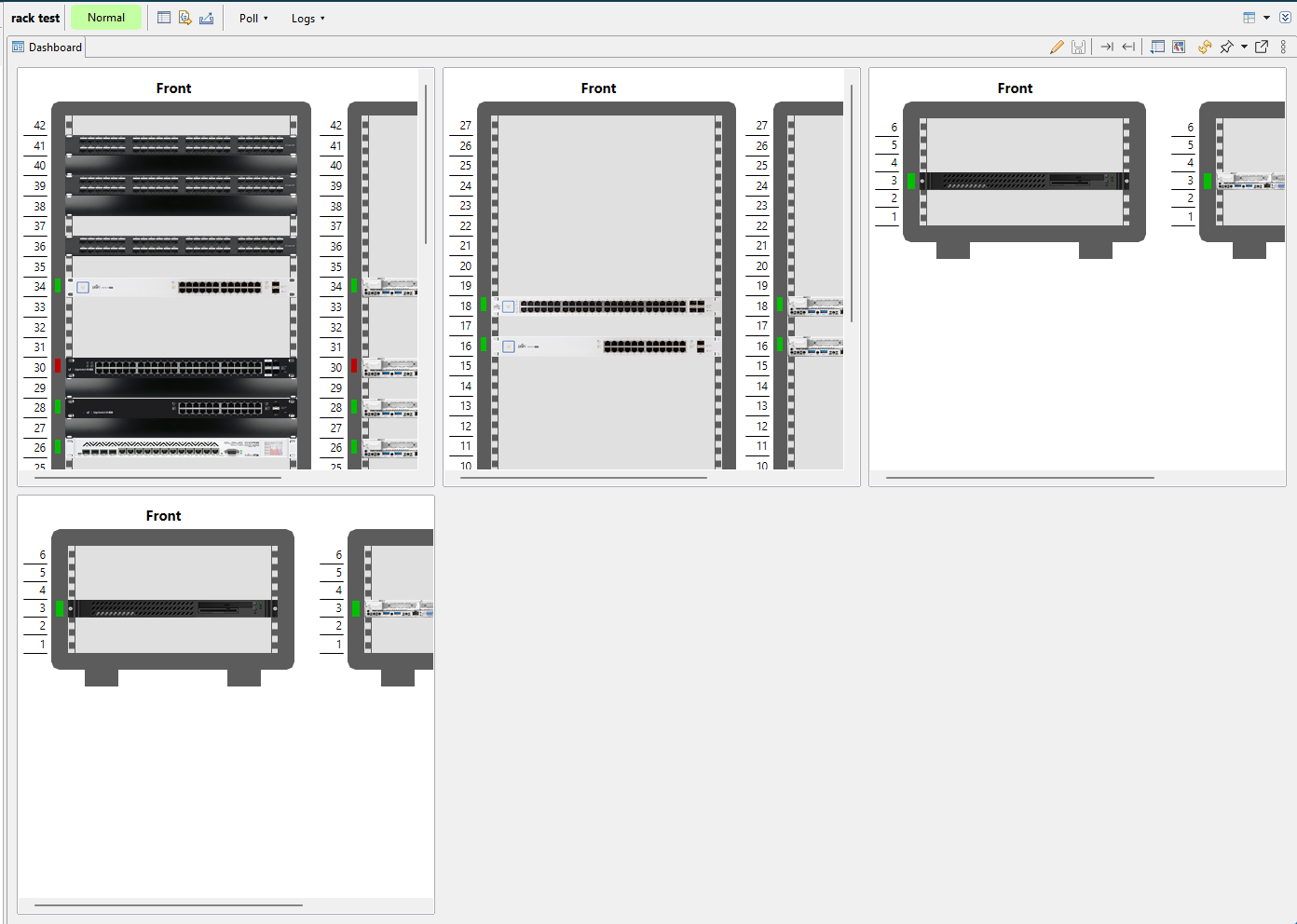
If I adjust the number of columns in a test dashboard it seems to maybe be scaling according to the front view only (see 3-col and 2-col examples). My original dashboard is a 3-col layout.
Is that an interaction due to the more recent commit to enable/disable front/back views?
-
Yes, racks now have scaling limit so that units don't become too small. Looks like this is not ideal for dashboard use, I've created a ticket to improve that: https://track.radensolutions.com/issue/NX-2738
-
@filipp-sudanov said in 5.2.0 dashboard rack diagram not scaled to fit element size:
Yes, racks now have scaling limit so that units don't become too small. Looks like this is not ideal for dashboard use, I've created a ticket to improve that: https://track.radensolutions.com/issue/NX-2738
OK thanks.
Hello! It looks like you're interested in this conversation, but you don't have an account yet.
Getting fed up of having to scroll through the same posts each visit? When you register for an account, you'll always come back to exactly where you were before, and choose to be notified of new replies (either via email, or push notification). You'll also be able to save bookmarks and upvote posts to show your appreciation to other community members.
With your input, this post could be even better 💗
Register Login