
NetXMS Server Crashing
-
-
Very random post... Please ensure that your network connectivity is stable. I experienced random NetXMS problem/behavior when network availability fluctuates.
Just give a try to install "Microsoft Loopback Adapter" from Add Hardware Wizard. Assign some Private IP (Other then your network). I'm sure there is no harm in installing loopback adapter -
-
I suspect that it may hit some limits for open connections. There was a limit of around 4000 outgoing TCP connections in Windows 2003, I'm not sure how it is in Windows 2008. Could you please run netstat -n and count connections to external IPs on port 4700? And how many of them are not in ESTABLISHED state?
Best regards,
Victor -
-
If there are some socket related limitation that can be overcome by below guidelines
Start Registry Editor. Browse to, and then click the following key in the registry:
HKEY_LOCAL_MACHINE\SYSTEM\CurrentControlSet\Services\Tcpip\Parameters
On the Edit menu, click New, DWORD Value, and then add the following registry values- Reduce the client TCP/IP socket connection timeout value from the default value of 240 seconds
Value name: TcpTimedWaitDelay
Value data: <Enter a decimal value between 30 and 240 here>
2. Increase the number of ephemeral ports that can by dynamically allocated to clients:
Value name: MaxUserPort
Value data: <Enter a decimal value between 5000 and 65534 here>
Victor, Please consider using "SO_REUSEADDR" socket setting, by calling "setsockopt()"Reference for all registry is from http://support.microsoft.com/default.aspx?scid=kb;en-us;314053
http://technet.microsoft.com/en-us/library/bb726981.aspx#EDAA - Reduce the client TCP/IP socket connection timeout value from the default value of 240 seconds
-
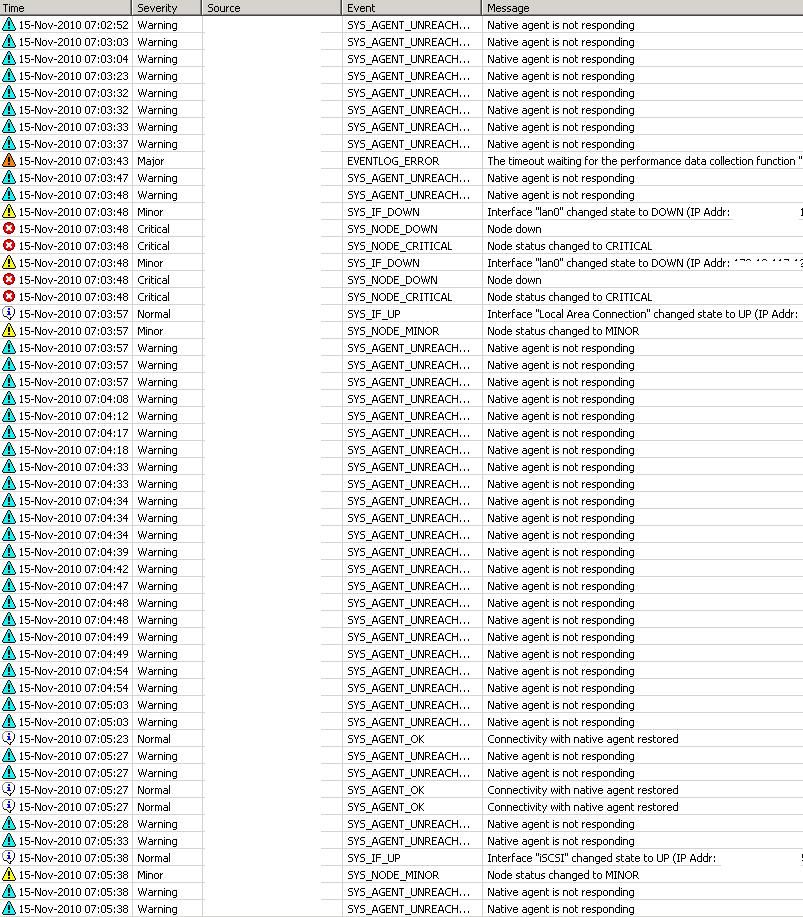
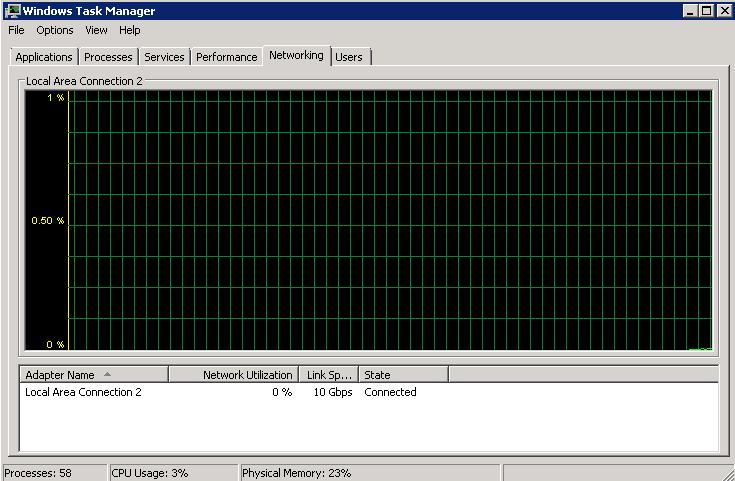
Still getting hundreds of agent timeouts per minute with negligible amounts of visible system resource utilization.
Also, even the console and command line nxadm -i timeouts are very common. Even when running the console locally.
For example the, "show queues" command at times never responds on the server. If I close it and run it a few more times it will eventually give results. According to the results nothing is queued.
The netxmsd process is at about 300mb and holding, the server has been running for at least 4 days now without a crash. It takes about 5-10 timeouts and retries with the console app to get it connected.
-
Few additional questions:
Do you have a Windows firewall running on server machine?
Is there any error messages in netxmsd log?Best regards,
Victor -
-
Could you please try to install updated build: https://www.netxms.org/download/rc/netxms-1.0.8-rc2.exe. If it will not solve the problem, please set logging to file (by setting LogFile = some_file in netxmsd.conf) and run netxmsd.exe with -D 6 command line option (this will enable debug output). It will generate a lot of messages in the log file - I'm interested in messages containing words "agent unreachable, error=".
Best regards,
Victor -
Okay performed the update and I pretty much don't see a difference.
Here are a variety of entries for the error you were asking about.
This is the most common one, lots of these 98% is this.
agent unreachable, error=910, socketError=0
Then we have some of these,
agent unreachable, error=500, socketError=0
A few of these,
agent unreachable, error=500, socketError=10053
agent unreachable, error=500, socketError=10054 -
Hi!
I'm still unable to reproduce this issue or find any clue to the source of the problem. Please try to replace libnetxms.dll to attached one - it has another changes in communication code. At least, it may give more meaningful error codes in "agent unreachable" messages in the log.
Also, do you experience this issue from the beginning, or it appears after latest upgrades?
Best regards,
Victor
-
-
It also could be Windows 2008 issue. We have installation in Riga with 700+ agents - and I never seen issues like that. They are running on Windows Server 2003 x86.
Best regards,
Victor -
Do you guys has any reluctance on my suggestion put about
- Microsoft Loopback adapter
- Registry values for MaxUserPort and TcpTimedWaitDelay
- Using SO_REUSEADDR by setsockopt()
Please give them a try. I undestand that some setup have much higher load then current setup but you need to understand that every setup/network is different!!!
-
Hi!
Last special build uses SO_REUSEADDR option - it makes no difference. As for MaxUserPort, things are different on Windows 2008 - http://support.microsoft.com/kb/929851. So by default we should have about 16000 ports for outgoing connections, which is much more then required.
Best regards,
Victor

Hello! It looks like you're interested in this conversation, but you don't have an account yet.
Getting fed up of having to scroll through the same posts each visit? When you register for an account, you'll always come back to exactly where you were before, and choose to be notified of new replies (either via email, or push notification). You'll also be able to save bookmarks and upvote posts to show your appreciation to other community members.
With your input, this post could be even better 💗
Register Login