
Manual adding node after version upgrade
-
Hi,
I used for some time the 1.0.3 NetXms version, then I succesfully upgraded it to the 1.2.1
I found in the new console all my network objects, but I cannot add manually other nodes.The online manual continue to suggest Tool Menu / Add Node options, but it seems that this version change it.
I found another topic on this forum (https://www.netxms.org/forum/installation/manually-adding-nodes/msg7562/#msg7562) but I do not find this method.Could someone could help me?
thanksClaudio
-
Hi!
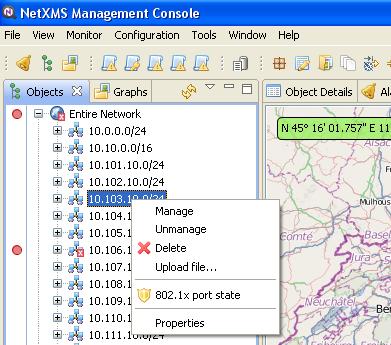
To create node manually in new console, right-click on the container object where you want to create node and select "Create node".
Best regards,
Victor -
-
-
Hi Putacaso,
The "Entire Network" tree is a read-only one. It shows all nodes as NetXMS has detected them.
Your view of the network is done under the "All Services" tree. There you'll probably (it's optional) want to create first level containers (but you can have a deeper hierarchy) to group your nodes.
It's under the "All Services" hierarchy where you need to right-click to add nodes.
You can either "Bind..." a node and then choose is from the Entire Network if it's already there. Or you can Create Node to add one that was not discovered by NetXMS.Hope this helps,
Dan
-

Hello! It looks like you're interested in this conversation, but you don't have an account yet.
Getting fed up of having to scroll through the same posts each visit? When you register for an account, you'll always come back to exactly where you were before, and choose to be notified of new replies (either via email, or push notification). You'll also be able to save bookmarks and upvote posts to show your appreciation to other community members.
With your input, this post could be even better 💗
Register Login