Skip to content
  • Categories
  • Recent
  • Tags
  • Popular
  • Users
  • Groups
Skins
  • Light
  • Brite
  • Cerulean
  • Cosmo
  • Flatly
  • Journal
  • Litera
  • Lumen
  • Lux
  • Materia
  • Minty
  • Morph
  • Pulse
  • Sandstone
  • Simplex
  • Sketchy
  • Spacelab
  • United
  • Yeti
  • Zephyr
  • Dark
  • Cyborg
  • Darkly
  • Quartz
  • Slate
  • Solar
  • Superhero
  • Vapor

  • Default (Flatly)
  • No Skin
Collapse
Brand Logo

NetXMS Forum

  1. Home
  2. Support
  3. Creating Reports with JASPER

Creating Reports with JASPER

Scheduled Pinned Locked Moved Support
5 Posts 3 Posters 37.4k Views
  • Oldest to Newest
  • Newest to Oldest
  • Most Votes
Reply
  • Reply as topic
Log in to reply
This topic has been deleted. Only users with topic management privileges can see it.
  • M
    M
    mlembke
    wrote on last edited by
    #1

    Hi,

    i would like to create some Reports with JASPER Reports.
    But my Problem is, that my knowledge of the Databasestructure is not good enough.

    At first i would like to write a Report About the Installed Software on the nodes.
    Can someone help me to undestand the Databasetablestructure?

    SQL is not my Problem.

    thanks
    Markus

    1 Reply Last reply
    0
    • V
      V
      Victor Kirhenshtein
      wrote on last edited by
      #2

      Hi!

      There are data dictionary: https://www.netxms.org/documentation/NetXMS_data_dictionary.pdf. It's a bit outdated, but for most tables information is correct.

      Best regards,
      Victor

      1 Reply Last reply
      0
      • M
        M
        mlembke
        wrote on last edited by
        #3

        Hi,

        thanks for this link.
        I already know this PDF, and i can see all tables in Postgresql, but my Problem is, that i
        dont know how to set the right relations for such a query.

        In NetXMS i created a Container for 1 of my Customer. So i would like to create a report, for all of his nodes.
        For example all Nodes and some Hardwareinformations, Software or something like that.
        But i have no Idea how to get this Information out of the Database.

        So it would be great, if you can give me a sample query.

        Thanks
        Markus

        1 Reply Last reply
        0
        • V
          V
          Victor Kirhenshtein
          wrote on last edited by
          #4

          Nodes linked to containers via container_members table. For example, query to read all nodes in container with ID 111 will looks like

          SELECT * FROM nodes
          INNER JOIN container_members ON container_members.object_id=nodes.id
          WHERE container_members.container_id=111
          

          Best regards,
          Victor

          1 Reply Last reply
          0
          • Y
            Y
            yshiro
            wrote on last edited by
            #5

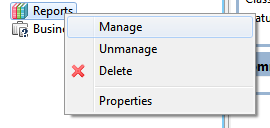
            Hi Victor, i prepared a report designed in jrxml, but now when i try to create a report dont appears the "New report" button.  :-
            Do you know why? 

            Thanks


            Screenshot-2013-09-02_13.32.23.png

            1 Reply Last reply
            0

            Hello! It looks like you're interested in this conversation, but you don't have an account yet.

            Getting fed up of having to scroll through the same posts each visit? When you register for an account, you'll always come back to exactly where you were before, and choose to be notified of new replies (either via email, or push notification). You'll also be able to save bookmarks and upvote posts to show your appreciation to other community members.

            With your input, this post could be even better 💗

            Register Login
            Reply
            • Reply as topic
            Log in to reply
            • Oldest to Newest
            • Newest to Oldest
            • Most Votes


            • Login

            • Don't have an account? Register

            • Login or register to search.
            Powered by NodeBB Contributors
            • First post
              Last post
            0
            • Categories
            • Recent
            • Tags
            • Popular
            • Users
            • Groups