Skip to content
  • Categories
  • Recent
  • Tags
  • Popular
  • Users
  • Groups
Skins
  • Light
  • Brite
  • Cerulean
  • Cosmo
  • Flatly
  • Journal
  • Litera
  • Lumen
  • Lux
  • Materia
  • Minty
  • Morph
  • Pulse
  • Sandstone
  • Simplex
  • Sketchy
  • Spacelab
  • United
  • Yeti
  • Zephyr
  • Dark
  • Cyborg
  • Darkly
  • Quartz
  • Slate
  • Solar
  • Superhero
  • Vapor

  • Default (Flatly)
  • No Skin
Collapse
Brand Logo

NetXMS Forum

  1. Home
  2. Support
  3. Bandwidth Accounting

Bandwidth Accounting

Scheduled Pinned Locked Moved Support
3 Posts 2 Posters 30.4k Views
  • Oldest to Newest
  • Newest to Oldest
  • Most Votes
Reply
  • Reply as topic
Log in to reply
This topic has been deleted. Only users with topic management privileges can see it.
  • C
    C
    c0mputerking
    wrote on last edited by
    #1

    I am trying to setup a system to do bandwidth accounting as i am in Canada and bandwidth is really expensive here can netxms do accurate bandwidth accounting or should i go with a more specific tool such as pmactt?

    1 Reply Last reply
    0
    • J
      J
      Marco Incalcaterra
      wrote on last edited by
      #2

      @c0mputerking said in Bandwidth Accounting:

      I am trying to setup a system to do bandwidth accounting as i am in Canada and bandwidth is really expensive here can netxms do accurate bandwidth accounting or should i go with a more specific tool such as pmactt?

      Hi,

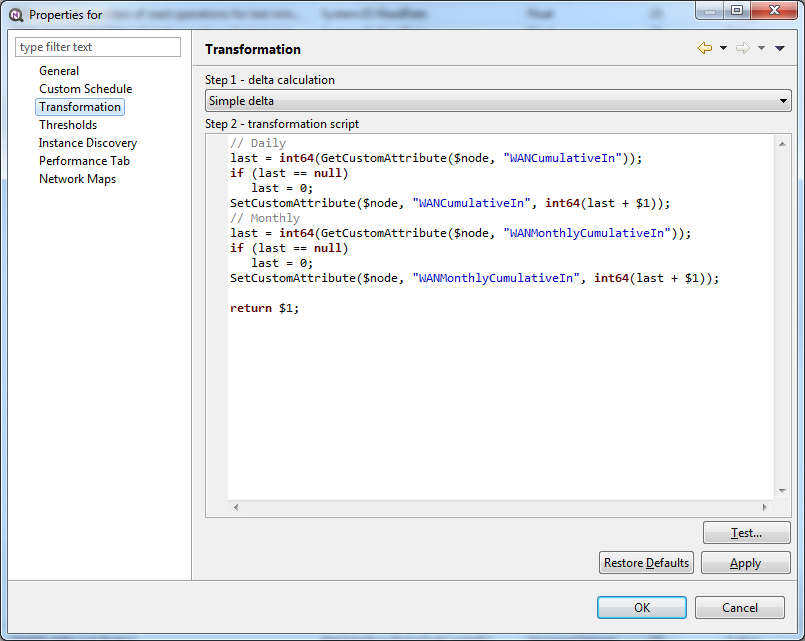
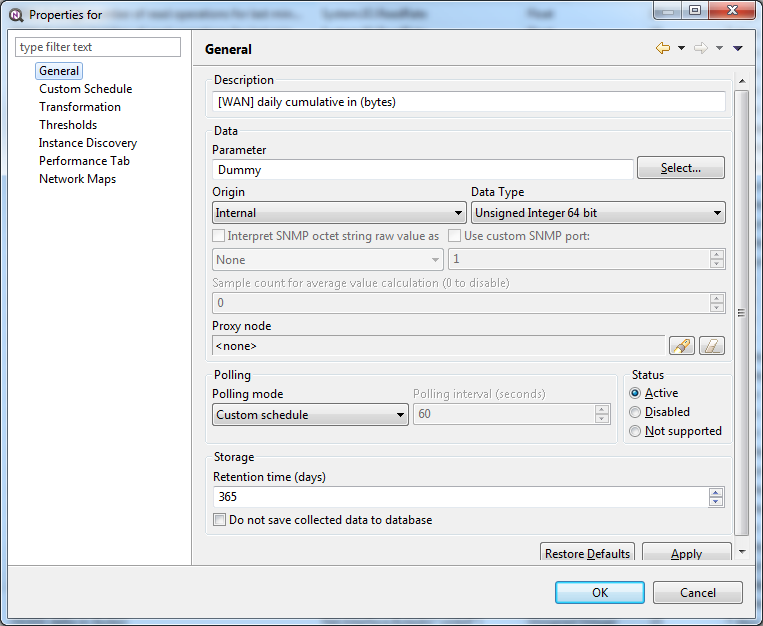
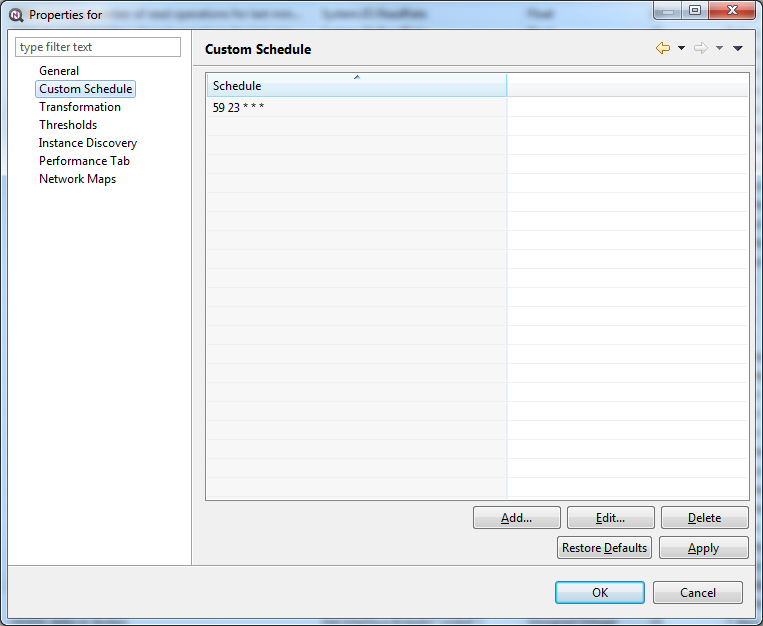
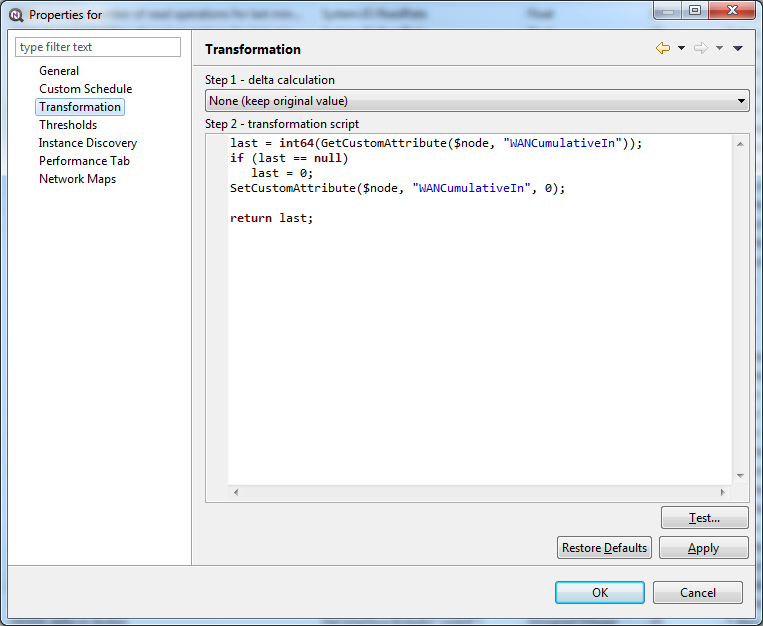
      If you mean to count the daily or monthly traffic generated I can suggest the approach I'm using to perform that task:

      1. Create one DCI to collect the delta "in" on the interface (Step1-A-B)
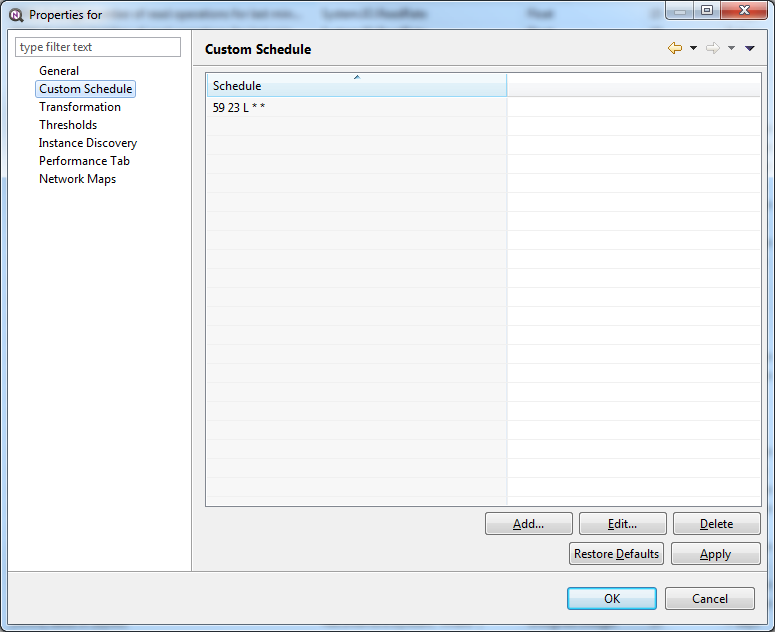
      2. Create a DCI to sum the daily consumption (Step2-A-B-C)
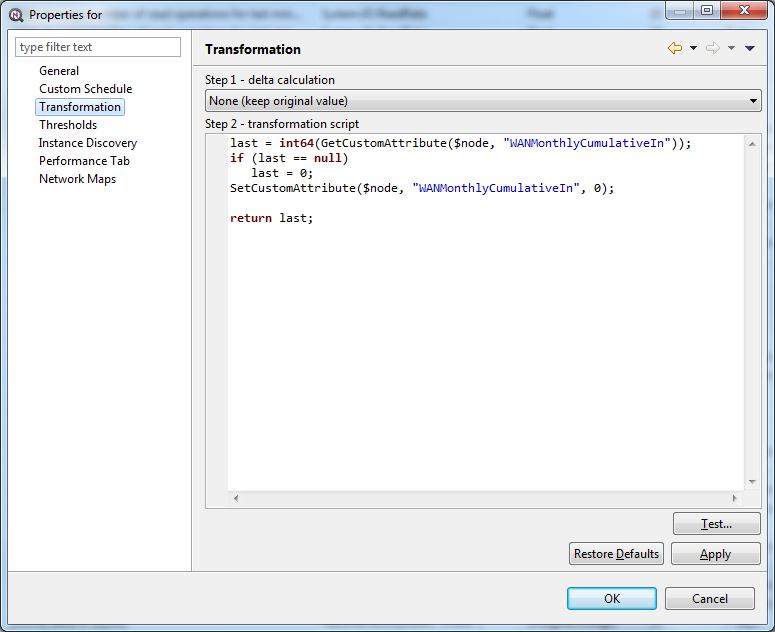
      3. Create a DCI to sum the monthly consumption (Step3-A-B-C)

      Same story for the "out" counter.

      A simplified approach comes from the usage of the GetSumDCIValue, but as per current version (1.2.14) it doesn't work properly, so I had to use the custom attributes to store temporary values.

      Hope it helps.

      Best regards,
      Marco
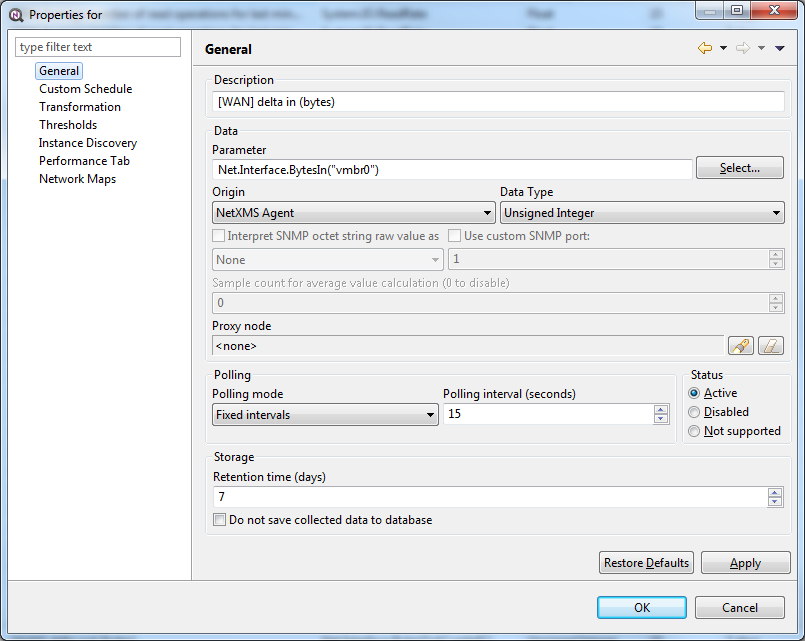

      Step1-A.png

      Step1-B.png

      Step2-A.png

      Step2-B.png

      Step2-C.png

      1 Reply Last reply
      0
      • J
        J
        Marco Incalcaterra
        wrote on last edited by
        #3

        Continue attachment from previous post...
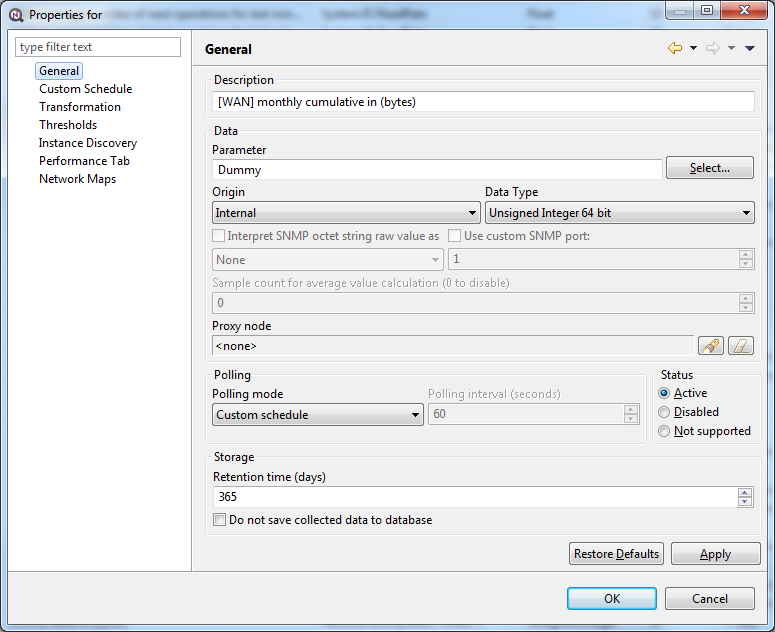

        Step3-A.png

        Step3-B.png

        Step3-C.png

        1 Reply Last reply
        0

        Hello! It looks like you're interested in this conversation, but you don't have an account yet.

        Getting fed up of having to scroll through the same posts each visit? When you register for an account, you'll always come back to exactly where you were before, and choose to be notified of new replies (either via email, or push notification). You'll also be able to save bookmarks and upvote posts to show your appreciation to other community members.

        With your input, this post could be even better 💗

        Register Login
        Reply
        • Reply as topic
        Log in to reply
        • Oldest to Newest
        • Newest to Oldest
        • Most Votes


        • Login

        • Don't have an account? Register

        • Login or register to search.
        Powered by NodeBB Contributors
        • First post
          Last post
        0
        • Categories
        • Recent
        • Tags
        • Popular
        • Users
        • Groups