
Device Name keeps reverting back, I'd like to hard-set this
-
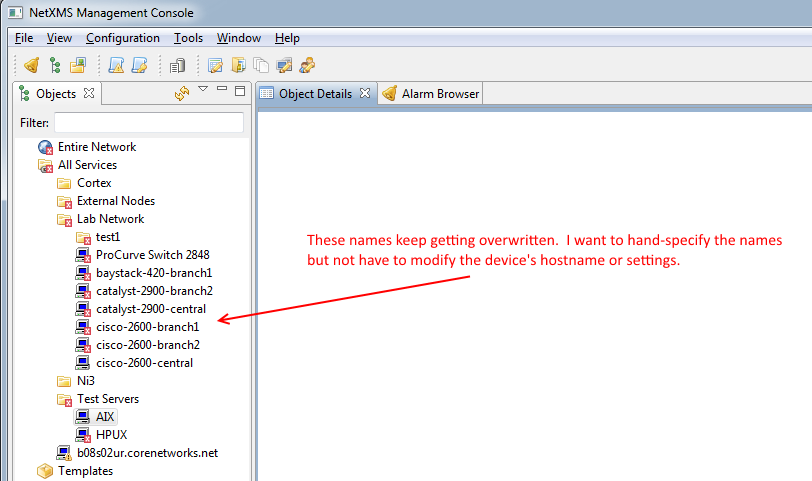
Hello, first off thank you for this amazing free product. Secondly, just curious if it is possible to customize the name of my devices in the "object" tree view on the left (see attached picture). They keep reverting back to what I think is the snmp sys name or DNS name or something. I'd like to hand type a new name for the device and have it stick but not have to modify the hostname property of my actual network switch. Hope that makes sense, thanks!
-
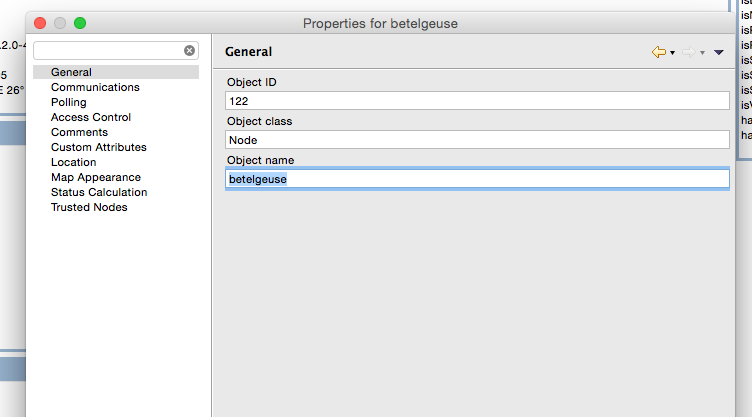
Right click on object, select "Properties", and change "Object Name"
-
@alk said in Device Name keeps reverting back, I'd like to hard-set this:
Right click on object, select "Properties", and change "Object Name"
I tried but after a while it reverted back to the hostname....
-
Hi,
check server configuration variable SyncNodeNamesWithDNS - it must be set to 0 to avoid node names re-sync with DNS.
Best regards,
Victor -
@victor said in Device Name keeps reverting back, I'd like to hard-set this:
Hi,
check server configuration variable SyncNodeNamesWithDNS - it must be set to 0 to avoid node names re-sync with DNS.
Best regards,
VictorThanks. I just checked that setting and it was already set to 0 so for kicks I just changed it to 1. We'll see if this makes any difference, thanks.
-
@walkertexasranger said in Device Name keeps reverting back, I'd like to hard-set this:
@victor said in Device Name keeps reverting back, I'd like to hard-set this:
Hi,
check server configuration variable SyncNodeNamesWithDNS - it must be set to 0 to avoid node names re-sync with DNS.
Best regards,
VictorThanks. I just checked that setting and it was already set to 0 so for kicks I just changed it to 1. We'll see if this makes any difference, thanks.
For future noobs such as myself this seems to have solved my problem and my hand-entered node names seem to be sticking now:
(in windows NetXMS Mgmt Console)
Configuration menu > Server Configuration > Set these 3 options:
SyncNodeNameWithDNS - 0
UseDNSNameForDiscoveredNodes - 0
UseFQDNForNodeNames - 0Thanks everyone for your help. I know DNS is usually a great way to go but I like hand typing even friendlier names like "Near the gymnasium" etc just so I can even more quickly identify a node's location in my head.
Hello! It looks like you're interested in this conversation, but you don't have an account yet.
Getting fed up of having to scroll through the same posts each visit? When you register for an account, you'll always come back to exactly where you were before, and choose to be notified of new replies (either via email, or push notification). You'll also be able to save bookmarks and upvote posts to show your appreciation to other community members.
With your input, this post could be even better 💗
Register Login