
SMS config
-
- verify driver name, it should be "generic.sms"
- Check driver configration:
SMSDrvConfig=/dev/ttyUSB2,9600,8,N,1,T
Fields in SMSDrvConfig are:
1 - device name
2 - speed
3 - data bits
4 - parity: n/o/e (none/odd/even)
5 - stop bits: 1/2
6 - sending mode, T / P (text / PDU. Some modems support only text, some works only with PDU. Unicode can be send only in PDU mode)- Increase debug level of the server to 5 and look for "SMS: " in the log.
-
Thank you for answer
 Now i look into log file and i see:"unable to load module "generic.sms" : generic.sms: cannot open shared object file: no such file or directory
And how can i change debug level? I find, that i have to write into netxmsd.conf DebugLevel = 5 but in the log, i can't se anything with sms.
-
Driver was not loaded, hence no debug messages.
Try to set SMSDriver to full file name with path, then restart server.
Sample setup:AirAlk:core(develop) $ find /opt/netxms -name \*generic\* /opt/netxms/lib/libnxsms_generic.1.dylib /opt/netxms/lib/libnxsms_generic.2.dylib /opt/netxms/lib/libnxsms_generic.dylib AirAlk:core(develop) $ ls -al /opt/netxms/lib/libnxsms_generic.dylib lrwxr-xr-x 1 alk wheel 24 Jul 26 12:14 /opt/netxms/lib/libnxsms_generic.dylib -> libnxsms_generic.2.dylib AirAlk:core(develop) $ nxdbmgr get SMSDriver NetXMS Database Manager Version 2.0-RC1 Build 8032 /opt/netxms/lib/libnxsms_generic.dylibP.S. You can also change debug level in runtime. Go to Tools -> Server Console and type "debug X", where "X" is desired debug level.
-
-
/opt/netxms is just an example from my system.
Tryfind / -name libnxsms_generic\* -
-
Yes, server can't open /dev/ttyUSB2 for some reason.
You can check port using "screen" command (if you have it installed):
screen /dev/ttyUSB2 9600
Press enter couple of times, try to enter "AT" and press enter – you should get reply from modem. -
-
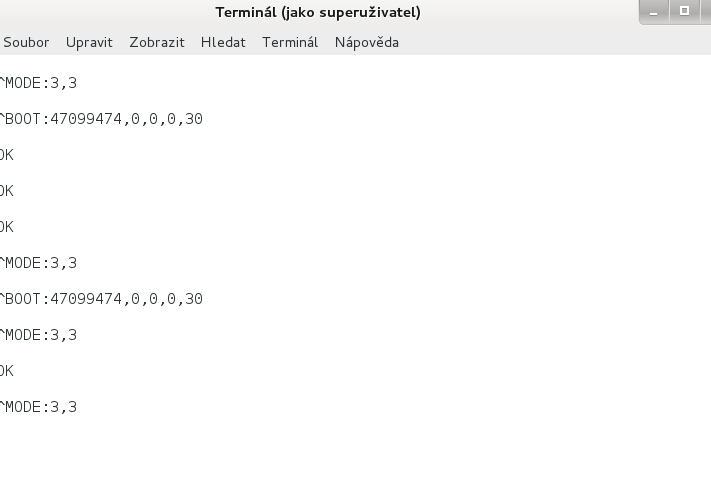
I'm pretty much sure that you use wrong port. Most USB modems provide multiple ports – one for communications, one for diagnostic messages, and one or two for other purposes. Looks like you are using diagnostic port. Try other /dev/ttyUSB* ports with screen – it should respond to "ATI" command with modem information (vendor, model, etc.)
-
-
-
That's not an error, just diagnostics. Try to send one more message to verify that it works.
-

Hello! It looks like you're interested in this conversation, but you don't have an account yet.
Getting fed up of having to scroll through the same posts each visit? When you register for an account, you'll always come back to exactly where you were before, and choose to be notified of new replies (either via email, or push notification). You'll also be able to save bookmarks and upvote posts to show your appreciation to other community members.
With your input, this post could be even better 💗
Register Login