Skip to content
  • Categories
  • Recent
  • Tags
  • Popular
  • Users
  • Groups
Skins
  • Light
  • Brite
  • Cerulean
  • Cosmo
  • Flatly
  • Journal
  • Litera
  • Lumen
  • Lux
  • Materia
  • Minty
  • Morph
  • Pulse
  • Sandstone
  • Simplex
  • Sketchy
  • Spacelab
  • United
  • Yeti
  • Zephyr
  • Dark
  • Cyborg
  • Darkly
  • Quartz
  • Slate
  • Solar
  • Superhero
  • Vapor

  • Default (Flatly)
  • No Skin
Collapse
Brand Logo

NetXMS Forum

  1. Home
  2. Support
  3. Problem seeing interfaces on switches

Problem seeing interfaces on switches

Scheduled Pinned Locked Moved Support
10 Posts 3 Posters 56.1k Views
  • Oldest to Newest
  • Newest to Oldest
  • Most Votes
Reply
  • Reply as topic
Log in to reply
This topic has been deleted. Only users with topic management privileges can see it.
  • G
    G
    grico1993
    wrote on last edited by
    #1

    Hello, I am trying to setup a monitoring system on a windows 10 machine and have been able to add the 2 switches I want to monitor (Dell and Cisco), but haven't been able to configure them correctly so that the interfaces and ports show up. I found a zip with .my files for the Dell switch and tried adding them using the nxmibc command but it doesn't seem to have an effect.

    Thank you.

    -g

    I've attached a zip with the MIB files for the Dell .

    edit2: I've added the MIBs for the Cisco sg-500 switch. When I try compiling using nxmibc -d command I keep getting Parser errors: "syntax errors, unexpected END_SYM, expecting STATUS_SYM..." for example on the file rfc1212.my.txt


    PC6200v3.3.11.2-MIBs.zip

    MIBs_Sx500_v1.4.1.03.zip

    1 Reply Last reply
    0
    • V
      V
      Victor Kirhenshtein
      wrote on last edited by
      #2

      Hi,

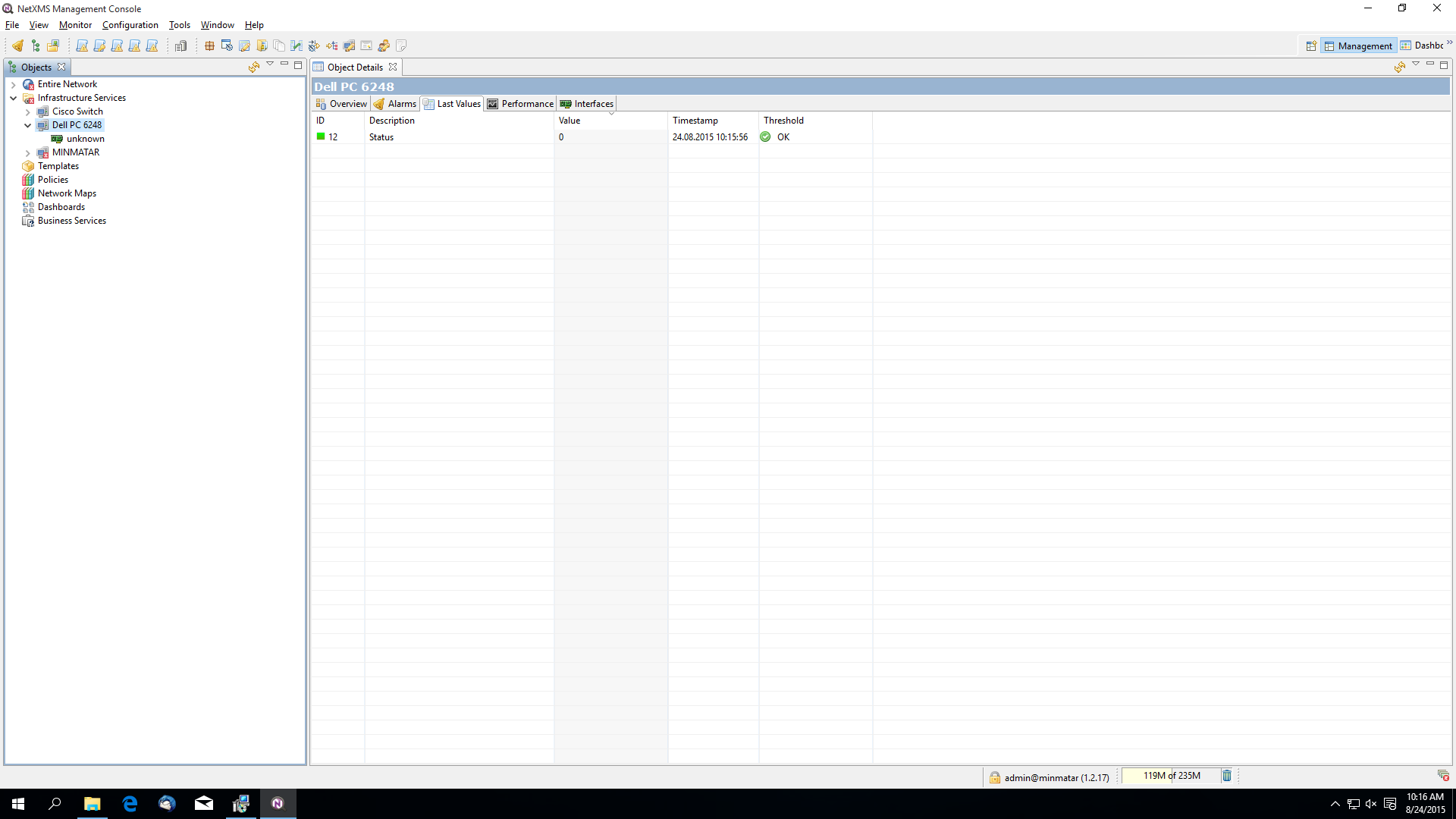
      actually, interface information is based almost entirely on standard MIBs, so you don't have to do anything to see correct interface list for the switches. Can you show how interface tabs looks like for those switches?

      Best regards,
      Victor

      1 Reply Last reply
      0
      • G
        G
        grico1993
        wrote on last edited by
        #3

        Thank you for your reply Victor,

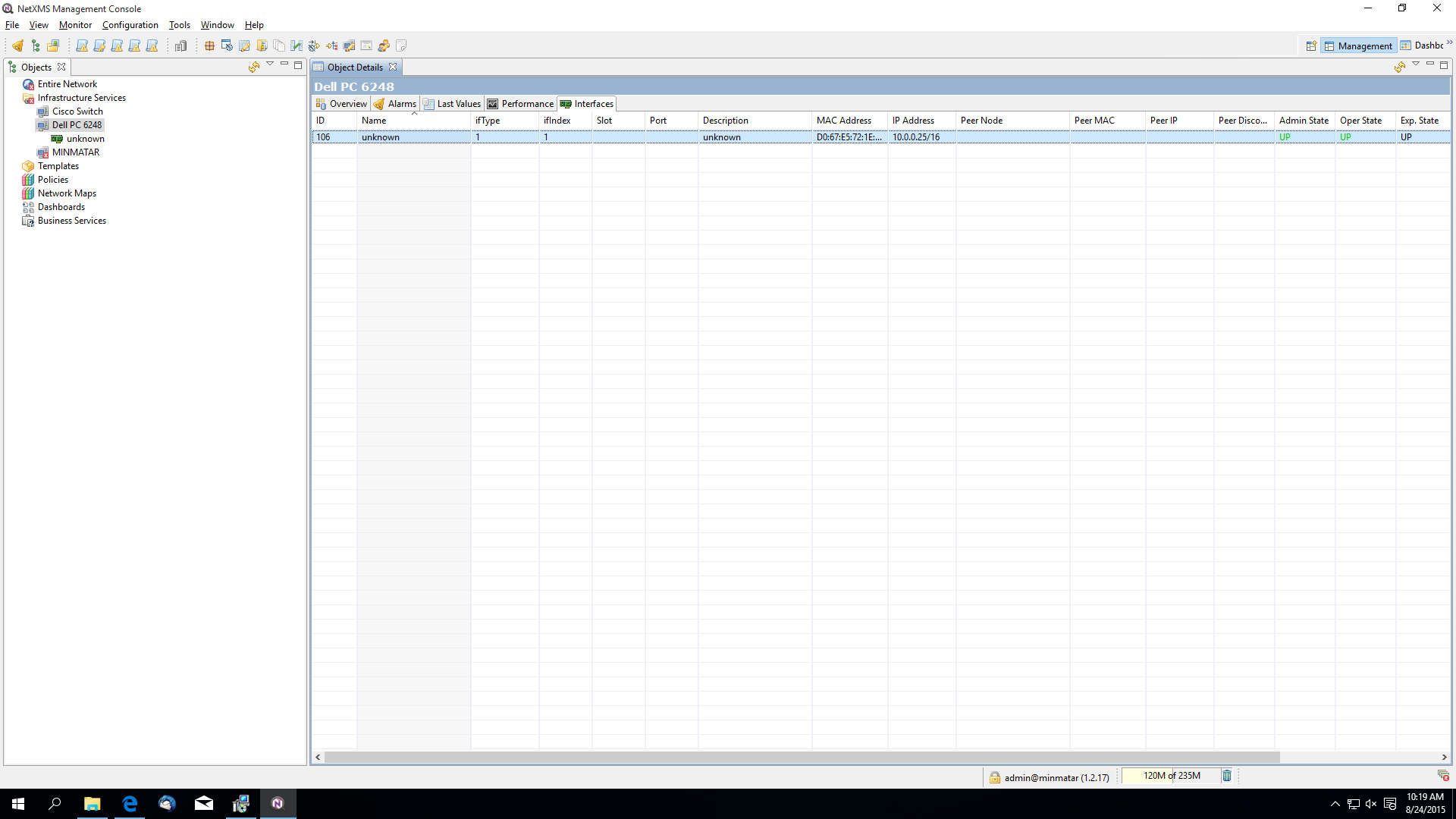
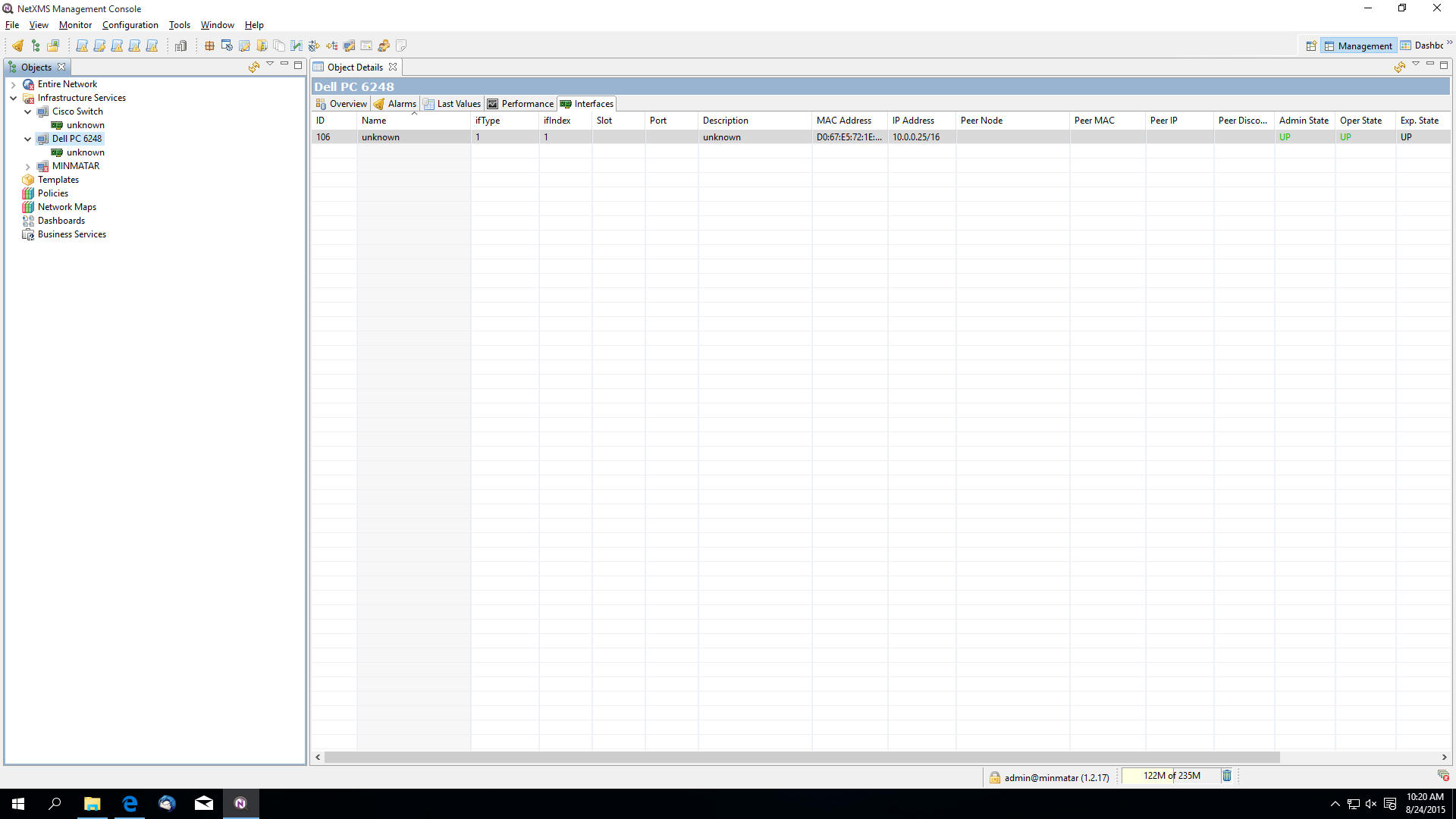
        I've attached what my screen looks like. I had to reinstall NetXMS and now the Dell switch doesn't show interfaces again.

        Gio


        netxms.png

        netxmsInterfaces.png

        Untitled.png

        1 Reply Last reply
        0
        • A
          A
          Alex Kirhenshtein
          wrote on last edited by
          #4

          "unknown" interface is created when NetXMS can't get proper list of interfaces from the device. Check connectivity, firewall, and SNMP community settings.
          You can also verify with nxsnmpget command line utility. Sample session (querying cisco c2900 switch):

          AirAlk:core(develop) $ nxsnmpget -c public 10.5.0.200 .1.3.6.1.2.1.1.1.0
          .1.3.6.1.2.1.1.1.0 [STRING]: Cisco Internetwork Operating System Software
          IOS (tm) C2900XL Software (C2900XL-C3H2S-M), Version 12.0(5)WC17, RELEASE SOFTWARE (fc1)
          Copyright (c) 1986-2007 by cisco Systems, Inc.
          Compiled Tue 13-Feb-07 15:27 by antonino
          
          AirAlk:core(develop) $ nxsnmpget -c public 10.5.0.200 .1.3.6.1.2.1.1.2.0
          .1.3.6.1.2.1.1.2.0 [OBJECT IDENTIFIER]: .1.3.6.1.4.1.9.1.217
          
          1 Reply Last reply
          0
          • G
            G
            grico1993
            wrote on last edited by
            #5

            Thank you. I tried that command with my Dell switch and got a response similar to yours.
            With the Cisco switch it says "Request timed out".

            I'm sure my settings are correct for the Dell switch and thought it might need the MIBs from Dell but wasn't able to successfully compile them (or the ones from Cisco either).

            1 Reply Last reply
            0
            • A
              A
              Alex Kirhenshtein
              wrote on last edited by
              #6

              It should work even without MIBs.
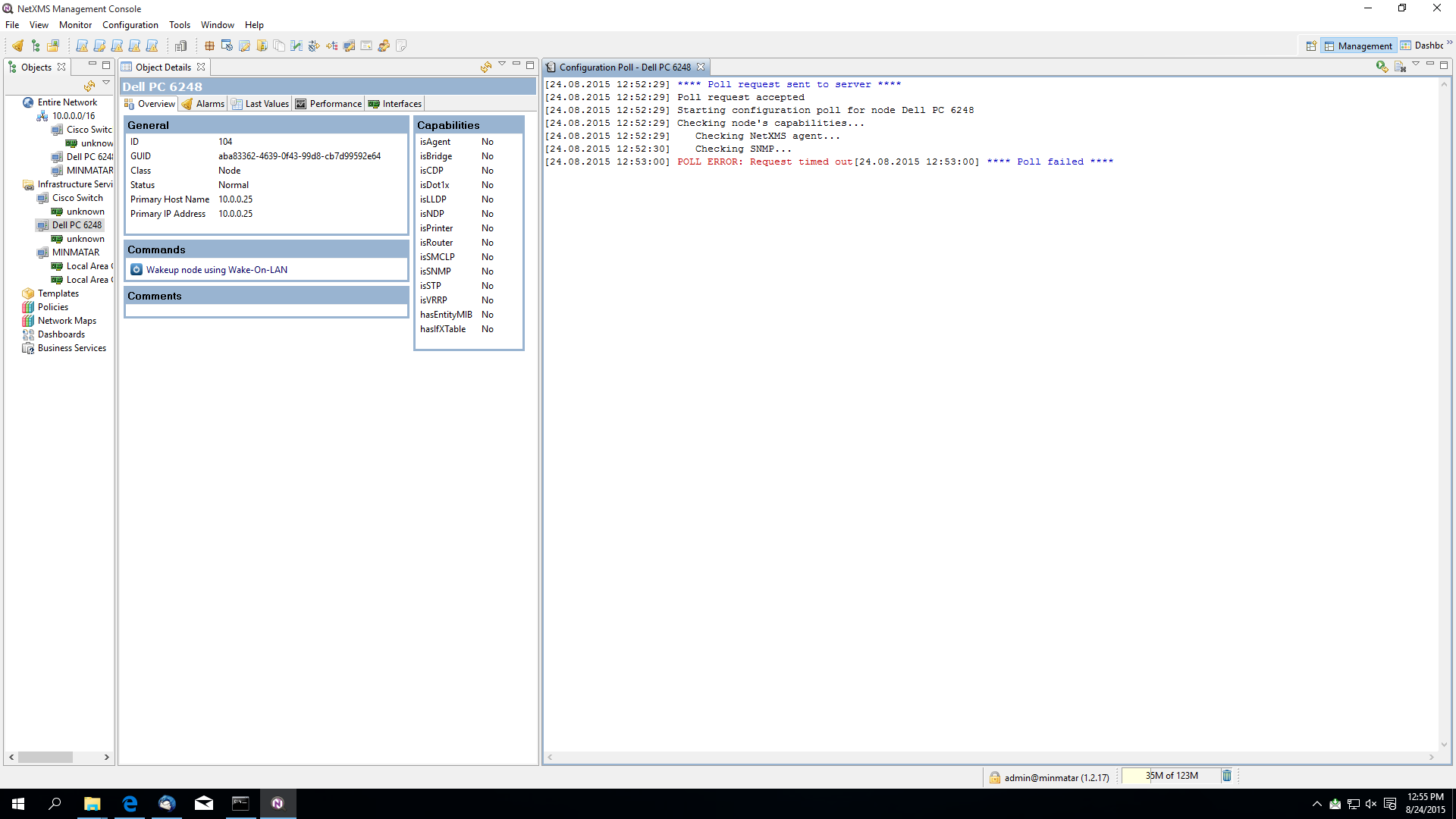
              Please show me output of the configuration poll (right click on the Dell switch, then select Poll -> Configuration (full))

              1 Reply Last reply
              0
              • G
                G
                grico1993
                wrote on last edited by
                #7

                This is what I get.

                With the standard MIBs, will I also be able to get information like temperature, etc.?


                configpoll.png

                1 Reply Last reply
                0
                • A
                  A
                  Alex Kirhenshtein
                  wrote on last edited by
                  #8

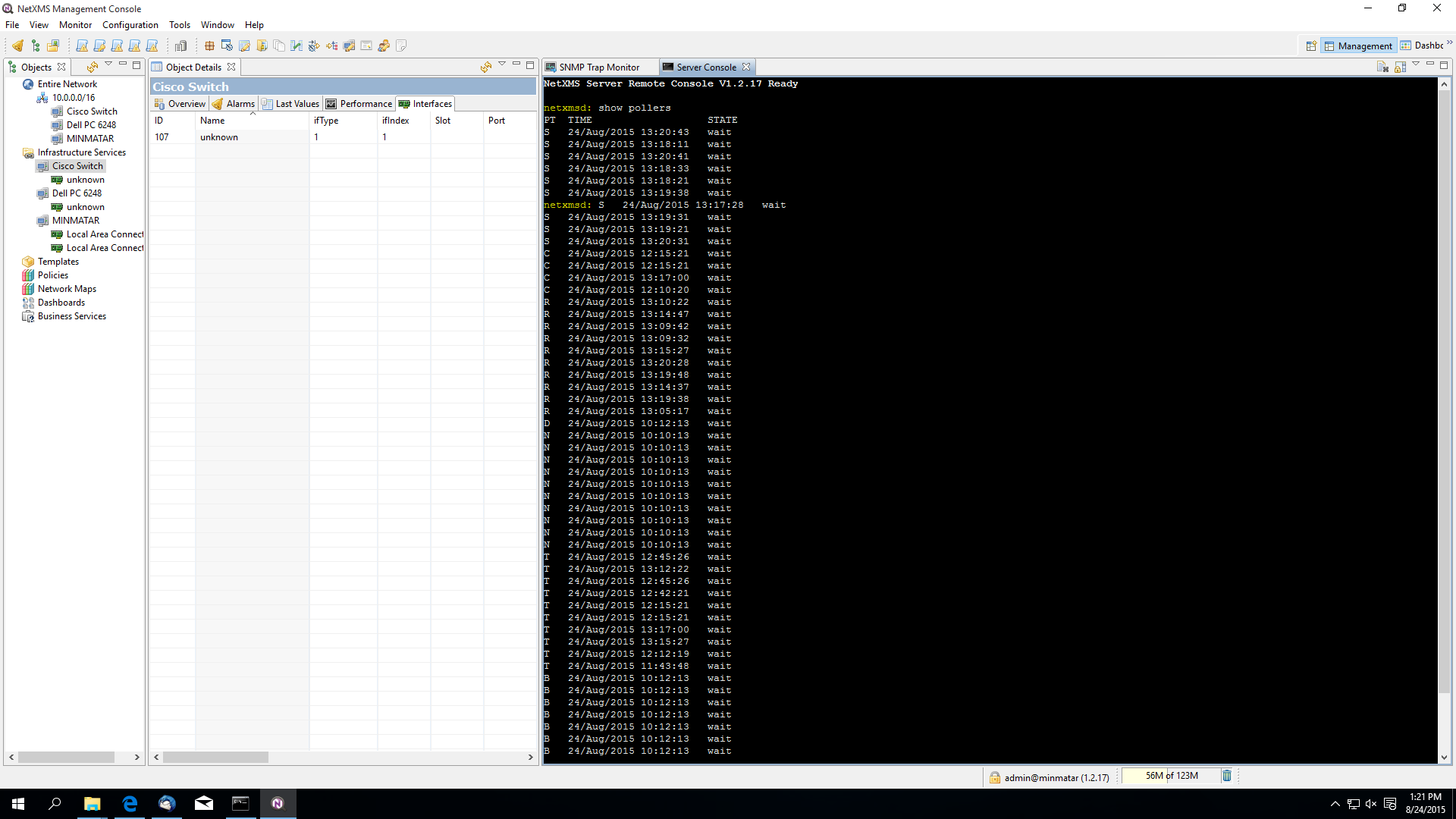
                  Server can't communicate with the device for some reason. Please show output of command "show pollers" (run it in tools -> server console).

                  Temperature is in vendor specific MIB, and you need to add it to use MIB browser.
                  However, you can just add DCI with OID 1.3.6.1.4.1.674.10895.5000.2.89.53.15.1.9.1 – that's temperature.

                  global status: 1.3.6.1.4.1.674.10895.3000.1.2.110.1.0
                  fan1: 1.3.6.1.4.1.674.10895.3000.1.2.110.7.1.1.3.67109249
                  fan2: 1.3.6.1.4.1.674.10895.3000.1.2.110.7.1.1.3.67109250
                  temp value: 1.3.6.1.4.1.674.10895.5000.2.89.53.15.1.9.1
                  temp status: 1.3.6.1.4.1.674.10895.5000.2.89.53.15.1.10.1
                  power ac: 1.3.6.1.4.1.674.10895.3000.1.2.110.7.2.1.3.67109185
                  power dc: 1.3.6.1.4.1.674.10895.3000.1.2.110.7.2.1.3.67109186
                  cpu util 1 minute: 1.3.6.1.4.1.674.10895.5000.2.89.1.8.0
                  cpu util 5 mintes: 1.3.6.1.4.1.674.10895.5000.2.89.1.9.0

                  1 Reply Last reply
                  0
                  • G
                    G
                    grico1993
                    wrote on last edited by
                    #9

                    This is the output:


                    pollers.png

                    1 Reply Last reply
                    0
                    • V
                      V
                      Victor Kirhenshtein
                      wrote on last edited by
                      #10

                      Hi,

                      can you please show results on nxsnmpwalk on OID .1.3.6.1.2.1.1 and screenshot of "Communications" property page for Dell switch?

                      Best regards,
                      Victor
                      1 Reply Last reply
                      0

                      Hello! It looks like you're interested in this conversation, but you don't have an account yet.

                      Getting fed up of having to scroll through the same posts each visit? When you register for an account, you'll always come back to exactly where you were before, and choose to be notified of new replies (either via email, or push notification). You'll also be able to save bookmarks and upvote posts to show your appreciation to other community members.

                      With your input, this post could be even better 💗

                      Register Login
                      Reply
                      • Reply as topic
                      Log in to reply
                      • Oldest to Newest
                      • Newest to Oldest
                      • Most Votes


                      • Login

                      • Don't have an account? Register

                      • Login or register to search.
                      Powered by NodeBB Contributors
                      • First post
                        Last post
                      0
                      • Categories
                      • Recent
                      • Tags
                      • Popular
                      • Users
                      • Groups