
[HOWTO] Monitor Vmware hardware health of ESXI (free)
-
First download Activestate Python 2.7
https://www.activestate.com/activepython/downloadsThen open cmd and enter:
python -m easy_install pywbemDownload nagios vmware plugin from this post its attached or here: https://exchange.nagios.org/directory/Plugins/Operating-Systems/*-Virtual-Environments/VMWare/Check-hardware-running-VMware-ESXi/details
Put this file somewhere on your drive like C:\Scripts
Open your agents config file (nxagentd.conf) and add:
ExternalParameter = ESXIStatusServer2:python.exe C:\Scripts\check_esx_wbem.py https://ip.to.esxi.server:5989 username password
ExecTimeout = 10000ip.to.esxi.server=ip to your esxi server
username=username to esxi server
password=password to esxi serverOpen upp netxms server configuration and change AgentCommandTimeout = 10000
Restart agent
After a while you can collect this information from you data collection configuration on the server you installed this script.
If nothing shows up you can stop your netxms agent and start it manually in cmd nxagentd.exe -f -D 5 that way you can see whats happening and if something is wrong.
Howto show the DCI on the ESXI node instead of the polling server.
Open up data collection configuration on the node making the checks and right click on the DCI choose move to another node and select your ESXI server.
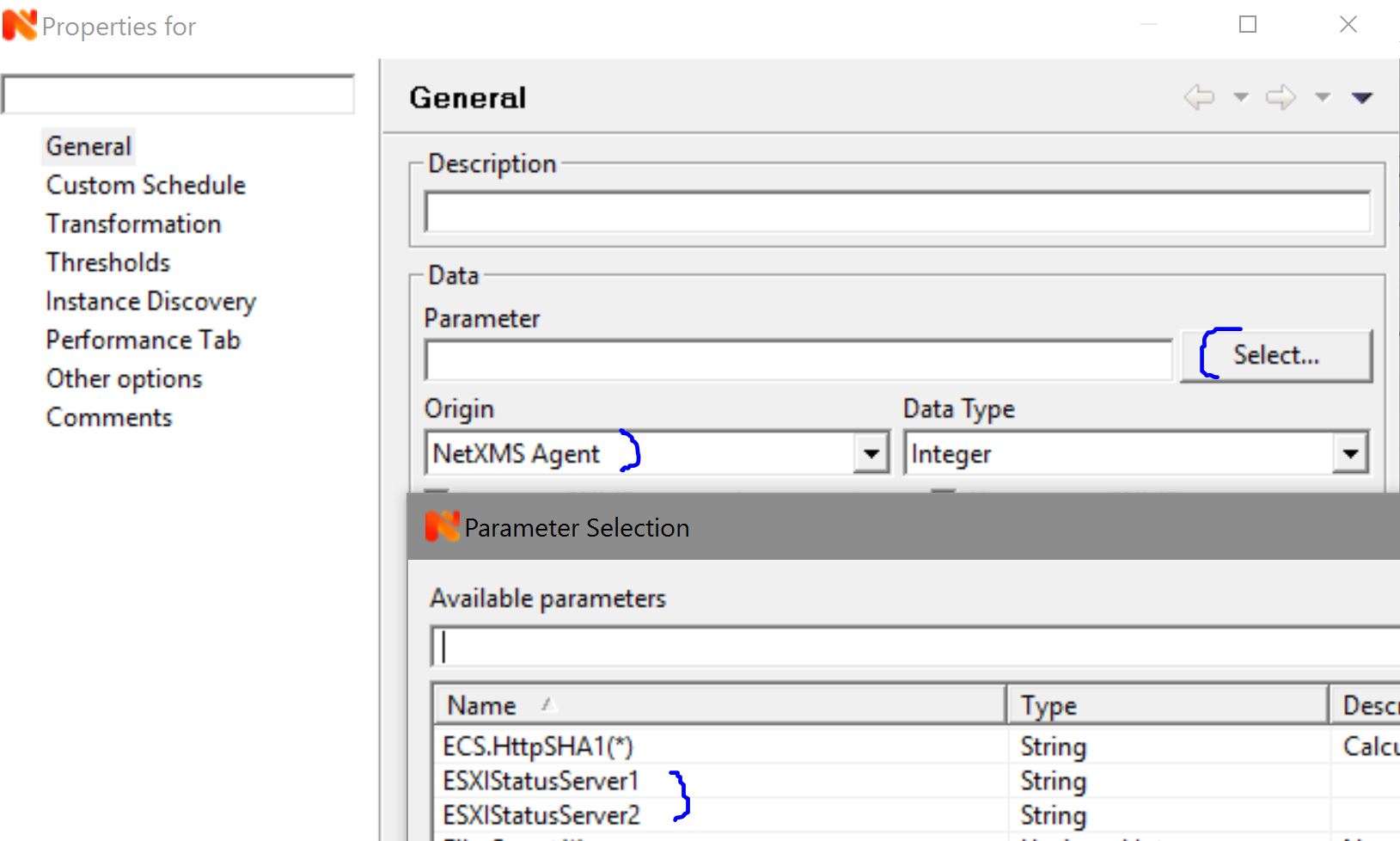
Then you open your ESXI nodes data collection configuration your DCI check should be here, edit this one and on the General page you will find an option called "source node" select the node that runs the script. Thanks Victor


-
Thoose checks will end up showing on the monitor server itself not on the esxi servers details page. Is there anyway we can redirect thoose outputs to show up on the esxi object instead? I looked up nxapush but couldnt redirect that to another host. One idea would be to create a DCI on a object (ESXI) and then use nxapush to pass the id of that DCI that i would like to send the data to.
-
Hi,
you can define same DCIs on ESXi and set source node to management server. That way actual data collection will occur on management server but data will be shown on ESXi node.
Best regards,
Victor -
-
External parameter runs on demand, when server requests it. So you effectively control it when setting DCI polling interval.
Best regards,
Victor
Hello! It looks like you're interested in this conversation, but you don't have an account yet.
Getting fed up of having to scroll through the same posts each visit? When you register for an account, you'll always come back to exactly where you were before, and choose to be notified of new replies (either via email, or push notification). You'll also be able to save bookmarks and upvote posts to show your appreciation to other community members.
With your input, this post could be even better 💗
Register Login