
netxms grafana module configuration
-
What are the requirements on the netxms side to get the grafana netxms module to work?
https://github.com/netxms/grafanaI have installed the netxms webui just in case

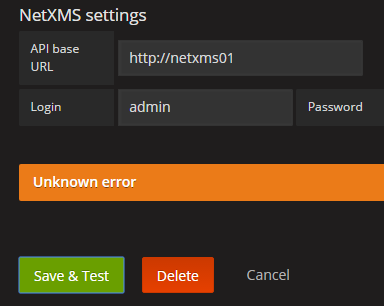
I dont know what to enter in the API base url section?
-
Hi!
The Grafana plugin works on a WebAPI that is currently still in very early development and is completely separate to that of the NetXMS WebUI. There will soon be instructions in the Wiki on the setup of the NetXMS WebAPI, its functionality and the Grafana datasource, but for now, let me try to explain how you can deploy it on your machine and configure the Grafana datasource:
**REQUIREMENTS**
maven package
git package
NetXMS server running on the same machine (localhost) as where you are going to deploy the WebAPI- You need to clone the NetXMS Git repository (git://git.netxms.org/public/netxms.git) to a location on your PC
- Navigate to the location NETXMS_GIT/src/server/nxapisrv/java
- Now you have two options, you can, either, run the command mvn install, which will create a .war file that you can move over to your WebServer, or you can use the jetty plugin, by running mvn jetty:run which will automatically deploy the API and will be available on port 8000.
- Now you can add the NetXMS datasource in Grafana by providing the link to the WebAPI and your NetXMS user credentials
Hope this makes sense! If not, the Wiki page explaining this functionality should be done soon and it will include detailed explanations on how to get the NetXMS WebAPI working.
Thanks!
-
-
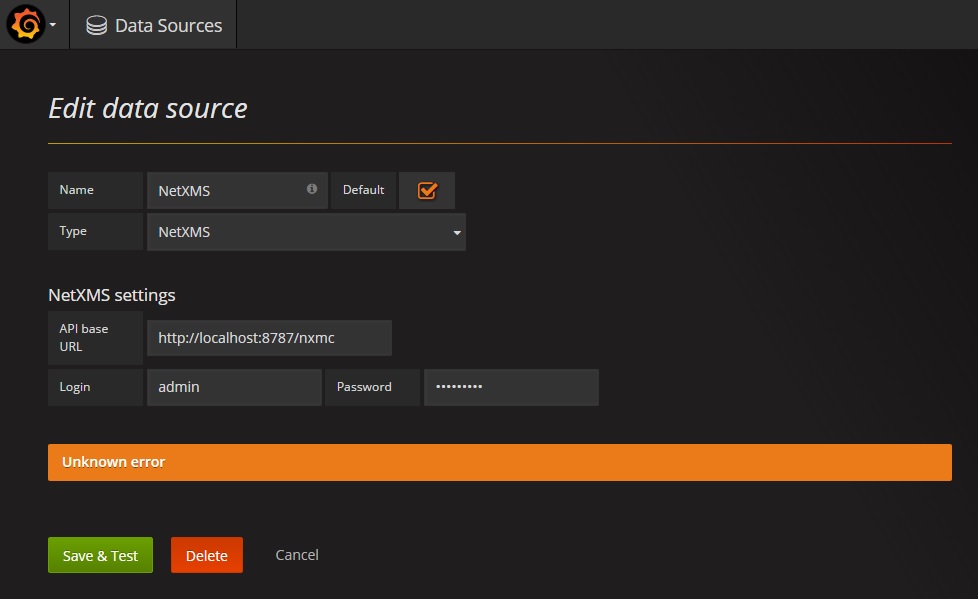
I try all config, same problem, I put war file in: C:\WebXMS\WebUI\nxmc
any solution?
Regards,
-
The WebUI which is the Web Management Console and the WebAPI (used for Grafana etc...) are two different things.
The instructions on how to set up the Grafana data source are now on the Wiki - https://wiki.netxms.org/wiki/NetXMS_Grafana_datasource_setup
Also the instructions on how to set up the WebAPI have been posted on the Wiki - https://wiki.netxms.org/wiki/NetXMS_WebAPIRegards,
Erik -
Hello! It looks like you're interested in this conversation, but you don't have an account yet.
Getting fed up of having to scroll through the same posts each visit? When you register for an account, you'll always come back to exactly where you were before, and choose to be notified of new replies (either via email, or push notification). You'll also be able to save bookmarks and upvote posts to show your appreciation to other community members.
With your input, this post could be even better 💗
Register Login