
Proposed solution to avoid receiving tons of e-mail from a "crazy" node
-
Hello!
I'm using LOGWATCH subagent to monitor events from Windows event log. In many occasions happened that a node got crazy and I received 20K+ mails informing about a repetitive event happened every second (especially during the night).
Since NetXMS doesn't provide an "in-house" mechanism to prevent this, thanks to Victor's suggestions, I found the following solutions that I'm reporting here to simplify life of users that had similar problems.Basic concepts is this:
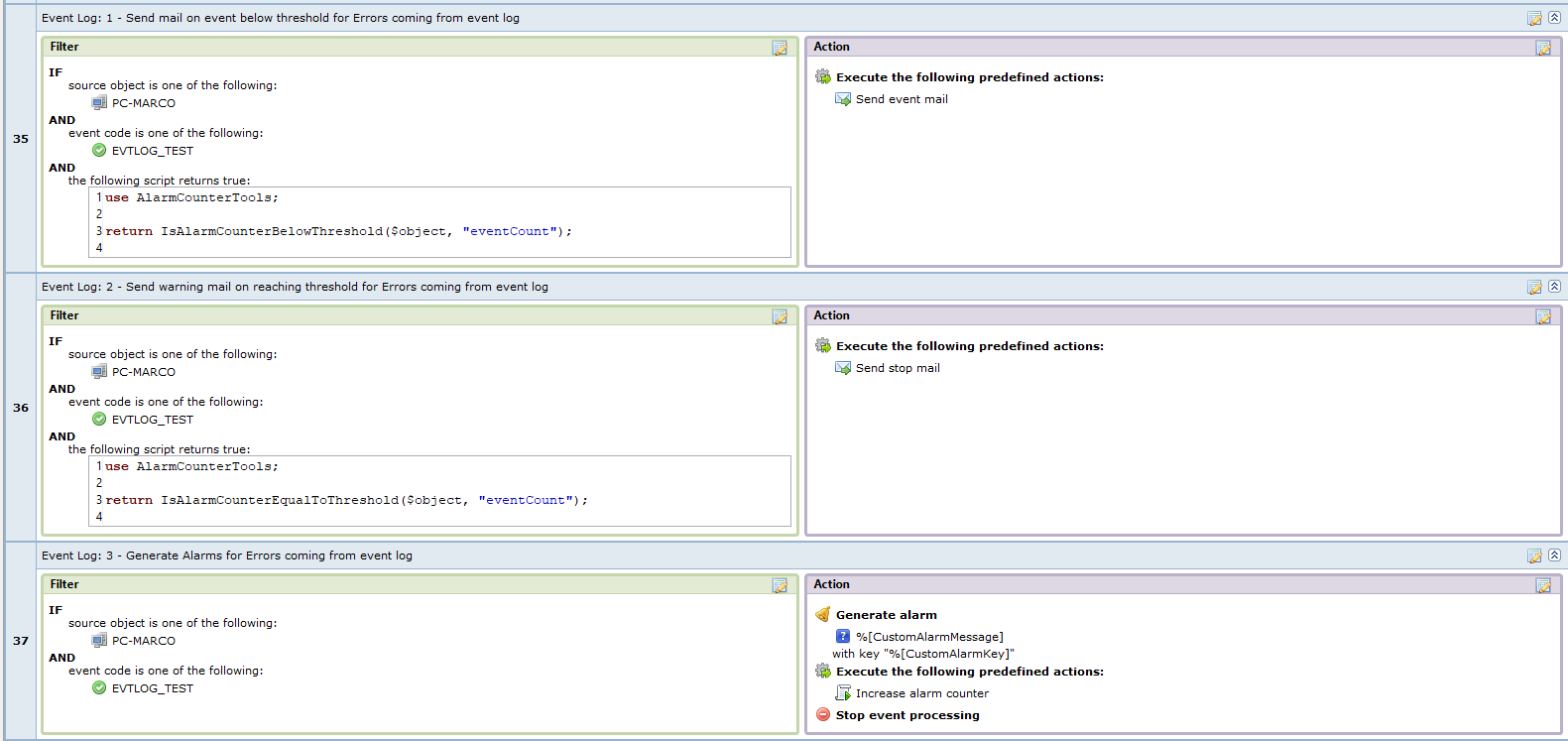
- Setup a counter to increase every time I receive an event I'm interested in
- Send standard email if the counter is below specific threshold
- Send warning email when the counter is equal to specific threshold
- Stop sending email when counter is above threshold without losing the received events
- Reset the counter after a specific time frame since the first event
Example, threshold 50, time frame 1h. This means that the system will send up to 50 emails in 1 hour, then after the 50th events (whithin 1 hour) will send an e-mail informing about the storm and will store events in the system without sending more emails. After 1 hour since the first event the counter will be reset (through a scheduled task)) and NetXMS will start again sending email for new events of that type.
Here attached you can find my sample scripts to use as base for further developments. Scripts are partially parametrized, feel free to extend and post here improvements

- AlarmCounterTools: script for checking threshold of counter, increase counters and other support tools
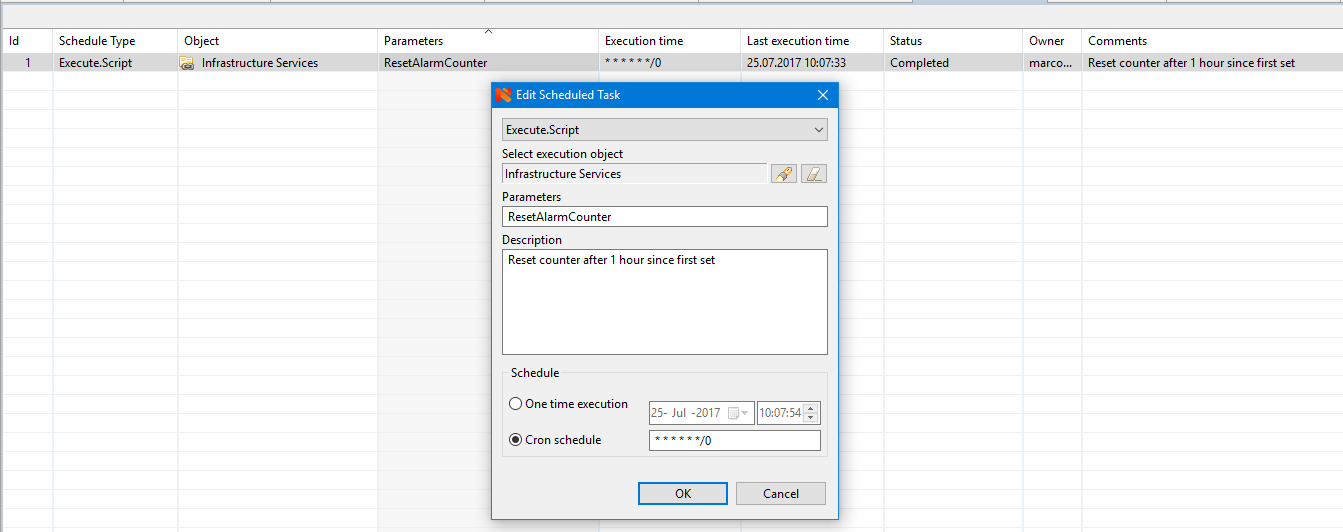
- ResetAlarmCounter: script for scheduled task to reset the counter after specified time frame (I don't know ho to pass parameter "eventCount" and use directly function from AlarmCounterTools)
- IncreaseAlarmCounter: script to increase the counter (I don't know ho to pass parameter "eventCount" and use directly function from AlarmCounterTools)
- Scheduled task sample
- EPP sample (3 rules)
Hello! It looks like you're interested in this conversation, but you don't have an account yet.
Getting fed up of having to scroll through the same posts each visit? When you register for an account, you'll always come back to exactly where you were before, and choose to be notified of new replies (either via email, or push notification). You'll also be able to save bookmarks and upvote posts to show your appreciation to other community members.
With your input, this post could be even better 💗
Register Login