
Minor stutus of nodes and error message in object details in new version 2.1
-
The "View all alarm categories" permission should automatically be added to the Everyone user group after performing the DB upgrade when upgrading to 2.1
-
Thanks a lot,
I have changed "View all alarm categories" permission for admin and now I can see all alarms for any node and after resolve all alarms node goes to normal state.
Also, I have changes propagation status as Critical -Warning and now I get warning alert for port down on switch.
Now I have only one problem with interface and port view on object details tabs, for some switch I can see interface table and ports but
for other ports tab is empty and interface tab is not refresh with list of interface. Problem usually with stacked switch but find same problem with normal switch. If you have some advice how I can resolve this bugs please help me.Have you experience with new future Outstanding alarm remainder. I have set one sound for this option but I when alarm occured noting hapened.?
Is there any server parameter to set time of outstanding reminder?best regards,
Tomislav -
Eriks:
That didn't seem to happen during the upgrade at our end. Considering the number of post-2.1 upgrade forum posts which are fixed by checking the "View all alarm categories" permissions, I have to assume something may not always work as expected during that DB upgrade?Tomislav:
If a switch is showing anything in the Ports tab depends on if NetXMS has a driver for the device in question. For us that tab works with HP and Cisco gear, but not with Brocade, Netgear and TP-Link "Smart" switches.
For the Interface tab, select the properties of the node, select Polling and test the Enable and Disable options under "Use ifXTable for interface polling", run a Configuration Poll after each and see if the Interfaces tab populates. If it doesn't, the switch in question may have some vendor specific way of providing interface information (which would require a specific driver for that hardware).
I am actually not sure about the Outstanding Reminder. I tend to not leave my alerts in "Outstanding" state, but Acknowledge them.
For testing purposes I just enabled the "Show pop-up reminder for outstanding alarms", set a sound and triggered some events which I didn't acknowledge. Eventually I got a pop up with a list of outstanding alarms together with the sound. I didn't time it, but seemed to happen/repeat every five minutes? -
Hmm... That`s very interesting. I just tested the DB upgrade from 2.0 to 2.1 and it worked for me, it also worked when initialising a new DB. Could you please verify that the group "Everyone" has the "View all alarms" access right set? And if it changes anything if you disable it (or enable it)?
-
If the "Everyone" group is the only one getting that flag set during the upgrade, then maybe that's the issue. We are certainly using more specific groups at our end, hence the need for us to set this manually.
Considering that pre-2.1 every group effectively had this permission (as no categories existed and everyone could see everything), maybe all user groups should have it enabled by default upon an upgrade, not just "Everyone"?But this is kind of hijacking the thread now.

-
Thanks for help,
Maybe I didn't describe problem with port and interface show enough.
On the object browser tab a can see all interface of every switches and on the object details tab I can see overview, alarms, last value and performace as well.
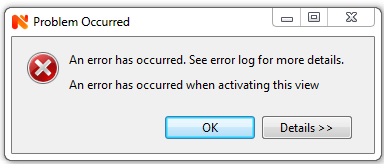
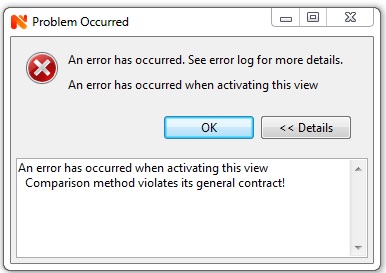
But when I select Interface or Ports tab on Object Details for some switches interface table and ports is not show (or stay on last switch port list). Also, when I select tab overview after selection of ports or interface I got error. I sent you error picture in the attachment.I have check information data in Overview tab for all switches and I can see anything suspected or wrong.
In my system I use cisco SF500 and SF500 stacked switches.best regards,
Tomislav
-
Hi,
it's a bug in UI, we will fix it in next patch release.
Best regards,
Victor -
-
CrUser and Turslops, have you made any changes to the Everyone group? If not, could you, please, verify that it exists in your DB? You can run this query to find out:
" SELECT * FROM user_groups WHERE name='Everyone' "Regards,
Eriks -
-
The Everyone group includes all users, even if there are not any listed, it`s sort of like the built in System user which has all privileges. Anyway, the issue should be solved once and for all in the new release :).
Regards,
Eriks
Hello! It looks like you're interested in this conversation, but you don't have an account yet.
Getting fed up of having to scroll through the same posts each visit? When you register for an account, you'll always come back to exactly where you were before, and choose to be notified of new replies (either via email, or push notification). You'll also be able to save bookmarks and upvote posts to show your appreciation to other community members.
With your input, this post could be even better 💗
Register Login