
Using custom attribute in a DCI
-
I am trying to use a custom attribute inside a DCI. I have a data parameter ServiceCheck.Custom(%IP%,80) and a custom attribute IP = 192.168.0.1. I am trying to poll the web port of a device from this node, but I want to specify the IP as a custom attribute. Is this possible? and what is the correct syntax? Thanks, Andrew
-
Macros within parameter name expanded only when you apply template to node. If it is fine, you can use script macro, and read custom attribute in script. But if you want that DCI will use current value of custom attribute immediately after your change it, themn the only option is to switch to script DCI and use AgentReadParameter function. For example:
return AgentReadParameter($node, "ServiceCheck.Custom(" . GetCustomAttribute($node, "IP") . ",80)");Best regards,
Victor -
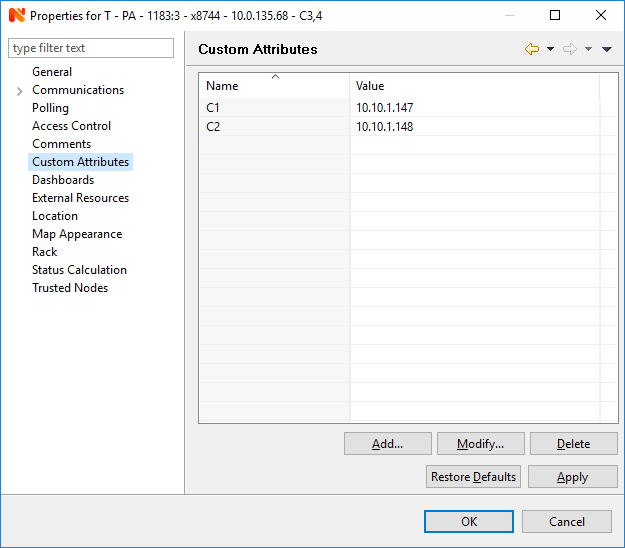
I must be doing something wrong, mu last values are coming back 2, server unreachable. Here are my custom attributes:
https://drive.google.com/open?id=1sTdSdAnl19PE1s9tEyblDoFBWsB8pF9M
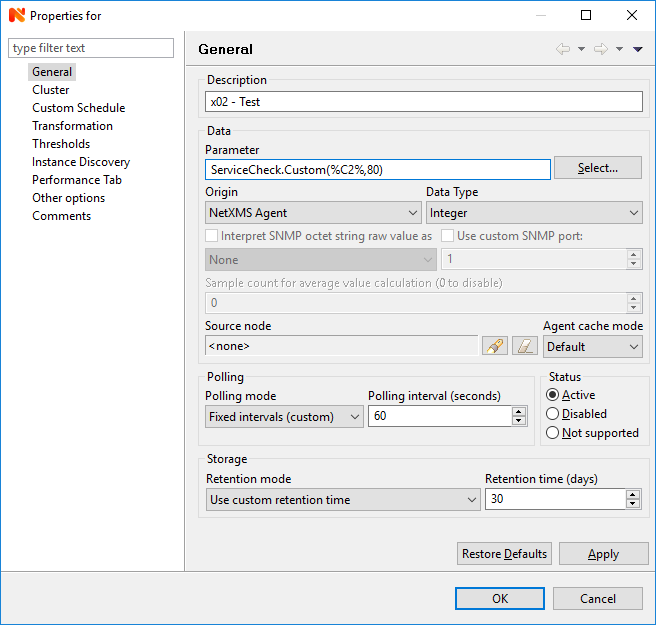
and my parameter:
https://drive.google.com/open?id=1nX1--Or_tzzb6dCwTeKRg5UfoejWbu9e@victor said in Using custom attribute in a DCI:
Macros within parameter name expanded only when you apply template to node. If it is fine, you can use script macro, and read custom attribute in script. But if you want that DCI will use current value of custom attribute immediately after your change it, themn the only option is to switch to script DCI and use AgentReadParameter function. For example:
return AgentReadParameter($node, "ServiceCheck.Custom(" . GetCustomAttribute($node, "IP") . ",80)");Best regards,
Victor
-
Hi,
Please check this forum discussion:
https://www.netxms.org/forum/general-support/custom-attributes-as-parameters-to-dcis/ - described how to get custom attribute as DCI parameter
Hello! It looks like you're interested in this conversation, but you don't have an account yet.
Getting fed up of having to scroll through the same posts each visit? When you register for an account, you'll always come back to exactly where you were before, and choose to be notified of new replies (either via email, or push notification). You'll also be able to save bookmarks and upvote posts to show your appreciation to other community members.
With your input, this post could be even better 💗
Register Login