
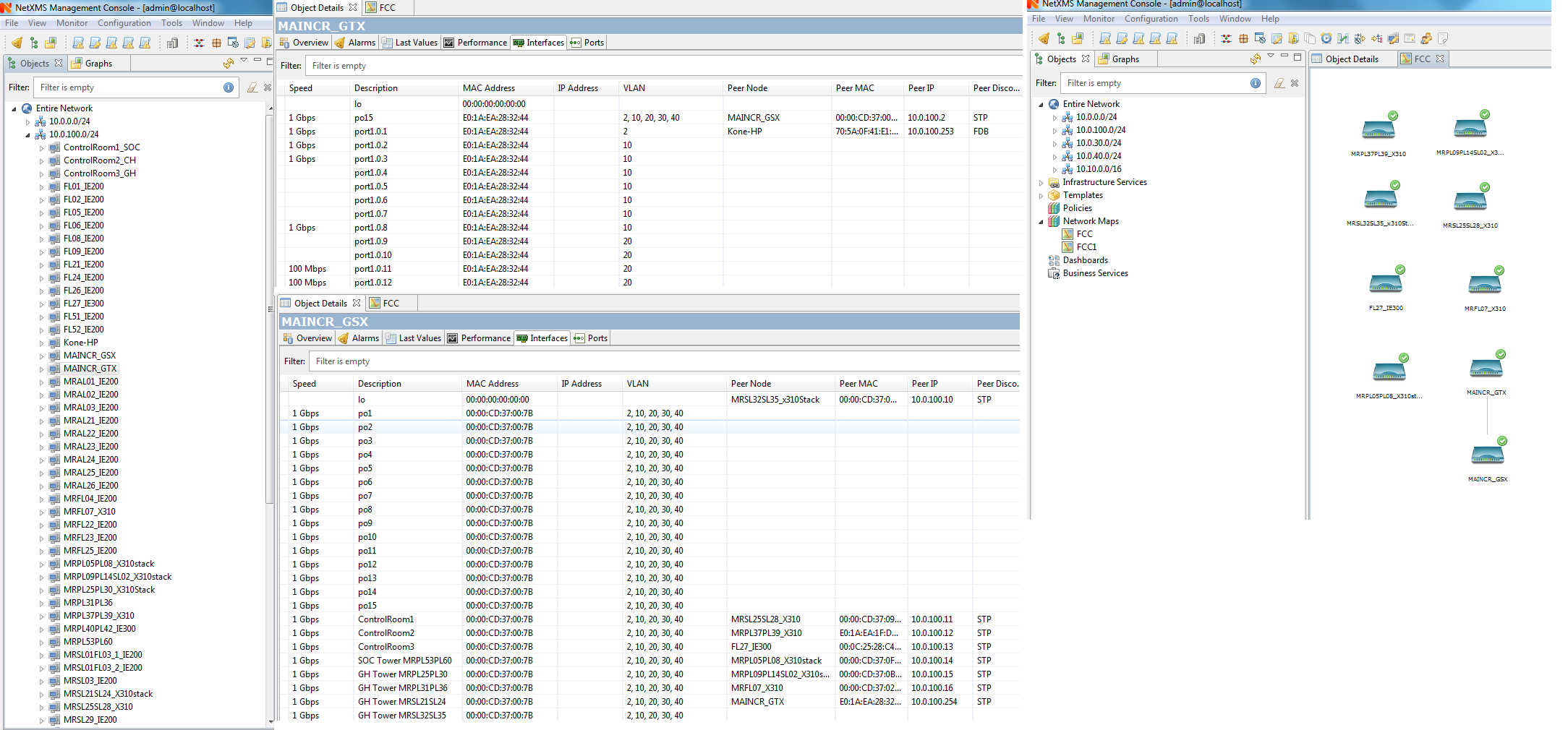
NetXMS 2.2.7- Network Maps
-
Hi,
Switches are Allied Telesis, have to check on enabling the LLDP.
Can you help me with most reliable version NetXMS to use in my project
Regards
Ramesh -
Hi Ramesh,
2.2.7 is the current version and I'd recommend going with it, unless you have a very specific reason not to.
For all I know, there are no known issues with LLDP or CDP discovery.For your Allied Telesis, if it supports LLDP, there should be a menu item for it and global settings where you can enable it.
Otherwise connect via SSH, enter configuration mode ("conf t") and run either "lldp run" or "lldp enable".
Which one to use will depend on the exact switch you're using. If neither works, your switch does not support lldp.
I don't think Allied Telesis support CDP, but I have not really spent much time looking, that's just from the handful of switches I've encountered at customer sites.With 59 switches, you may want to ensure your discovery radius for the map is set large enough, or it might not show everything that's connected.
When you first create a map, it can also take a while to actually be populated, i.e. if you create a new map and open it, chance is it'll be empty. Give it a couple of minutes to put it all together.Cheers
-
Hi Tursiops,
Thank you,
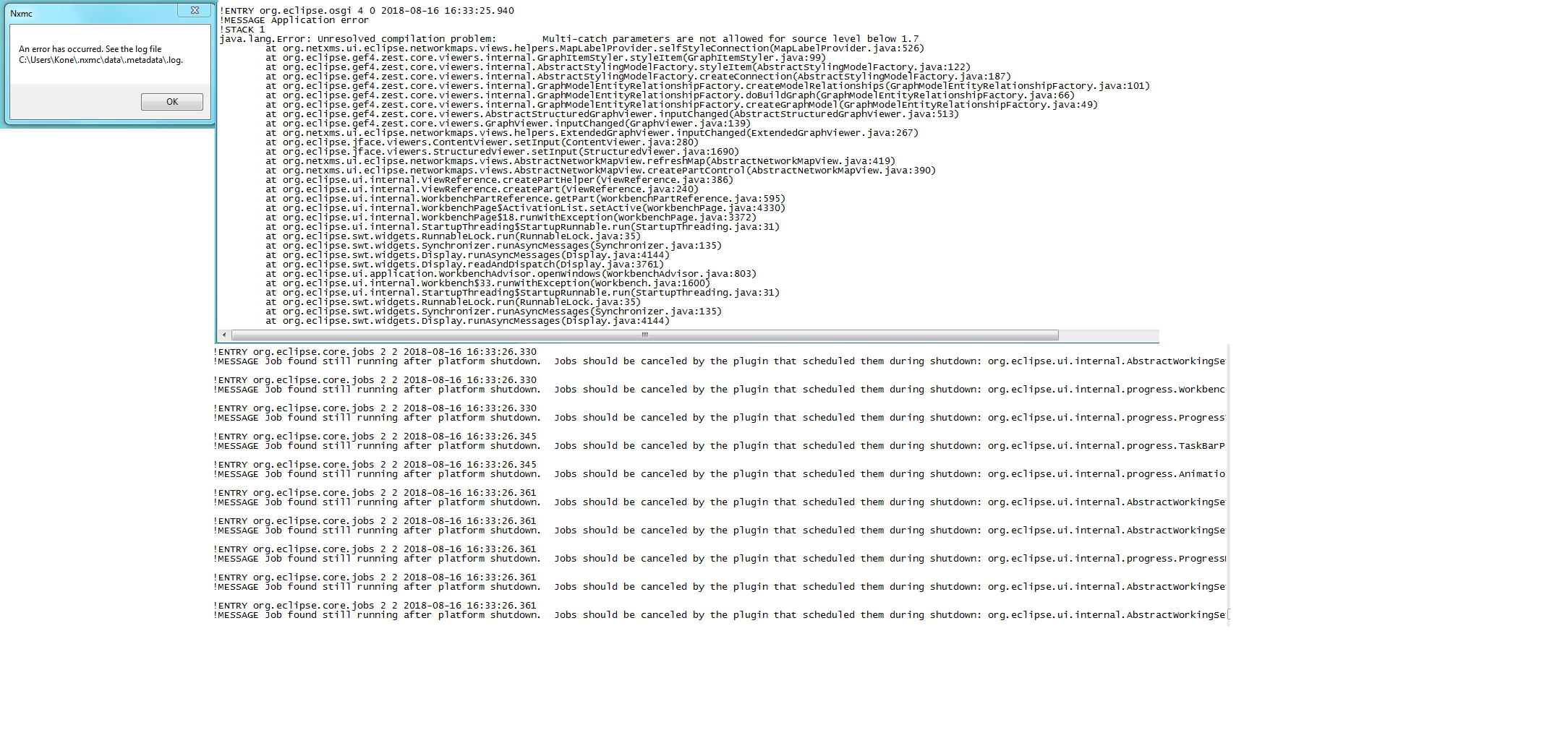
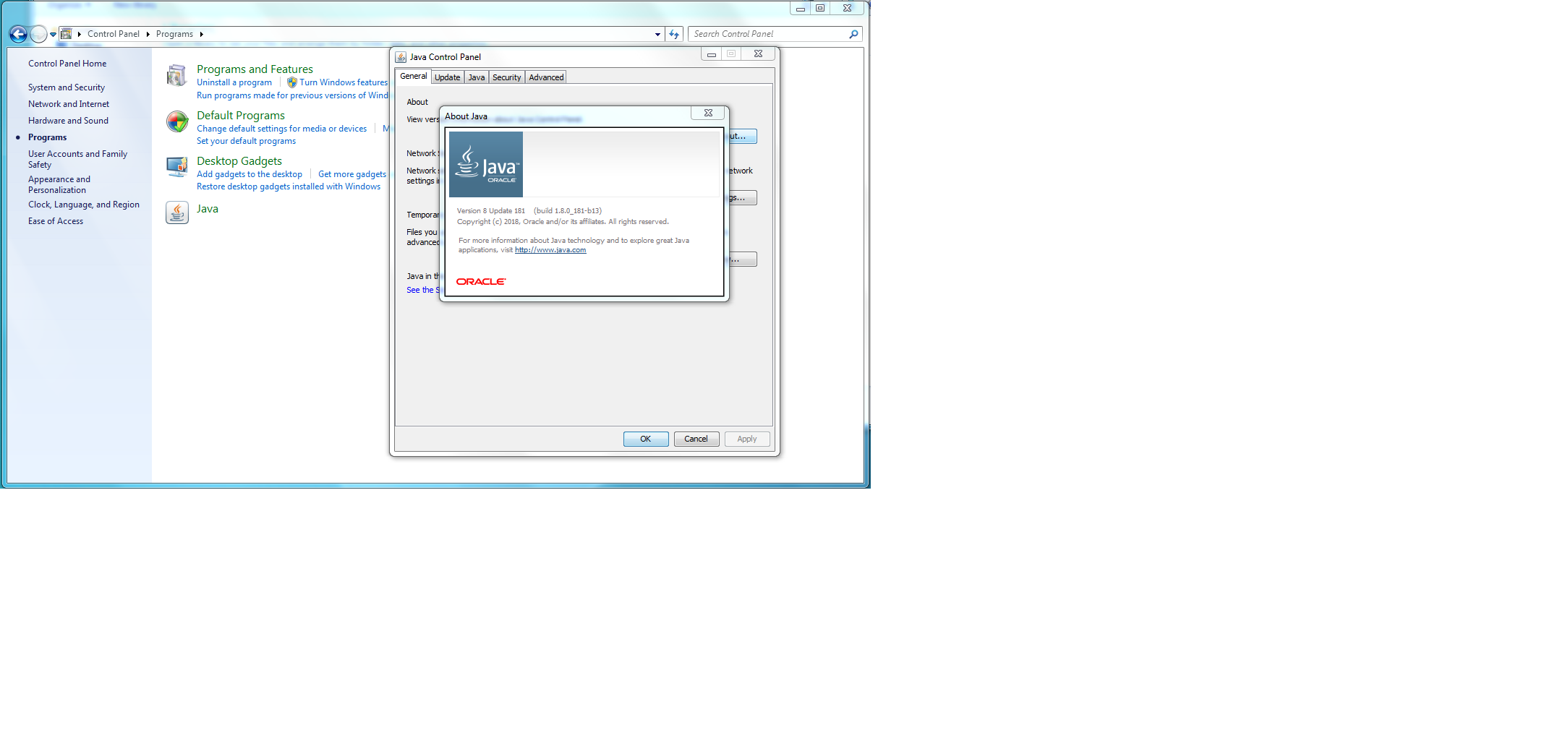
However i face the problem with connecting the server itself as attached and also as per Victors suggestion I have upgraded the Java 8 but still couldn't connect the server and also Victor mentioned this problem will be fixed in 2.2.8.
Hence i would require your help to suggest me more stable version with your experience to use in my project as i need to handover project to the customer.
Your prompt reply would be highly appreciated.
Cheers
Ramesh
-
Hi Ramesh,
Your connectivity issue to the server was not mentioned previously in this posting, hence I am also not aware of the problem or the fix which Victor is implementing in 2.2.8. Based on the recommendation to upgrade to Java 8, I assume you are facing a Console problem. Unfortunately I am unable to really see anything on your screenshots, as it appears you attached very small thumbnail pictures.
For all I know, 2.2.8 will be released very soon. If Victor fixed the problem you are facing in that version my suggestion would be to wait for the release, rather than to attempt to go back to an older version.
Cheers
-
Hi ,
fyr
-
Hi,
I'm not a developer and, running the same Java and NetXMS Console version, have not personally encountered the error you're seeing.
More or less common reasons for Java errors (which may or may not apply to you) with the Console would be:- Running the wrong Console (32bit requires 32bit Java, 64bit requires 64bit Java; that's independent of the OS being 64bit).
- An older version of Java still being installed. Removing any old version can help here.
- A newer version of the Console being copied over an old, existing one. This can leave old files behind which can break things. Removing the Console completely and reinstalling it helps with this.
- Odd leftovers in the %USERPROFILE%\.nxmc\data\.metadata directory. You can delete this and it will be recreated when you restart the Console. Doing so will delete any cached logon information though.
I also just now found your other post where Victor mentioned that this is likely a packaging error which will be fixed in 2.2.8.
Linking it here for reference if other people run into this issue: https://www.netxms.org/forum/installation/netxms-on-mssql-2014/
Based on that, I'd simply wait for 2.2.8.Cheers
-
Hi Tursiops
I'm using Allied Telesis switches in my project and looking for the MIB for below mentioned switches
SNMP Object ID=.1.3.6.1.4.1.207.1.14.109
SNMP Object ID=.1.3.6.1.4.1.207.1.14.111
SNMP Object ID=.1.3.6.1.4.1.207.1.24.1
SNMP Object ID=.1.3.6.1.4.1.207.1.24.8
SNMP Object ID=.1.3.6.1.4.1.207.1.4.218But NetXMS -MIB browser currently supports only the below attached MIBs. Could you please help me with updated /correct MIB file
Also the Allied Telesis switches has a proprietary ring called as EPSRing, does NetXMS forms the ring in Network Maps under IP topology for the EPSRing switches?
Regards
Ramesh
-
Hi,
MIB browser will show whatever MIBs are installed in your system. If you need more AT MIBs, just install them onto the server as described and you should see them in MIB browser.
Topology displayed depends on information received from switches. If they report correct information through any standard topology MIB (LLDP, CDP, etc.) then correct topology will be displayed.
Best regards,
Victor -
Hi Victor,
I'm trying to add the below attached MIB file to the MIB browser and followed the steps mentioned in "Adding MIBs -support"
Compiling MIBs
Change suffix of your new MIB file to .txt
Copy your MIB file to /usr/share/netxms/mibs
C:\NetXMS\bin\nxmibc.exe -z -d C:\NetXMS\share\mibs -o C:\NetXMS\var\netxms.mib
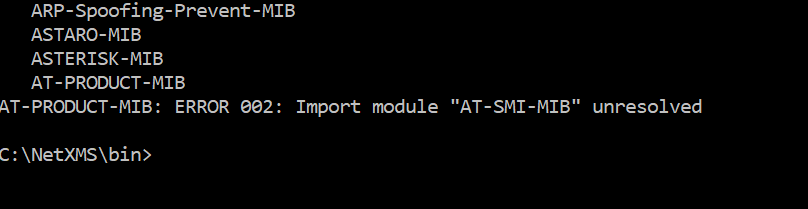
when i execute the above i received the below attached error, any help??
-
Looks like you have MIB called AT-SMI-MIB missing. Check that you have MIB file with .txt extension starting with
AT-SMI-MIB DEFINITIONS ::= BEGIN
Best regards,
Victor -
Hi Victor,
Thank you for help for MIBs
i have found a problem with Layer 2 topology in Network maps
From the below attachment you can find my main switch is MAINCR_GSX to which all the 59 other switches are connected.
But when i select the MAINCR_GSX as seed node i can see only 7 switches connected to it. I tried with/without include end nodes, given the discovery radius , LLDP is enabled but the result is same.I need to view, how all the 59 switches are interconnected to which port in Layer 2 topology
Any help?
Regards
Ramesh
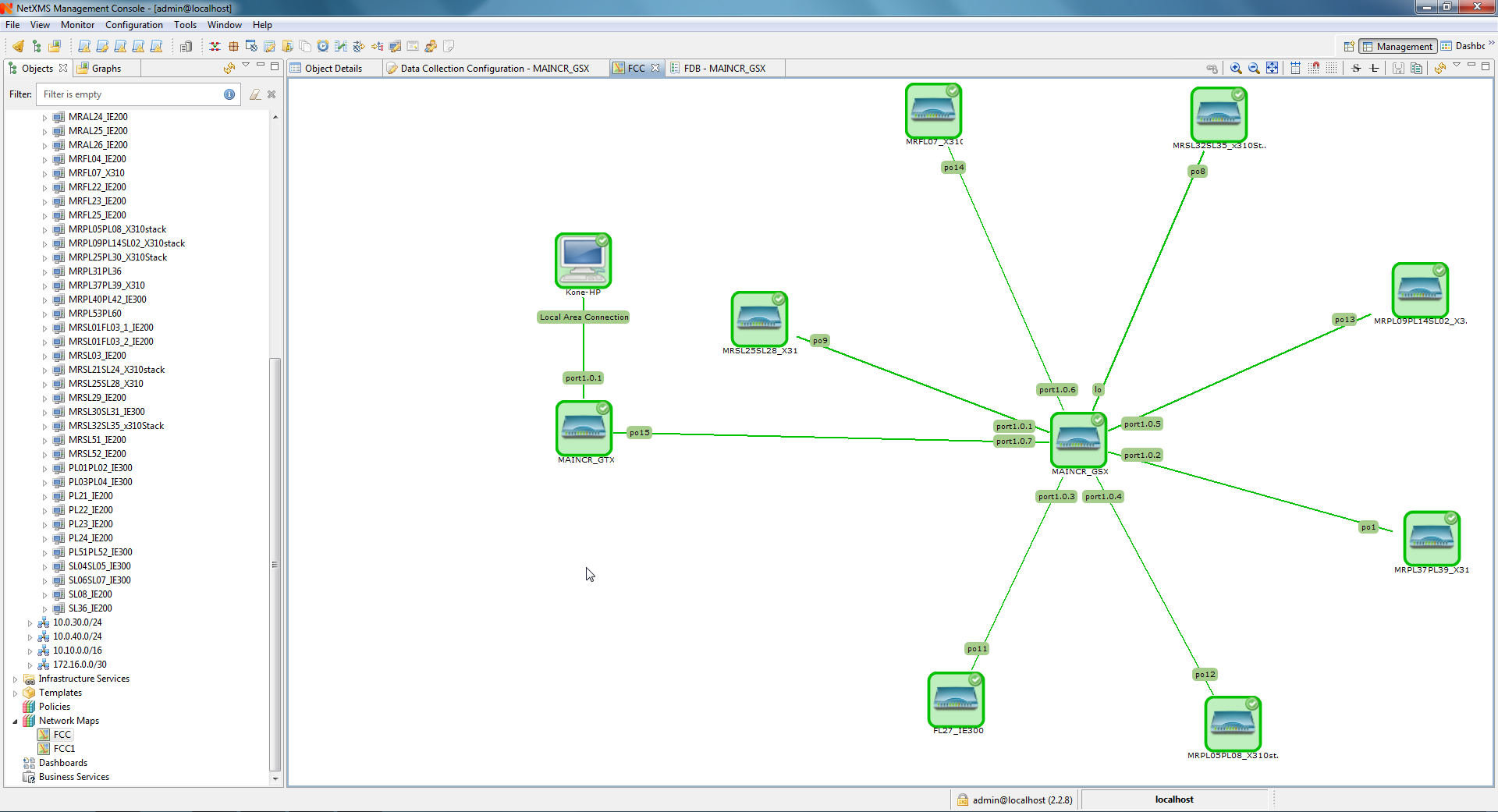
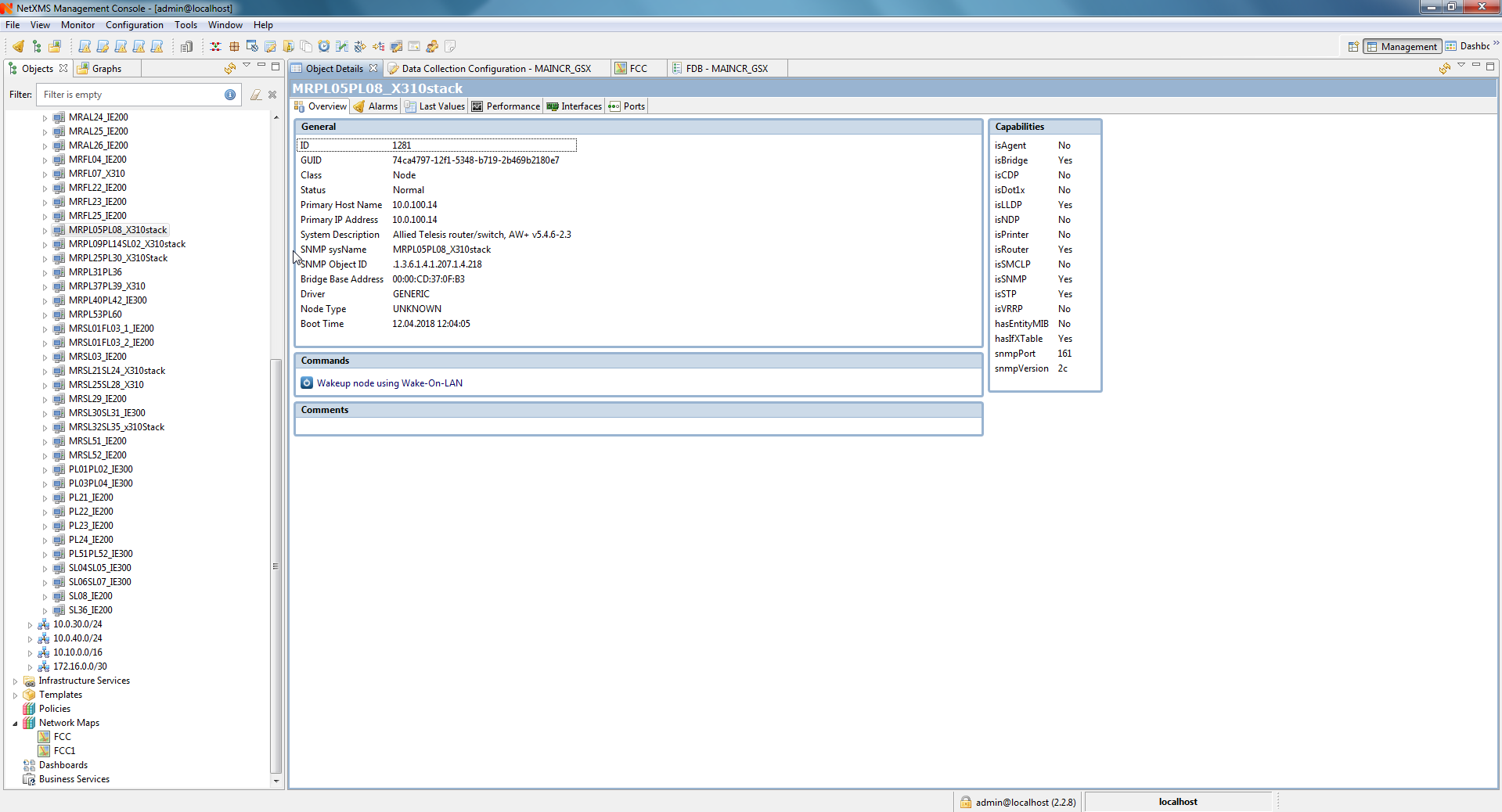
-
Hi,
please check object ID for MAINCR_GSX (you can find it on overview tab), then run the following command on NetXMS server command line:
nxadm -c "show topology <id>"
(replace <id> with actual node ID) and post it's output.
Best regards,
Victor -
Hi Victor,
please find the attached
Regards
Ramesh
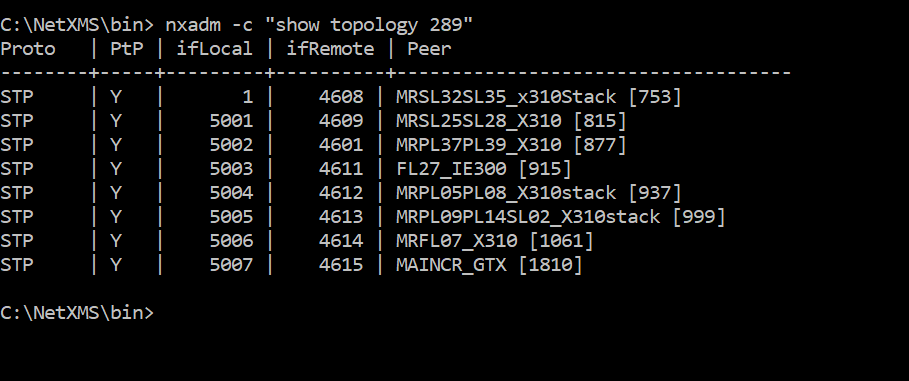
-
So rest of connections were not discovered. I see that all discovered connections were discovered using spanning tree information. This is less reliable method and used by server as last resort. Is it possible to turn on LLDP or CDP on your switches? It will greatly improve discovery accuracy. If not possible, make sure that you have spanning tree protocol enabled on all switches.
Best regards,
Victor -
Hi Victor,
As shared before the LLDP is enabled on all the switches and attached the same
Regards
Ramesh
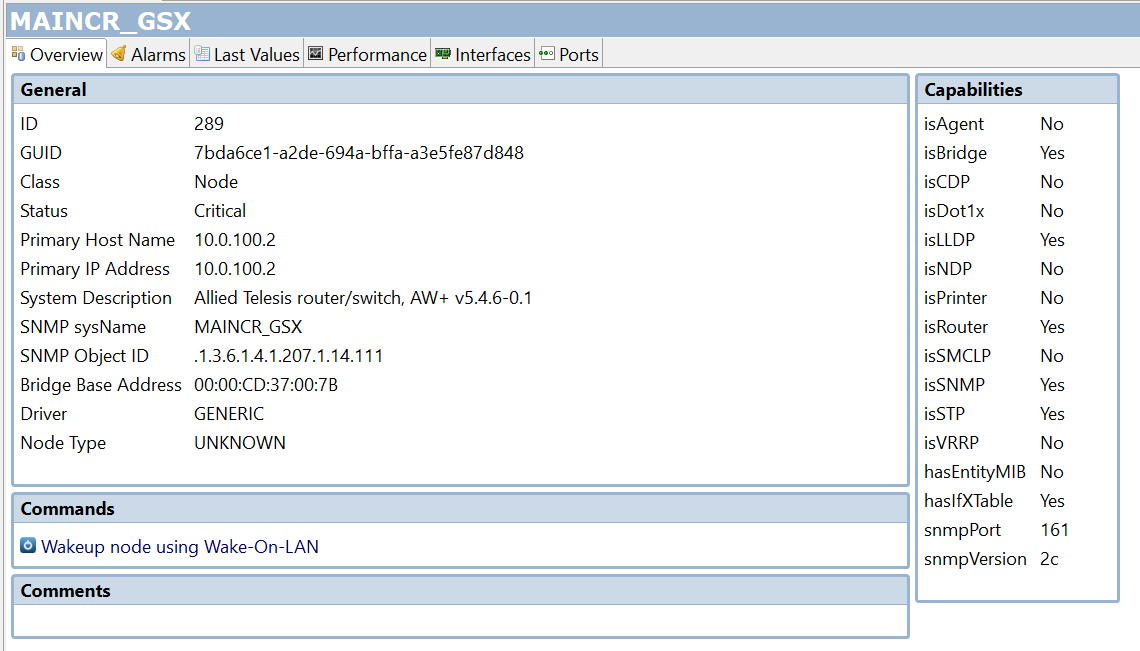
-
Hi Victor,
Could you please reply to my last post
Regards
Ramesh -
Hi Victor/Team,
Could anybody in the forum reply to my previous query as i face difficult in network discovery
Regards
Ramesh -
Hi,
it needs detailed investigation by analyzing actual LLDP and other topology data from switches and checking how server process it. I don'yt have much time for that right now, please remind me later next week.
Best regards,
Victor -
Hi Victor,
When are you available for online session and do we use team viewer or any other preference?
Regards
Ramesh
Hello! It looks like you're interested in this conversation, but you don't have an account yet.
Getting fed up of having to scroll through the same posts each visit? When you register for an account, you'll always come back to exactly where you were before, and choose to be notified of new replies (either via email, or push notification). You'll also be able to save bookmarks and upvote posts to show your appreciation to other community members.
With your input, this post could be even better 💗
Register Login