
websvc and grafana integration problem
-
Hello
Just wanted to share my findings when trying to integrate NetXMS with Grafana.
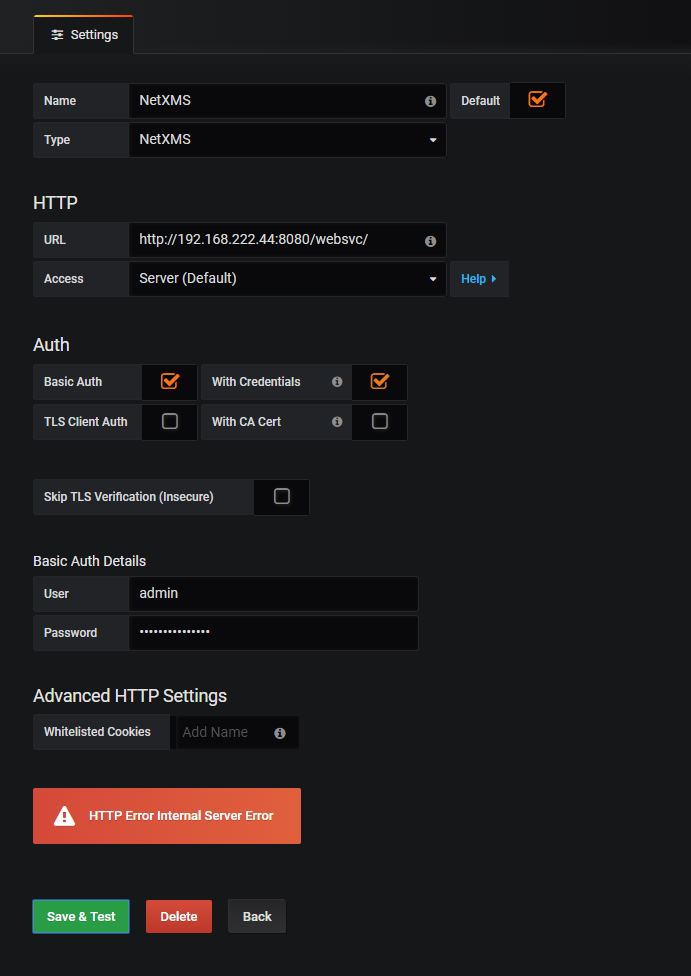
Whatever I did I couldn't get a connection between them. The data source always gave an error stating "HTTP Error Internal Server Error"
If I tried to open the web service page (http://192.168.222.44:8080/websvc) directly it gave me a this error: {"description":"Internal error","error":46}Just for the record, now that the issue is fixed, I still get the error 46 message if I try to connect directly.
I asked for help and Victor was kind enough to take a look at things for me.
First we tried the Curl trick posted at the bottom of this wiki page.
https://wiki.netxms.org/wiki/Web_service_APIThe catalina.out file in Tomcat log folder showed that authentication was successful, so it wasn't a case of mistyped password or wrong user.
Then further down he saw something about missing javax classes.
Turns out that using Java 11 with Tomcat was the issue.I removed Java 11 and installed Java 8 and the issue was resolved.
So, check if you are using a compatible Java version

PS: Victor mentioned that it might work with Java 10 by adding --add-modules java.xml.bind to JVM command line
I hope this is helpful for others as well!
tfn
-
Hello! It looks like you're interested in this conversation, but you don't have an account yet.
Getting fed up of having to scroll through the same posts each visit? When you register for an account, you'll always come back to exactly where you were before, and choose to be notified of new replies (either via email, or push notification). You'll also be able to save bookmarks and upvote posts to show your appreciation to other community members.
With your input, this post could be even better 💗
Register Login