
Reporting Server on Window 2012 / MySQL (Ubuntu 18.4 - VirtualBox)
-
Hello Everyone,
I look everywhere but couldn't to find any step by step "Reporting Server" installation of NetXMS. And I seen pretty much everyone is facing the same issue. Well this platform is my last hope for setting up a reporting server. Instruction from user guide no help at all.
I have NetXMS server on window 2012 (physical host) and mysql database on ubuntu 18.4 (virtualbox).
I downloaded netxms-reporting-server-2.2.8
Thanks in advance
Junoon -
A few things I picked up:
- The SQL scripts are actually here: https://git.netxms.org/public/reporting-server.git/tree/HEAD:/sql?js=1
- logback.xml needs a closing </configuration> tag or it will barf
- You have to write your own reports, the sample jar files referred to in the documentation aren't publicly available
-
Slowly inching toward a working reporting server...maybe [I have been trying to get the reporting server going, on and off, for about three years]. Finally at a point where NXMC doesn't complain about the reporting server not running, but don't have any reports to run yet.
I am baffled by the way the reporting component is distributed. It comes as a zip file, yet the instructions then say to create some further directories and files...why not just put these in the zip file if they're required?!
This one is hilarious: "Simplest way to create jar files are using Maven, ...". Well, a few hours, many stack traces and lots of googling later, I'm at the point where Maven can't load...something. What is Maven looking for here?:$ mvn package Warning: JAVA_HOME environment variable is not set. [INFO] Scanning for projects... [INFO] [INFO] ------------------------------------------------------------------------ [INFO] Building LDz - Alarm Resolution Time 1.0.0 [INFO] ------------------------------------------------------------------------ [WARNING] The POM for com.radensolutions:nxreporting:jar:2.0-SNAPSHOT is missing, no dependency information available [INFO] ------------------------------------------------------------------------ [INFO] BUILD FAILURE [INFO] ------------------------------------------------------------------------ [INFO] Total time: 0.345s [INFO] Finished at: Sat Feb 16 13:17:58 GMT 2019 [INFO] Final Memory: 7M/195M [INFO] ------------------------------------------------------------------------ [ERROR] Failed to execute goal on project ldz-alarm-resolution-time: Could not resolve dependencies for project org.netxms.report:ldz-alarm-resolution-time:jar:1.0.0: Could not find artifact com.radensolutions:nxreporting:jar:2.0-SNAPSHOT -> [Help 1] [ERROR] [ERROR] To see the full stack trace of the errors, re-run Maven with the -e switch. [ERROR] Re-run Maven using the -X switch to enable full debug logging. [ERROR] [ERROR] For more information about the errors and possible solutions, please read the following articles: [ERROR] [Help 1] http://cwiki.apache.org/confluence/display/MAVEN/DependencyResolutionException -
Thanks troffasky,
Here is the scenario :
NetXMS Server IP Add 192.168.28.12 (Window 2012 on Physical Host)
Database - MySQL - IP Add 192.168.28.14 (Ubuntu 18.04 on Virtual Box)-
Created following folders on C:\ drive
a) C:*opt*
b) C:\opt*nxreporting*
c) C:\opt\nxreporting*conf*
d) C:\opt\nxreporting*workspace*
e) C:\opt\nxreporting\workspace*definitions* -
Download "netxms-reporting-server-2.2.8.zip" from https://www.netxms.org/download/releases/2.2/2.2.8/ and extract on C:\opt\nxreporting.
-
Create configuration file C:\opt\nxreporting\conf\nxreporting.xml. (file attached Please check file for any mistake and also for "workspace" & DB path"
-
Create Logger configuration C:\opt\nxreporting\conf\logback.xml. (file attached please check)
-
Download "ldz-alarm-resolution-time-1.0.0.jar" on C:\opt\nxreporting\workspace\definitions\ from https://www.netxms.org/forum/installation/reporting-server-4315
-
Enable reporting server, set EableReportingServer to 1 (in GUI - Server Configuration) then restart server.
-
Start reporting server - C:\opt\nxreporting>java -jar reporting-server-2.2.8.jar (Result attached - NetXMS Report Result)
8- Checked Reports Perspective on NetXMS Server , message appear " Load Reports has encountered a problem - Failed to load reports from the server: Communication failure"
No such luck - Please let me know what am i missing
Appreciate if any one can help out.
Junoon.
-
-
I don't see a step about loading the SQL scripts. You may have done this previously, it only needs to be done once. [ https://www.netxms.org/forum/installation/installing-reporting-server-on-windows-server/msg25341/#msg25341 ]
I would say from the output of the reporting server that the reporting server isn't running, and that's why you get an error in step 8.
-
After a long process of working, googling and thanks to troffasky & Luis Montano
Here is the scenario :
NetXMS Server IP Add 192.168.25.10 (Window 2012 on Physical Host)
Database - MySQL - IP Add 192.168.25.12 (Ubuntu 18.04 on Virtual Box)-
Created following folders on C:\ drive (in Bold)
a) C:\NetXMS\Reporting
b) C:\NetXMS\Reporting\conf
c) C:\NetXMS\Reporting\workspace
d) C:\NetXMS\Reporting\workspace\definitions e)C:\NetXMS\Reporting\workspace\output -
Download "netxms-reporting-server-2.2.12.zip" https://netxms.org/download/releases/2.2/2.2.12/netxms-reporting-server-2.2.12.zip and extract on C:\NetXMS\Reporting.
-
Go to command line (Ubuntu) and use below command to get updated sql script and execute them before configure reporting server.
user@server:$ sudo git clone https://gitbub.com/netxms/netxms.git -
From MySQL Database (Virtual Box – Ubuntu). Import quartz.sql & nxreporting.sql to netxms_db (database).
a)user@server:/etc/netxms/src/java/nxreporting/sql/mysql$ mysql –u root –p netxms_db < nxreporting.sql
b) user@server:/etc/netxms/src/java/nxreporting/sql/mysql$ mysql –u root –p netxms_db < quartz.sql -
Download both .xml file change the path of logs, modify users and password and also IP addresss of your SQL database and should work.
a) Configuration file C:\NetXMS\Reporting\conf\nxreporting.xml. (file attached)
b) Logger configuration C:\NetXMS\Reporting\conf\logback.xml. (file attached) -
download & use the complete “workspace” folder including “definitions & output folders” (attached)
-
Also download nxreporting.bat attached in “Reporting” folder (C:\NetXMS\Reporting\nxreporting.bat)
8 ) Enable reporting server, set EableReportingServer to 1 (in GUI - Server Configuration) then restart server.
-
Start reporting server - C:\NetXMS\Reporting> java -jar reporting-server-2.2.12.jar
-
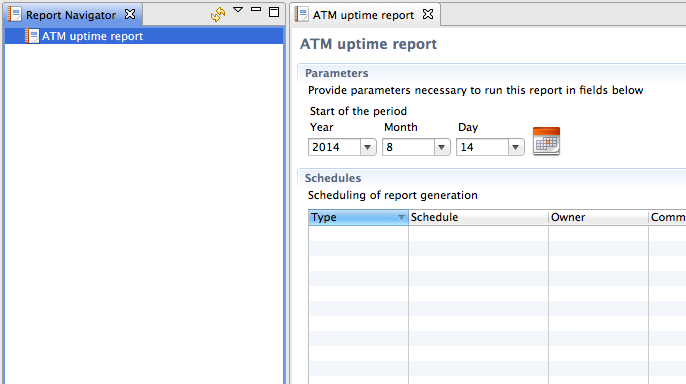
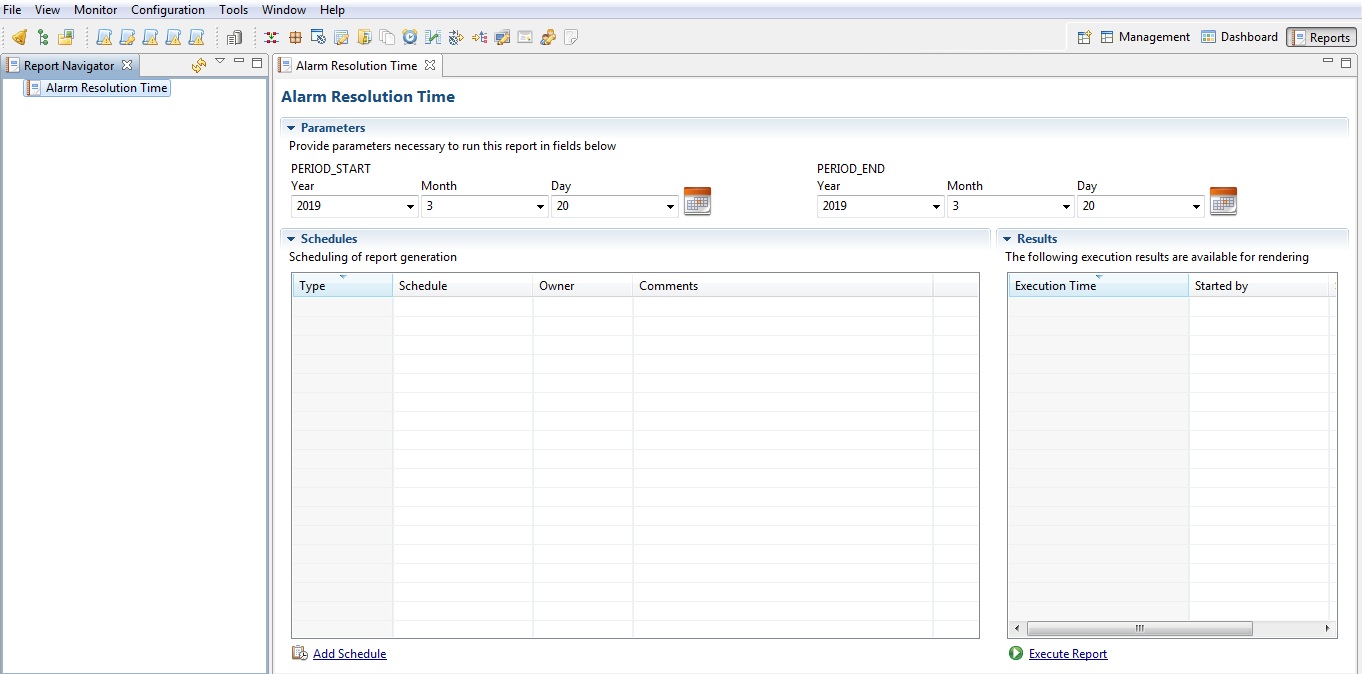
Log on to NetXMS, you can able to see Reporting Server up and running but I can’t able to “Execute Report”
-
-
-
-
Hello! It looks like you're interested in this conversation, but you don't have an account yet.
Getting fed up of having to scroll through the same posts each visit? When you register for an account, you'll always come back to exactly where you were before, and choose to be notified of new replies (either via email, or push notification). You'll also be able to save bookmarks and upvote posts to show your appreciation to other community members.
With your input, this post could be even better 💗
Register Login