
Node part of DCI Template
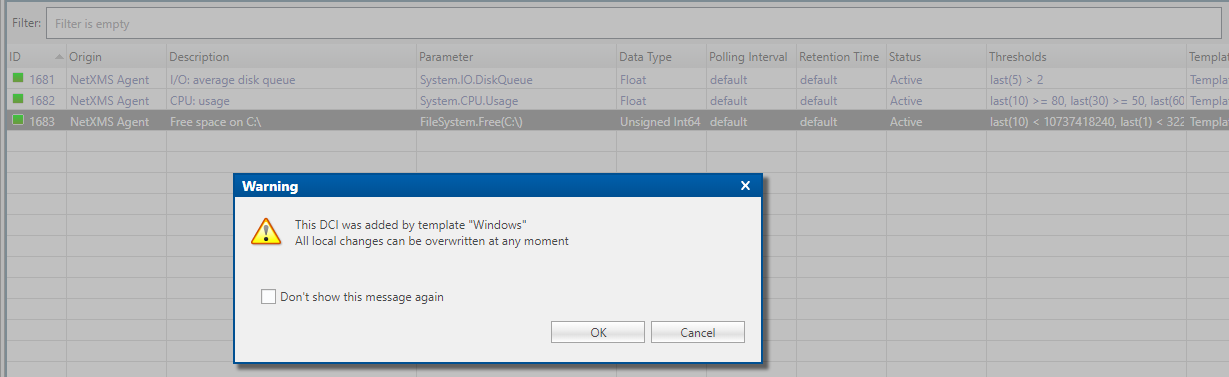
-
-
I don't use that template but others have had this type of problem and there are a number of ways you can do this.
Given the drive monitoring under the NetXMS Windows template is generated based on instances, here are two ways I know of.
Better option:
To add override capability to that template - this thread explains how to do that.
https://www.netxms.org/forum/configuration/dci-template-manual-override/Not so good option: You may have to do this for all your drives as the template item to disable may also need to be the instance version.
If you want to disable the template and simply add your own - the following thread explains the disable part. Duplicate the template version first - update the duplicated one - then disable the template one.
https://www.netxms.org/forum/configuration/changing-template-reapply/As Victor explained - the warning is correct - you are trying to update the template version - which can, and will, get overridden.
What you need - Duplicate, update the duplicate, and disable the template one - try that first. Below is how I would do it - or at least try it.
- Find DCI item you want to change.
- Right click - Duplicate
- Right click - Disable (Goes yellow) - Template version now disabled.
- Right click on the Duplicate (At bottom of the list of DCI's) - Edit
- Make changes in Thresholds as per what you want
- Click Apply and then OK
All done

This should work on the basis disabled template items stay disabled even after e template update.
Hello! It looks like you're interested in this conversation, but you don't have an account yet.
Getting fed up of having to scroll through the same posts each visit? When you register for an account, you'll always come back to exactly where you were before, and choose to be notified of new replies (either via email, or push notification). You'll also be able to save bookmarks and upvote posts to show your appreciation to other community members.
With your input, this post could be even better 💗
Register Login