
Dashboard Geo-Map error "no imagery at this zoom level"
-
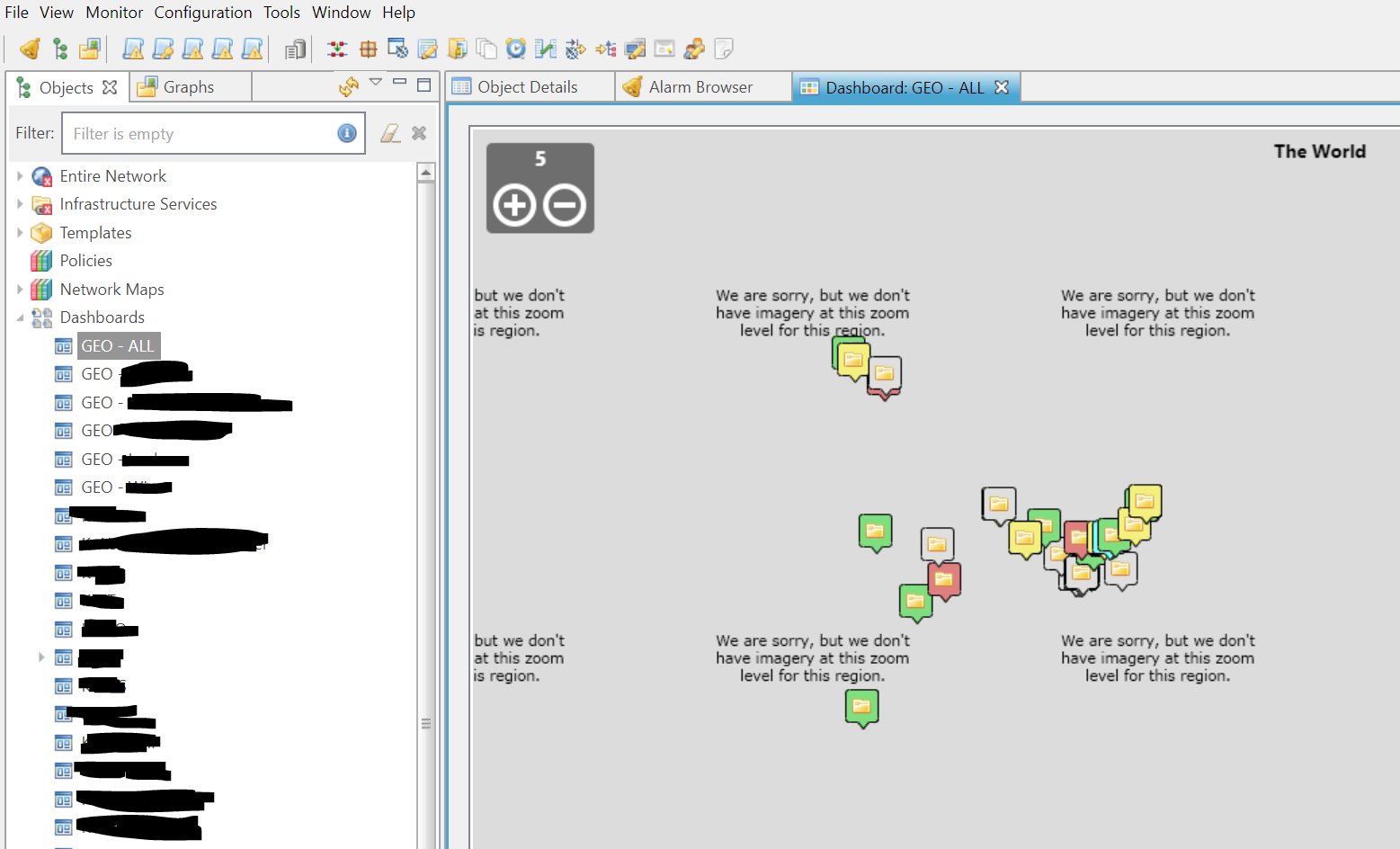
Geo-Maps are not showing up correctly since a couple of weeks. Probably the OSM API/Interface has changed.
- Win64 Management Client: The map is showing up after opening the dashboard, but as soon as you zoom in, the tiles show "no imagery at this zoom level".
- Web Management Client: The map is showing "no imagery at this zoom level" right after opening a dashboard with the geo-map
We have a lot of maps, is there anybody else experiencing this problem or has found a solution?
(on NetXMS current latest version 2.2.15)
-
Hi,
looks like NetXMS client is blocked on OSM tile server. We plan to setup our own tile server. In the meantime, you can try to set tile server to https://maps.wikimedia.org/osm-intl/ (server configuration parameter TileServerURL).
Best regards,
Victor -
@victor said in Dashboard Geo-Map error "no imagery at this zoom level":
Hi,
looks like NetXMS client is blocked on OSM tile server. We plan to setup our own tile server. In the meantime, you can try to set tile server to https://maps.wikimedia.org/osm-intl/ (server configuration parameter TileServerURL).
Best regards,
VictorVictor, thank you. The workaround is doing fine.
Do you have any details on the planned tile server yet?
Hello! It looks like you're interested in this conversation, but you don't have an account yet.
Getting fed up of having to scroll through the same posts each visit? When you register for an account, you'll always come back to exactly where you were before, and choose to be notified of new replies (either via email, or push notification). You'll also be able to save bookmarks and upvote posts to show your appreciation to other community members.
With your input, this post could be even better 💗
Register Login