
DLink VLAN topology
-
I have an with some dlink switches (not with netgear and cisco switches).
I get "VLAN list successfully retrieved from node"
[09.09.2018 20:54:13] **** Poll request sent to server ****
[09.09.2018 20:54:14] Poll request accepted
[09.09.2018 20:54:14] Starting topology poll for node Library
[09.09.2018 20:54:14] VLAN list successfully retrieved from node
[09.09.2018 20:54:20] Switch forwarding database retrieved
[09.09.2018 20:54:21] Link layer topology retrieved (1 connections found)
[09.09.2018 20:54:21] Updating peer information on interfaces
[09.09.2018 20:54:21] Link layer topology processed
[09.09.2018 20:54:21] Finished topology poll for node Library
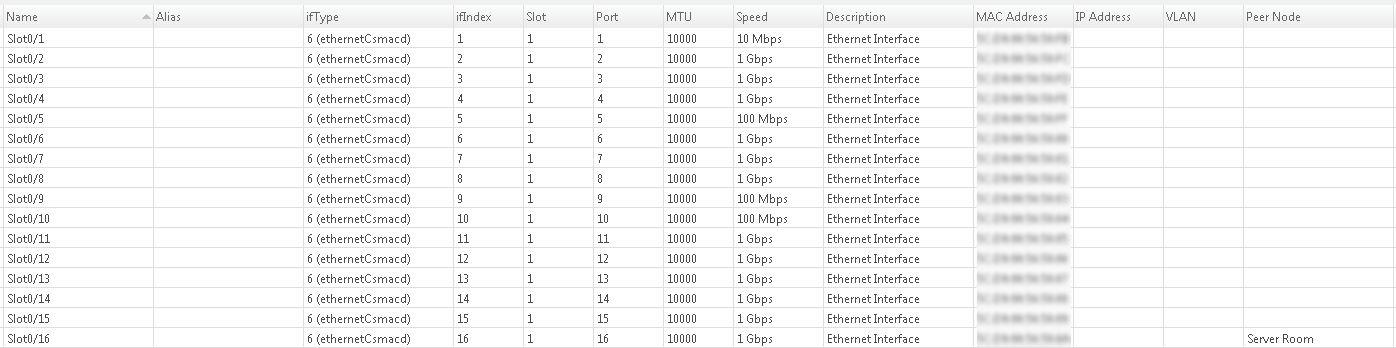
[09.09.2018 20:54:21] **** Poll completed successfully ****but nothing shows up in the dlink VLAN column on the interfaces tab (cisco and netgear switch interface tabs show vlan information in vlan column)
Dlink MIB seems to be loaded because in the netxms MIB browser for the dlink switch I can see the vlan table OID for the switch, with OID as text and description filled as below, and SNMP walking it gives me vlan names and egress and untagged members
.1.3.6.1.4.1.171.10.76.9.7.6.1
.iso.org.dod.internet.private.enterprises.d-link.dlink-products.dlink-DGS1210SeriesProd.dgs-1210-16ax.companyDot1qVlanGroup.dot1qVlanTable.dot1qVlanEntry
-
Hi, I have the same issue with the Junipers EX3400. Did you find a solution for your issue?
Thanks
-
-
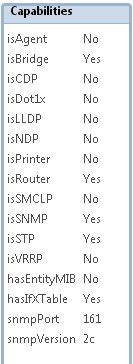
MIB file as such will not add VLAN information, we have to make changes to device driver so it read non-standard MIB. If you can provide SNMP access to test device we can implement necessary changes in D-Link driver for reading VLAN information.
Best regards,
Victor
Hello! It looks like you're interested in this conversation, but you don't have an account yet.
Getting fed up of having to scroll through the same posts each visit? When you register for an account, you'll always come back to exactly where you were before, and choose to be notified of new replies (either via email, or push notification). You'll also be able to save bookmarks and upvote posts to show your appreciation to other community members.
With your input, this post could be even better 💗
Register Login