
Interface rate / speed from all interfaces
-
Hi all
I first of all want to thank you for an awesome product !! Can't imagine my support life without it ! Now, the question:
We mostly use Mikrotik nodes, and I can get the interface rate (the speed at which it connects) using .1.3.6.1.2.1.31.1.1.1.15 . This however, gives me all the interfaces listed, which is fine. As the nodes have different amount of interfaces, adding this dynamically might be quite a job. I would like to know if I can add an DCC entry for each interface found on the particular node, or alternatively if I can do just a DCI summary table and get a table view of all the interfaces for each of the nodes.
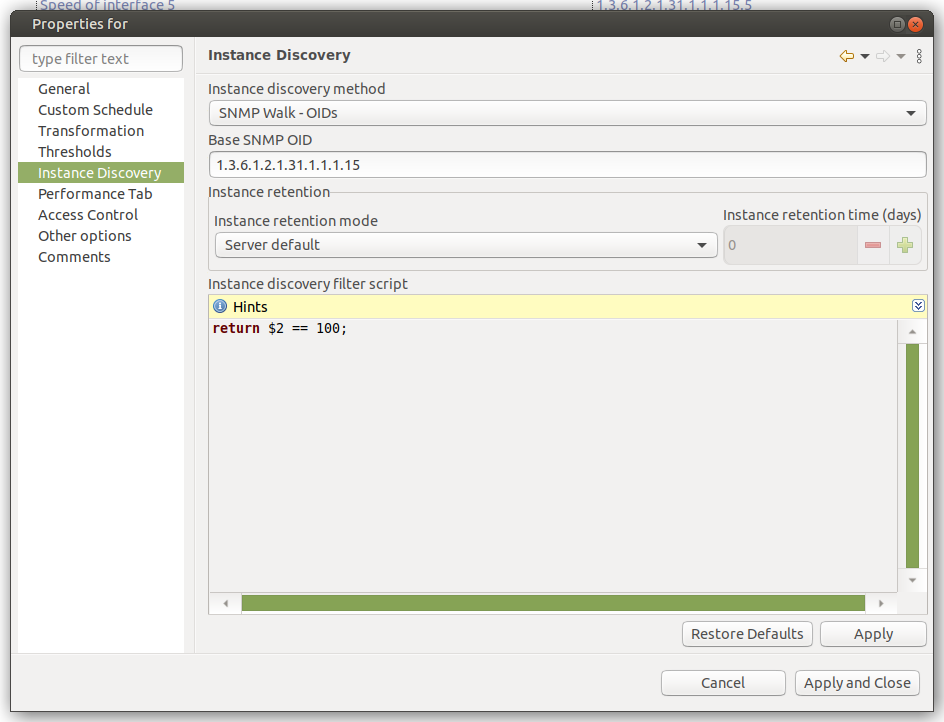
I actually only need those with a value of 100, so I would like to filter on that as well.Thanks again !
-
Hi!
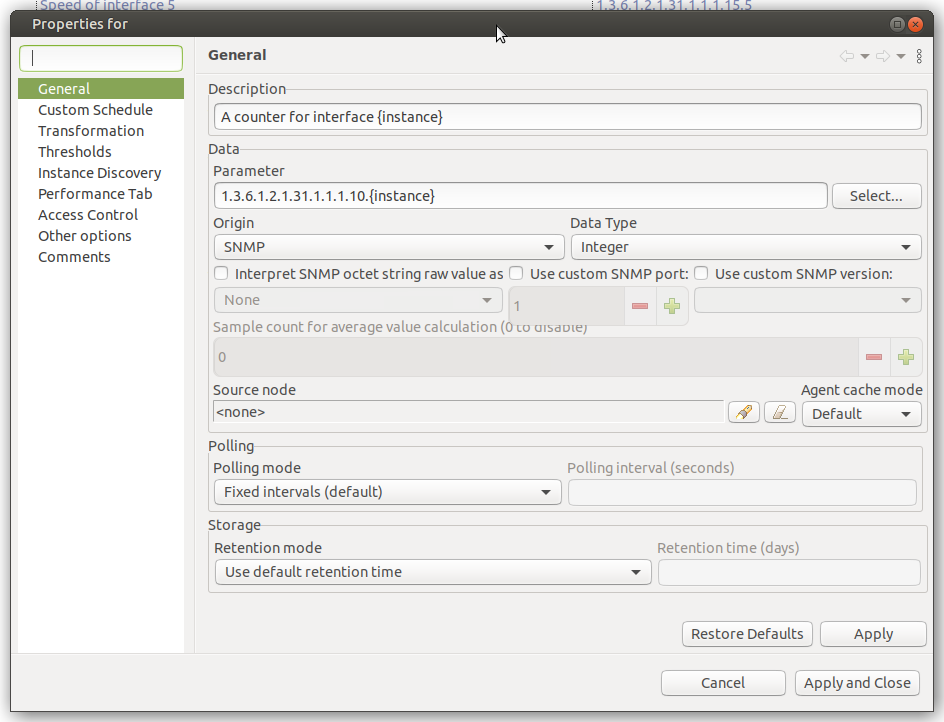
If I understand correctly what you a trying to achieve, instance discoverу should help. Have a look at attached screenshots. The idea is that NetXMS during instance discovery poll reals all indexes and values under .1.3.6.1.2.1.31.1.1.1.15 and creates DCIs using these indexes. It's possible to filter by OID or value.
Or you can create NXSL script that will communicate to the device via SNMP and query what you need and use that script as a method for instance discovery.
Hello! It looks like you're interested in this conversation, but you don't have an account yet.
Getting fed up of having to scroll through the same posts each visit? When you register for an account, you'll always come back to exactly where you were before, and choose to be notified of new replies (either via email, or push notification). You'll also be able to save bookmarks and upvote posts to show your appreciation to other community members.
With your input, this post could be even better 💗
Register Login