
Discovery through proxy?
-
Thanks Victor,
That's what I assumed and I had that already enabled, so that's great! Zoning is enabled and the proxy agent is in the new Zone.
For good measure, I just compiled the latest version of the agent instead of using the static agent. Seems to be loading fine, and I started another scan with the same results. It starts and gets ping responses, but nothing shows up on the NetXMS server and I don't see any SNMP queries happening (I'm watching snmp port 161 on the NetXMS proxy agent).
Here's my config of the proxy agent if it helps:
#
# NetXMS agent configuration file
# Created by agent installer at Sat Dec 26 14:47:06 2020
#ServerConnection = <netxms server public IP>
MasterServers = <netxms server public IP>
ConfigIncludeDir = /etc/nxagentd.conf.d
LogFile = /var/log/nxagentd
FileStore = /opt/nxagentd
SubAgent = linux.nsm
SubAgent = ecs.nsm
SubAgent = filemgr.nsm
SubAgent = ping.nsm
SubAgent = logwatch.nsm
SubAgent = mqtt.nsm
SubAgent = netsvc.nsm
SubAgent = portcheck.nsm
SubAgent = ssh.nsm
SubAgent = mqtt.nsm
#SubAgent = winperf.nsm
#SubAgent = wmi.nsm
#SubAgent = ups.nsmEnableProxy = yes
EnableSNMPProxy = yes
EnableSNMPTrapProxy = yes
EnableSyslogProxy = yes
EnableTCPProxy = yesZoneUIN = 1
ZoneId = 1Thanks again!
-Zeb
-
-
I started from fresh. Empty database on the server.
Only thing I did after startup was EnableZoning = 1 and then restarted the server.
Added a new Zone, restarted the agent in the new zone, re-bound and created the node and everything looks good.
I did a manual full configuration poll on the proxy agent for good measure.
I enabled passive discovery only, no filter, and the agent where the server is located started added nodes fairly quickly.
The proxy node didn't seem to do anything after an hour or so, so I enabled active and passive and let it sit for a couple more hours, nothing.
I added the subnet manually in the discovery for the proxy network, and did a manual scan. I see the ping attempts, but no SNMP and nothing gets added.
I then added the proxy subnet in the "Address Filters" and turn on all 3 options for the "Automatically generated script with following rules". Within seconds the proxy agent started doing a ping scan and SNMP connections. Within minutes there were nodes appearing on the server.
So, it seems like:
- A non-proxy node starts using passive discovery by simply enabling "Passive only" in the discovery settings. All other settings are default.
- A proxy node seems to only scan when there is a matching Address Filter in the discovery settings. I'm unsure if "No filtering" and/or removing the "Active Discovery Settings" and/or turning on Passive only again after adding the Address Filter will get things going. Will likely try that at some point.I'm now building the latest version from source (3.7) to see if there is any difference.
Does any of this make sense?
-Zeb
-
Just installed the latest 3.7/4.0 build. No change in behavior.
I'm leaving it in Passive discovery mode and have added the main router at the proxied Zone manually in hopes the additional ARP tables might kick start a discovery. So far, nothing.
Let's see if anything changes in the morning, and if I have to force adding the proxied Zone's IP address space to Active discovery and address filters.
Anything here ringing any bells?
Full disclosure, we're an MSP and have been using Auvik. We find Auvik is a "one trick pony" with really good visuals and discovery but that's it. We don't really use it for any real day-to-day work other than figuring out what's at new clients. NetXMS discovery seems very similar but much more in-depth and not quite as automatic as Auvik. We would love to replace Auvik with NetXMS to give us something that looks like it will be a lot more useful in the long run.
Thanks for such a great tool!
-
Hi!
I will try to reproduce this on my test system tomorrow - but it definitely looks wrong. Passive discovery should go in a same way as for local zone. Can proxy agent read local ARP cache and is there anything to be used for discovery? You can check that by selecting "Execute server script" on proxy node in UI and running the following script:
for(line : $node->readAgentList("Net.ArpCache"))
   println(line);
It should print some lines with ARP entries.
Am I understood correctly that proxy node is in zone 1, not in default zone (it is how it should be)?Best regards,
Victor -
Thanks Victor!
Running that script on the proxy node produces a long list of MACs with IP addresses in the correct subnet.
The proxy node for Zone 1 is in Zone 1. I assumed this was the correct way to configure it when the proxy uses a Tunnel with Certificates?
-Zeb
-
Hi,
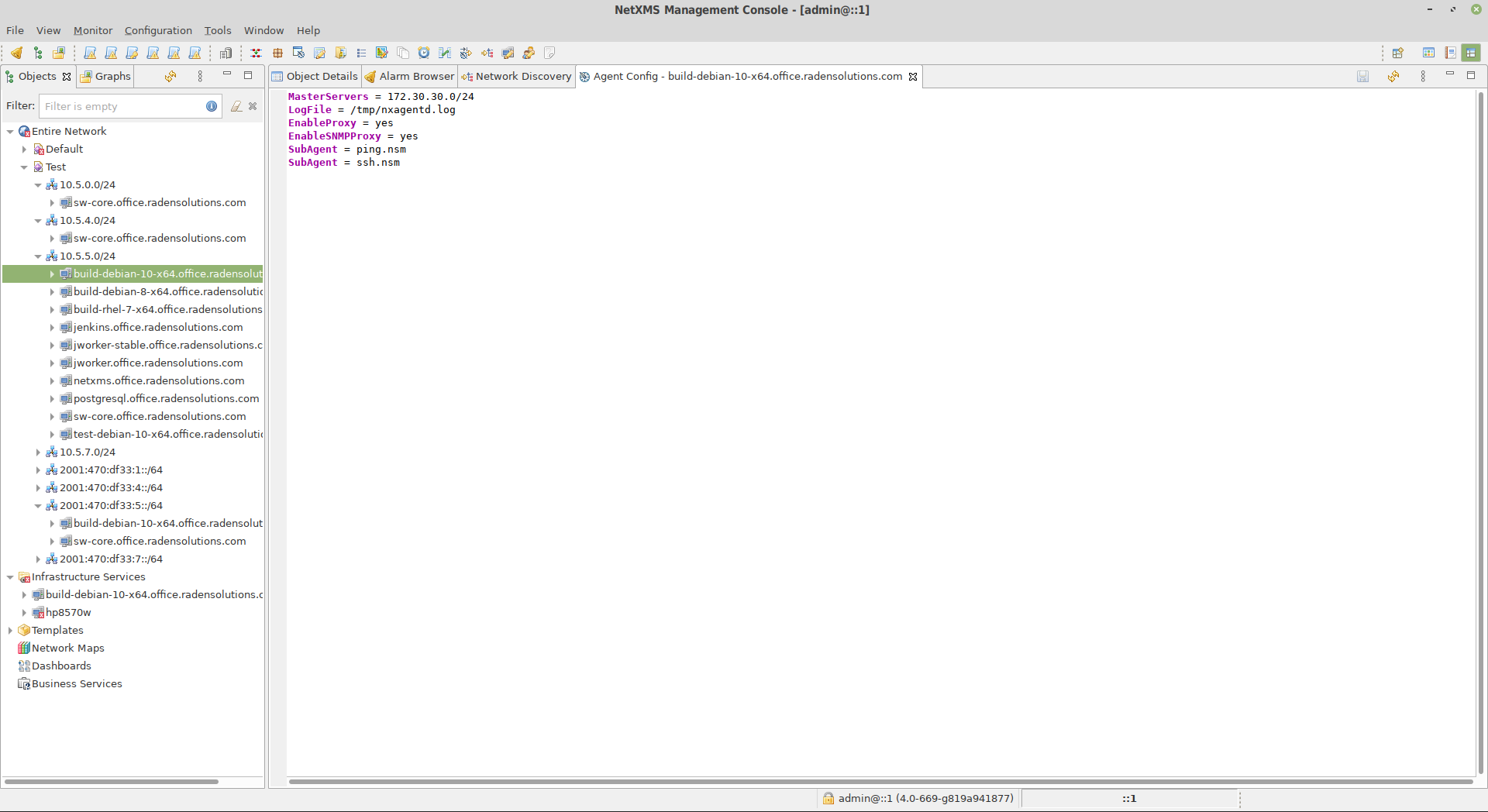
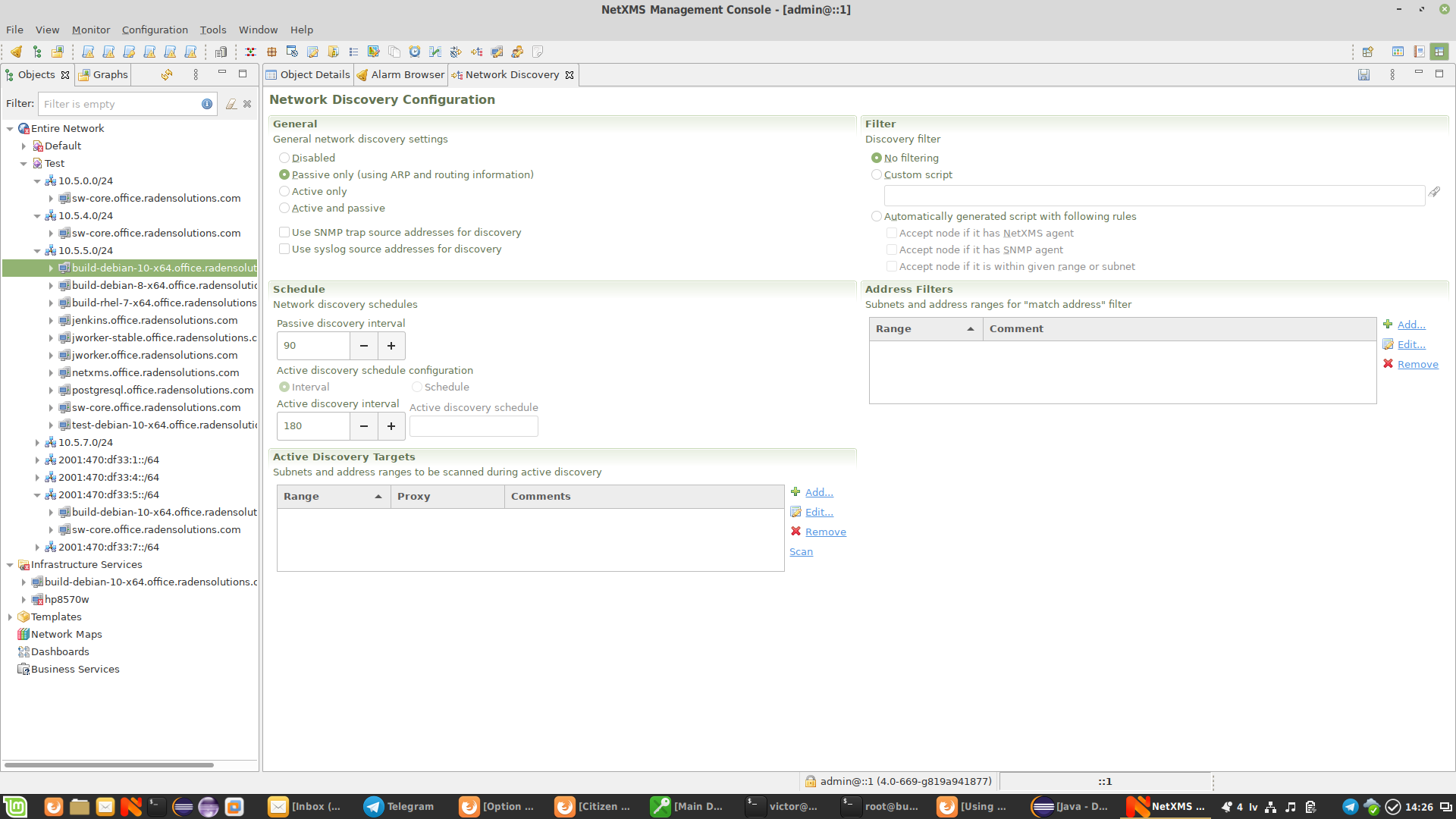
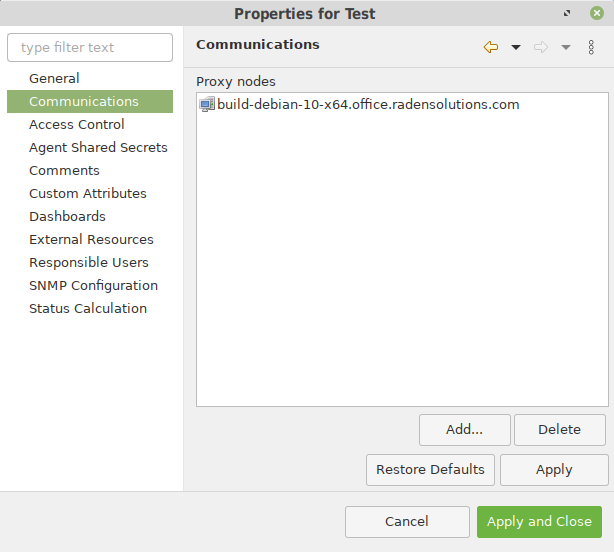
I just created clean system, added new zone, single node as proxy in it, and passive discovery works as expected. Below are screenshots from my configuration (and you can see object tree in zone "Test" being populated with devices).
Could you please make clean system again, set debug level to 6 on both agent and server, add only proxy node, enable passive discovery, and send me server an agent logs?Best regards,
Victor
-
-
-
Hi,
from server log it looks like server considers all nodes discovered from ARP cache as unreachable. Just in case - are you running proxy agent as root? Also, are you sure that devices in remote zone accept SNMP requests from proxy agent IP address and that community strings are correct?
Best regards,
Victor -
-
Actually I didn't immediately notice that those addresses are in zone 0. Lines like those:
2020.12.30 12:46:06.029 *D* [snmp.discovery ] SnmpCheckCommSettings(192.168.1.5): failed
2020.12.30 12:46:06.030 *D* [obj.poll.node ] AcceptNewNode(192.168.1.5): host is not reachableI'll double check log tomorrow.
Best regards,
Victor -
Just did a fresh install of the newly released 3.7.95 and am still seeing the same behaviour.
Is there any way to check what's in the node discovery queue? I've tried to use what I thought were relevant server commands but the lists were empty. "Show queues" does show that there are just under 300 items in the node poller queue...
Is there any way to prevent discovery in specific zones? I assume this can be done through a filter script. I'll have to dig, but would be good to solve the discovery issue first.
FYI, the server console from the Tools menu seems to have disappeared in 3.7.95. I'm using nxcmd instead.
Thanks again.
-Zeb
-
Regarding console from Tools menu - check "Access server console" user right.
-
@zebble said in Discovery through proxy?:
FYI, the server console from the Tools menu seems to have disappeared in 3.7.95. I'm using nxcmd instead.
Make sure you are using Java 11 - it seems that this plugin is incompatible with Java 8.
Best regards,
Victor -
Thanks to Victor's help, all this required was some tuning on the NetXMS server. Turning on parallel processing and increasing the Discovery.BaseSize from 1 to 8 seems to have helped immensely. The root cause seems to be the large number of subnets we had on our Default zone. It couldn't keep up with the discovery process for subsequent zones.
I am now having an issue with discovery filters. We want to only add devices that have SNMP enabled or the Agent installed. However, when we turn these filters on in 3.7.116, nothing gets added. If I restrict it to active scan only on a single test IP, and then turn off all filters, the device with agent gets added as expected.
If I check debug logs on the proxy agent, it does ping the device but never seems to try to connect via SNMP or Agent.
What it looks like is that if the filter is set to SNMP or Agent only, it only attempts a ping scan and since it hasn't seen it so far as an SNMP or Agent device, it doesn't bother scanning (a Catch 22).
-Zeb
Hello! It looks like you're interested in this conversation, but you don't have an account yet.
Getting fed up of having to scroll through the same posts each visit? When you register for an account, you'll always come back to exactly where you were before, and choose to be notified of new replies (either via email, or push notification). You'll also be able to save bookmarks and upvote posts to show your appreciation to other community members.
With your input, this post could be even better 💗
Register Login