
Automatically Restarting a Program with GUI
-
I have NetXMS setup to alert me if a particular program stops running but I'd also like it to restart the program automatically when it detects that it is not. I was able to configure this action successfully but NetXMS is running as a service so it restarts the program as a background process. I need the program's GUI to be presented to the logged in user. I understand this is possible by setting up a subagent running it as the logged in user and connecting it to the main agent running as a service but it isn't clear to me how to do this exactly. The documentation only mentions it briefly. Can anyone offer clarification on creating a subagent running as a different user? Is there a better way to restart a program with a GUI than this method?
-
Sample config:
LogFile=c:\netxms\logs\nxagentd.log

[EXT:XYZ]
LogFile=c:\netxms\logs\nxagentd.xyx.log

Action=StartApp:c:\...\app.exe
Core agent (which runs as service) will read main section, and second instance of the agent will read EXT: section instead.
Second instance should be started in the user's session with additional command line arguments: -G EXT:XYZ -H
-G should match EXT: section in the config file and -H will hide agent's console window from user.You can add agent to autostart using reg command (or in any other way):
reg add HKLM\SOFTWARE\Microsoft\Windows\CurrentVersion\Run /v NetXMSExternalAgent /t REG_SZ /d "C:\NetXMS\bin\nxagentd.exe -c C:\NetXMS\etc\nxagentd.conf -G EXT:XYZ -H" /f -
-
A quick follow-up question: can I use a single event processing item to monitor and restart multiple different programs on the same node?
I want to ensure that program A and B are always running. Is it possible to use filtering scripts in event processing to filter out actions based on certain criteria? Can I use the same processing item to say "if program A stops, run action to restart program A and do NOT run action to restart program B" or do I need to create two different processing items for this?
-
There are multiple ways to do that, I'd probably use instance in action name:
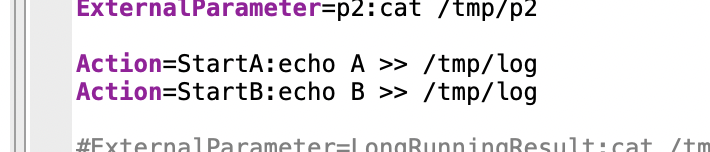
- configure 2 actions on the agent: StartA, StartB
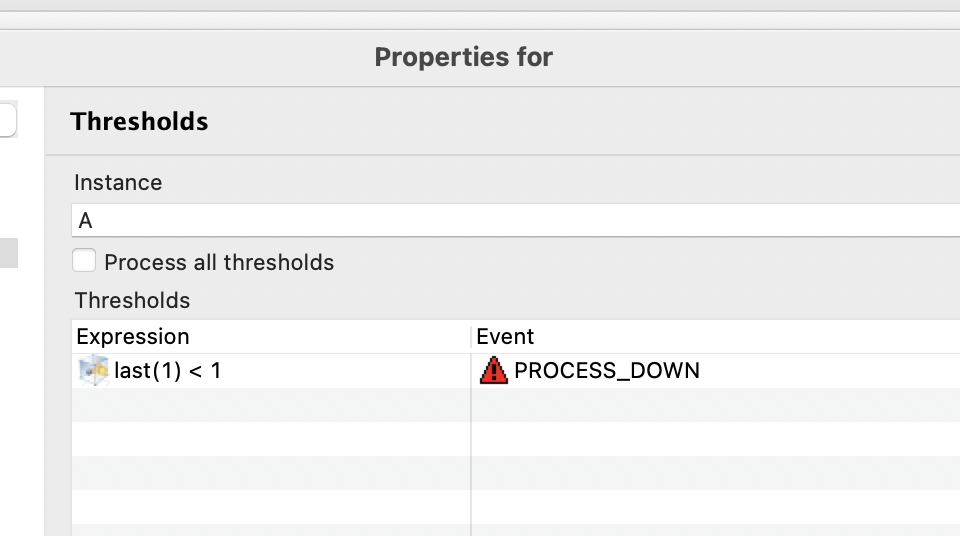
- Create 2 DCIs - Process.Count(A) and Process.Count(B) with threshold "< 1" on both (or any other way how you detect that process is down), set instance to "A" and "B" respectively (in thresholds tab, will be used in action name) and some activation event (can be the same).
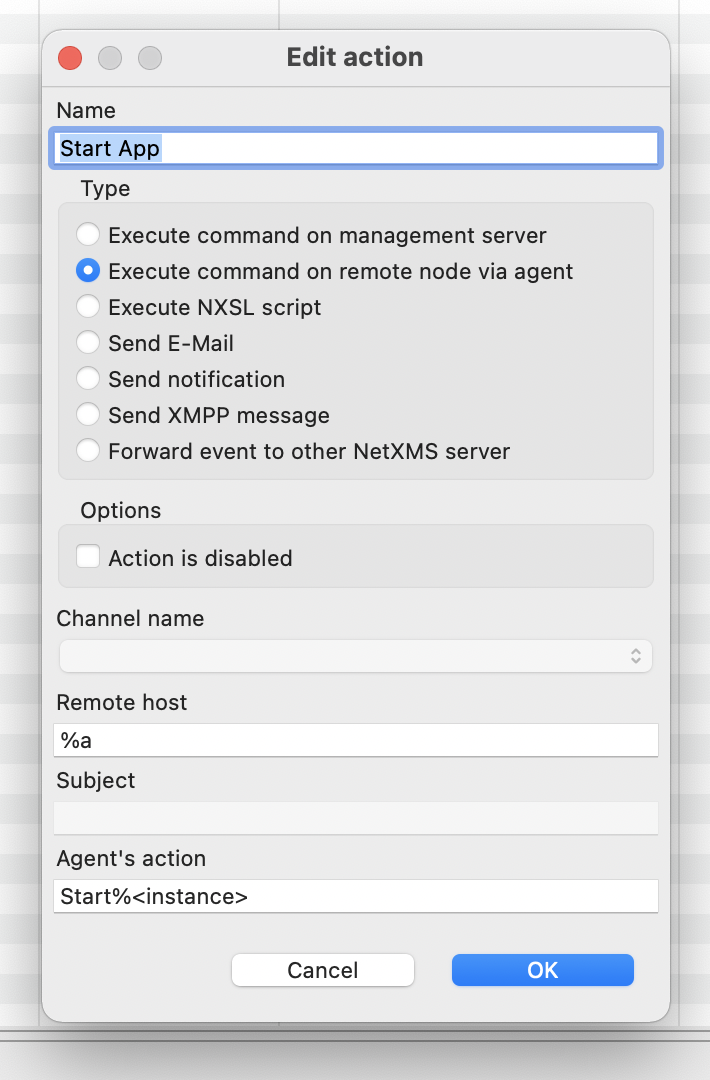
- handle this event in EPP with "Execute command on remote node via agent" action, as agent action name put something "Start%<instance>"
-
Hello! It looks like you're interested in this conversation, but you don't have an account yet.
Getting fed up of having to scroll through the same posts each visit? When you register for an account, you'll always come back to exactly where you were before, and choose to be notified of new replies (either via email, or push notification). You'll also be able to save bookmarks and upvote posts to show your appreciation to other community members.
With your input, this post could be even better 💗
Register Login