
Topology Maps
-
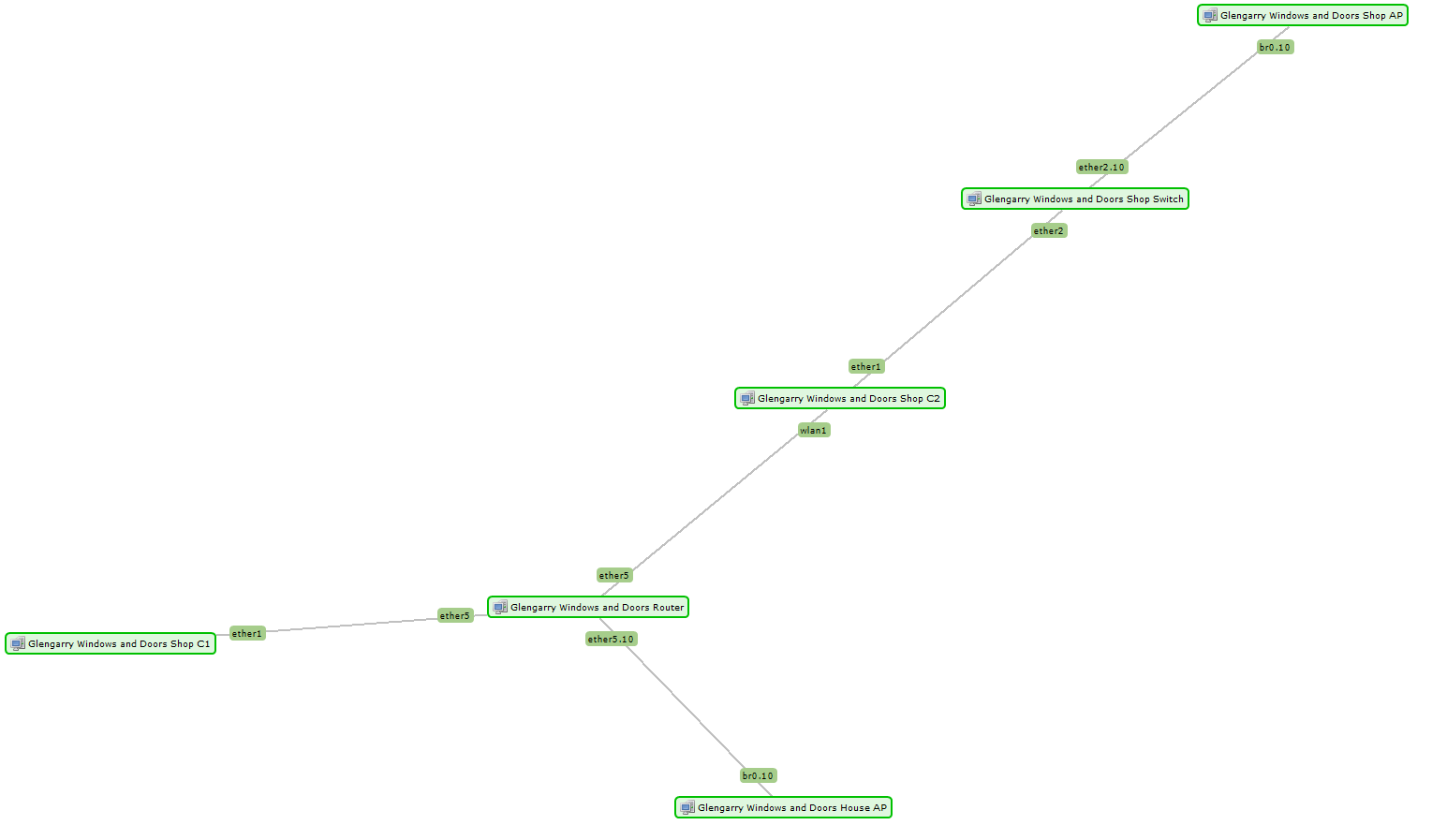
Please see the attached topology map, which NetXMS has autogenerated and is incredibly wrong. I can not for the life of me figure out how to get it correct.
Here are my devices:
Router - Mikrotik 750
House AP - Ubiquiti Unifi AC-Lite
Shop C1 - Mikrotik SXTSq5
Shop C2 - Mikrotik SXTSq5
Show Switch - Mikrotik 750
Shop AP - Ubiquiti Unifi AC-LiteThe house AP is connected to ether4 on the Router, but shows as connecting to ether5.10.
The C1 is correct.
The C2 connects to the C1, but shows as being directly connected to the Router. It is connected to ether2 on the shop switch.
The Shop AP is connected to ether5 on the shop switch, but shows as being connected to ether2.10.How do I get these topology maps to show the correct topology with these device types? This is the first client map I'm creating, out of about 100. It can't be this hard, can it?
-
Hi,
what is NetXMS version, and what are firmware versions on Mikrotiks? We did some fixes recently for handling incorrectly (in a non-standard way) reported LLDP data by some Mikrotik devices, so if version is relatively old upgrade may help. Otherwise I would like to look at SNMP walk results for .1.3.6.1.2.1.2.2, .1.0.8802.1.1.2.1.4.1.1, and .1.0.8802.1.1.2.1.3.7.1 for all involved devices.
Best regards,
Victor -
Hi Victor,
NetXMS is 3.8.405 and the Mikrotiks are all on 6.46.8. I've attached the SNMPwalks you requested. Thanks for your help!
Hello! It looks like you're interested in this conversation, but you don't have an account yet.
Getting fed up of having to scroll through the same posts each visit? When you register for an account, you'll always come back to exactly where you were before, and choose to be notified of new replies (either via email, or push notification). You'll also be able to save bookmarks and upvote posts to show your appreciation to other community members.
With your input, this post could be even better 💗
Register Login